
How to Withdraw Crypto from KuCoin EU
Withdrawing on the App

Withdrawing on Web
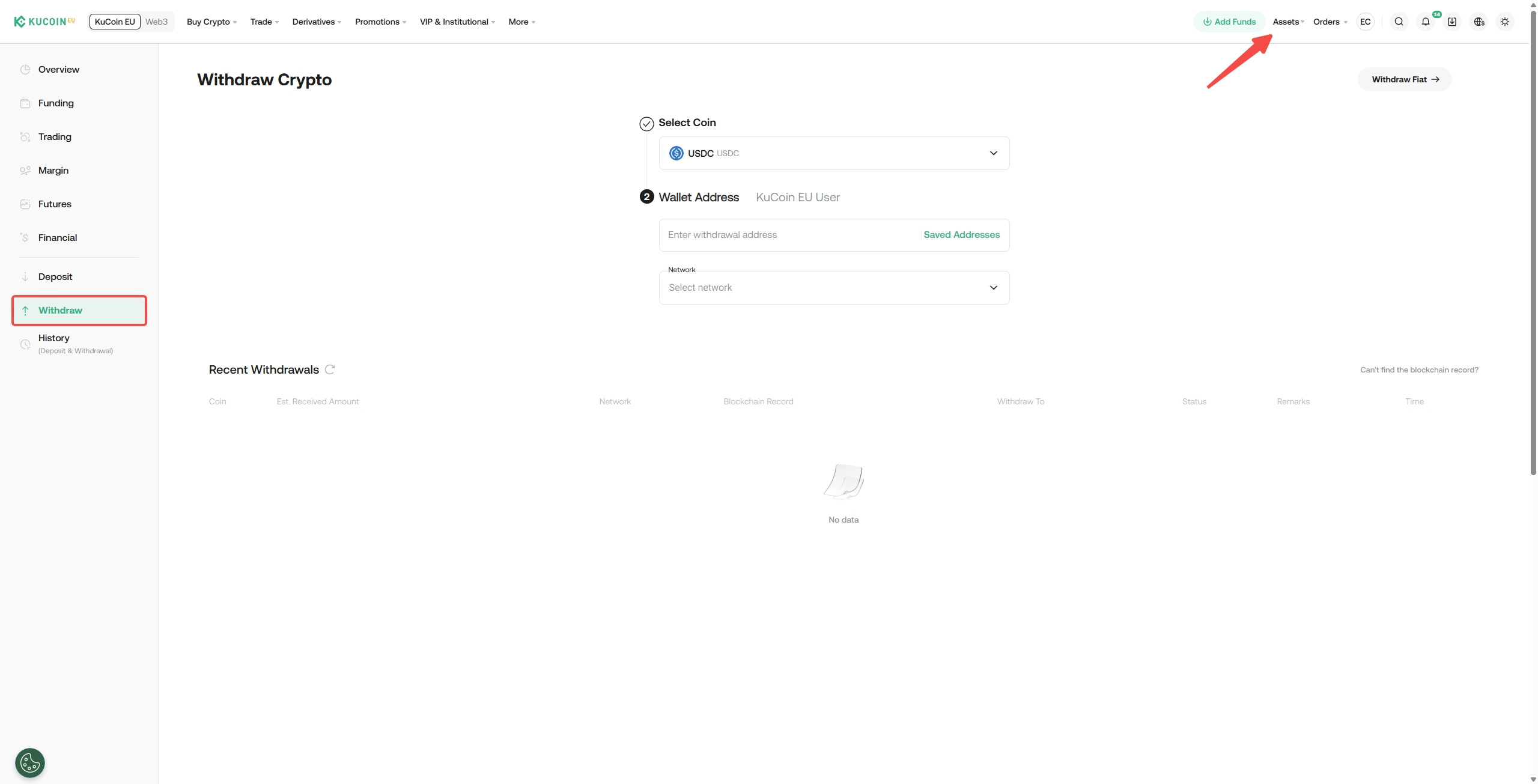
2. Once selected, you may select the correct Network. Based on your cryptocurrency, you’ll see the supported networks and their required network fees for the transaction. If you choose an incompatible network, your funds may be lost and irrecoverable.
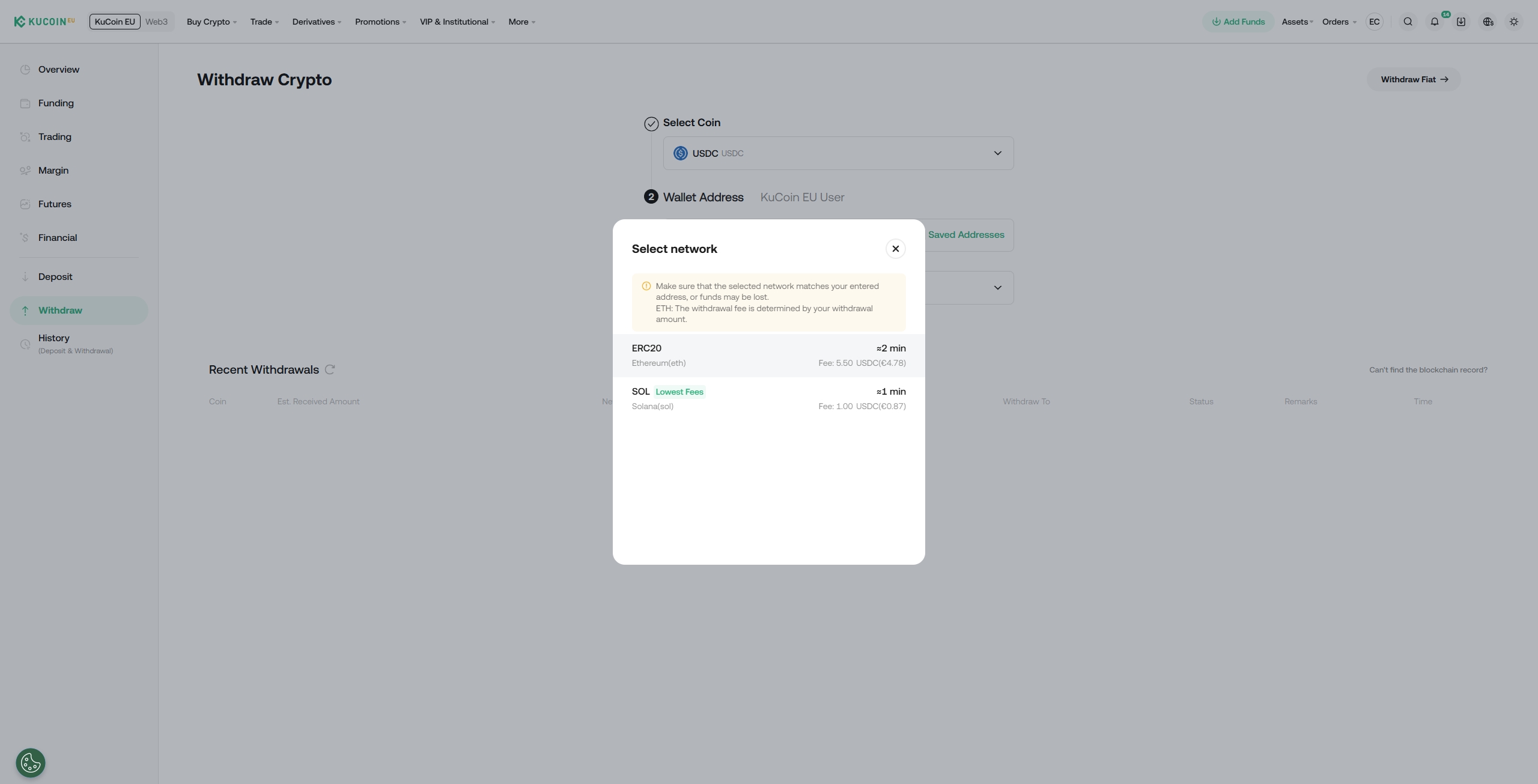
Note:
• For cryptocurrencies that support multiple chains (such as USDC), the system automatically detects the appropriate chain based on the wallet address provided.
• If you receive an "Invalid Address" error, please check if the address you’ve entered is correct. If you still require further assistance, reach out to our live support team.
3. To proceed with a withdrawal: Enter the recipient’s address manually or select from your saved addresses using the “Frequently Used” icon. You can choose to use the balance from your Funding Account or Trading Account. Review the transaction fees and the final amount you will receive, then click Withdraw.
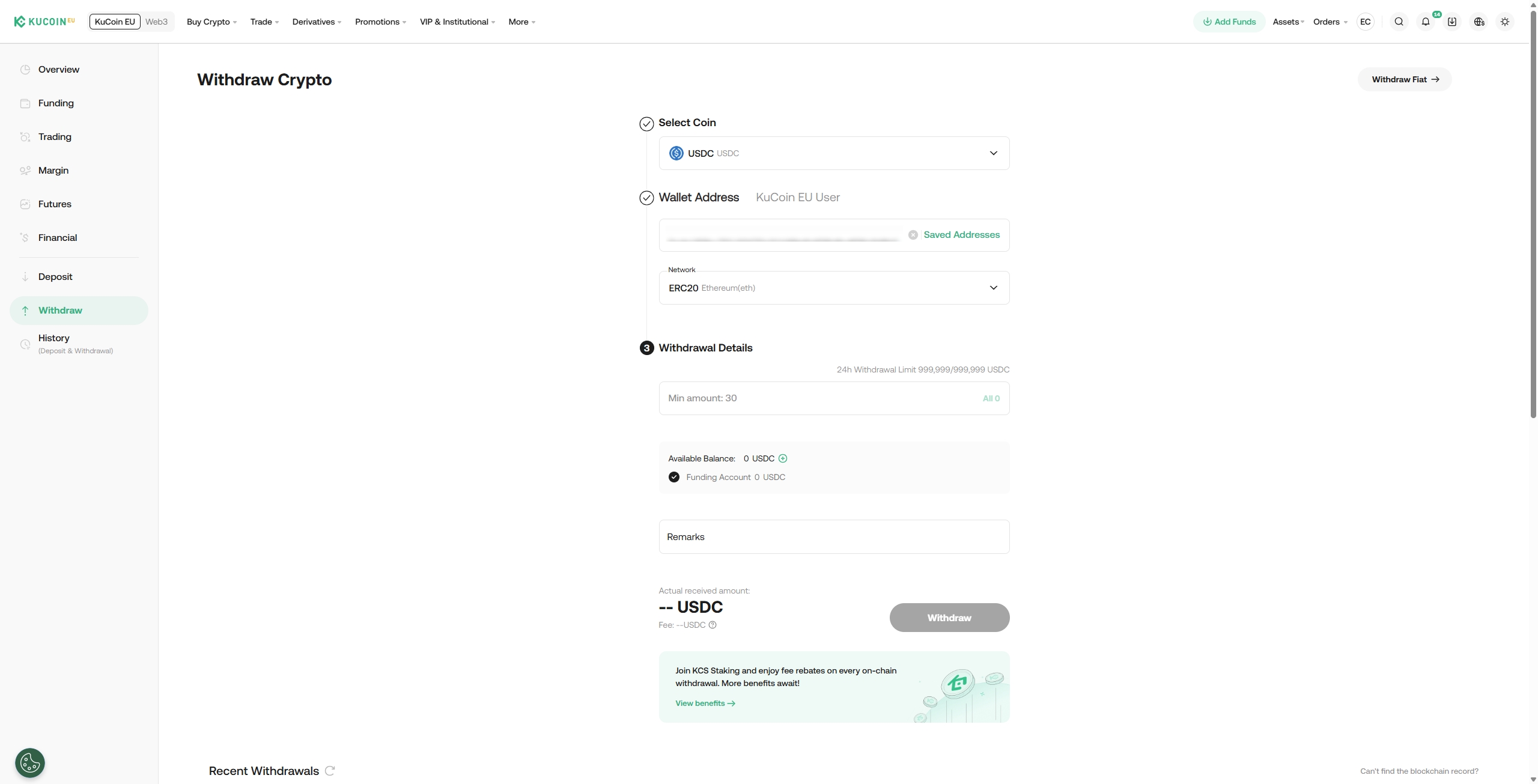
Important:
- Avoid selecting unsupported networks simply because they have low withdrawal fees. Choose a mainnet compatible with the external withdrawal address to prevent fund loss. Incorrect network selection could lead to unrecoverable funds. For example, KCC tokens can only be sent to other KCC addresses.
- For specific currencies like ERC20-USDC, the withdrawal fees may vary.
4. Complete security verification(s) when prompted hit Submit. Your withdrawal request will then be processed.
If you encounter issues with security settings during this process, please refer to the following articles for assistance:
Trading Password
Cannot Receive Email Code/SMS Message
Google 2FA
Internal Transfers
The internal transfer feature can be used to send funds between KuCoin EU accounts. Transfers are deposited into the recipient's account immediately and incur no transaction fees.
1. Internal Transfer will be selected if the system detects the recipient to be a withdrawal address on KuCoin EU.
Note:
For internal transfers on KuCoin EU, no TXID will be generated. For transactions like these, your withdrawal history will simply show Internal Transfer. If you’re withdrawing to an internal address but still wish to have a TXID recorded, manually uncheck this option. The transfer will then be processed normally on the blockchain, which will generate a TXID but also incur the relevant withdrawal fees.
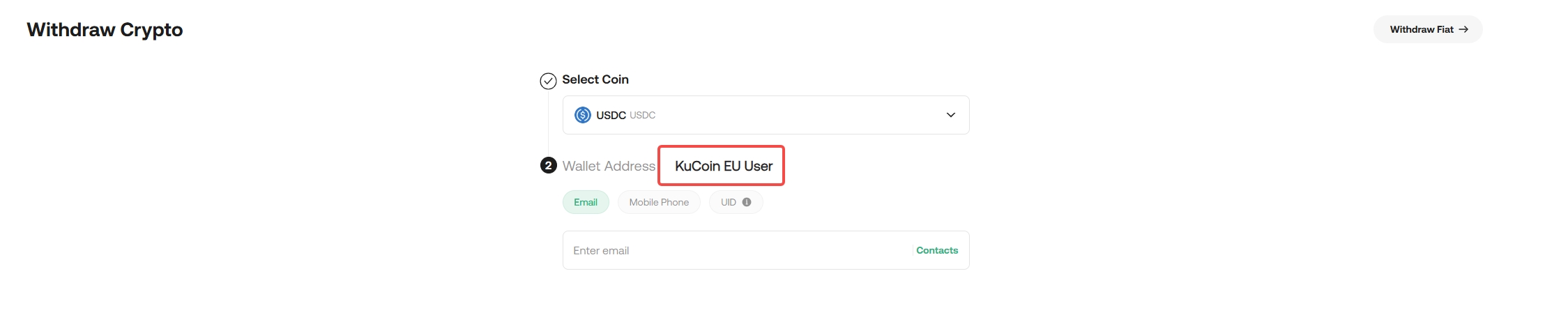
2. Internal transfers also support direct withdrawals to a corresponding KuCoin EU account via its email, phone number, or account UID. These accounts can also be added to your Frequent contacts, and internal transfers to them will result in direct deposits to their account without incurring any fees.
Note:
- Once a withdrawal request is submitted, the transaction will be confirmed on the blockchain afterwards. Depending on the network and blockchain traffic at the time, the confirmation time will vary. As such, you’ll have to be patient and wait for the transfer to be processed completely.
- When making outbound transfers, always check that the withdrawal address is correct and corresponds to the same cryptocurrency. If incorrect or not the correct currency, the funds cannot be retrieved.
- On the withdrawal page, you’ll see the minimum withdrawal amount and the fees which will vary specific to each cryptocurrency. The specific withdrawal fees can be viewed by selecting them on the withdrawal interface.
- Avoid selecting unsupported networks simply because they have low withdrawal fees. Only use networks that are compatible with the relevant external platforms.
- For internal transfers on KuCoin EU, no TXID will be generated. For transactions like these, your withdrawal history will simply show Internal Transfer. If you’re withdrawing to an internal address but still wish to have a TXID recorded, manually uncheck this option. The transfer will then be processed normally on the blockchain, which will generate a TXID but also incur the relevant withdrawal fees.
Should you encounter any problems during the withdrawal process, feel free to reach out to our support team for help.
We hope this article has been helpful. If you have any other questions, please reach out to our 24/7 customer support via online chat or submit a ticket.