Як активувати свою KuCard?
Останнє оновлення: 27.02.2026
Щоб активувати свою KuCard, виконайте ці кроки
1. Увійдіть у свій акаунт KuCoin:
• Переконайтесь, що ви увійшли в акаунт, пов’язаний з вашою KuCard.
2. Перейдіть до розділу KuCard:
• Перейдіть на головну сторінку KuCoin, виберіть вкладку More та оберіть KuCard.
• Або безпосередньо перейдіть до порталу активації тут.
3. Активуйте свою віртуальну карту:
• Ваша віртуальна картка готова до використання для онлайн-покупок після схвалення.
• Перевірте деталі вашої віртуальної картки у своєму акаунті.
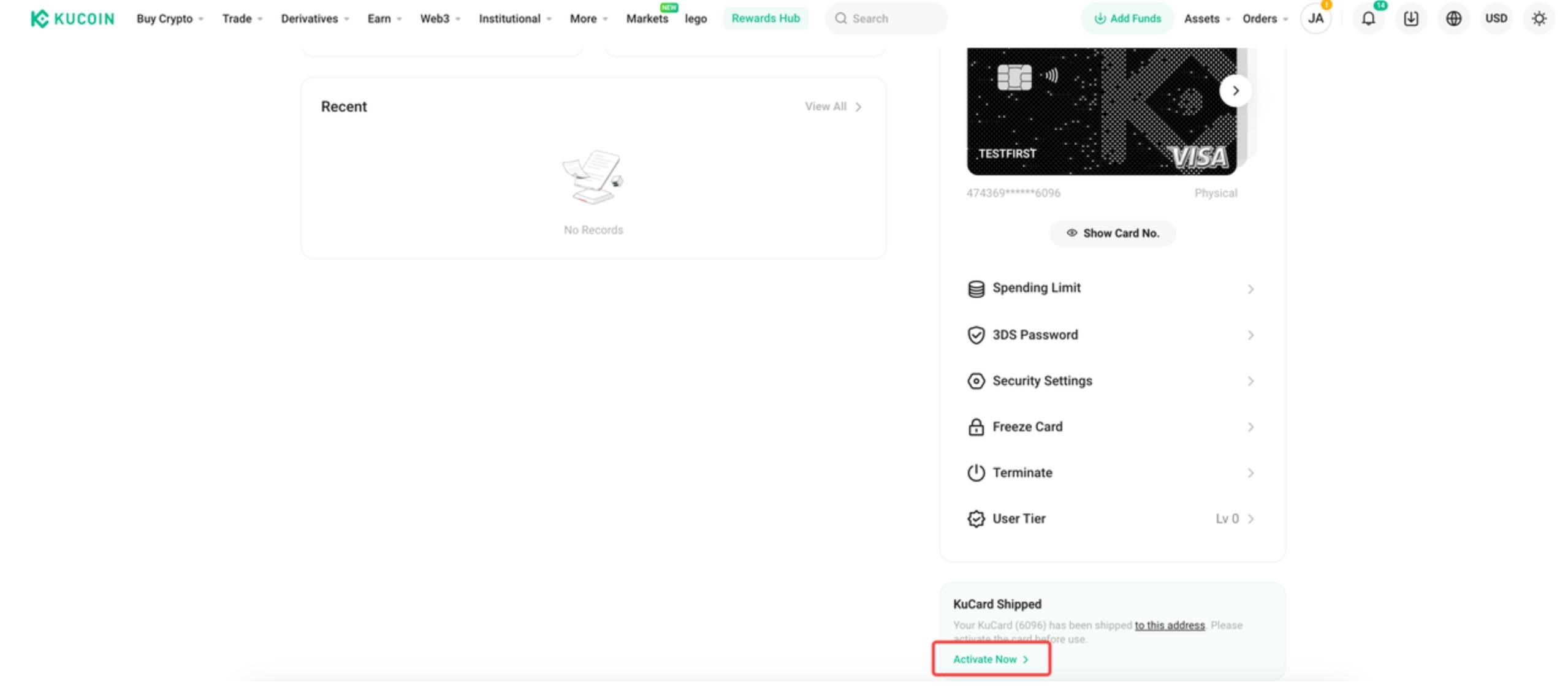
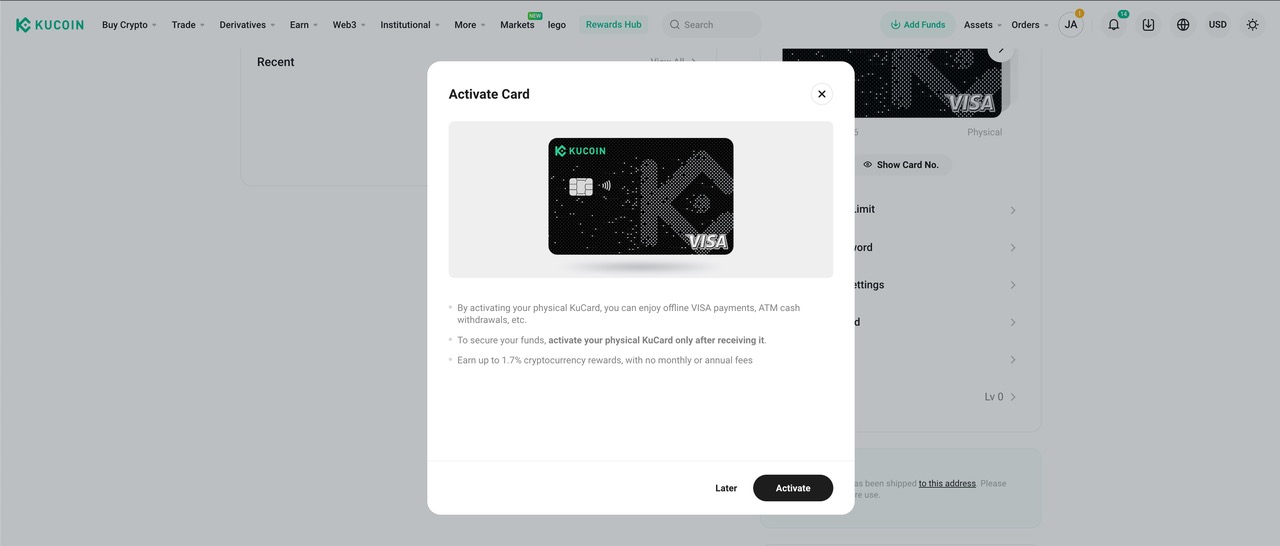
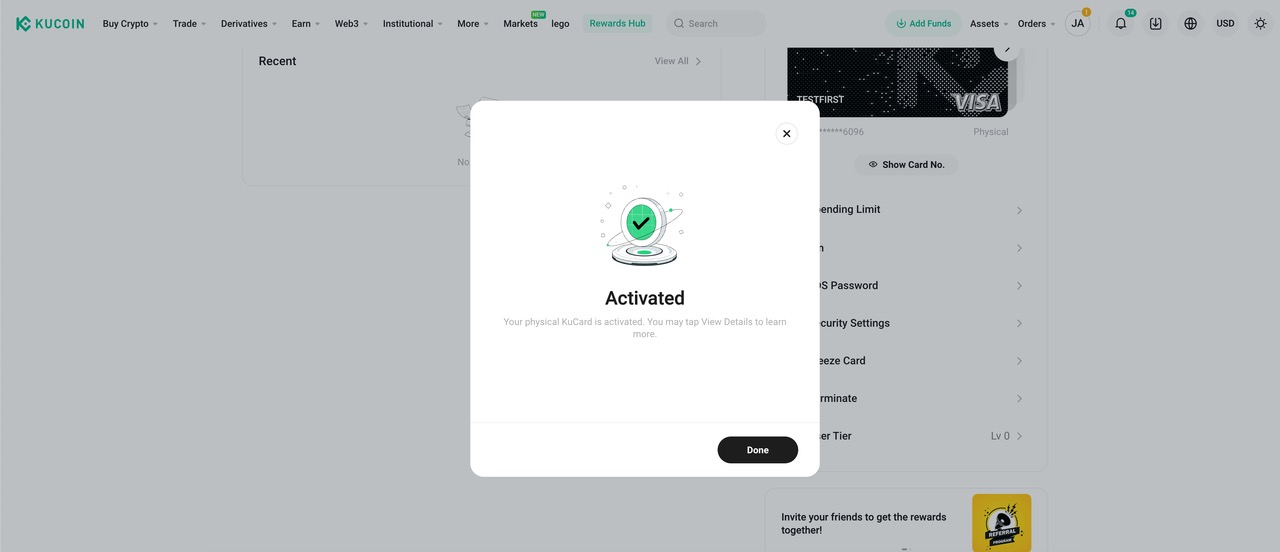
4. Активуйте свою фізичну карту:
• Якщо у вас фізична картка, дотримуйтесь наведених нижче інструкцій для її активації.
• Може знадобитися ввести конкретні дані або підтвердити свою особистість.
Застереження: ця сторінка перекладена за допомогою штучного інтелекту для полегшення читання. Для отримання найточнішої інформації, будь ласка, використовуйте оригінальну англійську версію.Показати оригінал