KuCoin x Ceffu: Off-Exchange Solution
Последнее обновление: 13.01.2026
KuCoin has integrated with the Ceffu Off-Exchange Solution, combining third-party custodial services with secure off-exchange trading infrastructure.
With this integration, institutional clients can now create a dedicated Custodian Sub-Account under their KuCoin main account. Each Sub-Account is directly linked (1:1) to the client’s Ceffu account, enabling transparent and verifiable asset delegation.
Clients can seamlessly manage deposits and withdrawals via Ceffu delegation or non-delegation functions, maintaining custody control while accessing KuCoin’s deep liquidity and trading services.
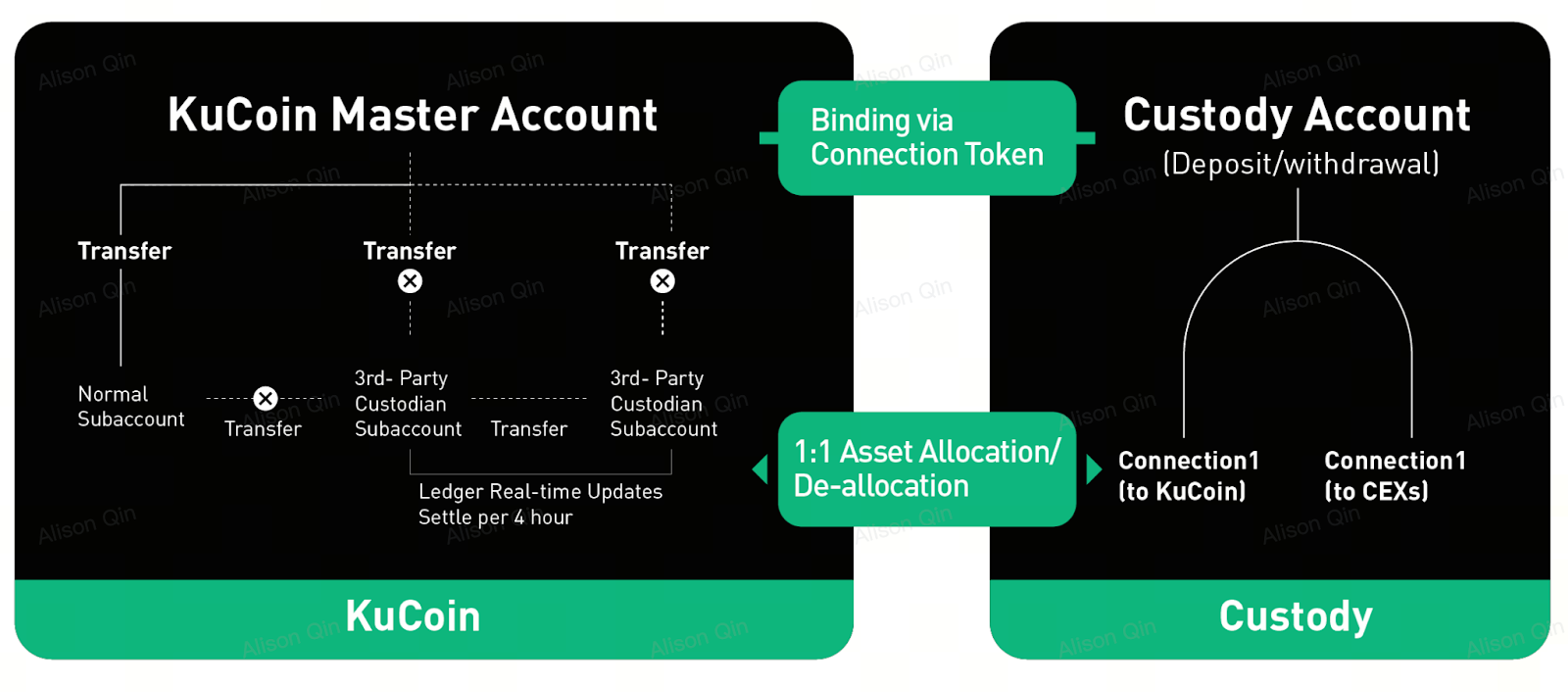
Trading under this setup is designed to settle automatically every 4 hours, with KuCoin handling all settlements directly with Ceffu—no action is required on the client’s side.
Benefits of the Off-Exchange Settlement (OES) service:
-
Secure third-party custody
-
Reduced counterparty risk
-
Lower costs through minimized deposits and withdrawals across exchanges
-
Faster fund movements between exchanges for efficient arbitrage
Additional KuCoin Privileges:
-
Free colocation services for API traders
-
New users receive VIP Level 12 benefits for the first 60 days
FAQ
1.How to use Ceffu Custody for trading
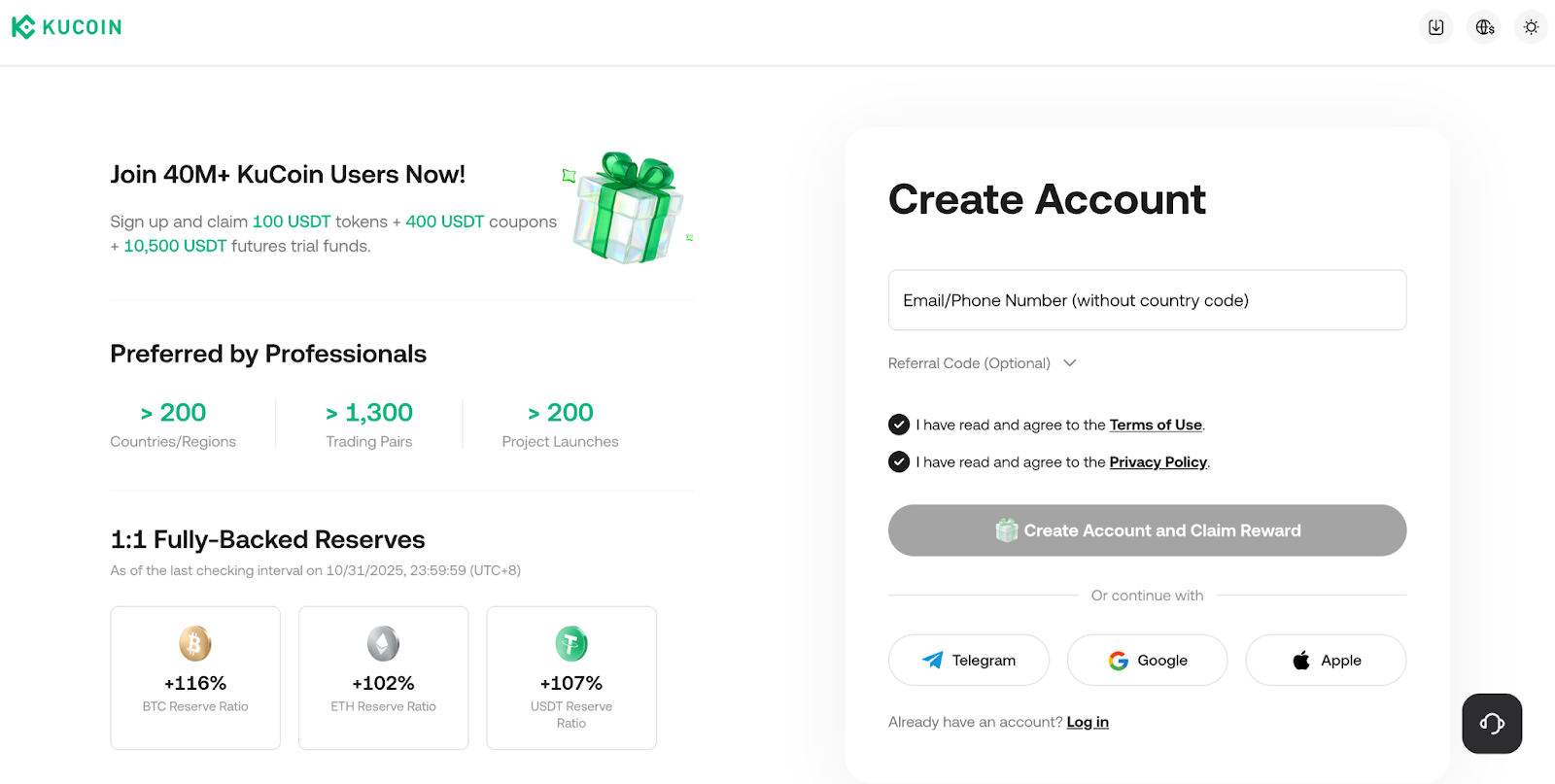
Step 1: Create Your KuCoin Account from https://www.kucoin.com/ucenter/signup
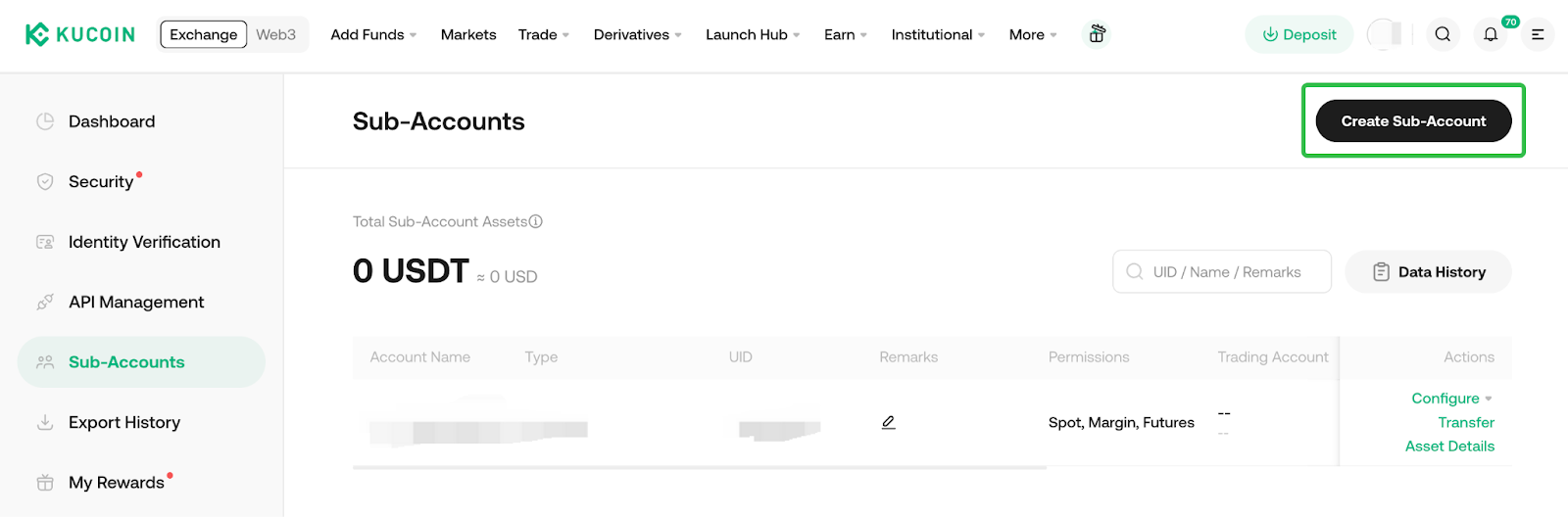
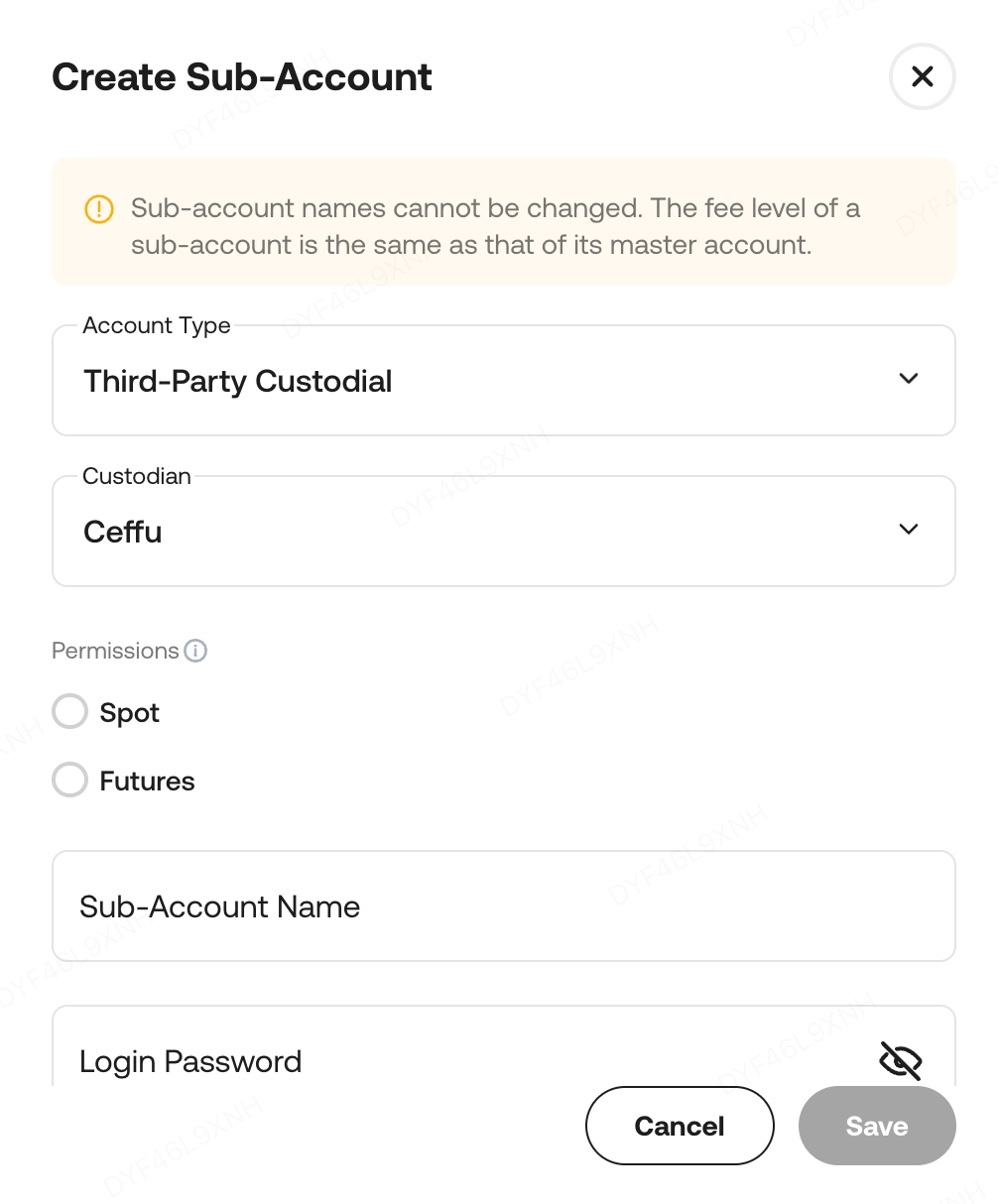
Step 2: Visit the Subaccount page and create the Ceffu Custodial Subaccount. https://www.kucoin.com/account/sub
Step 3: Connect Your Ceffu account and KuCoin account
-
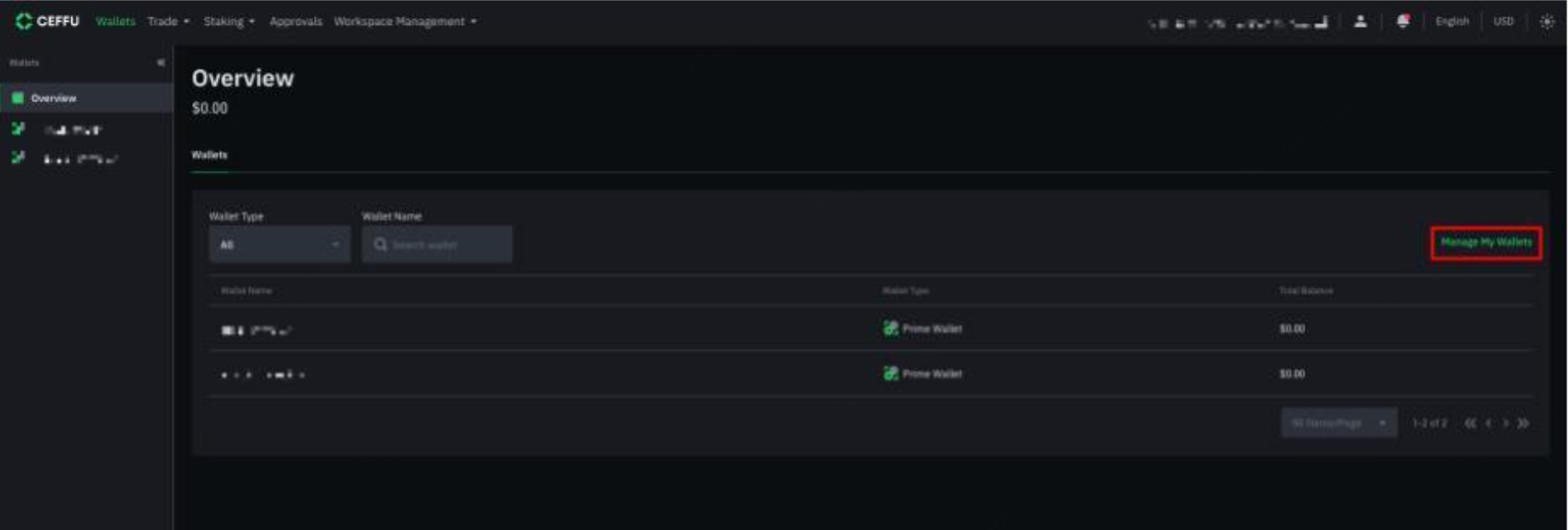
Login to your Ceffu account. Select ‘Manage My Wallets’ to start creating new wallets.
-
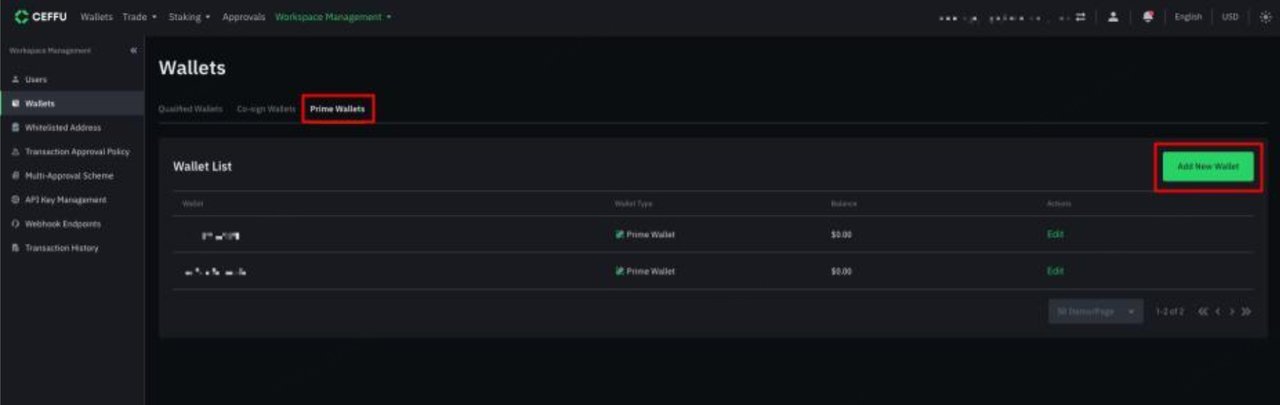
Select ‘Prime Wallets’ and ‘Add New Wallets’
-
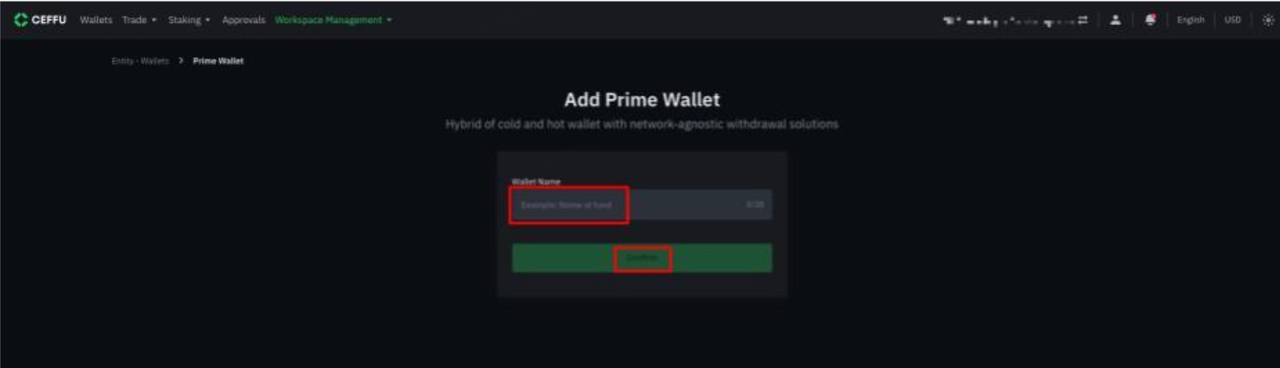
Enter your preferred Wallet Name and select ‘Submit’
-
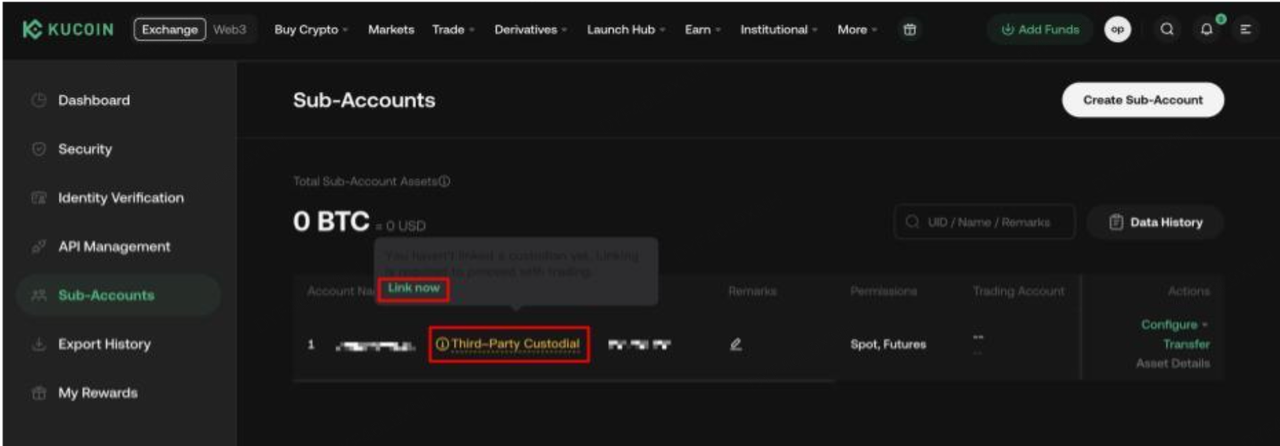
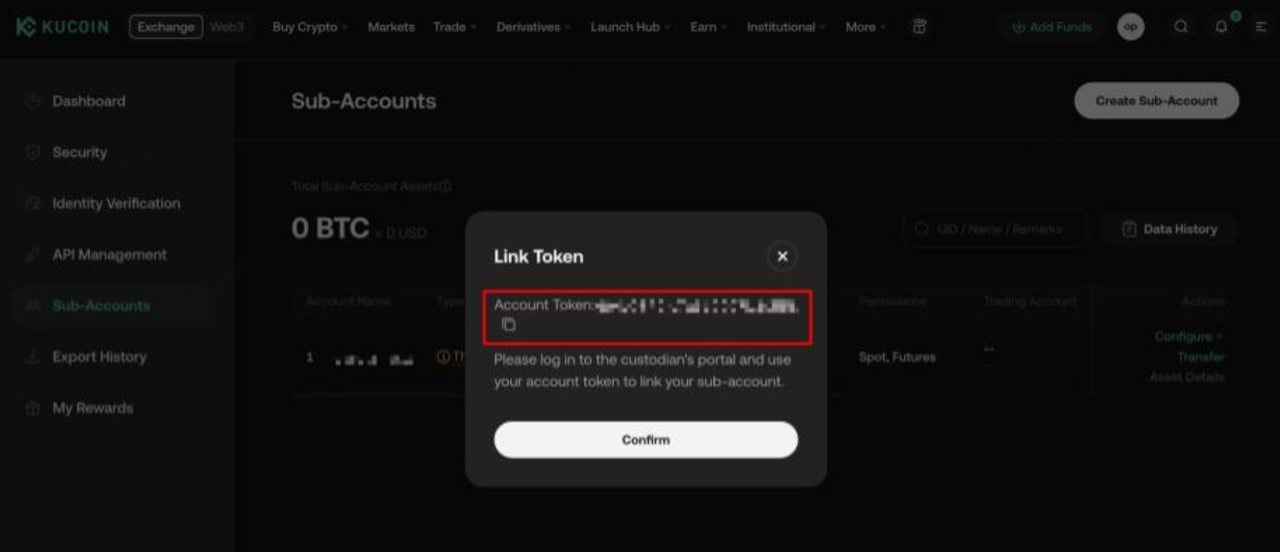
Use the Account Token from KuCoin website to initiate the MirrorX binding.
-
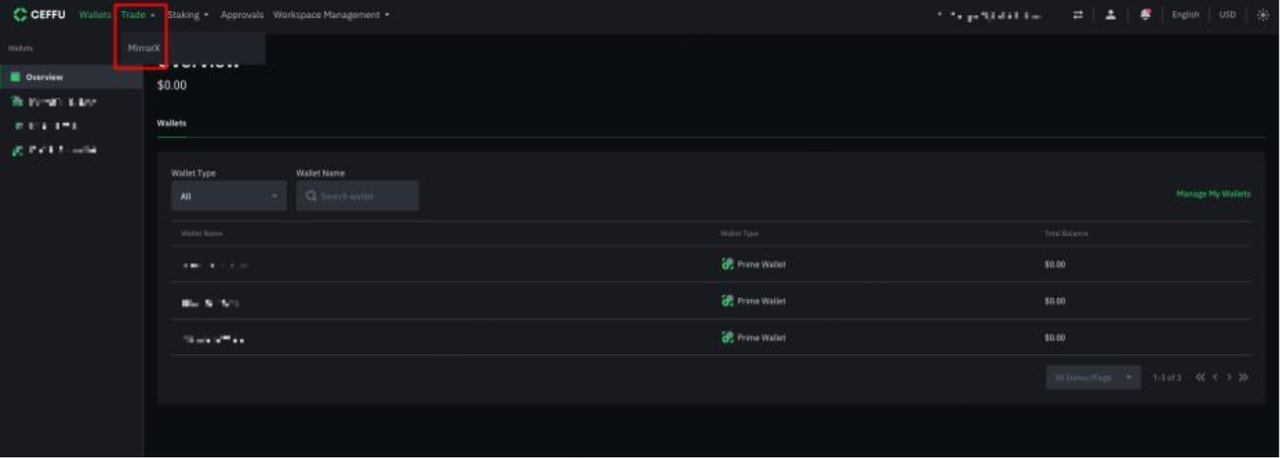
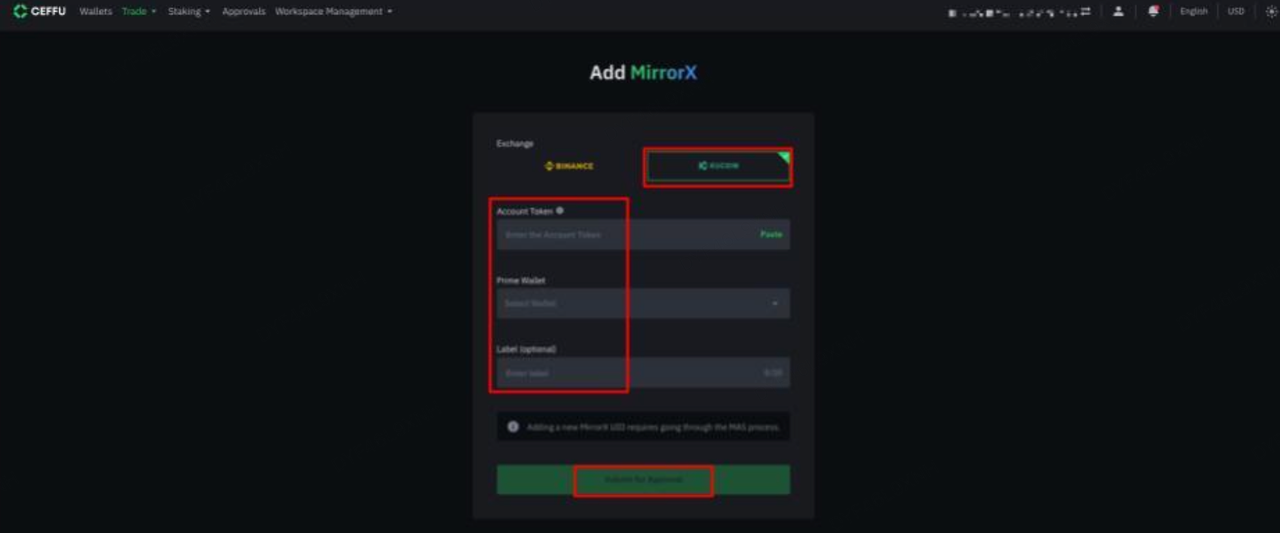
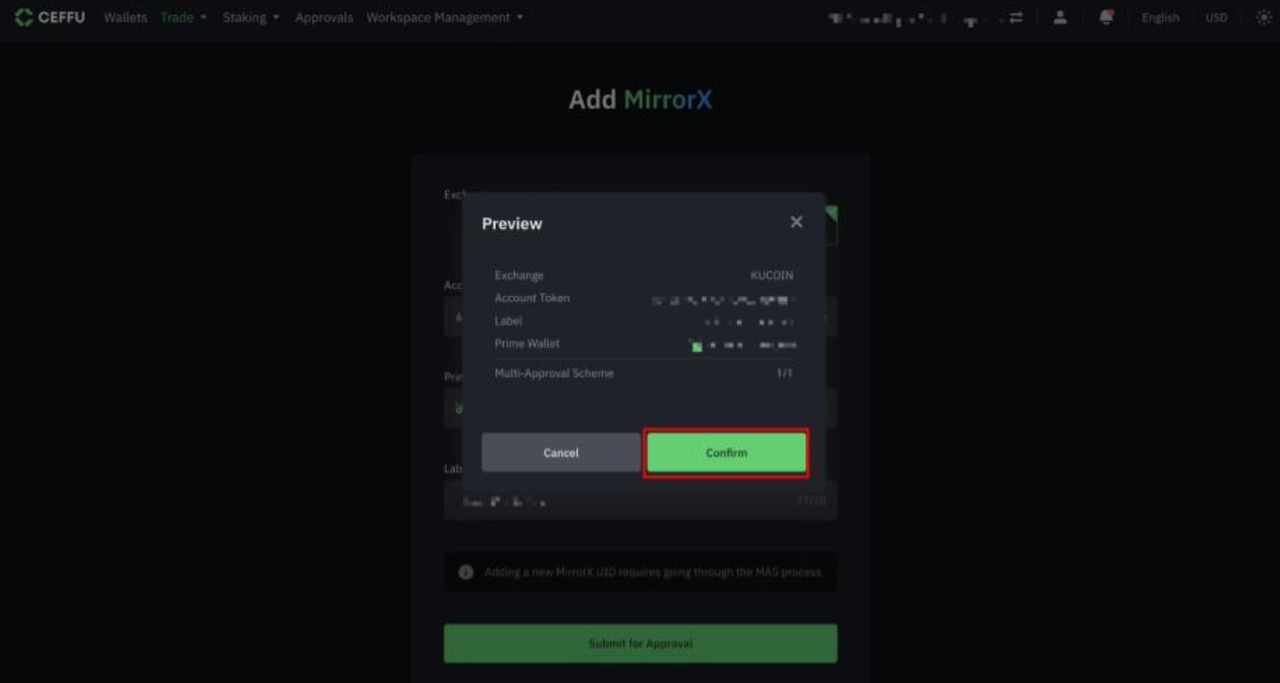
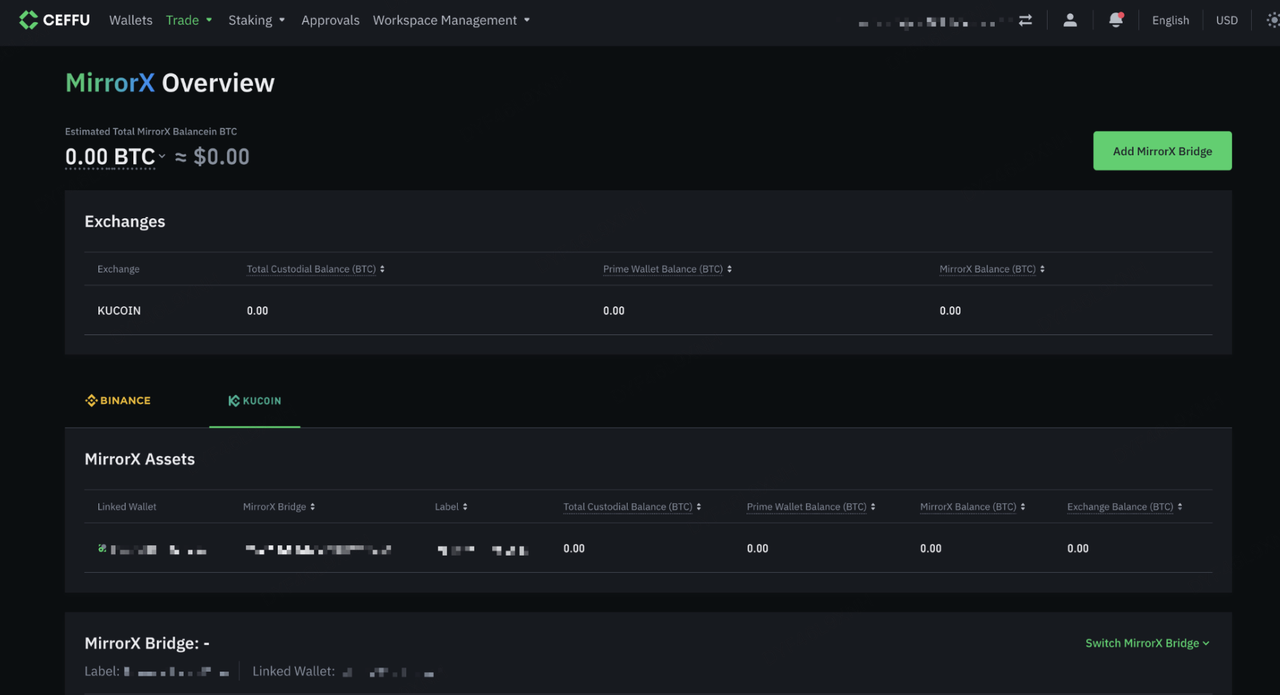
Select ‘Trade’ and ‘MirrorX’ on Ceffu UI. Select KuCoin and enter the Sub-Account Token, Prime Wallet Name and Label (optional). Select ‘Submit for Approval’ to proceed.
-
Once the binding request has passed the entity’s MAS, the binding relationship is visible at MirrorX overview.
Step 4: allocation and deallocation
-
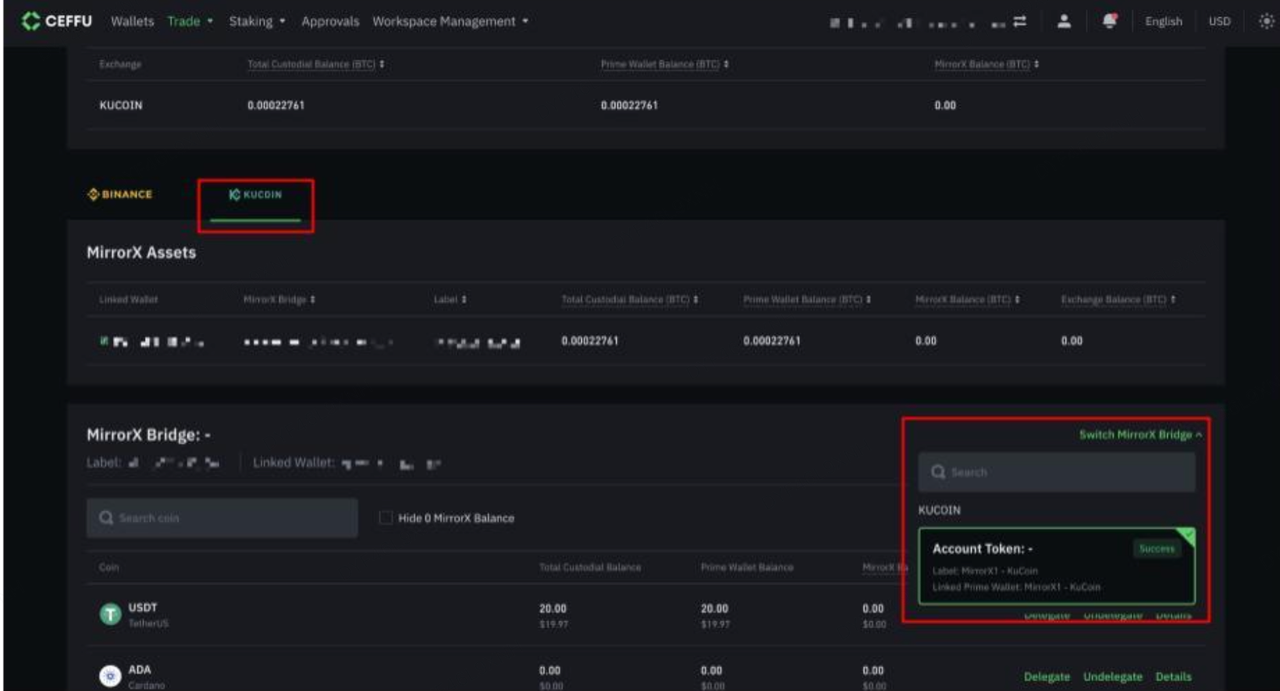
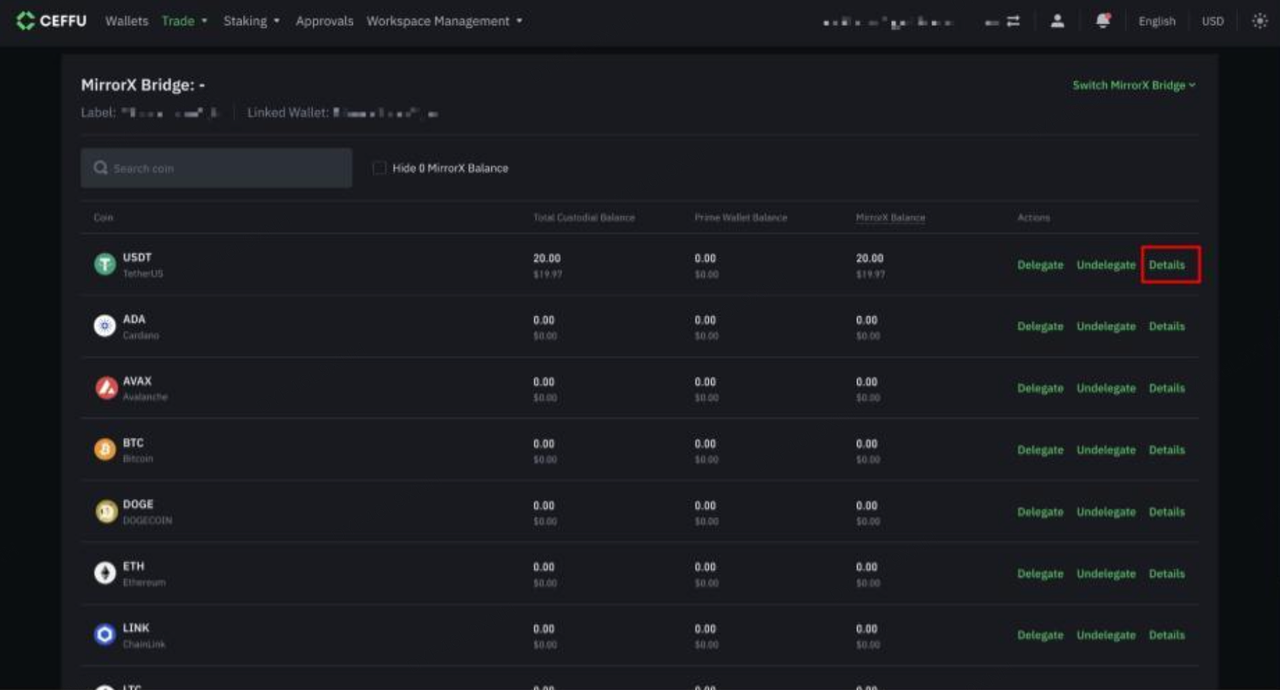
On the Ceffu UI, navigate to Trade and select MirrorX. Then choose KuCoin and the specific MirrorX relationship you would like to delegate.
-
Choose the assets that you wish to delegate/un-delegate and select “‘Delegate/Undelegate’.
Step 5: Trade on KuCoin
-
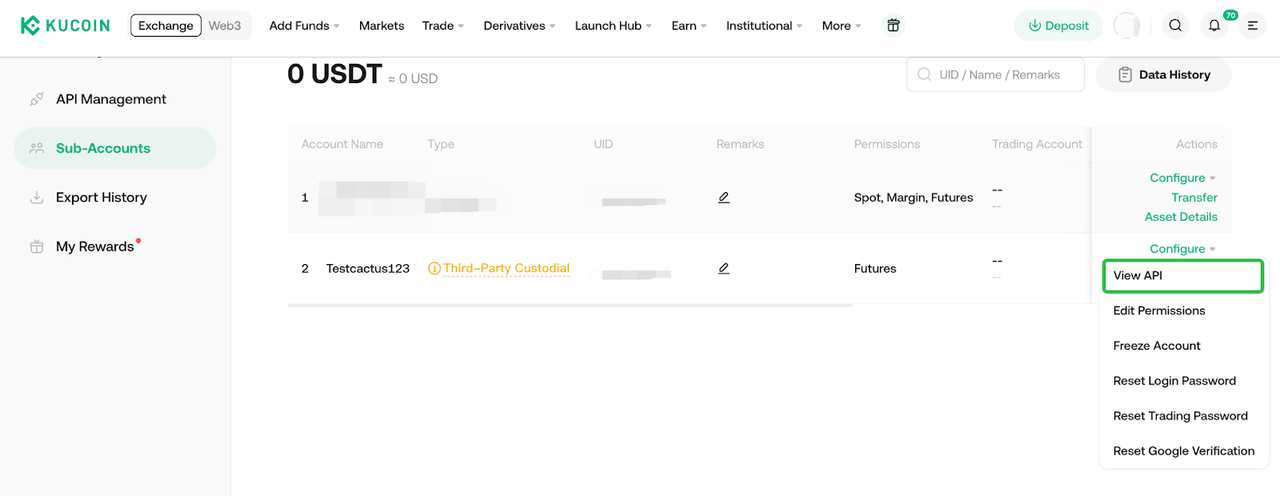
Create api key for your 3rd-party custodian sub-account
-
Trade on Web: https://www.kucoin.com/markets
-
API Document: https://www.kucoin.com/docs-new
2.3rd-Party Custodian Sub Account VS Ordinary Subaccount
|
Function
|
Master Account
|
3rd-Party Custodian Sub Account
|
Ordinary Sub Account
|
|
Crypto allocation and de-allocation
|
No
|
Yes
|
No
|
|
Crypto Deposit/withdrawal
|
Yes
|
No
|
Yes for deposit only on web No for other situations
|
|
Inner Transfer within KuCoin
|
Yes
|
Yes for transfer between 3rd-party custodian subaccounts No for other situations
|
Yes
|
|
Transfer between Master and subaccount
|
Yes
|
No
|
Yes
|
|
Transfer between sub account and sub account
|
/
|
Yes for transfer between 3rd-party custodian subaccounts No for other situations
|
Yes
|
|
Trading permission
|
Spot/SpotMargin/Futures
|
Spot/Futures
|
Spot/SpotMargin/Futures
|
|
KuCoin Earn
|
Yes
|
No
|
Yes
|
3.Supported Settlement Currencies
|
Currency
|
Chain
|
|
XRP
|
Ripple
|
|
USDT
|
Tron
|
|
USDE
|
Ethereum
|
|
USDC
|
Ethereum
|
|
UNI
|
Ethereum
|
|
TRX
|
Tron
|
|
TON
|
TON
|
|
ADA
|
Cardano
|
|
SUI
|
Sui
|
|
SHIB
|
Ethereum
|
|
LTC
|
Litecoin
|
|
SOL
|
Solana
|
|
LINK
|
Ethereum
|
|
ETH
|
Ethereum
|
|
DOGE
|
Dogecoin
|
|
BTC
|
Bitcoin
|
|
AVAX
|
AVALANCHE
|
If any of your preferred currency is not on the above list, you can contact the KuCoin team to add it. Usually, we need you to inform us about 4 business days in advance.
4.Example of Settlement
1. Client allocates $100 of BTC to KC
2. Client trades $50 of BTC into USDT.
-
Client's balances at KC are $50 of BTC, $50 USDT
-
KC sends settlement instructions: -$50 of BTC, +$50 of USDT
-
Client sees $50 BTC and $50 USDT allocated on Ceffu
3. Client trades $25 of BTC into an unsupported asset.
-
Client's balances at KC are $25 of BTC, $25 of unsupported, $50 USDT
-
KC sends settlement instructions: -$25 BTC.
-
Client sees $25 BTC and $50 USDT allocated on Ceffu.
4. Client trades $10 of unsupported back into BTC.
-
Client's balances are $35 of BTC, $15 unsupported, $50 USDT
-
KC sends settlement instructions: +$10 BTC.
-
Client sees $35 BTC and $50 USDT allocated on Ceffu.
5. Client trades $10 of unsupported assets into USDT.
-
Client's balances are $35 of BTC, $5 unsupported, $60 USDT
-
KC sends settlement instructions: +$10 USDT.
-
Client sees $35 BTC and $60 USDT allocated on Ceffu.
6. Client trades $5 of BTC into USDT.
-
Client's balances are $30 BTC, $5 unsupported, $65 USDT
-
KC sends settlement instructions: -$5 BTC, +$5 USDT
-
Client sees $30 BTC $65 USDT allocated on Ceffu
7. Client trades final $5 of unsupported back into BTC.
-
Clients balances are $35 BTC, $65 USDT
-
KC sends new settlement instructions: +$5 BTC
-
Client sees $35 BTC $65 USDT allocated on Ceffu
KuCoin Institutional Team
Telegram: @KuCoin_Broker