How to View, Manage, and Close Your Perps Positions
Última atualização: 06/01/2026
This guide explains how to monitor, adjust, and close your onchain perps positions in KuCoin Web3 Wallet. Before managing or closing a position, make sure you have at least one active (open) perpetual position. If you do not have an active position, open one before continuing.
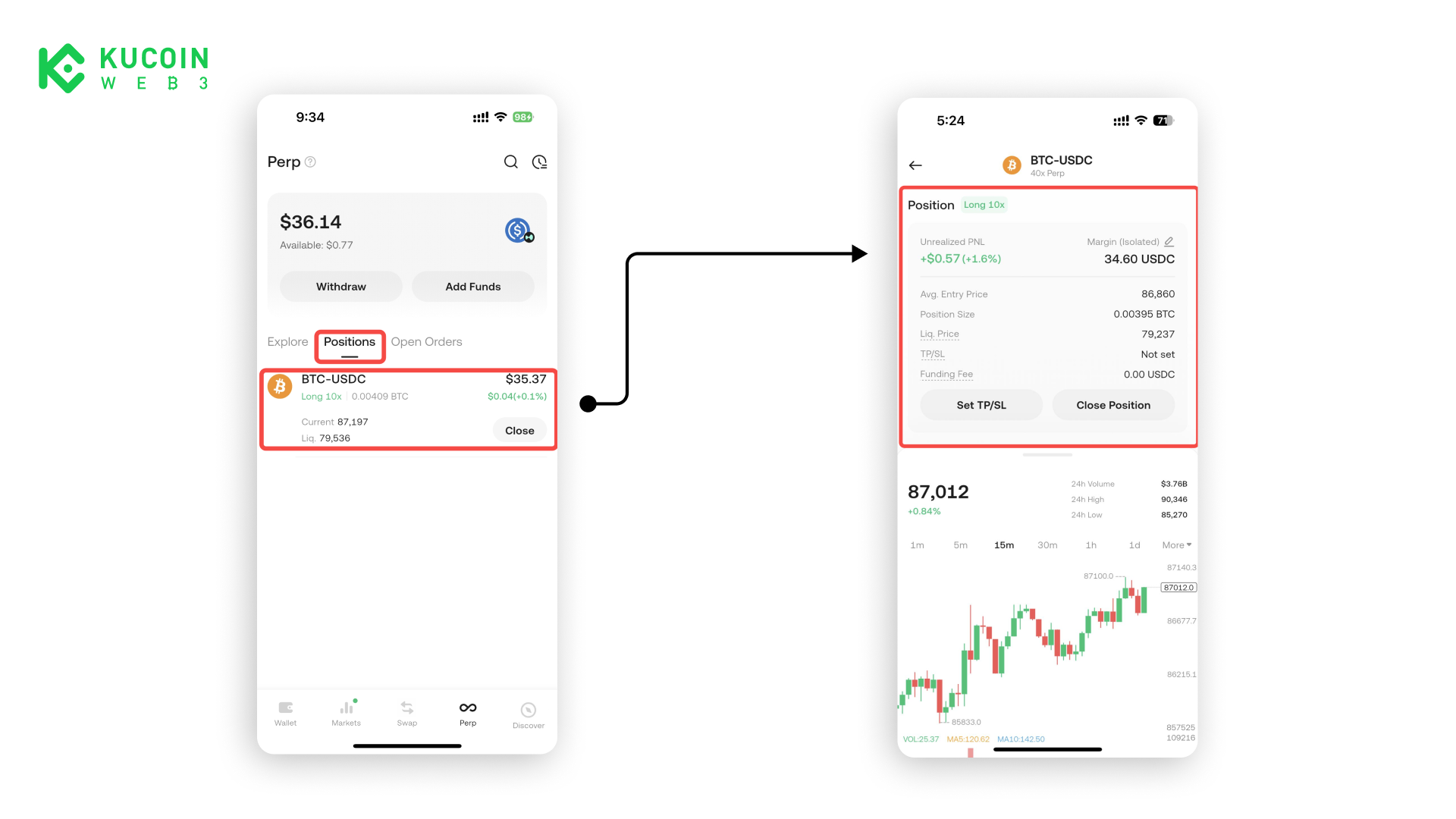
How to View Open Positions
- Navigate to the Positions section in the perps interface
- Select one active position you want to view
- Review Position Details
- Leverage
- Unrealized PnL
- Margin (position size)
- Entry price
- Position Size
- Liquidation price
- TP/SL
- Funding Fee
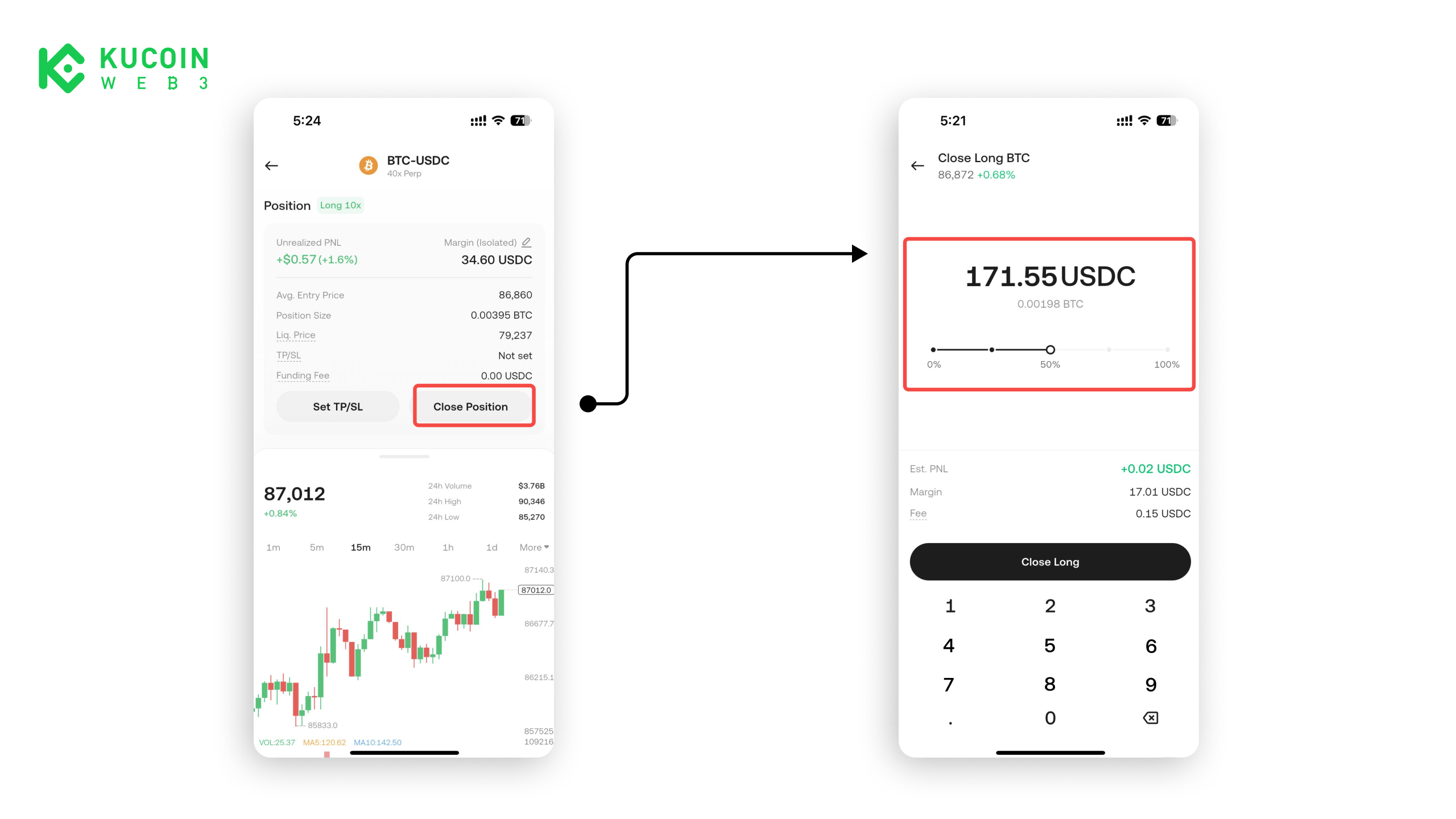
How to Close a Position
- Choose the open position you want to close
- Slide the bar to select the percentage of the position you want to close
- Confirm the transaction onchain
About KuCoin Web3 Wallet:
🔗 X (Twitter)
🔗 Telegram Group
🔗 Telegram Channel
🔗 Get KuCoin Web3 wallet
🔗 X (Twitter)
🔗 Telegram Group
🔗 Telegram Channel
🔗 Get KuCoin Web3 wallet