How to Buy and Sell Ondo Stocks on KuCoin Web3 Wallet
This guide explains how eligible users can buy and sell Ondo tokenized stocks through KuCoin Web3 Wallet. Ondo Stocks are third-party products issued and administered by Ondo; KuCoin Web3 provides the self-custodial wallet interface and onchain trading access.
Before You Start
- On BNB Smart Chain, use USDT as the payment asset and keep a small amount of BNB for token approval.
- On Ethereum, use USDC as the payment asset and keep a small amount of ETH for token approval.
- Trading generally follows a 24/5 schedule. It may be unavailable on weekends, certain U.S. market holidays, during corporate actions, or when the provider pauses an asset. The current minimum order amount is $20; always follow the amount shown on the trading page. Availability is subject to regional and eligibility restrictions.
How to Buy Ondo Stocks
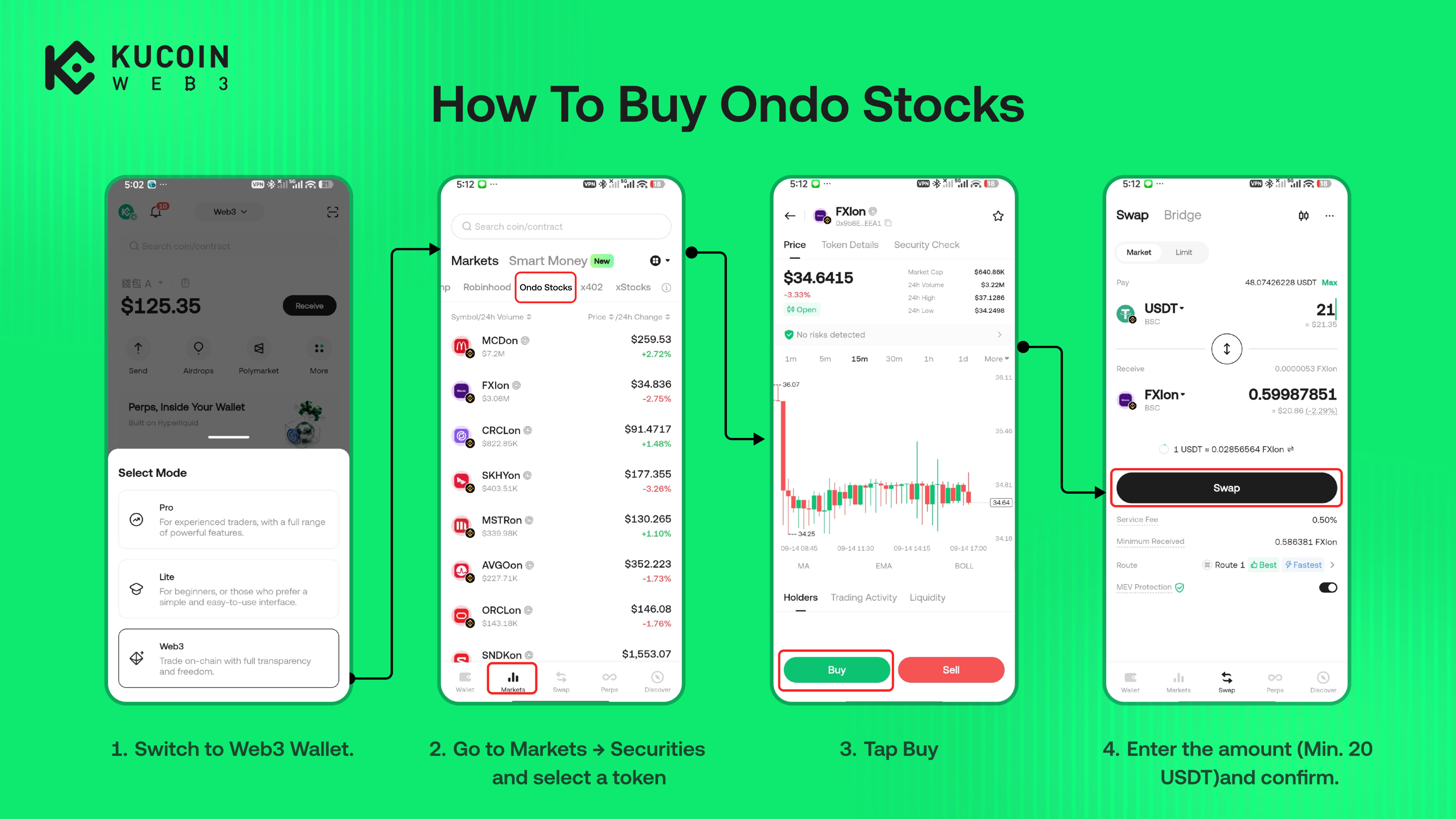
1. Open the KuCoin App and go to Web3 Wallet → Markets → Tokenized Stocks.
2. Select the Ondo stock token you want to buy.
3. Tap Buy. Select BNB Smart Chain with USDT or Ethereum with USDC, then enter the amount.
4. Review the network, payment asset, quoted price, estimated amount received, and any displayed costs.
5. Complete the token approval if prompted, then confirm the transaction.
How to Sell Ondo Stocks
-
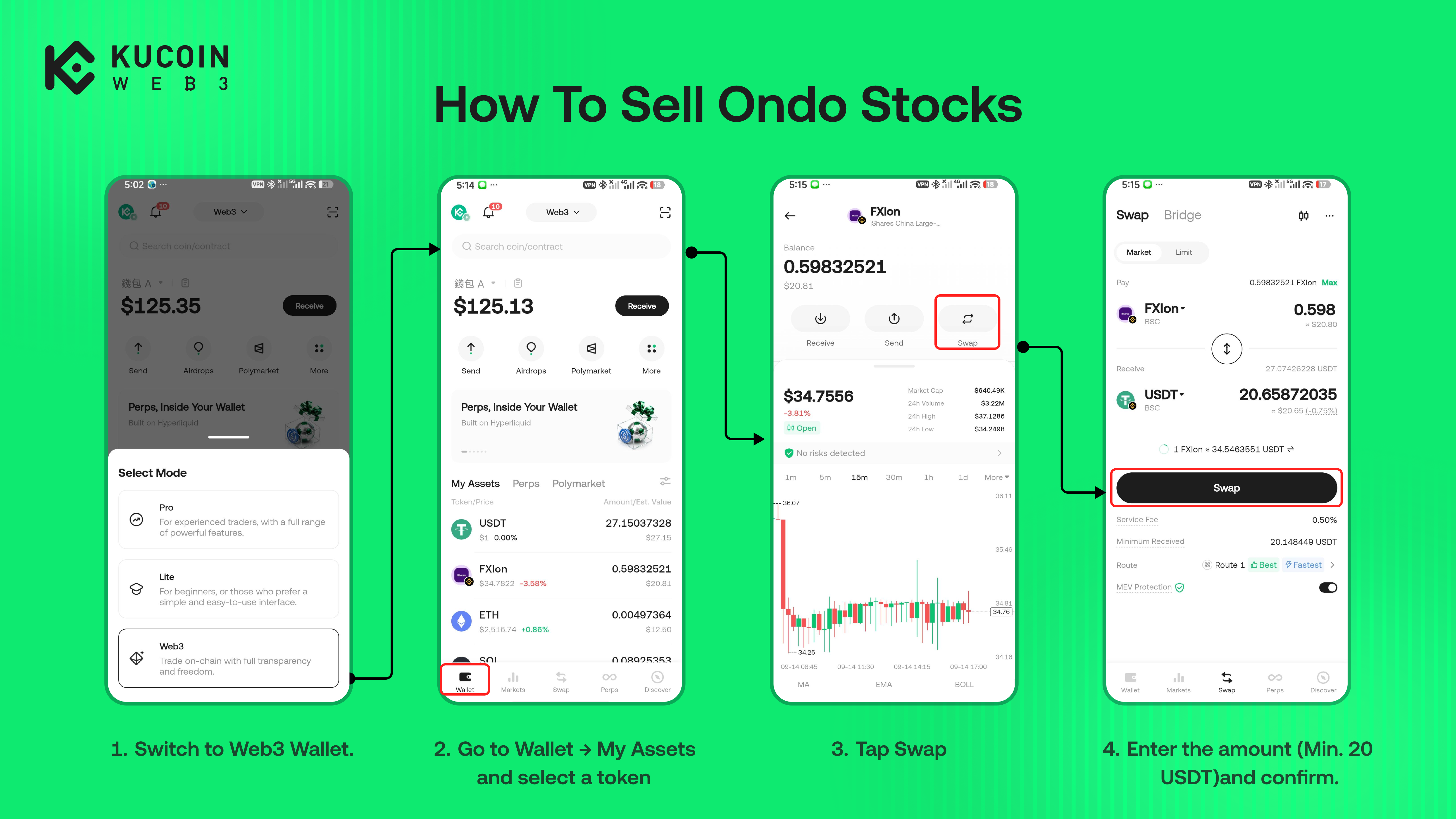
Open KuCoin Web3 → Wallet → My Assets
-
Select the Ondo stock token and tap Sell.
-
Enter the amount and review the details.
-
If prompted, approve the payment token and pay the applicable network fee. Then review the final quote and confirm the transaction.