How to Buy and Sell xStocks on KuCoin Web3 Wallet
Last updated: 09/16/2026 07:13:00
This guide explains how eligible users can buy and sell xStocks through KuCoin Web3 Wallet. xStocks are third-party tokenized products; KuCoin Web3 provides the self-custodial wallet interface and onchain trading access.
Before You Start
xStocks support 24/7 onchain trading. In KuCoin Web3 Wallet, use Solana where available; it is recommended because it currently provides the best liquidity. An executable quote still depends on the selected asset, supported route, and available liquidity. Prices and spreads may differ more when the underlying market is closed. Keep a small amount of SOL for network fees or token approval.
How to Buy xStocks
-
Open the KuCoin App and go to Web3 Wallet → Markets → xStocks
-
Select the xStock token you want to buy. Confirm the token name, provider, and network.
-
Tap Buy and choose the payment asset shown on the trading page.
-
Enter the amount.
-
Review the payment asset, quoted price, estimated amount received, route, and any displayed costs.
-
If prompted, approve the payment token and pay the applicable network fee. Then review the final quote and confirm the transaction.
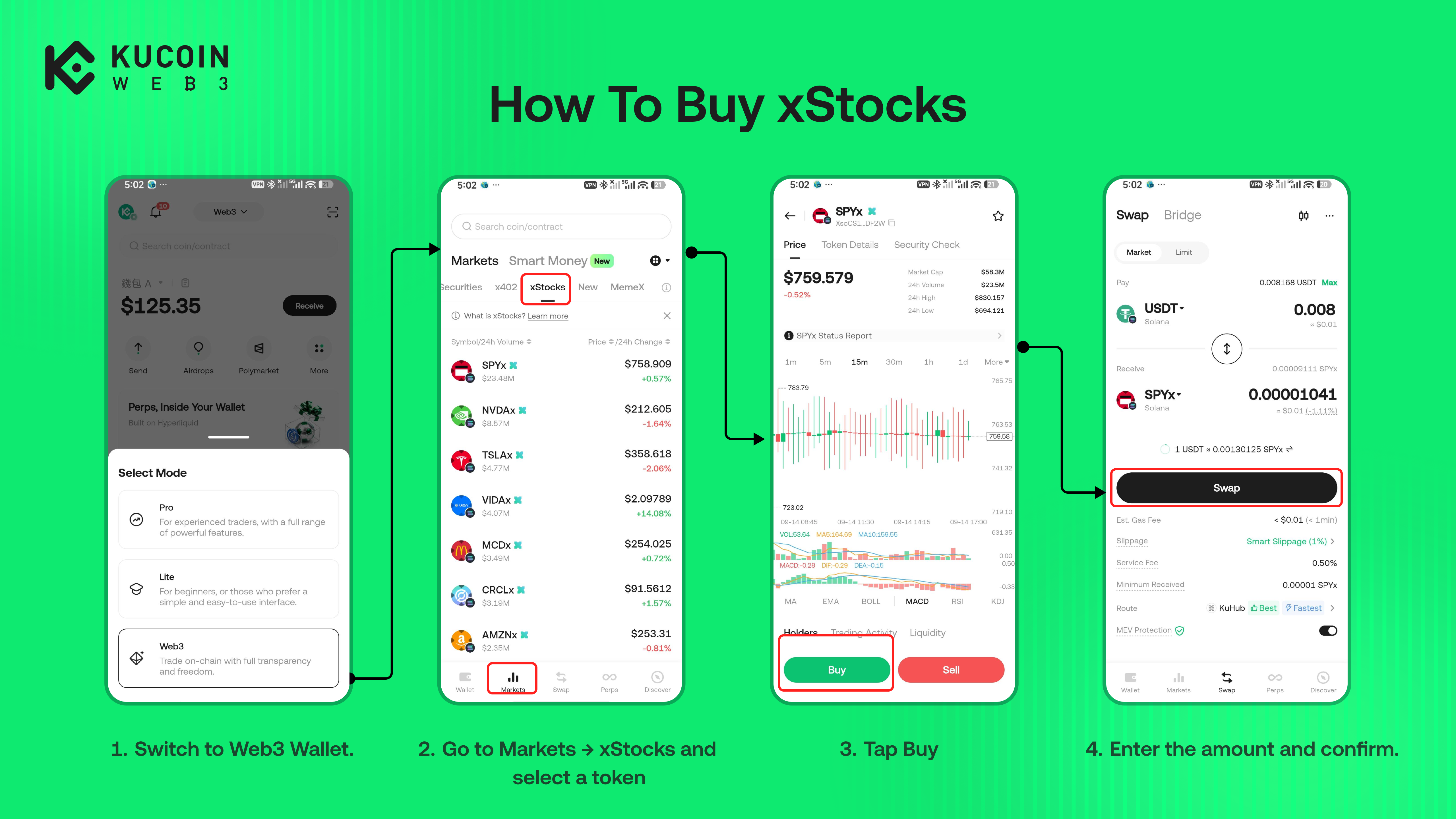
KuCoin Web3 may use a Swap or Bridge route depending on the selected payment token and network. A trade can only proceed when an executable route is available.
How to Sell xStocks
-
Open the KuCoin App and go to Web3 Wallet → Wallet → My Assets.
-
Select the xStock token and tap Sell. Confirm that you are using the correct network.
-
Select the asset you want to receive, enter the amount, and review the order details.
-
Confirm the transaction and wait for the onchain status to update.
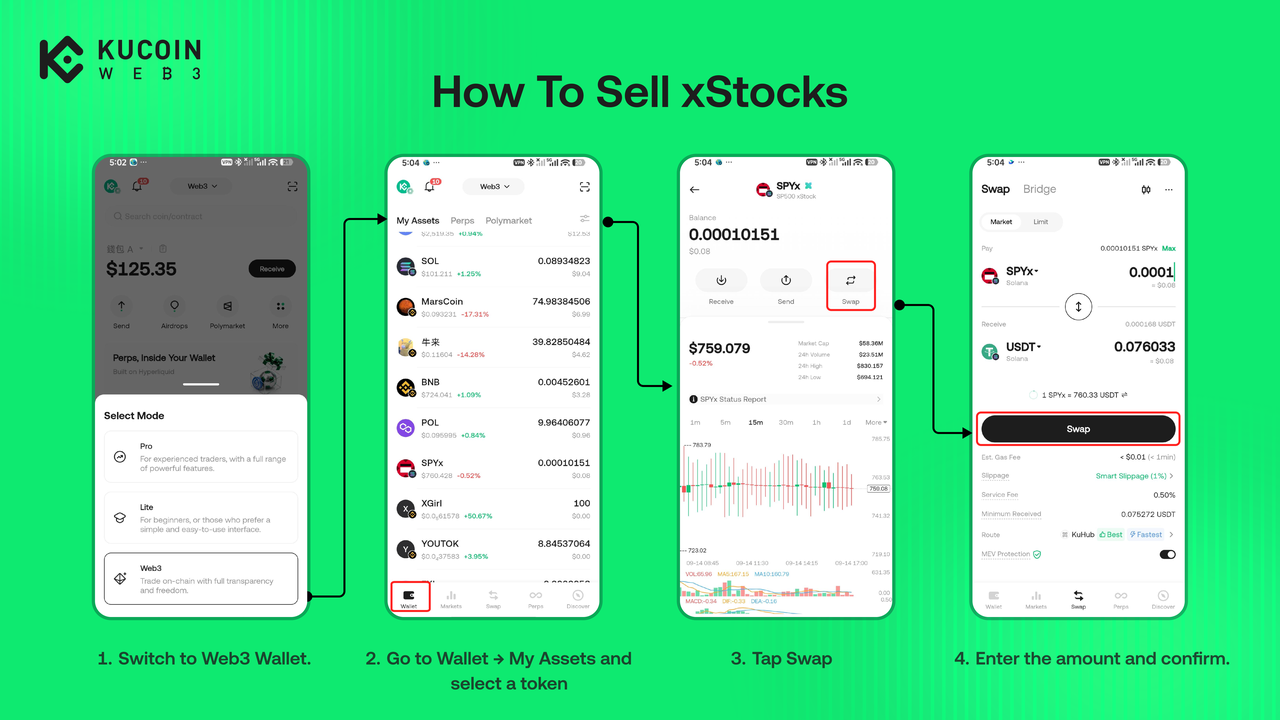
After the transaction is confirmed, check the received asset and transaction history. Onchain transactions are normally irreversible; always verify the token, network, and final quote before confirming.