How to buy $PYBOBO on KuCoin Web3 Wallet
Last updated: 02/11/2026 03:04:00
Follow this step-by-step guide to purchase $PYBOBO easily using your KuCoin Web3 Wallet.
Before You Start
Please download and install the KuCoin App first. Open the app, switch to Web3.
You can create a new KuCoin Web3 wallet or import an existing wallet using seed phrase.
Once set up, you’re ready to trade.
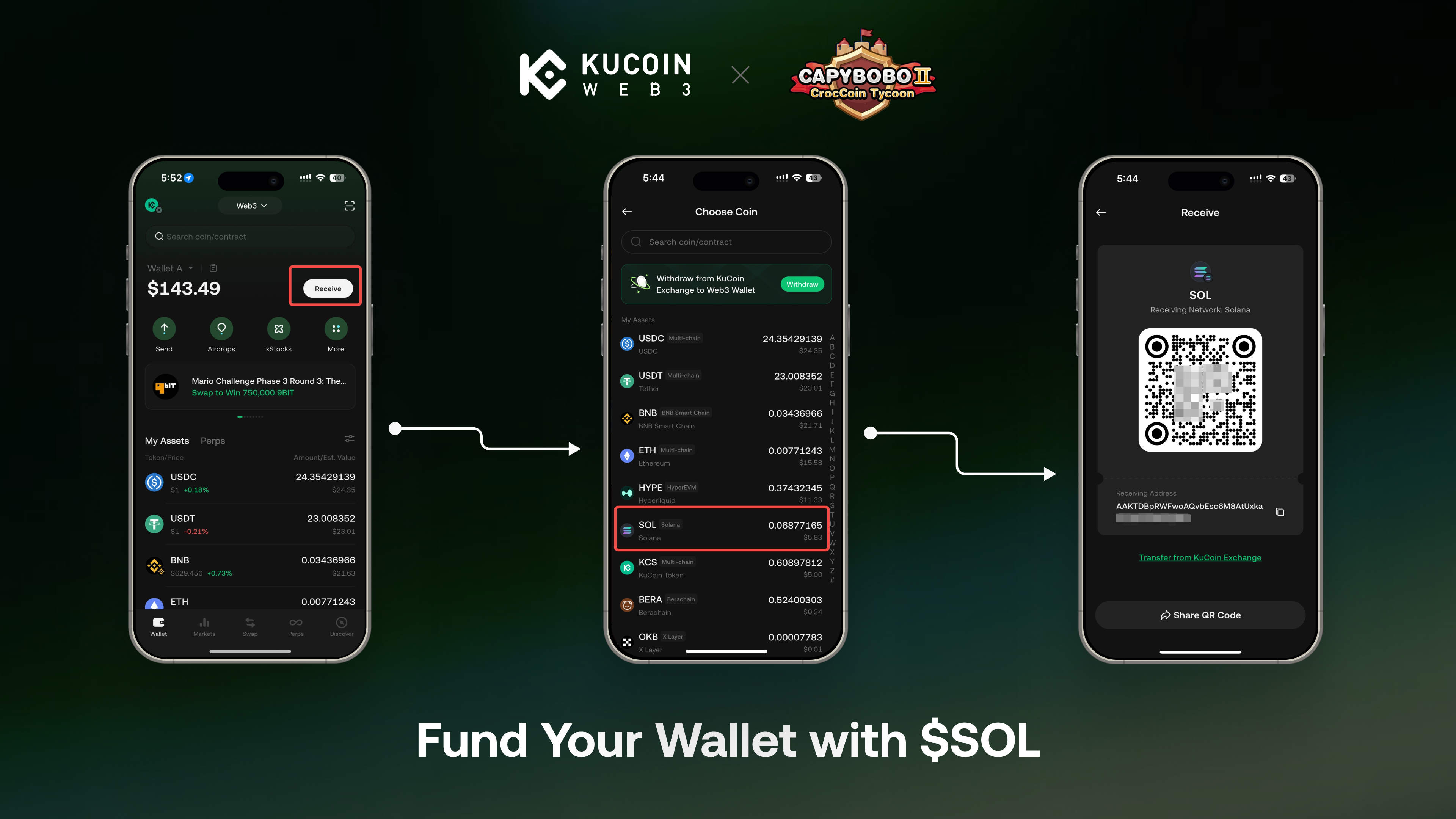
Fund Your Wallet with $SOL
Deposit at least 0.2 $SOL into your Web3 wallet. This amount will cover:
- Network (gas) fees
- Purchase of approximately 6,000 $PYBOBO
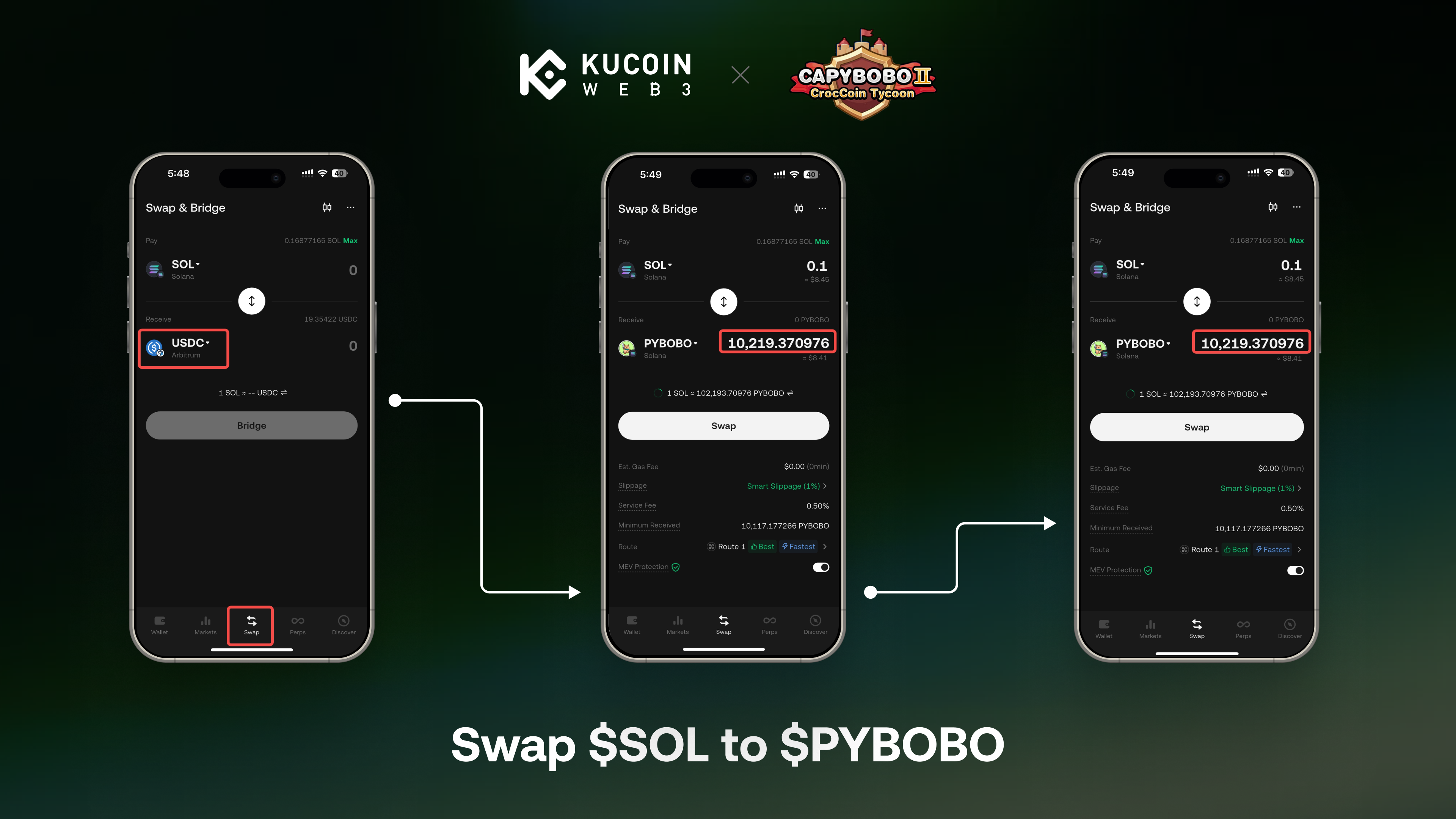
Swap $SOL to $PYBOBO
- Open Swap
- Select SOL → PYBOBO
- Enter the amount, make sure the receive amount of $PYBOBO > 6,000
- Confirm the transaction Once completed, your $PYBOBO will appear in your wallet balance.