How to Prepare Funds for Onchain Perps Trading on KuCoin Web3 Wallet
Last updated: 02/03/2026 07:35:00
Before trading onchain perpetual futures in KuCoin Web3 Wallet, you need to prepare the required assets on the Arbitrum network.
This guide explains what assets are required, why they are needed, and how to obtain them.
Required Assets
1. Arbitrum $ETH (for Gas Fees)
Arbitrum ETH is required to pay gas fees when performing onchain actions, such as transferring USDC into your perpetual trading account.
- Estimated gas cost: ~$0.03 per transaction
- $ETH is not used as margin for trading
How to Get Arbitrum $ETH
Option 1: Withdraw from an Exchange (Make sure you have $ETH in your KuCoin Exchange account)
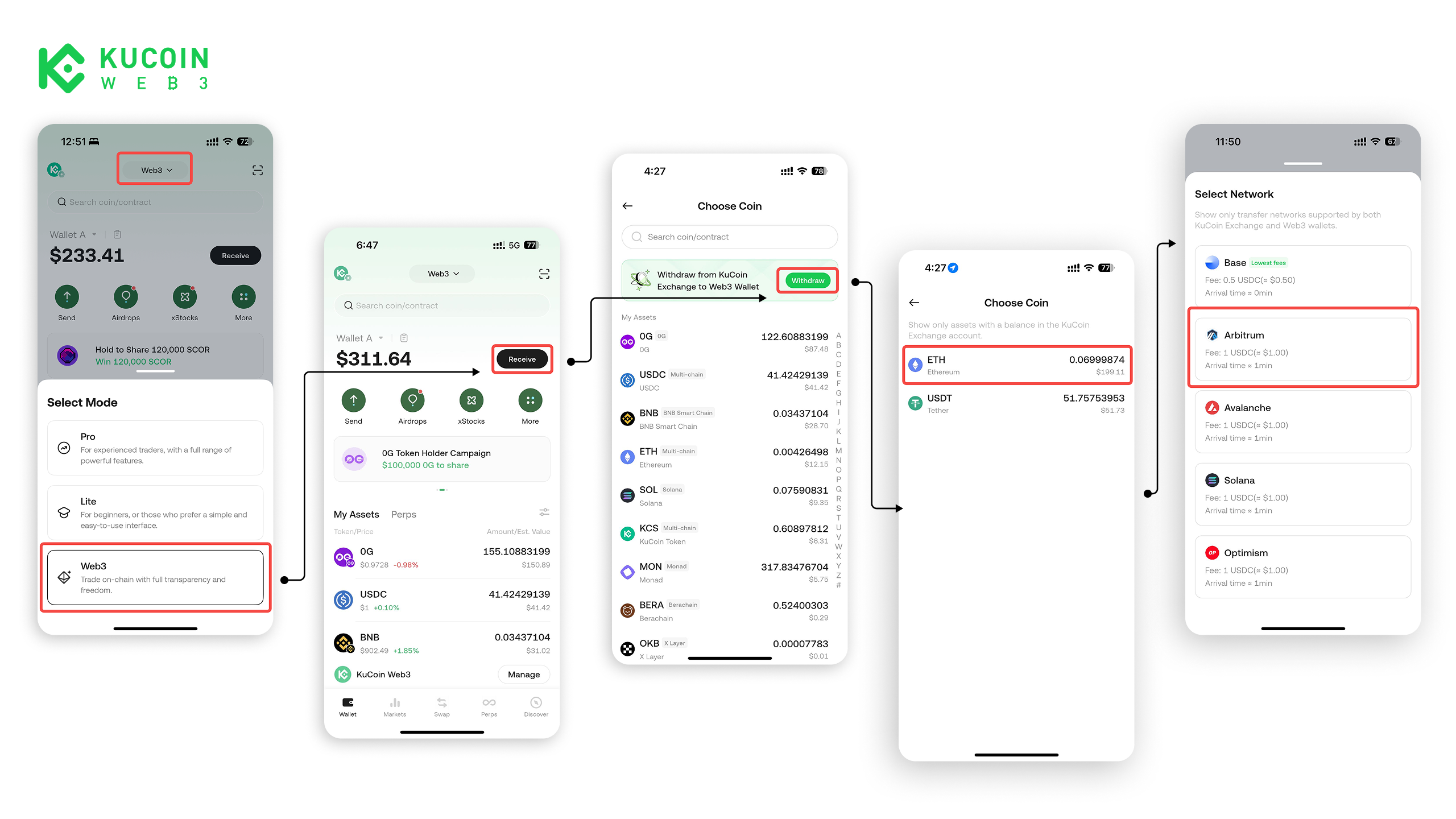
Option 2: Swap Onchain
- If you already have assets on another network (e.g. Ethereum mainnet ETH or BNB on BSC)
- Use the in-wallet Swap feature to swap into Arbitrum $ETH
- Gas fees depend on network congestion
2. Arbitrum USDC (Trading Margin)
USDC on Arbitrum is used as margin for opening and managing perpetual positions.
How to Get Arbitrum USDC
Option 1: Withdraw from an Exchange (Make sure you have $USDC in your KuCoin Exchange account)
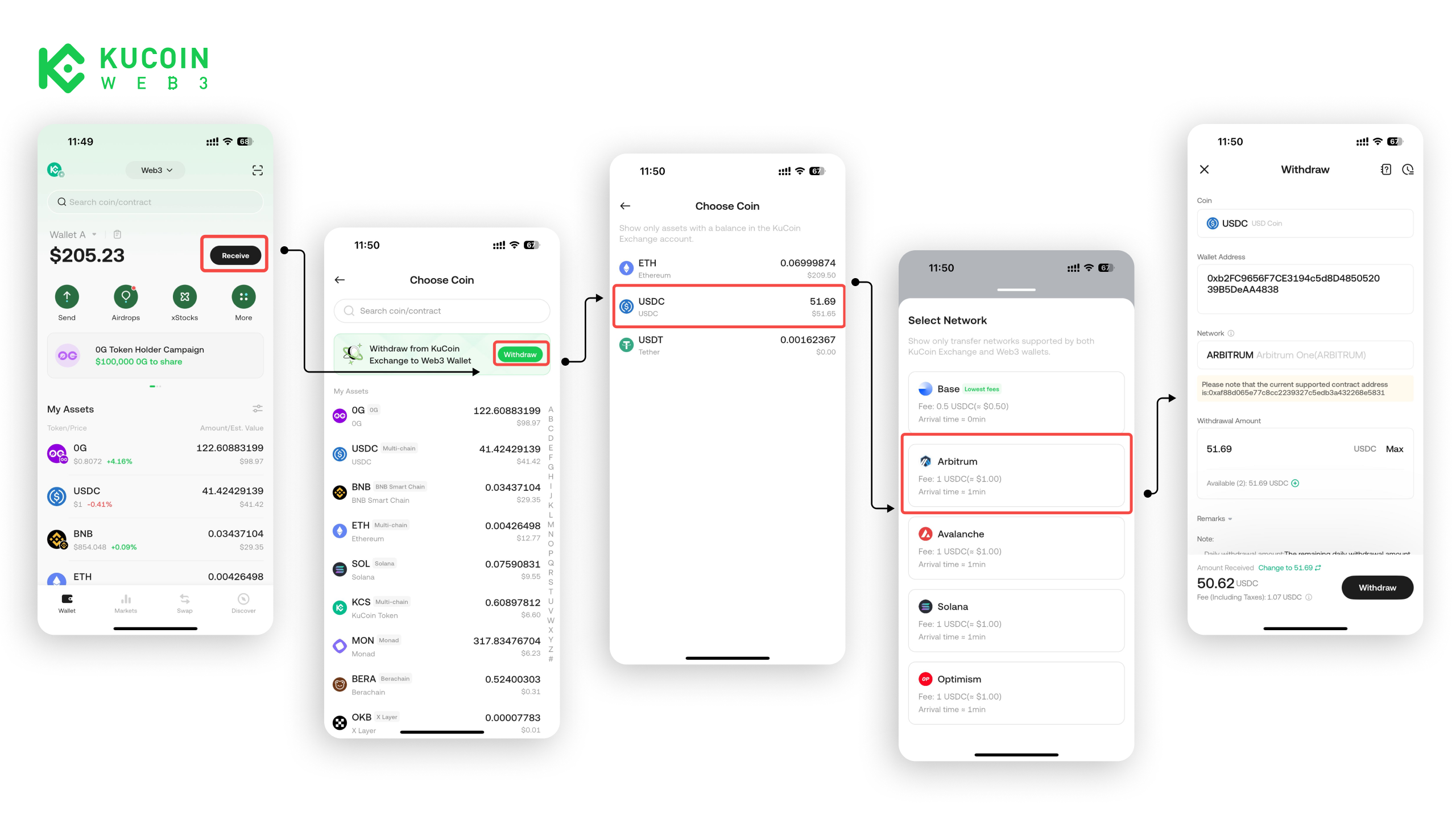
Option 2: Swap Onchain
- Swap other onchain assets into USDC on Arbitrum
- Gas fees will apply
Important Notes
- Make sure both ETH and USDC are on Arbitrum
- Without ETH, you cannot complete onchain transactions
- Network selection errors may result in delayed or failed transfers
About KuCoin Web3 Wallet:
🔗 X (Twitter)
🔗 Telegram Group
🔗 Telegram Channel
🔗 Get KuCoin Web3 wallet
🔗 X (Twitter)
🔗 Telegram Group
🔗 Telegram Channel
🔗 Get KuCoin Web3 wallet