How to send and receive assets with KuCoin Web3 Wallet?
Last updated: 09/25/2025 03:06:00
How to receive assets
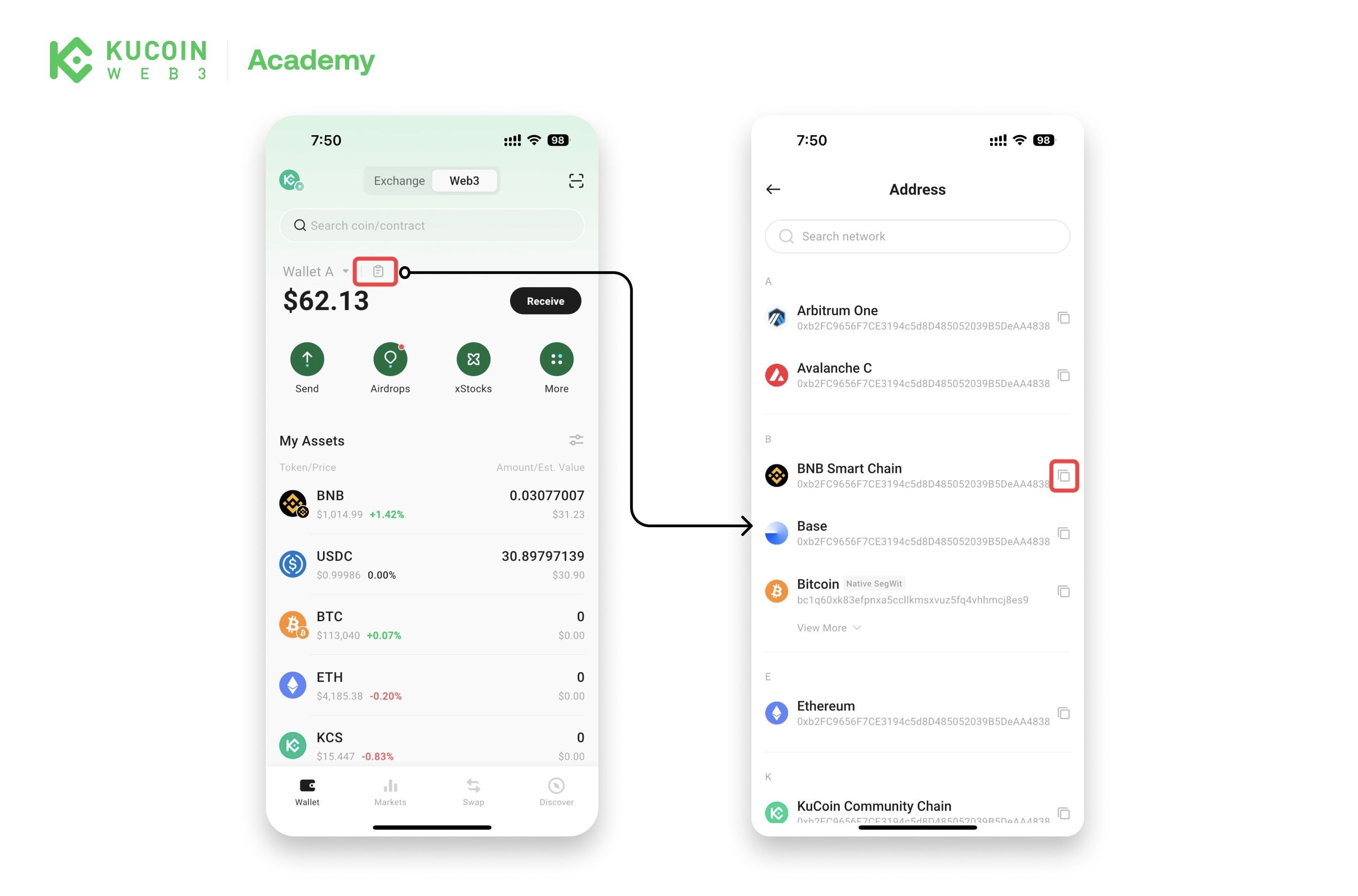
Method 1: Copy your wallet address
- Open the KuCoin app and go to Web3.
- Tap Copy Address to copy the wallet address of the network you want to receive crypto on.
Method 2: Scan the QR code
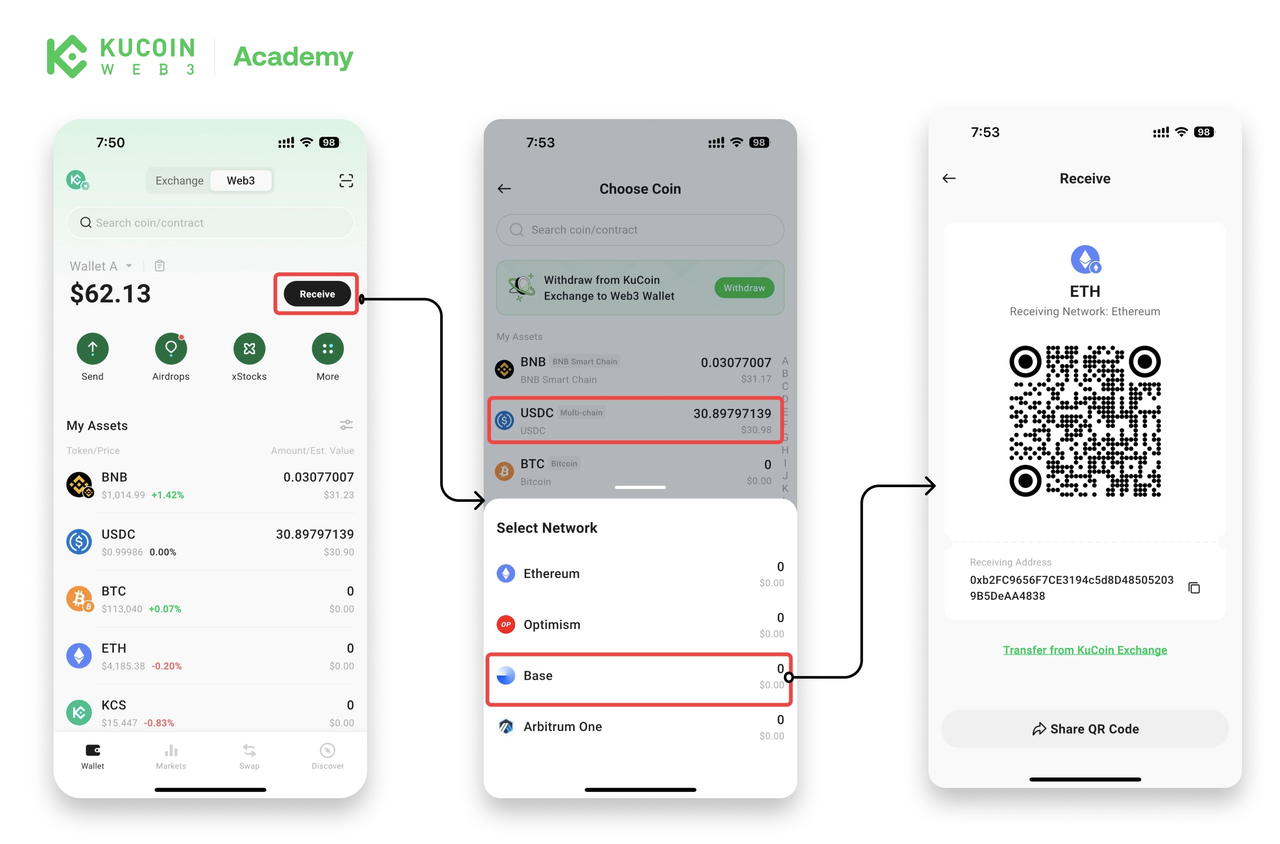
- Open the KuCoin app and go to Web3.
- Tap Receive, then select the crypto and network you want.
- Share or scan the QR code to complete the transfer.
Method 3: Receive from your KuCoin Exchange account
Refer to [this article] for a step-by-step guide.
How to send assets
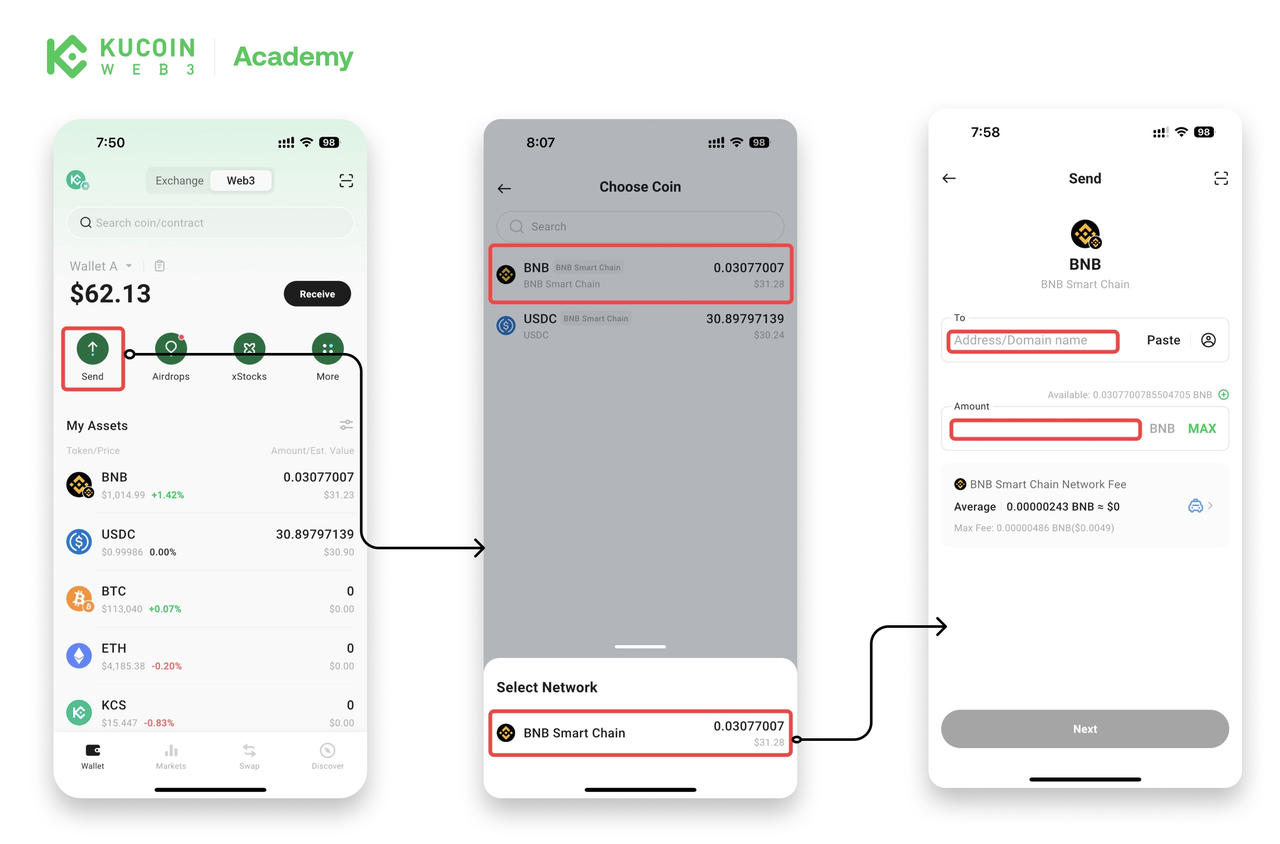
- Open the KuCoin app, go to Web3, and tap Send.
- Select the crypto and network you want to transfer. (If you hold the same token on multiple networks, choose the one you prefer. )
- Enter the recipient's wallet address and the amount to transfer. (You’ll need a small amount of the network’s native token to pay gas fees.)
- Tap Next and confirm the transaction.