
How to Use KuCoin EU Convert
This guide explains how to use the Convert feature on the KuCoin EU app and website. The Convert function allows users to exchange one digital asset for another at the quoted rate provided at the time of confirmation. This guide is for informational purposes only and does not constitute investment advice or a recommendation.
Using Convert on the App:
Step 1: Access KuCoin EU Convert
Click on Convert on the homepage. Alternatively, you can also click on 'Trade' → 'Convert'
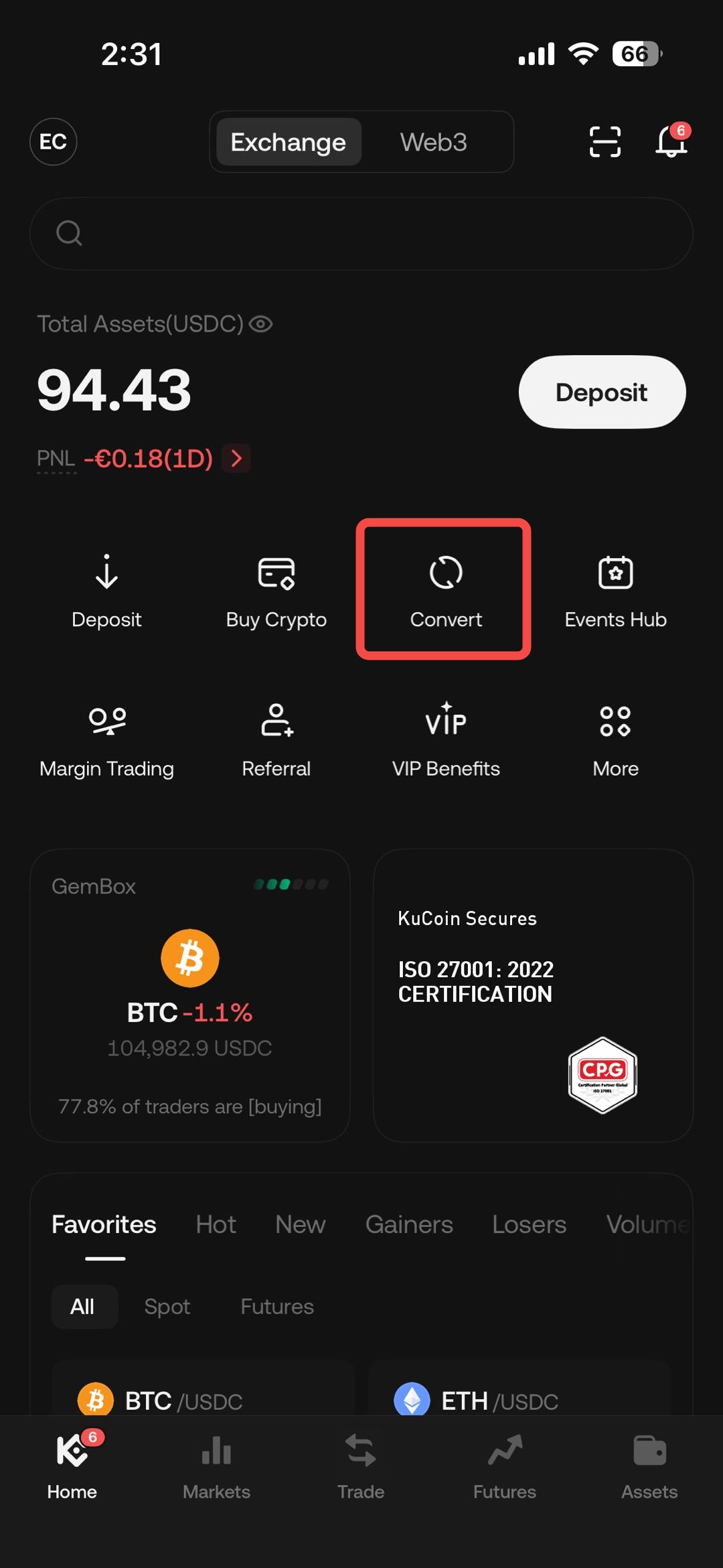
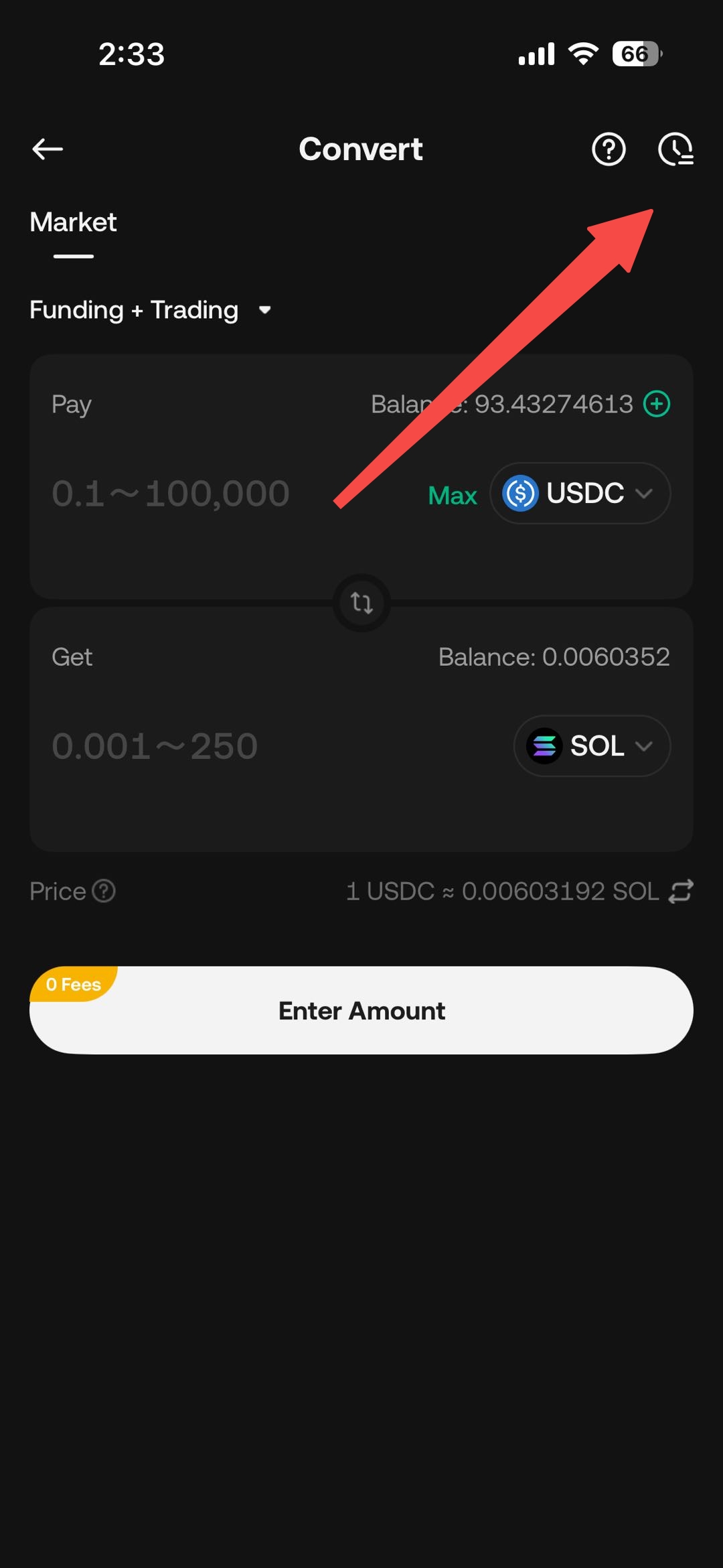
Step 2: Input the token and the amount that you wish to convert
Choose the token you wish to convert from the dropdown menu. Enter the desired amount to convert and click "Confirm" to proceed with the transaction.
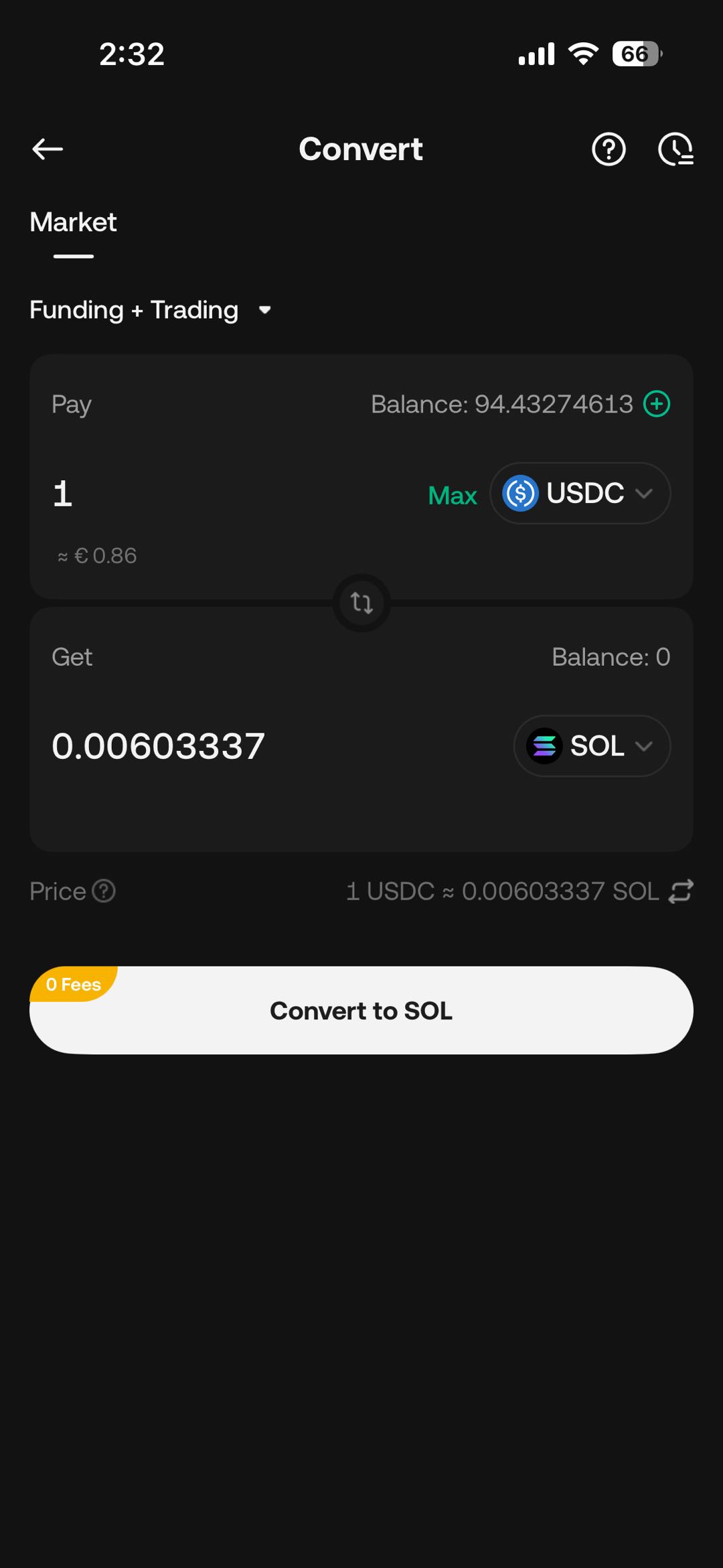
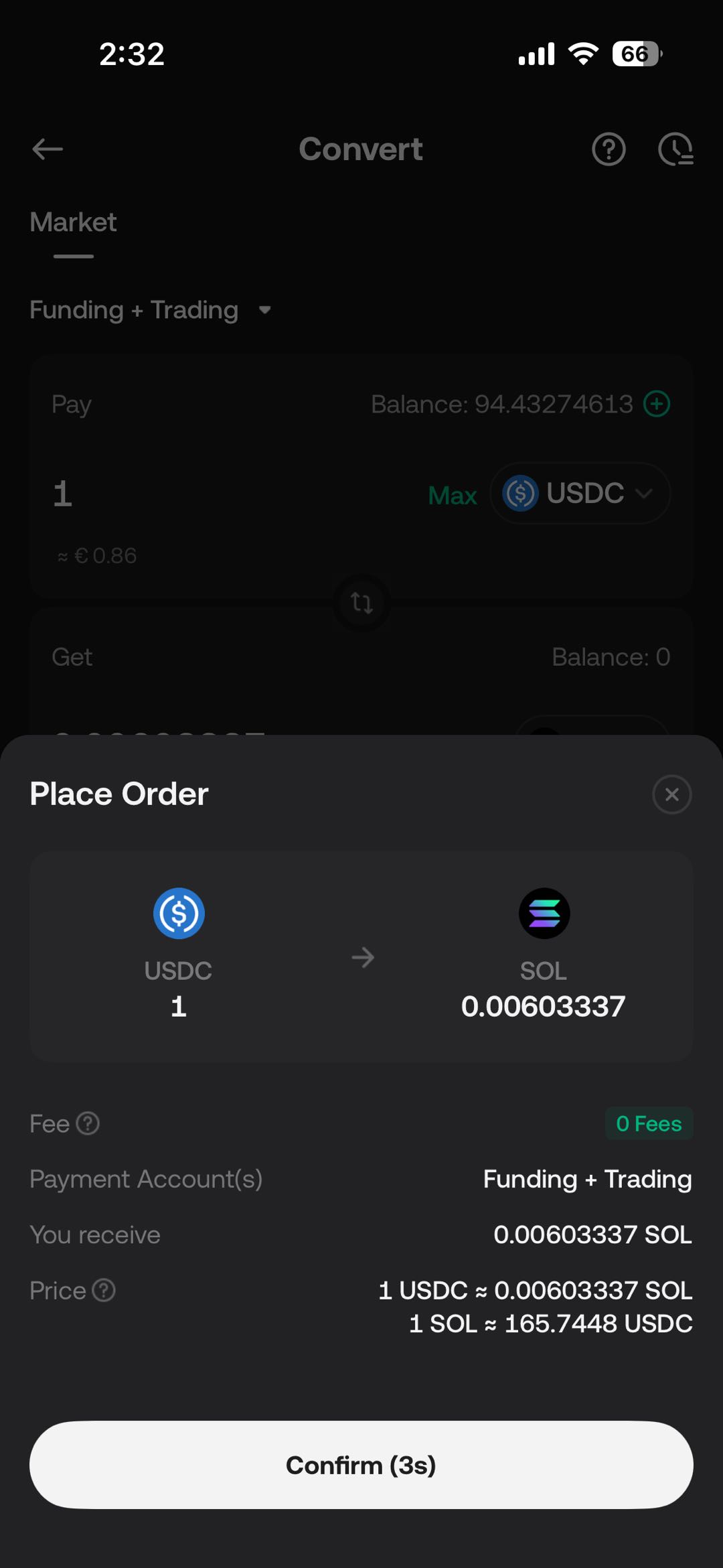 .
. 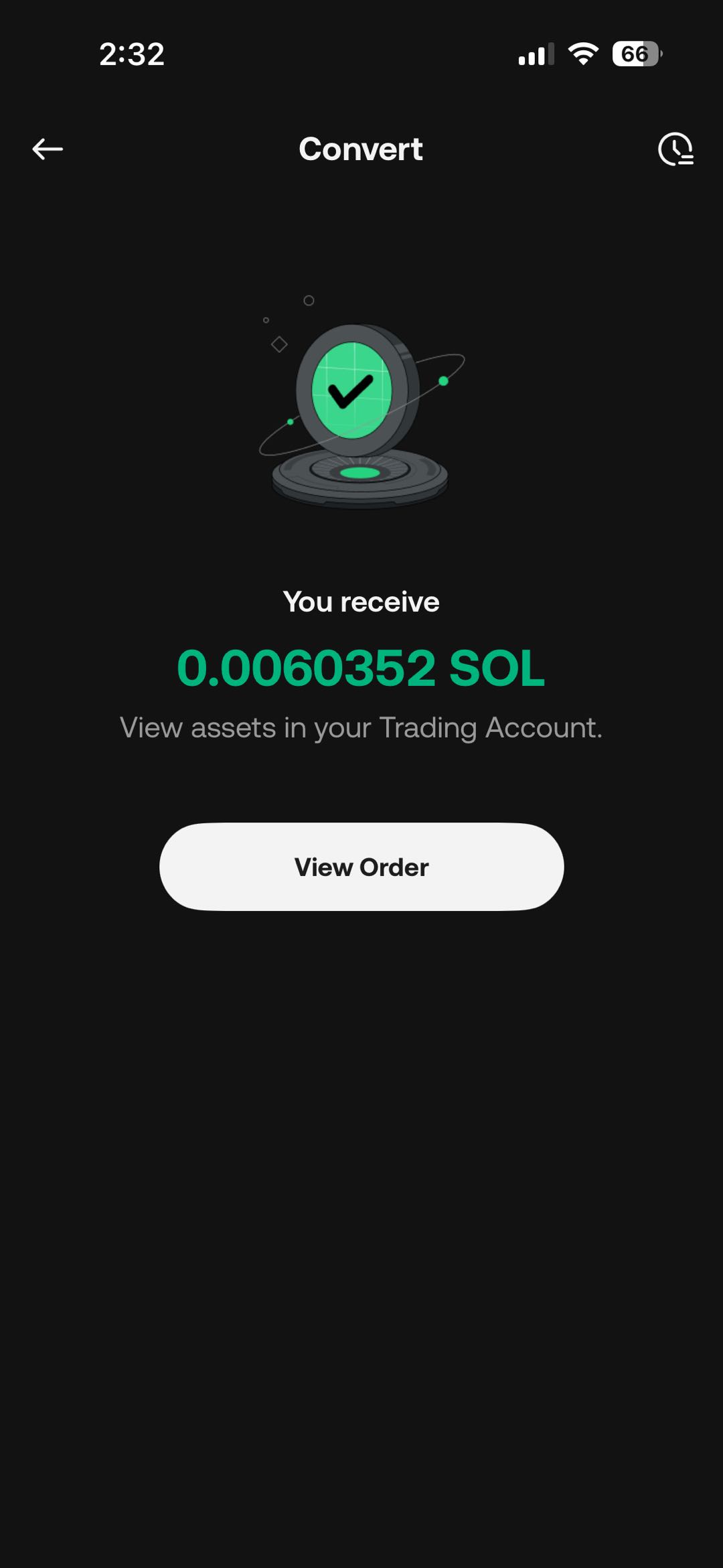
Step 3: View Historical Orders
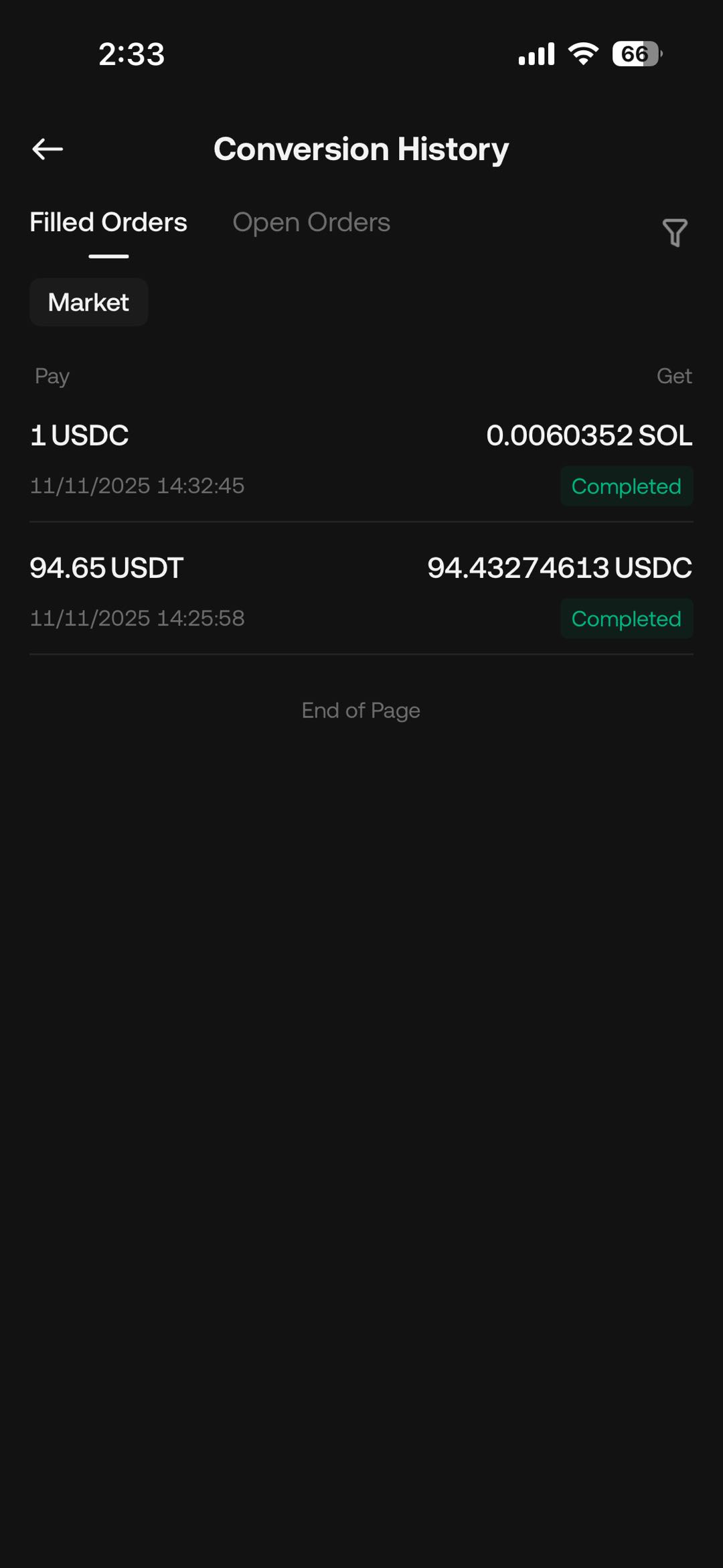
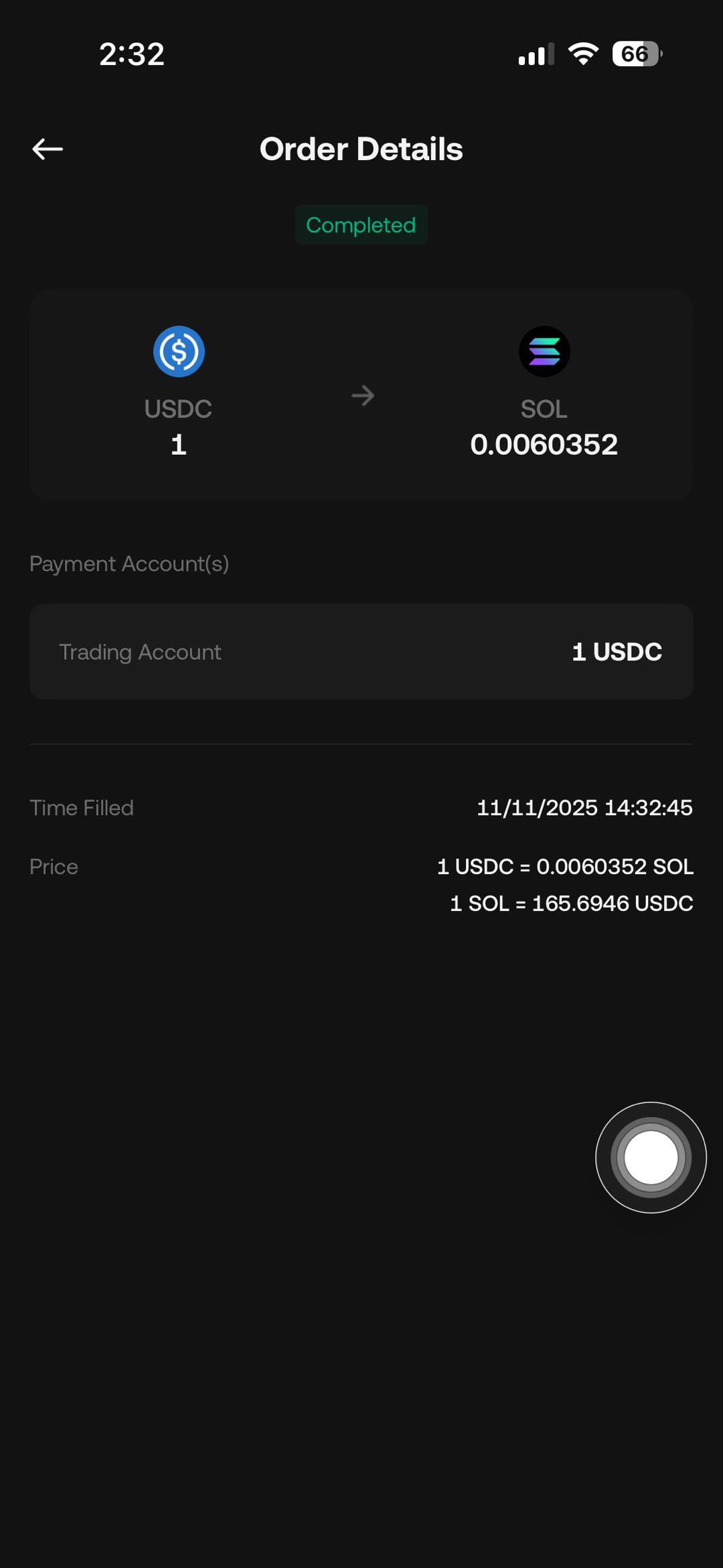
On the Convert page, click on the history icon located in the upper-right corner to access your conversion records. Select any record to view detailed information about the transaction.
Web:
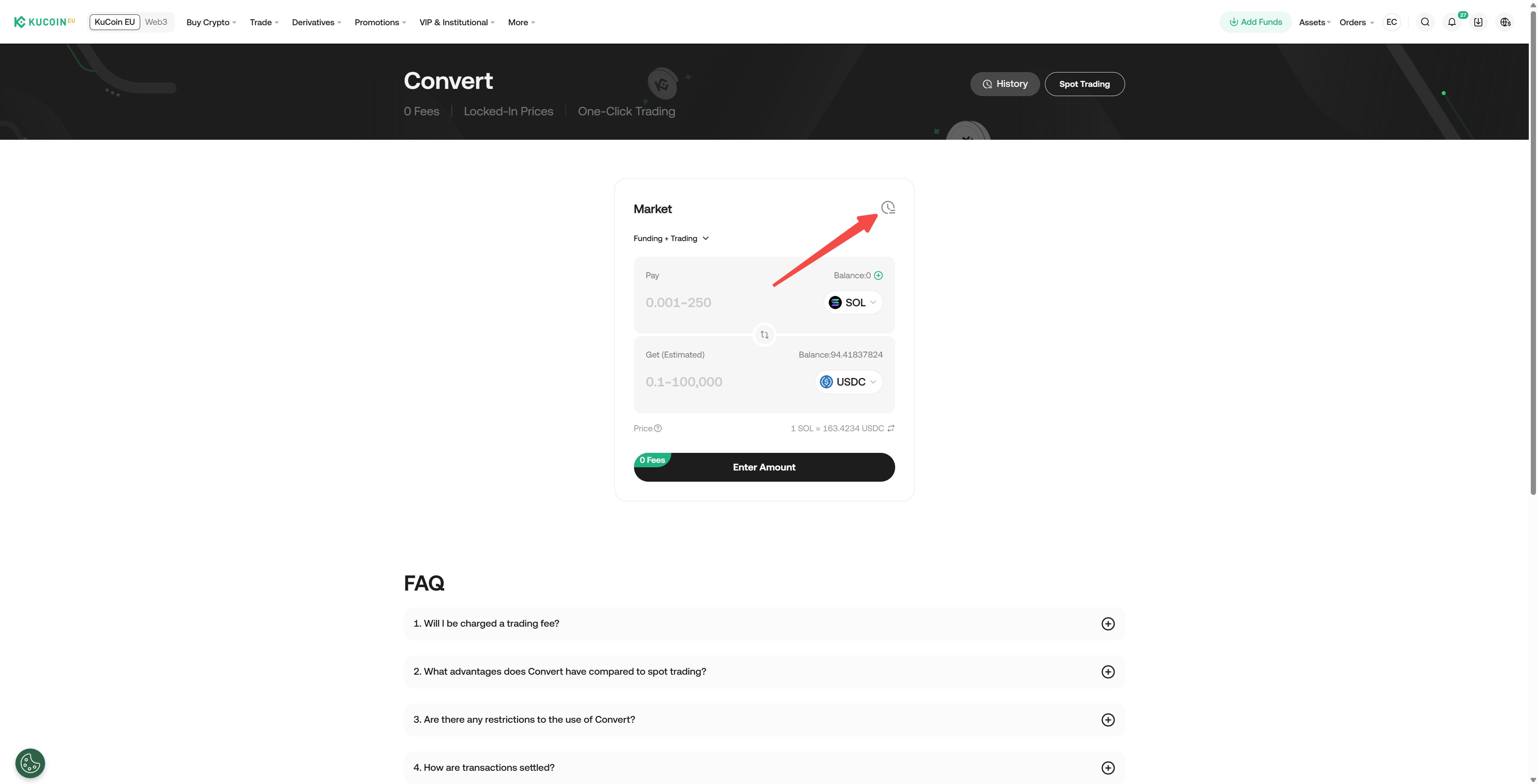
Step 1: Access KuCoin EU Convert
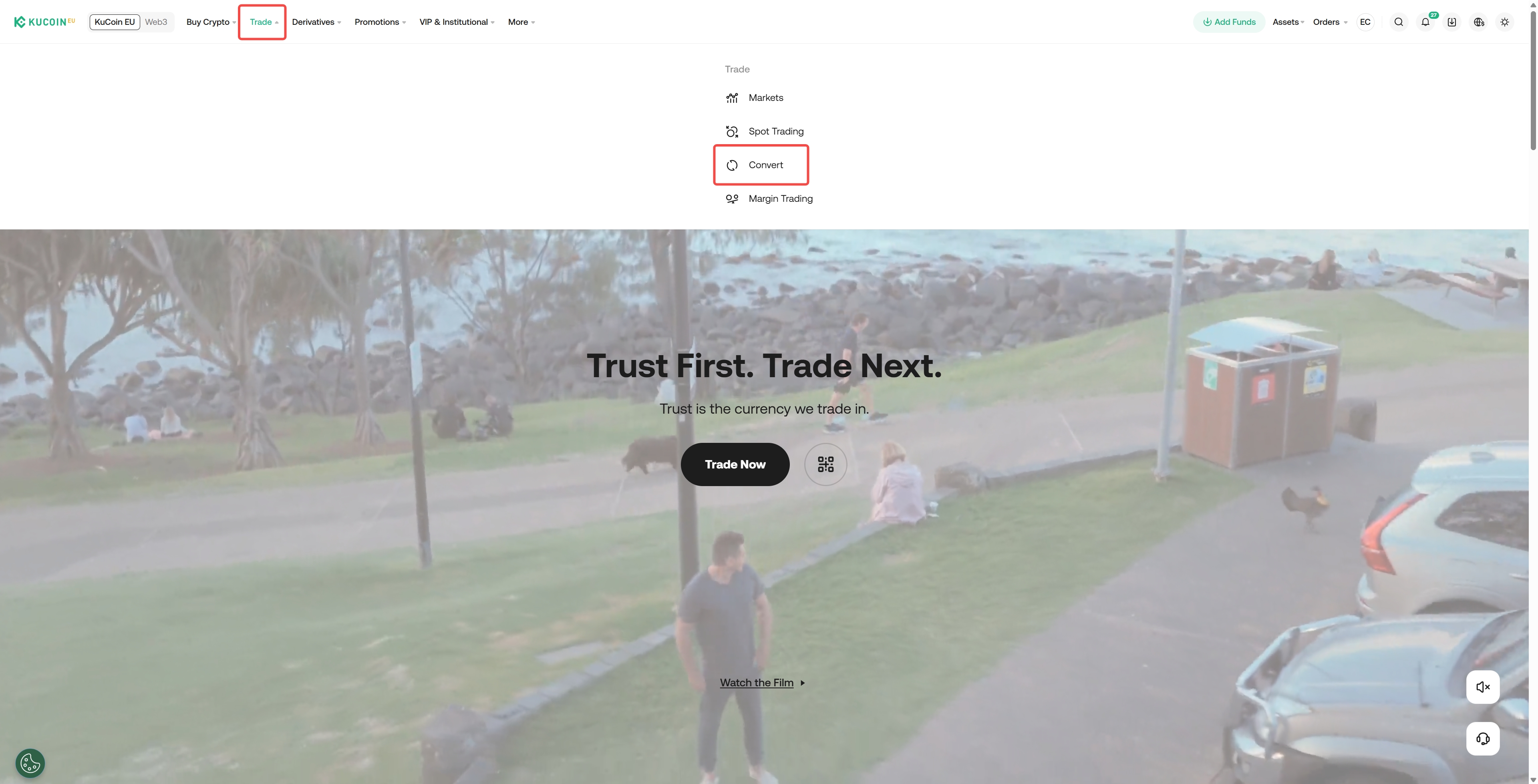
On the KuCoin EU website, select "Trade" from the menu bar, then choose "Convert".
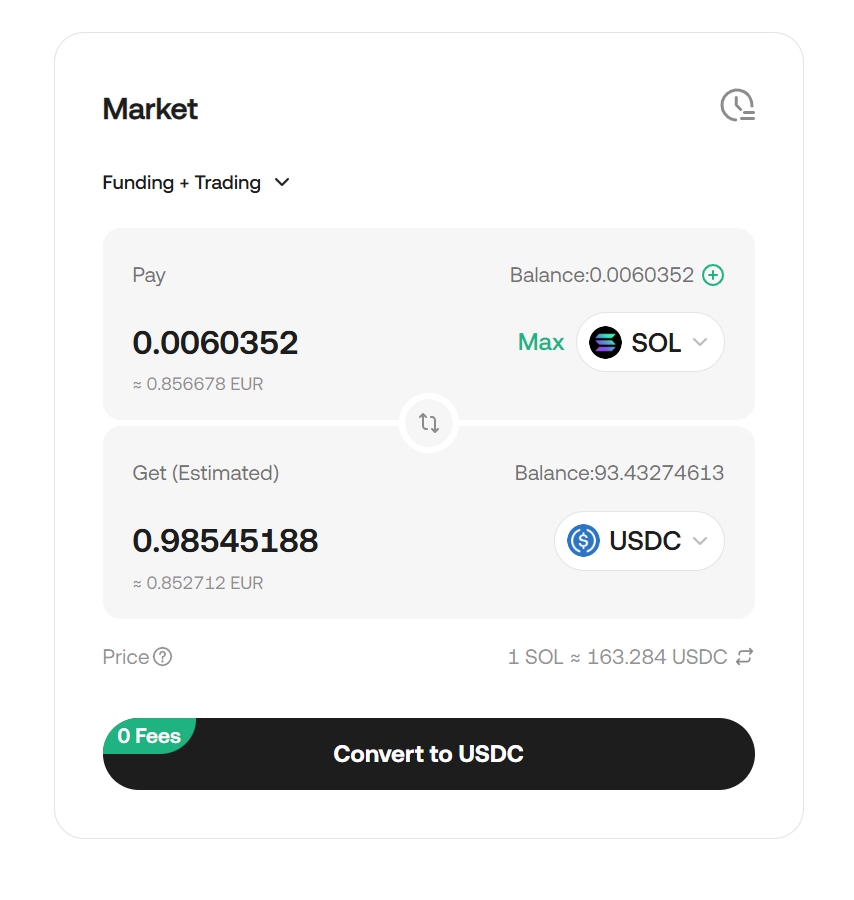
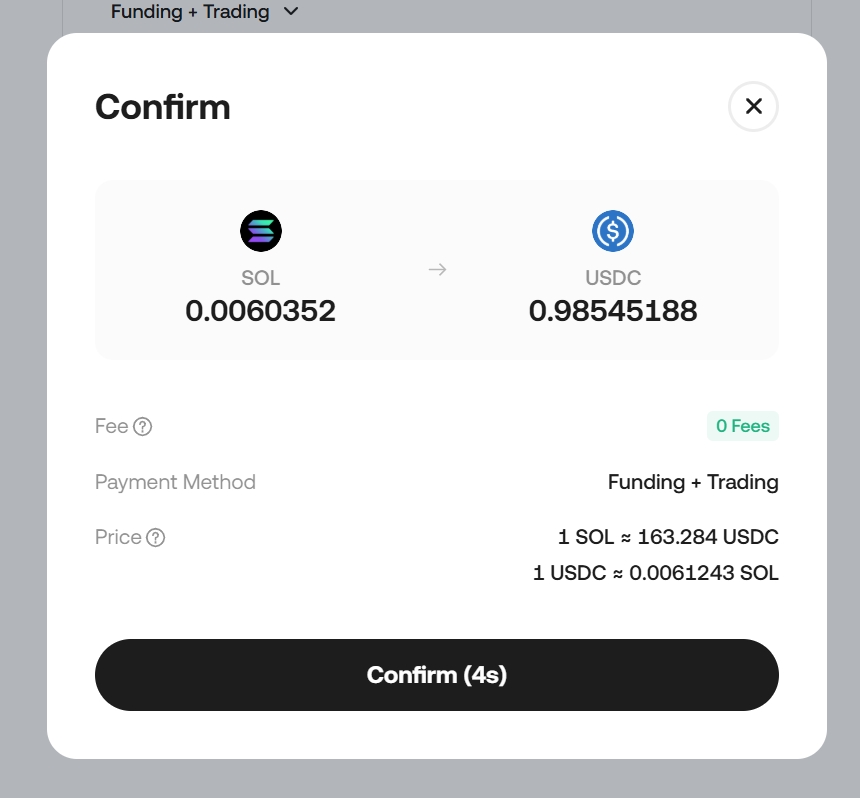
Step 2: Input the token and the amount that you wish to convert
Select the token that you wish to convert from the dropdown menu, enter the amount, then click on 'Confirm' to proceed.
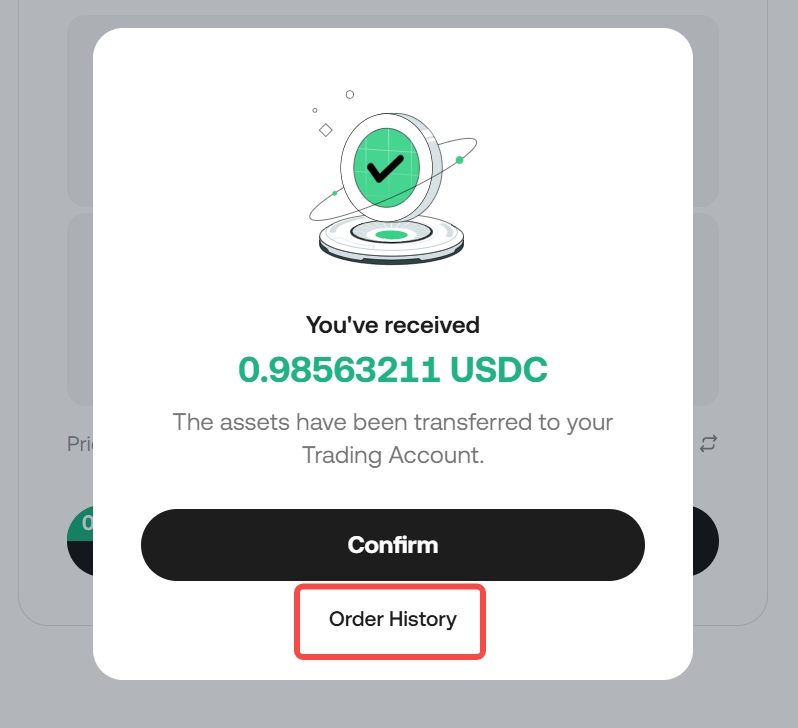
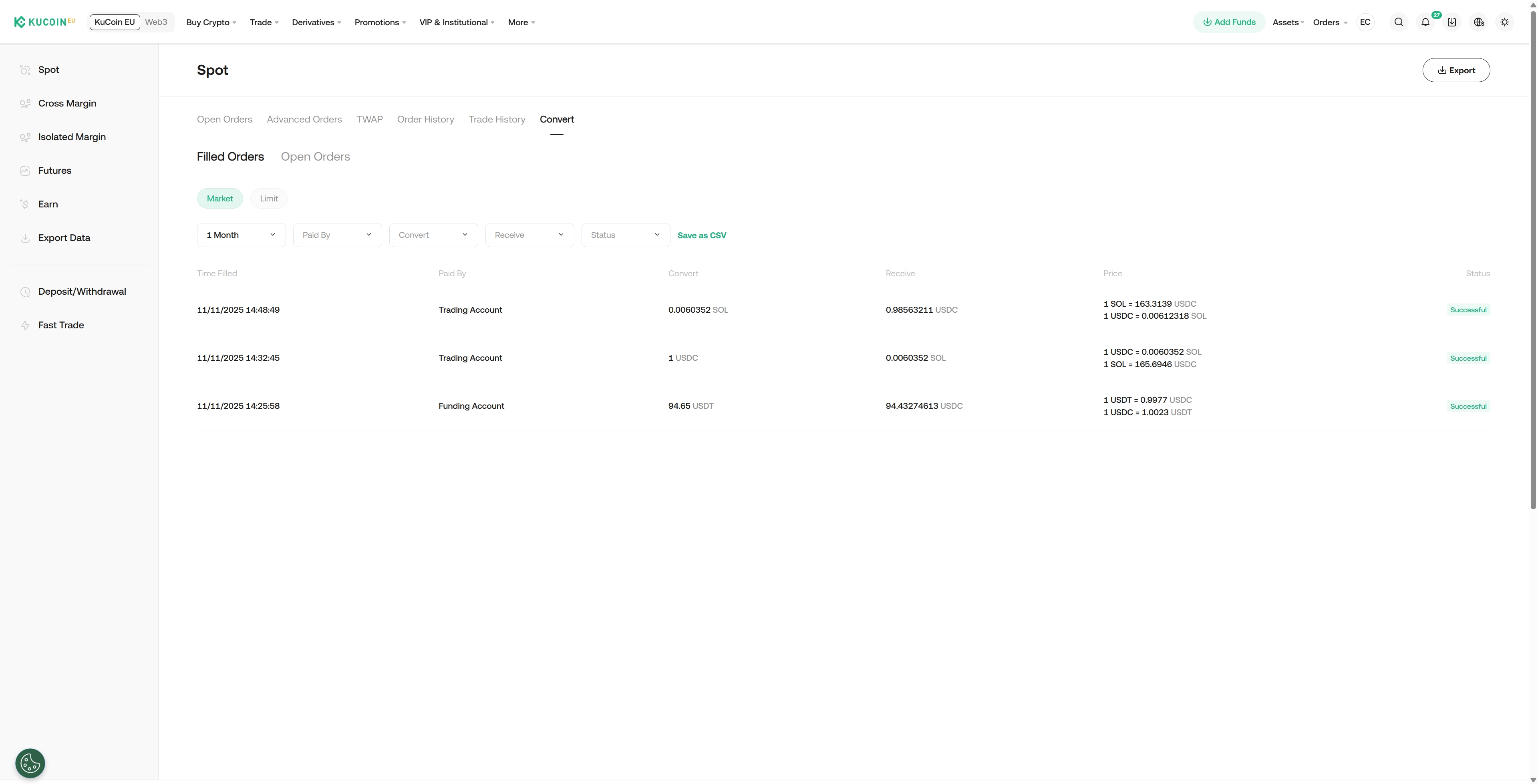
Once the transaction is completed, click "Order History" to view the details.
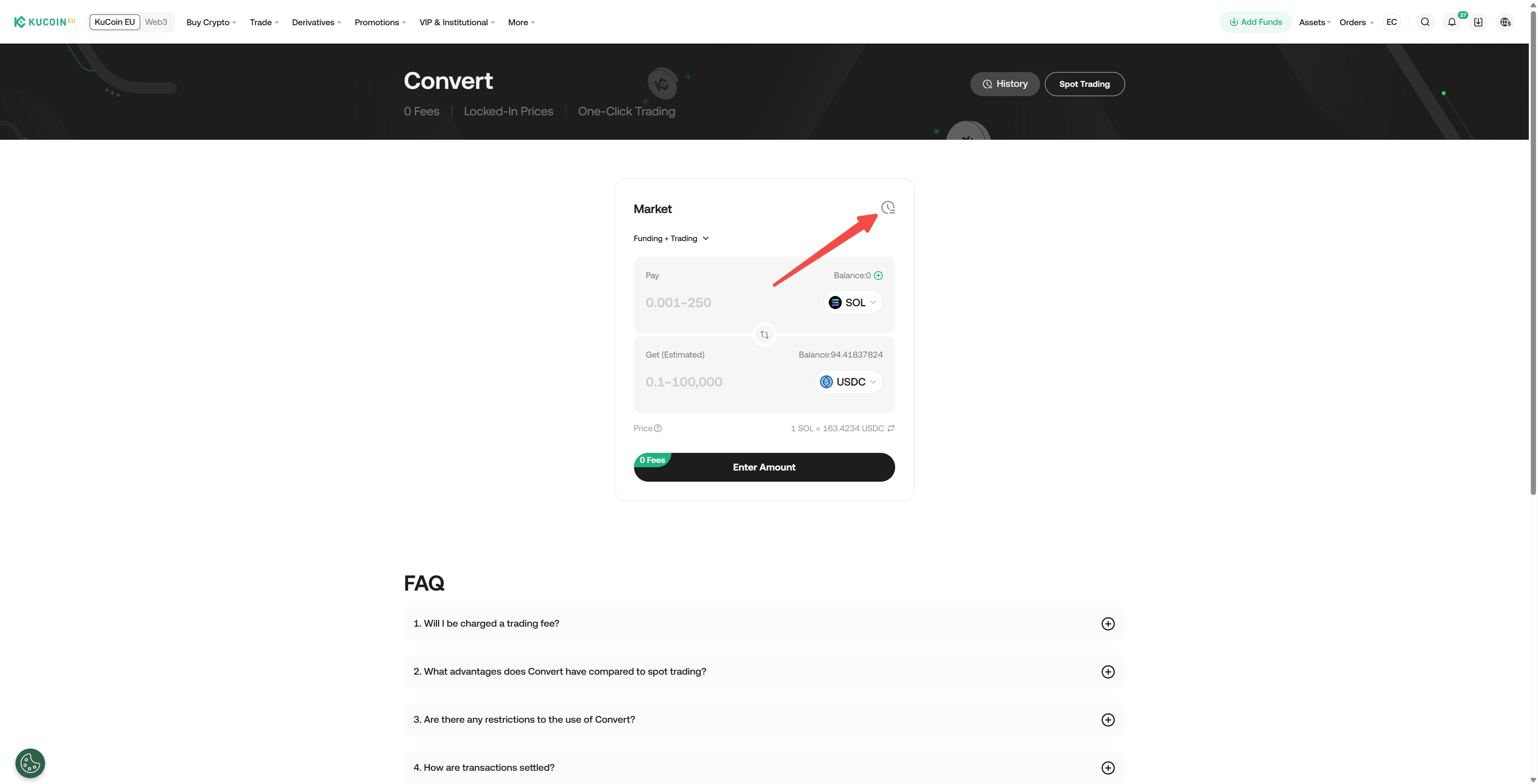
Step 3: View Historical Orders
On the Convert page, click on "Order History" icon in the upper-right corner to view the list of conversion records. Select any record to view its details.
Risk Disclosures:
Using the Convert feature involves the following risks:
Market Volatility
Digital asset prices can change rapidly. The execution rate may differ from the rate displayed at the time of initiating the conversion.
Slippage
Market movements occurring between confirmation and execution may cause the final converted amount or rate to deviate from initial expectations.
No Guaranteed Execution Price
The Convert feature does not guarantee a fixed price, and conversions may be impacted by market depth, liquidity, and system timing.
Not Investment Advice
This guide explains platform functionality only and does not represent financial advice, a personal recommendation, or a suitability assessment under MiCAR or MiFID. Users should evaluate whether converting digital assets is appropriate for their situation and seek independent professional advice if needed.
We hope this article has been helpful. If you have any other questions, please reach out to our 24/7 customer support via online chat or submit a ticket.