Isolated Margin Trading
This article outlines how to use the Isolated Margin mode on KuCoin Margin Trading.
1. Enter the Margin Trading Page
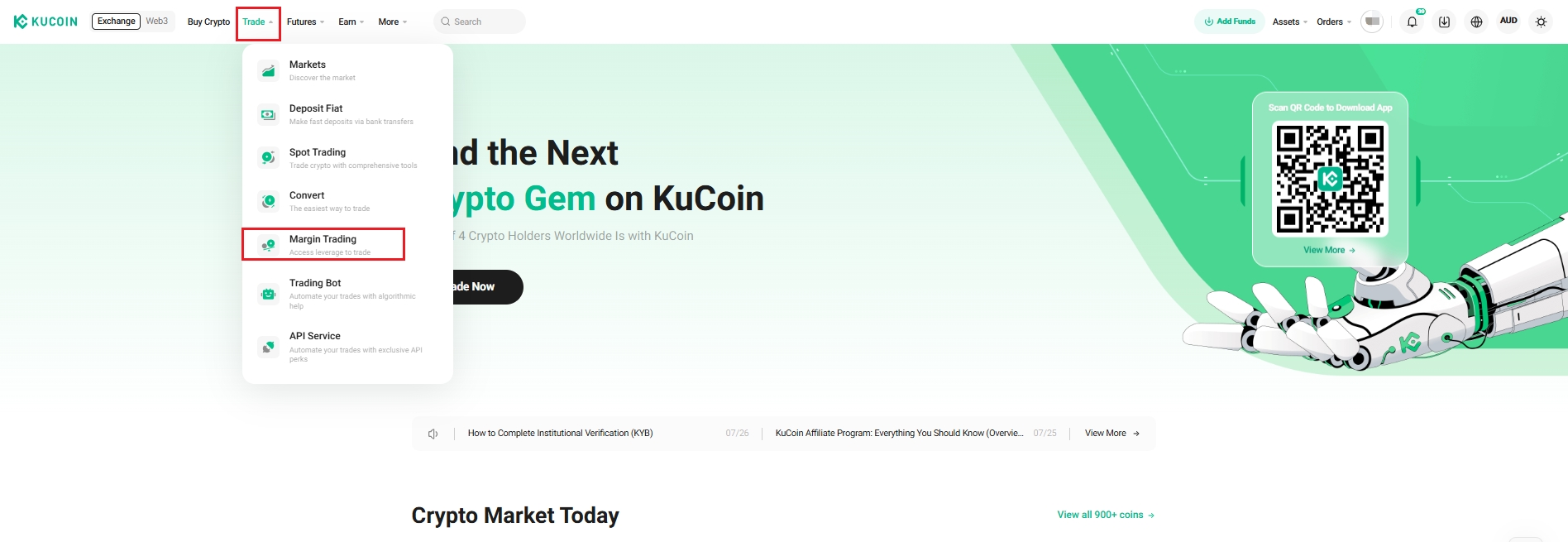
Log in to your KuCoin account and click Trade → Margin Trading.
Web
App

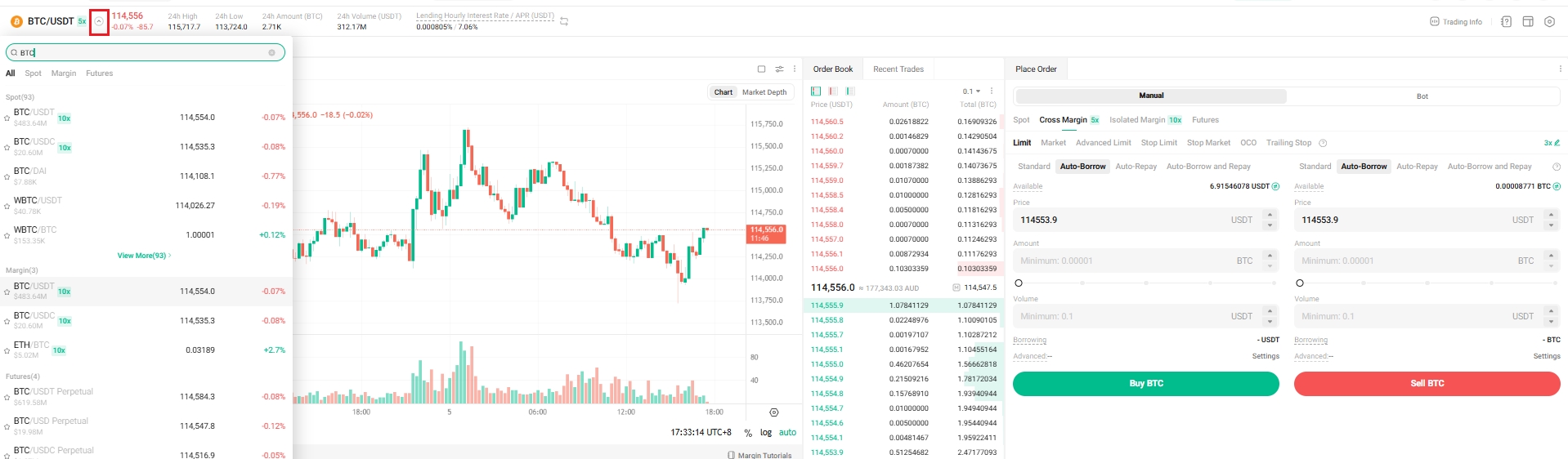
Click on the Margin button in the upper left corner and select an isolated trading pair such as BTC/USDT.
Web
App

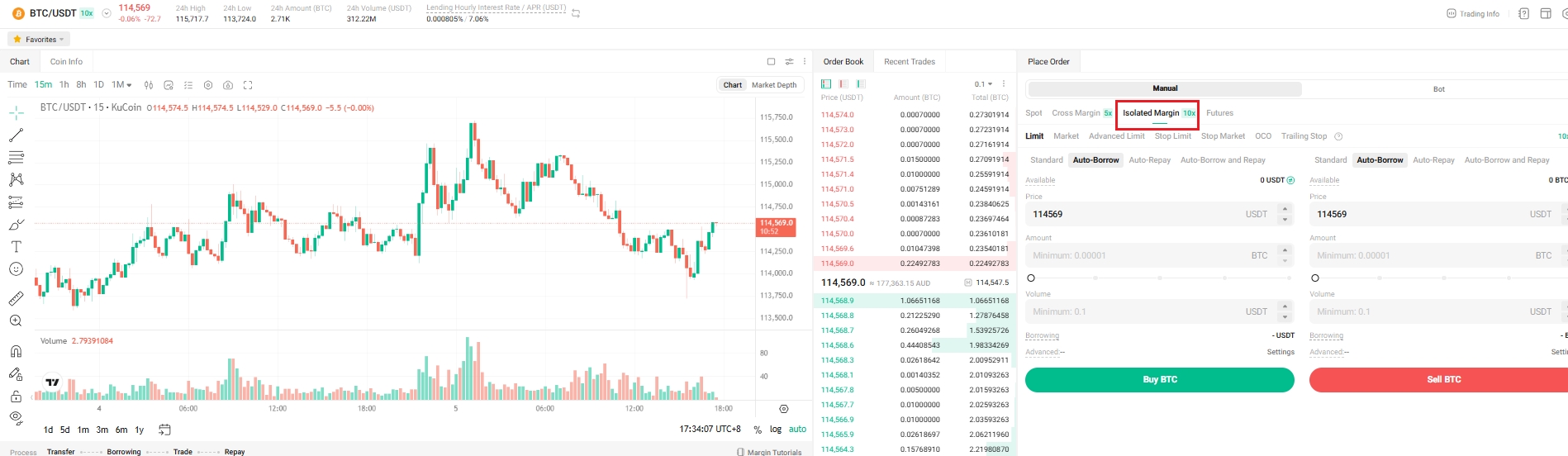
Click the Isolated Margin in the lower right corner to switch to the isolated margin mode.
Web
App

2. Transfer Margin to the Isolated Margin Account
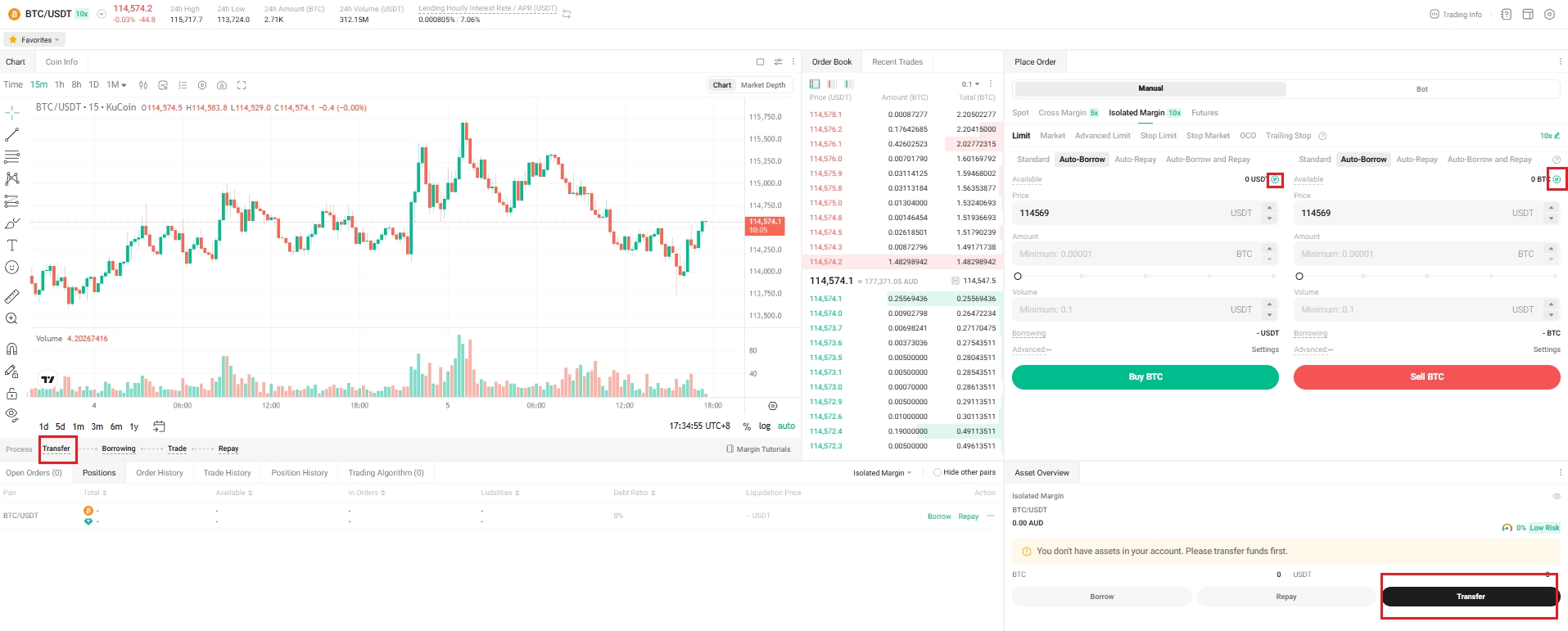
Click Transfer to transfer collateral to or out of your Margin Account.
Web
App

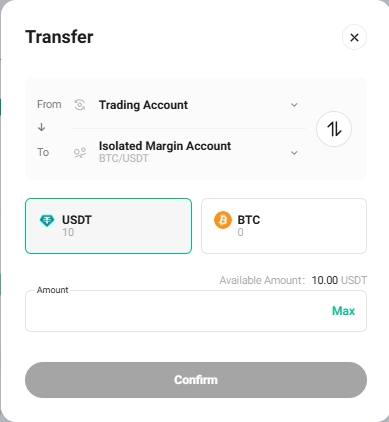
In the “Transfer” pop-up window, select the Isolated Margin account and the trading pair you want to trade (such as BTC/USDT), select the Coin (USDT or BTC), enter the Amount, then transfer funds to the corresponding isolated Margin Account.
Web
App

3. Borrow Funds
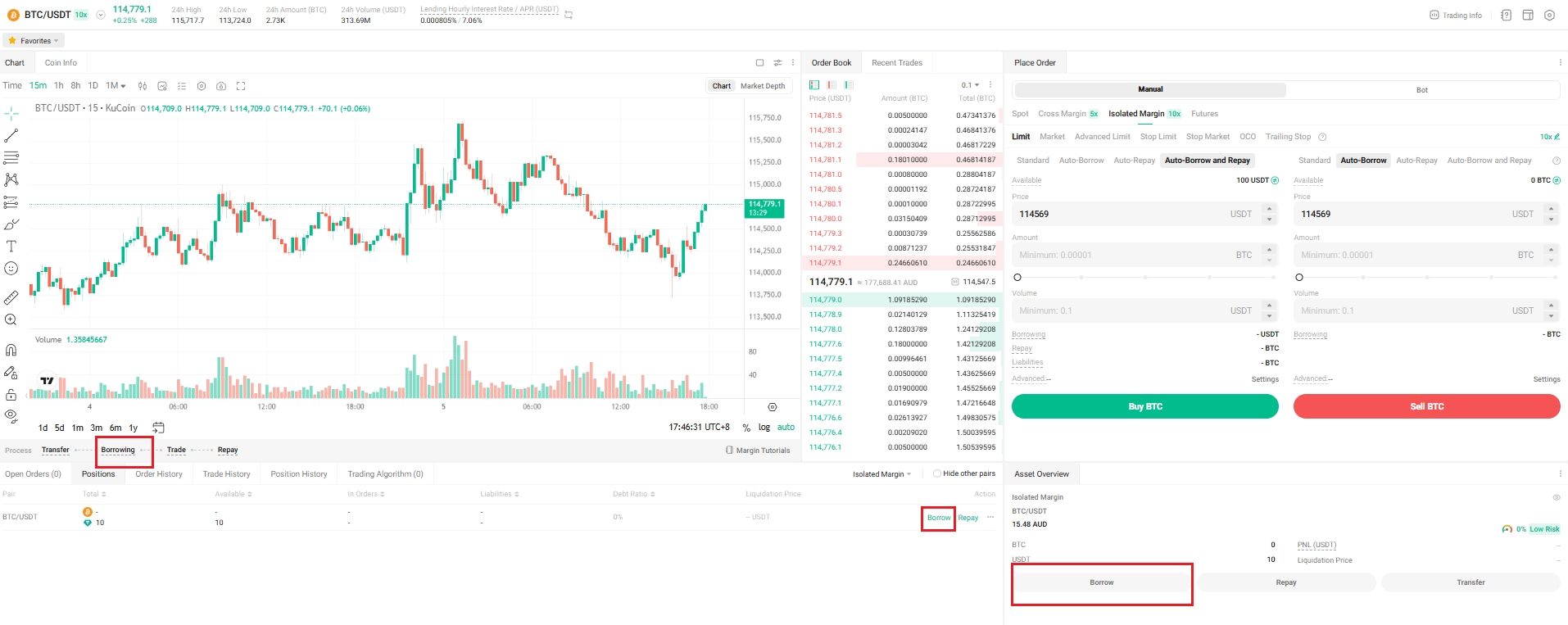
Click Borrow to borrow funds.
Web
App

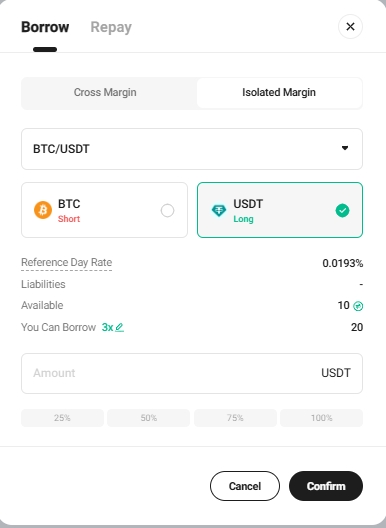
In the “Borrow” pop-up window, choose the Coin to borrow. Enter the Amount and click Confirm.
Web
App

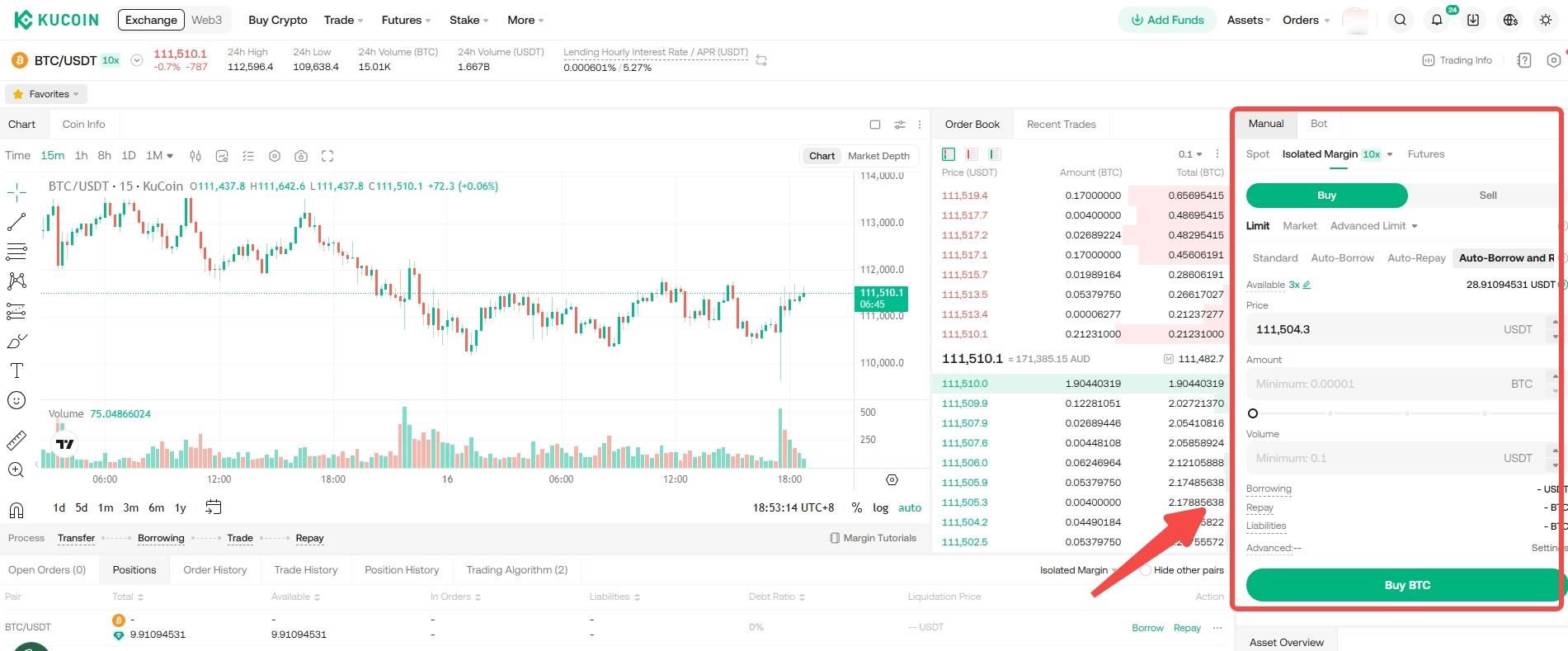
4. Margin Trading (Buy Long/Sell Short)
Take buying long BTC/USDT trading pair as an example.
- Start to trade: Borrow USDT from the market to buy BTC.
- Close the position: When the BTC price goes up, sell the BTC you bought before back for USDT.
Web
App

Note:
You can also select Auto-Borrow or Auto-Repay to carry out margin buy or margin sell.
5. Repay Loans
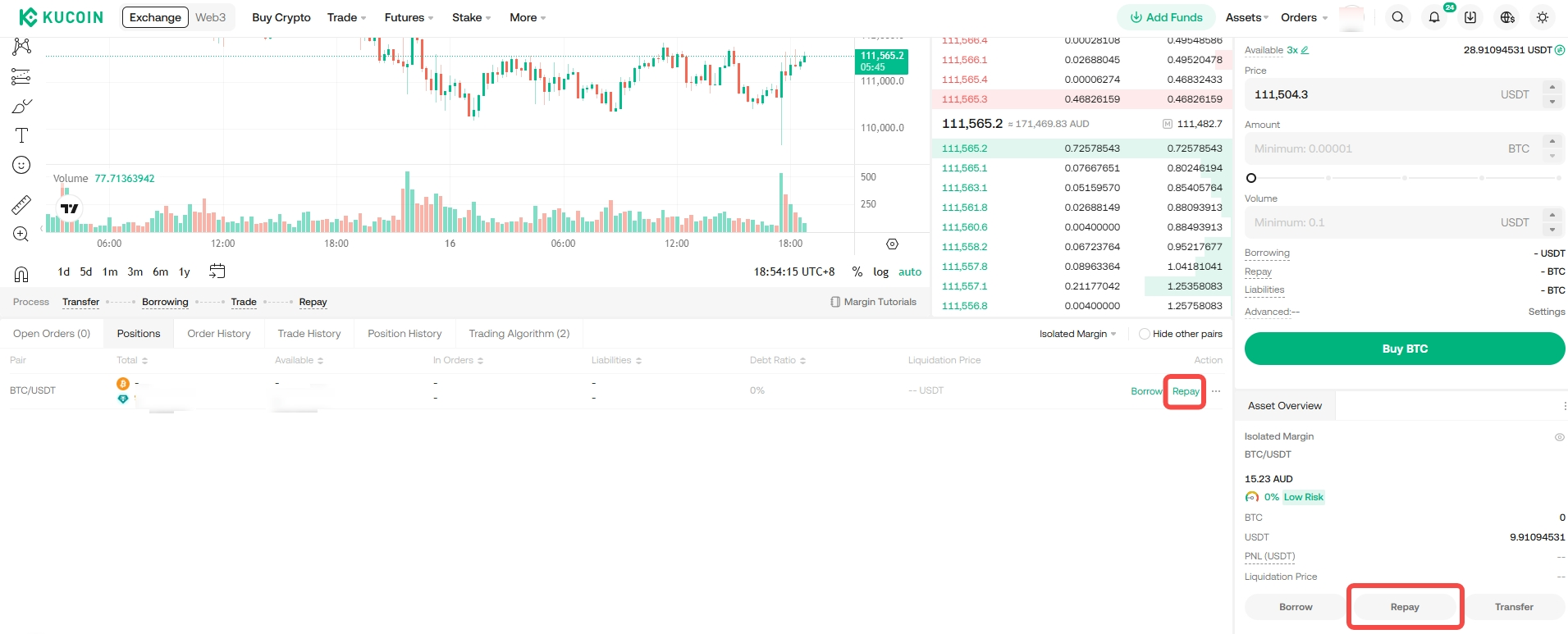
After realizing your profit, you can repay your debt (amount borrowed + interest) by clicking Repay.
Web
App

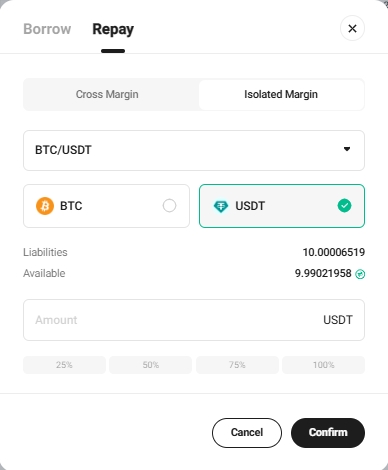
In the “Repay” pop-up window, select the Coin and enter the Amount to repay, then click Confirm.
Web
App

6. How to Close Isolated Margin Account
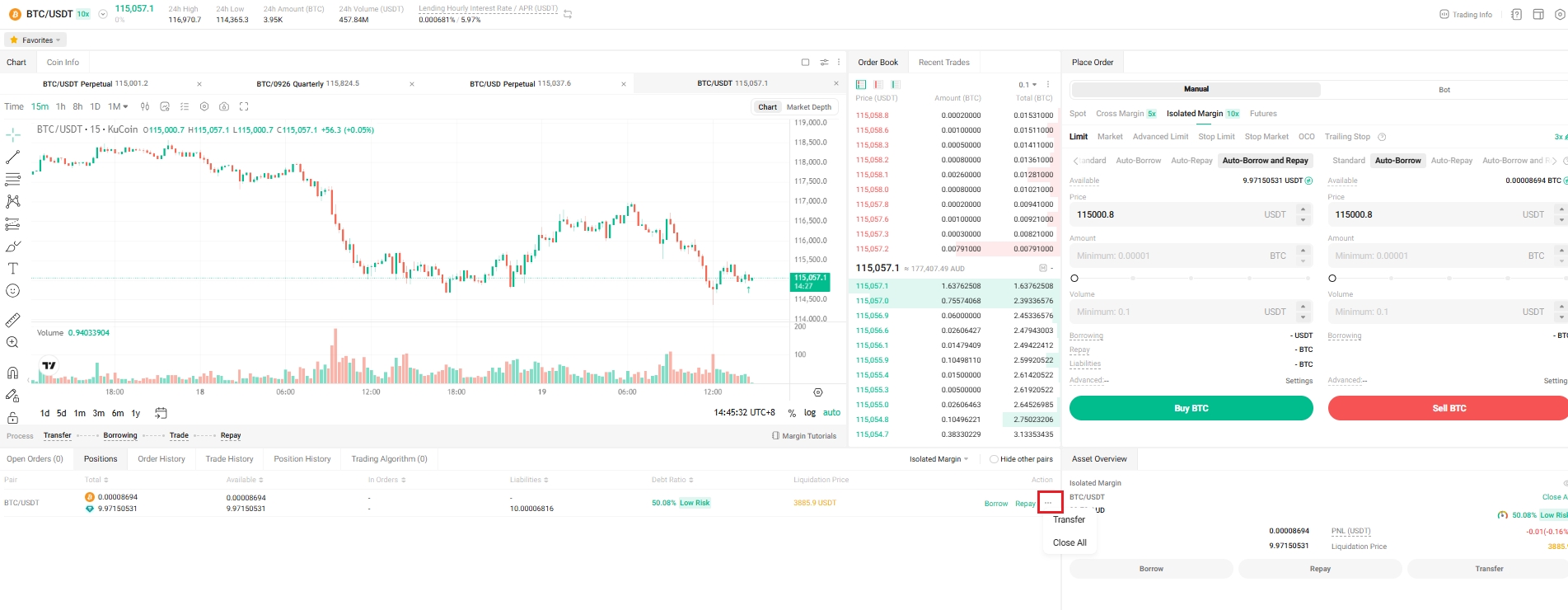
To close an Isolated Margin account on KuCoin, ensure all open positions are closed and all borrowed funds, along with any interest owed, are repaid. After settling these obligations, you can proceed to withdraw or transfer out any remaining balances from your margin account.
Web
App

We hope this article has been helpful. If you have any other questions, please reach out to our 24/7 customer support via online chat or submit a ticket.
Happy trading on KuCoin!