How to Withdraw EUR Using Bank Transfer (SEPA)?
1. What is Bank Transfer (SEPA)?
Bank Transfer (SEPA) is a service provided by KuCoin that allows users to withdraw EUR from their KuCoin account to a bank account that supports SEPA. This method supports both SEPA and SEPA Instant transfers. However, the availability of SEPA Instant depends on whether the user’s payment bank supports this service.
2. Fees and Limits
Please note: The actual fees and limits are subject to the display in the KuCoin system.
|
Payment Method
|
Fiat Currency
|
Transaction Type
|
Payment Network
|
Processing Time
|
Fee
|
Single-Order Amount Limit
|
|
Bank Transfer (SEPA)
|
EUR
|
Withdraw
|
SEPA Instant
|
Instant
|
1 EUR
|
1.01 - 50,000 EUR
|
|
SEPA Credit
|
Within 2 working days
|
3. How to Withdraw EUR Using Bank Transfer (SEPA)? (App Version)
Step 1: Access the official KuCoin App and log in to your account that has completed KuCoin KYC verification.
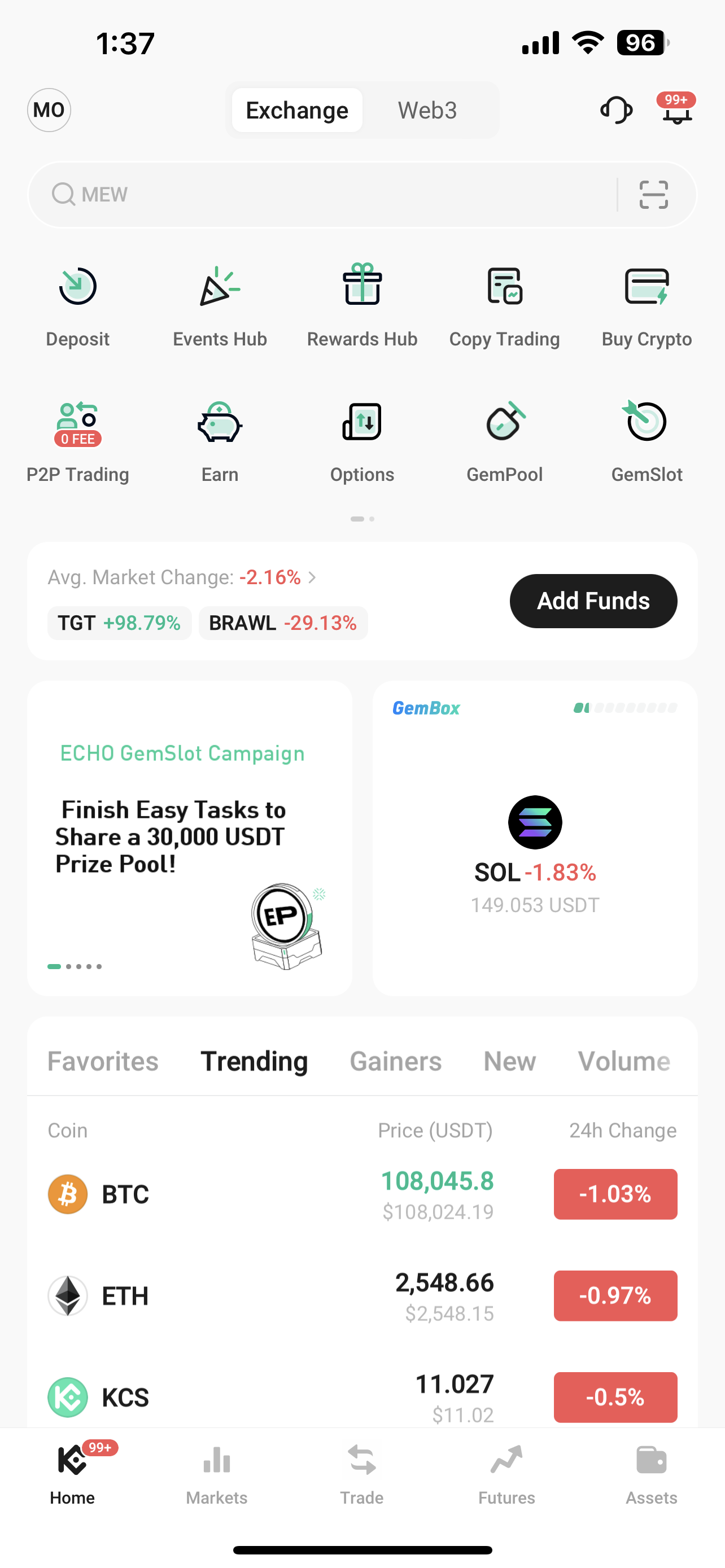
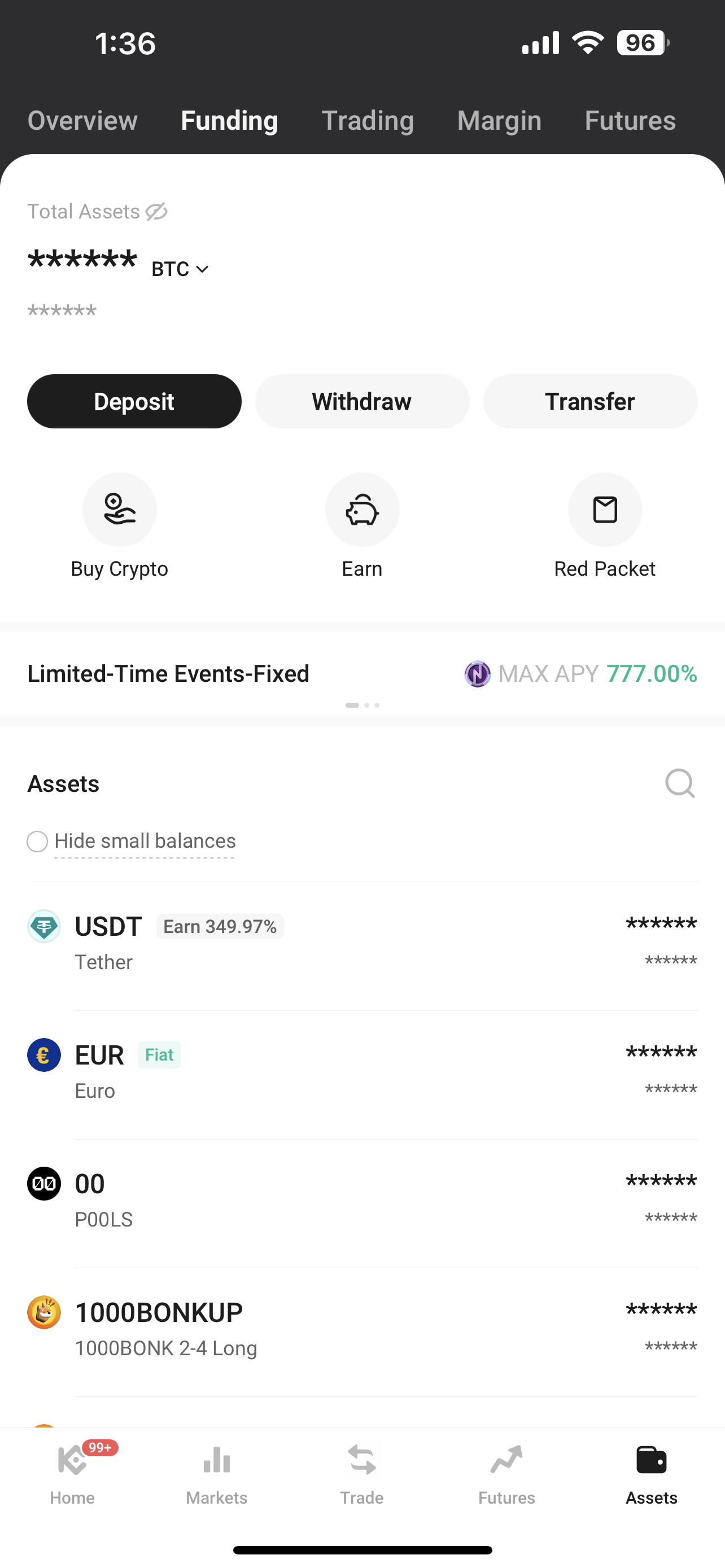
Step 2: Tap “Assets” at the bottom, then “Funding” at the top, and finally “Withdraw.”
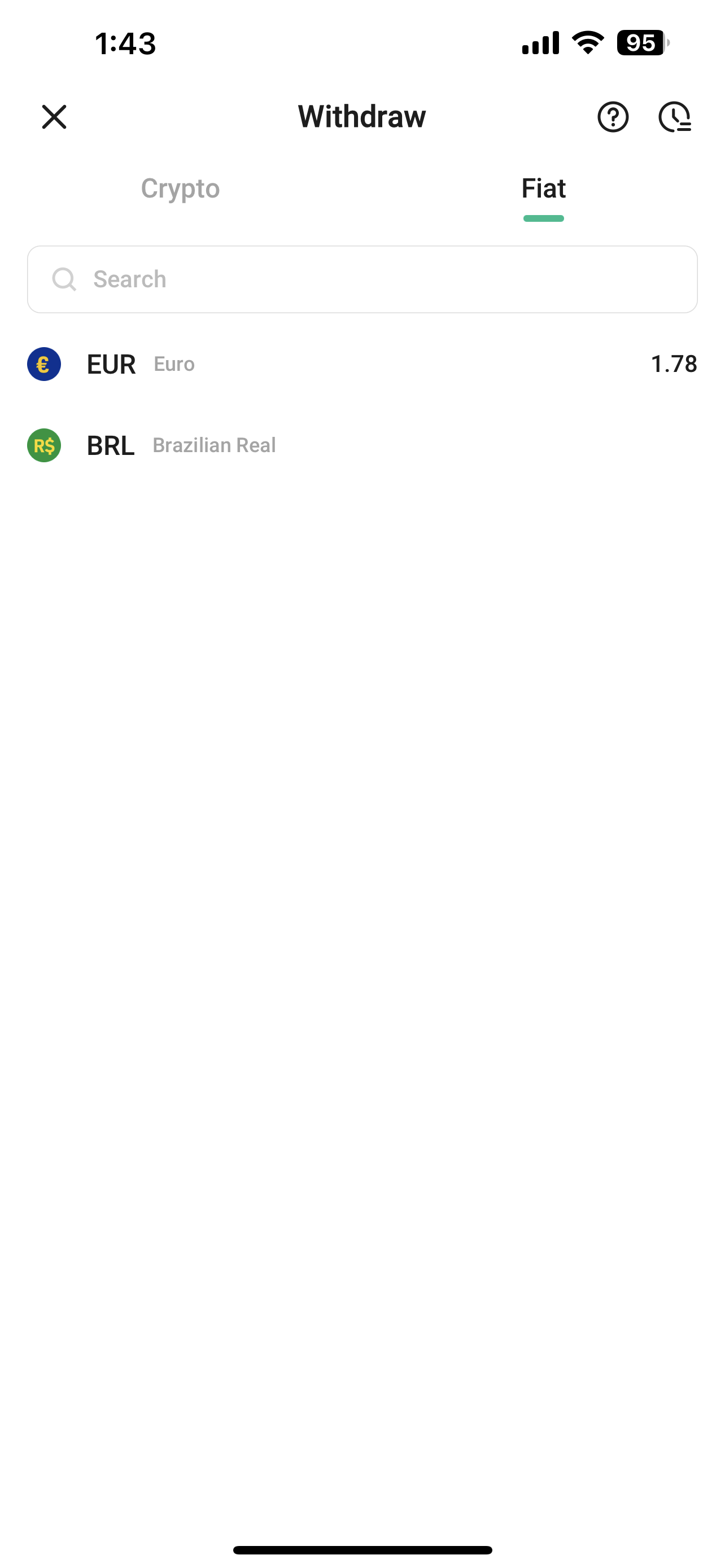
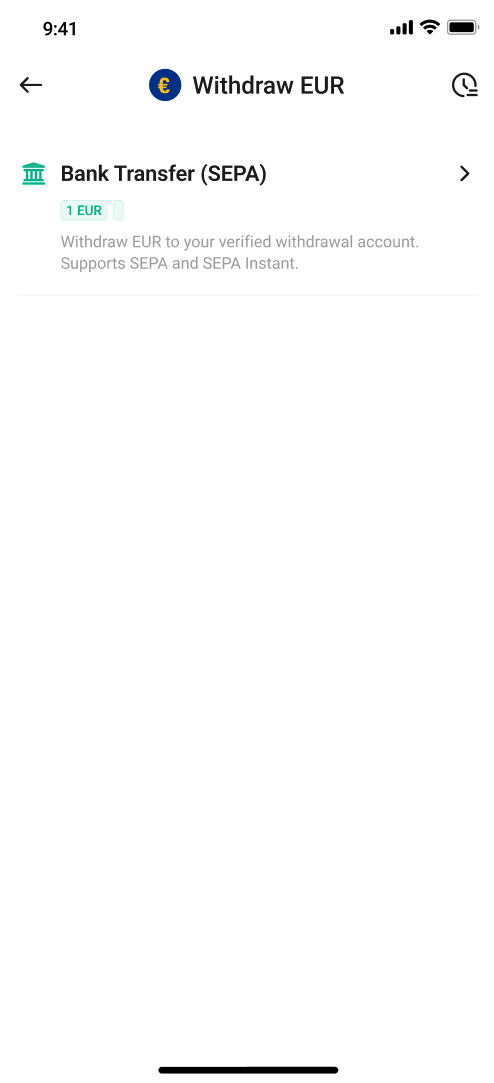
Step 3: Choose "EUR" as the fiat currency and select "Bank Transfer (SEPA)" to enter the SEPA withdraw page.
Step 4: Follow the prompts to complete the SEPA additional verification (you may skip this step if it has already been completed).
>>> Please refer to: How to Complete SEPA Additional Verification?
Step 5: Add your bank account and enter the EUR withdrawal amount.
- Before completing an EUR withdrawal, you need to link a SEPA withdrawal bank account. Please verify this account by making a deposit in EUR using the same bank account.
- Please make sure your EUR funds are in your KuCoin Funding Account.
- For more details, please refer to: How to Complete SEPA Withdrawal Bank Account Verification?
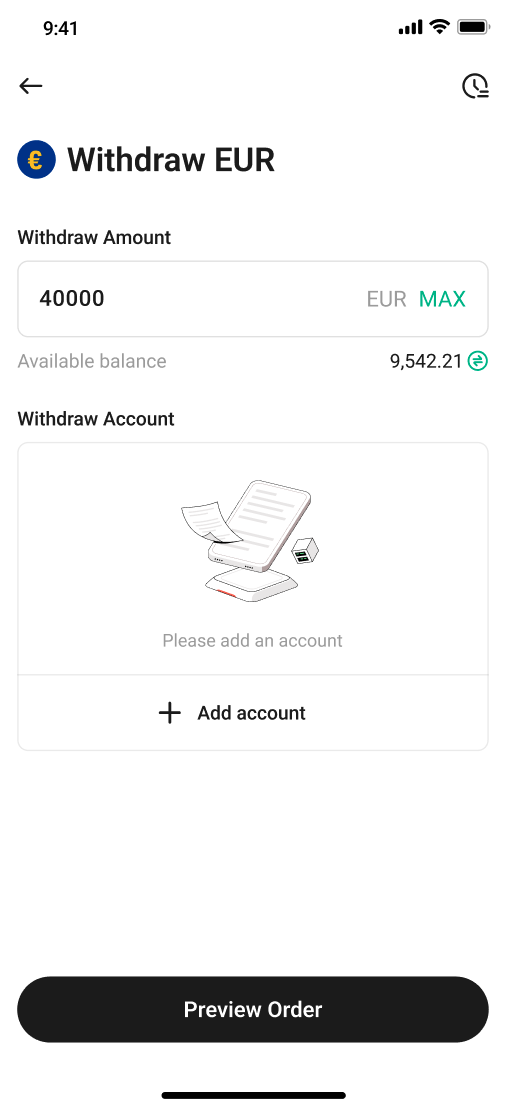
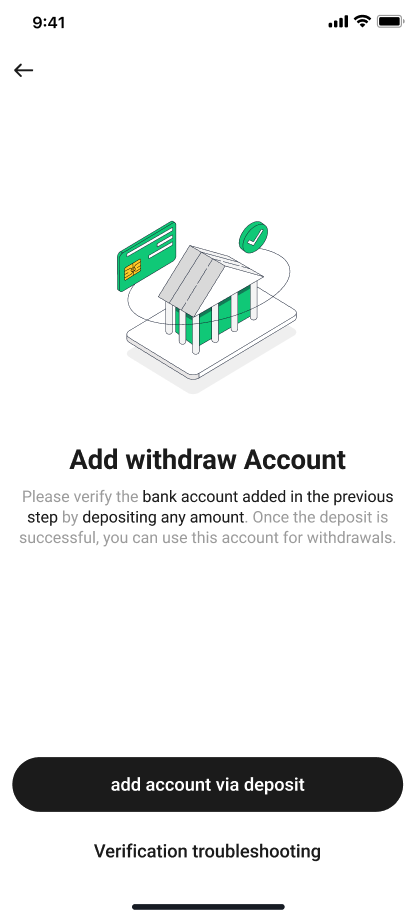
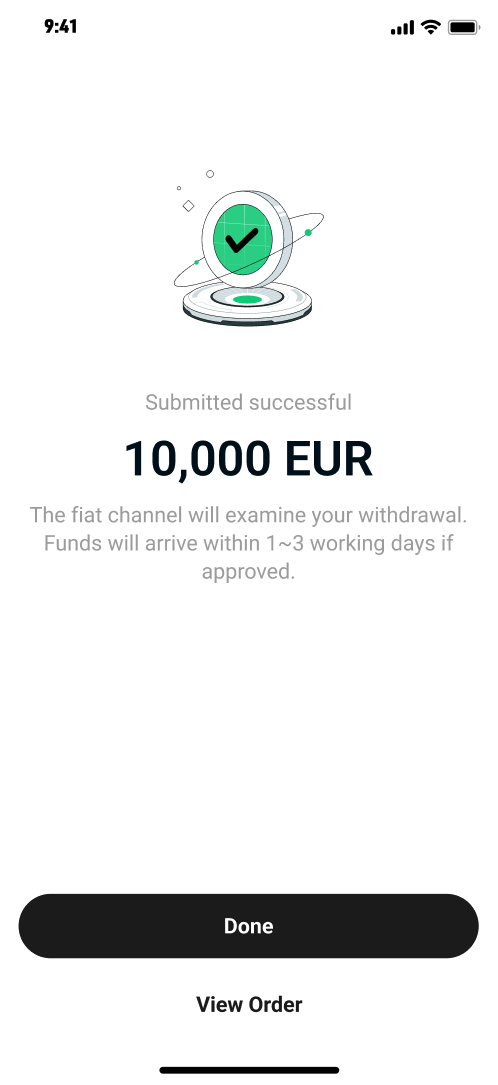
Step 6: Submit your EUR withdrawal order and wait for the funds to arrive in your bank account.

4. How to Withdraw EUR Using Bank Transfer (SEPA)? (Web Version)
Step 1: Access the official KuCoin Website and log in to your account that has completed KuCoin KYC verification.
Step 2: Click “Assets” at the top right of the KuCoin web page, then go to “Withdraw” > “Withdraw Fiat” to access the fiat withdrawal page.
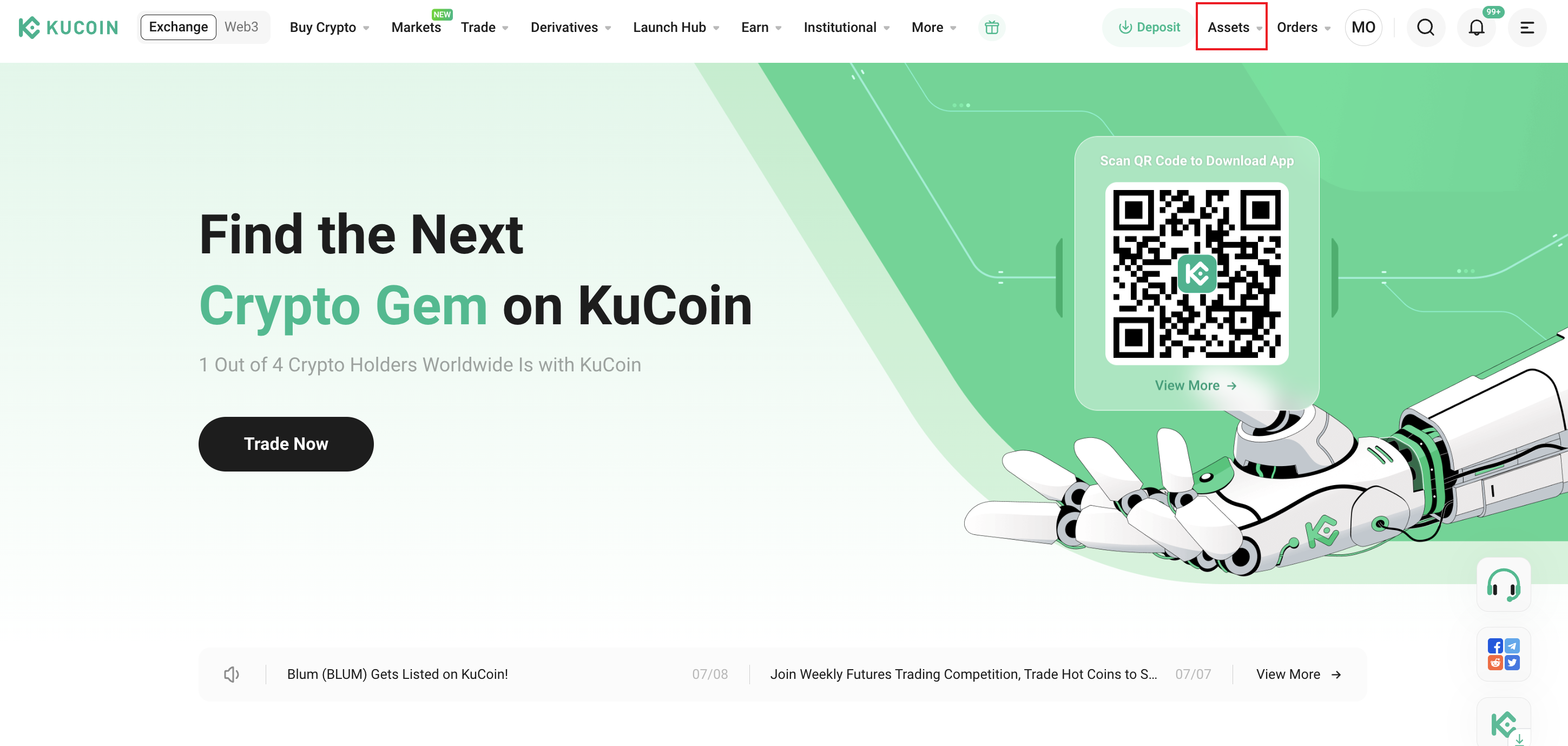
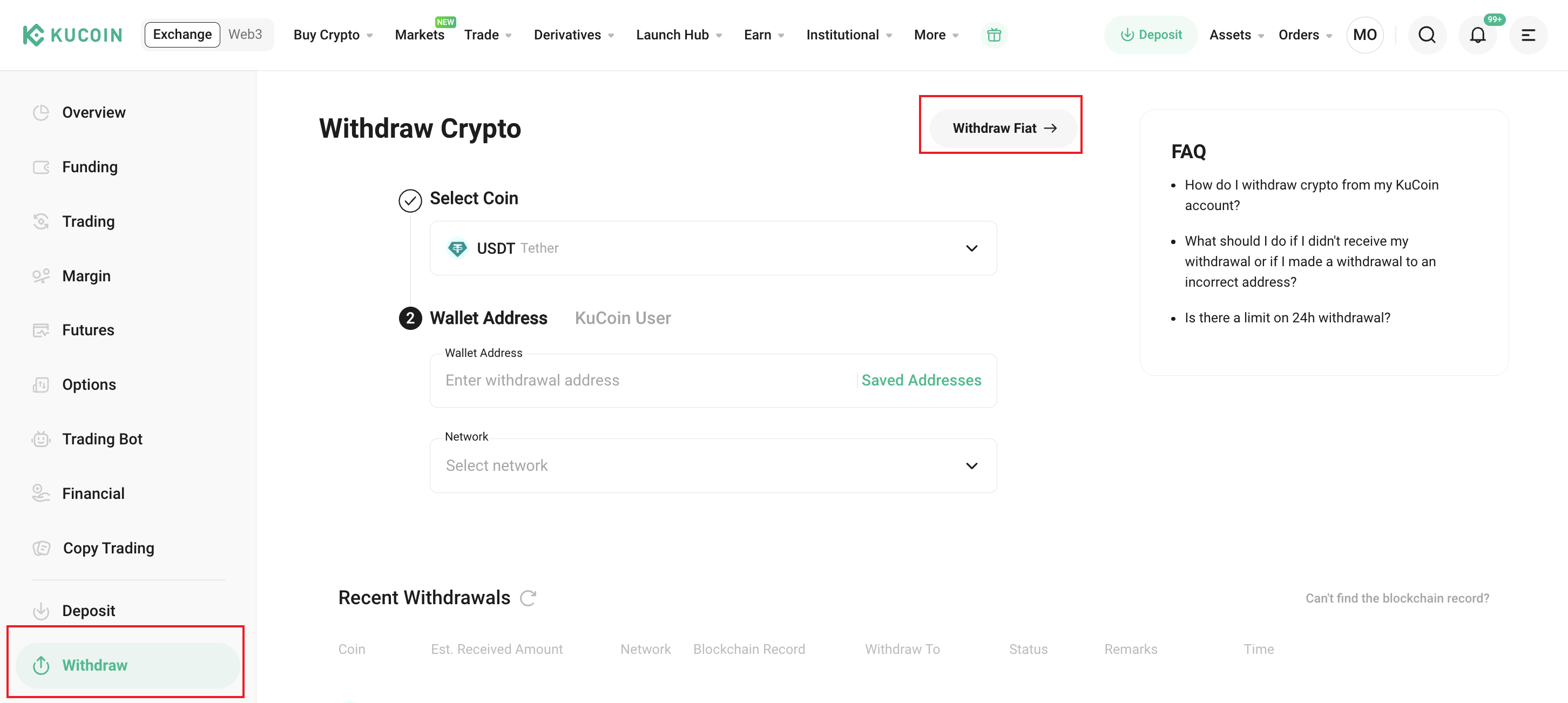
Step 3: Choose "EUR" as the fiat currency and select "Bank Transfer (SEPA)."
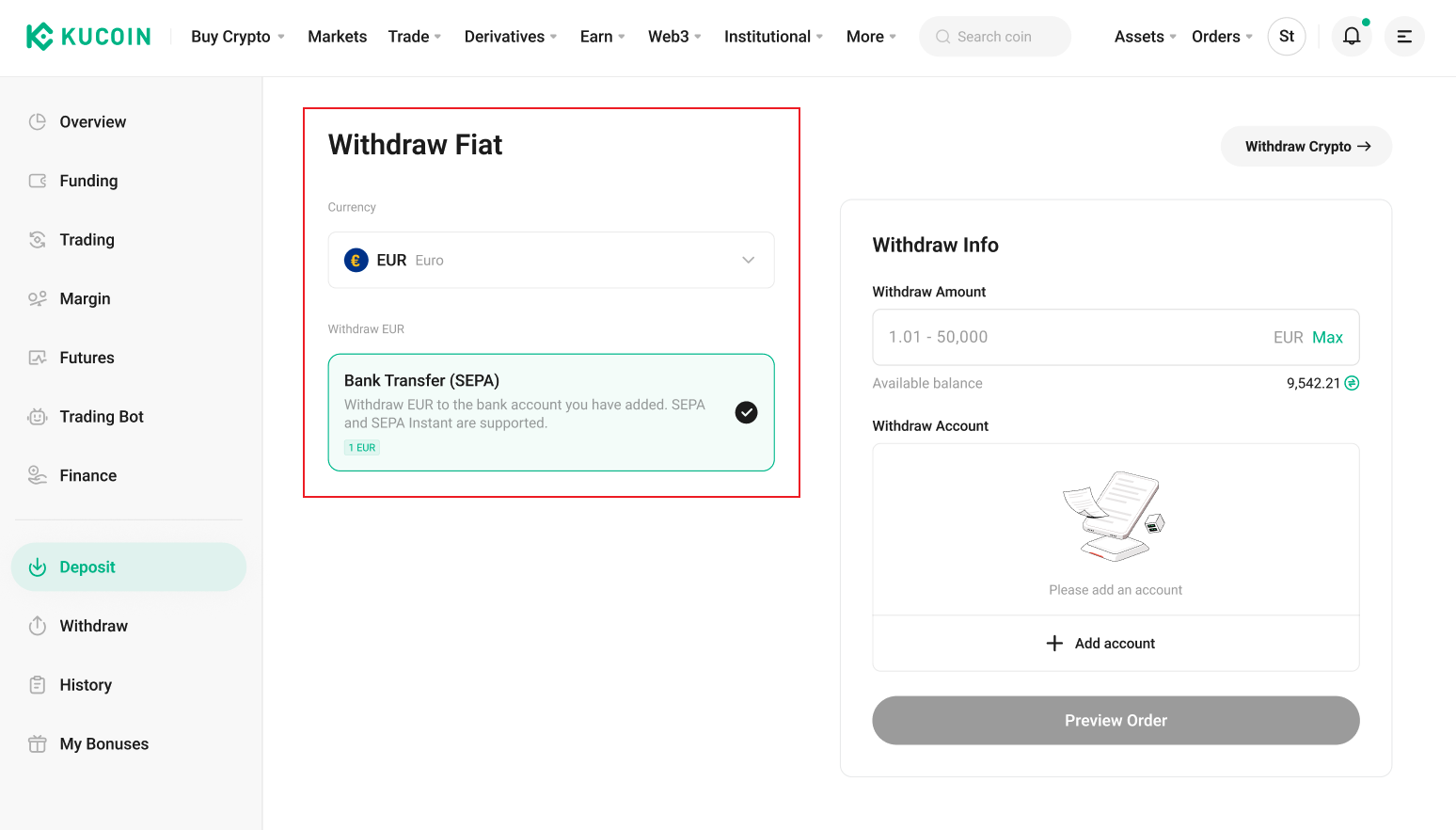
Step 4: Follow the prompts to complete the SEPA additional verification (you may skip this step if it has already been completed).
>>> Please refer to: How to Complete SEPA Additional Verification?
Step 5: Add your bank account and enter the EUR withdrawal amount.
- Before completing an EUR withdrawal, you need to link a SEPA withdrawal bank account. Please verify this account by making a deposit in EUR using the same bank account.
- Please make sure your EUR funds are in your KuCoin Funding Account.
- For more details, please refer to: How to Complete SEPA Withdrawal Bank Account Verification?
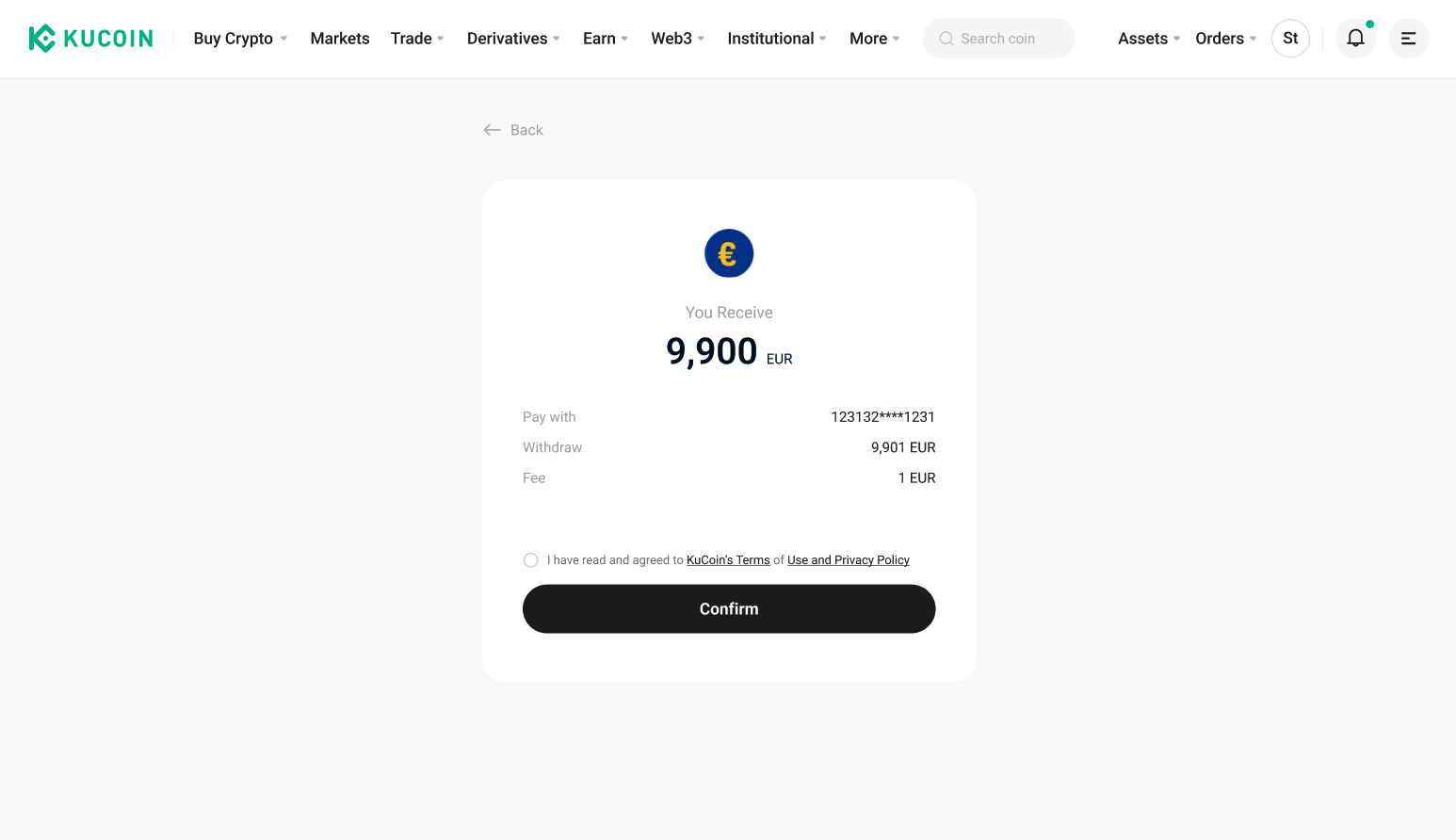
Step 6: Submit your EUR withdrawal order and wait for the funds to arrive in your bank account.
5. FAQ
5.1 How long does it take for EUR withdrawals to arrive?
We will prioritize SEPA Instant by default (if supported by your bank and account).
SEPA Credit Transfer: Typically takes 1–2 business days, depending on your bank’s processing time and when the transfer is initiated.
SEPA Instant Transfer: Processed in real time and usually completed within a few seconds, provided your bank supports SEPA Instant.
5.2 Can I cancel a withdrawal order that has already been initiated?
No, once a EUR withdrawal order has been initiated, it is immediately submitted to the bank for processing and cannot be canceled.
5.3 My EUR withdrawal has been in “Processing” status for more than 2 business days.
Please contact the KuCoin Customer Support Team for further assistance.
5.4 My withdrawal order shows as successful, but I haven’t received the funds.
Please contact the KuCoin Customer Support Team to request the transaction proof for your withdrawal. Then, provide this proof to your receiving bank to seek further assistance.