
How to Deposit EUR Using Easy Bank Transfer?
Content
1. What is Easy Bank Transfer?
2. How to Deposit EUR Using Easy Bank Transfer (App Version)?
3. How to Deposit EUR Using Easy Bank Transfer (Web Version)?
4. FAQs
1. What is Easy Bank Transfer?
Easy Bank Transfer is a convenient and secure online banking payment method that allows users to complete payments without entering complex recipient information. This method supports SEPA and SEPA Instant, but whether SEPA Instant is supported depends on whether your bank offers this service.
2. How to Deposit EUR Using Easy Bank Transfer (App Version)?
Step 1: Access the official KuCoin EU app and log in to your account that has completed KuCoin EU KYC verification.
Step 2: Please tap on "Deposit" and then select "Deposit Fiat" to access the fiat deposit page.
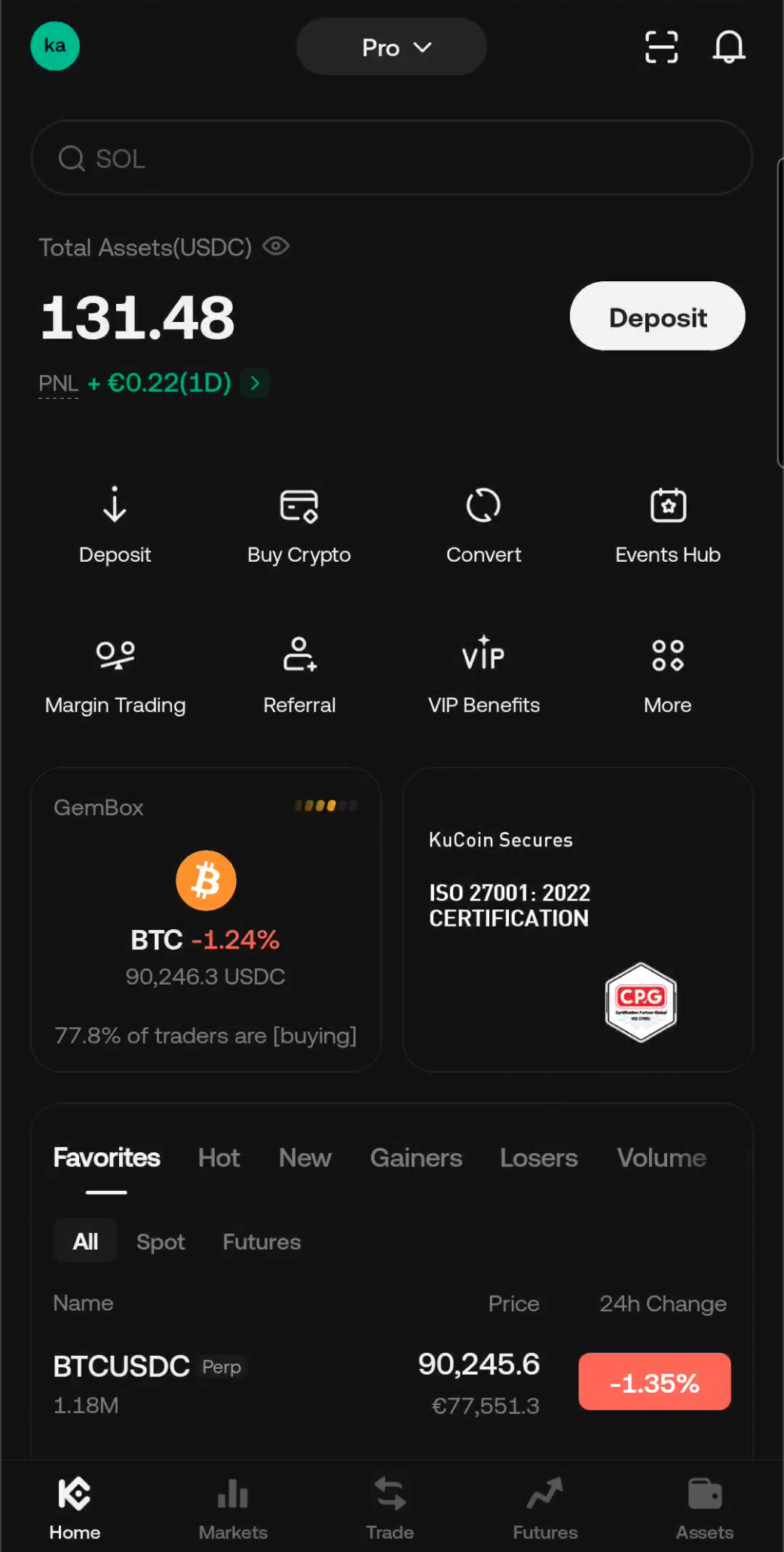
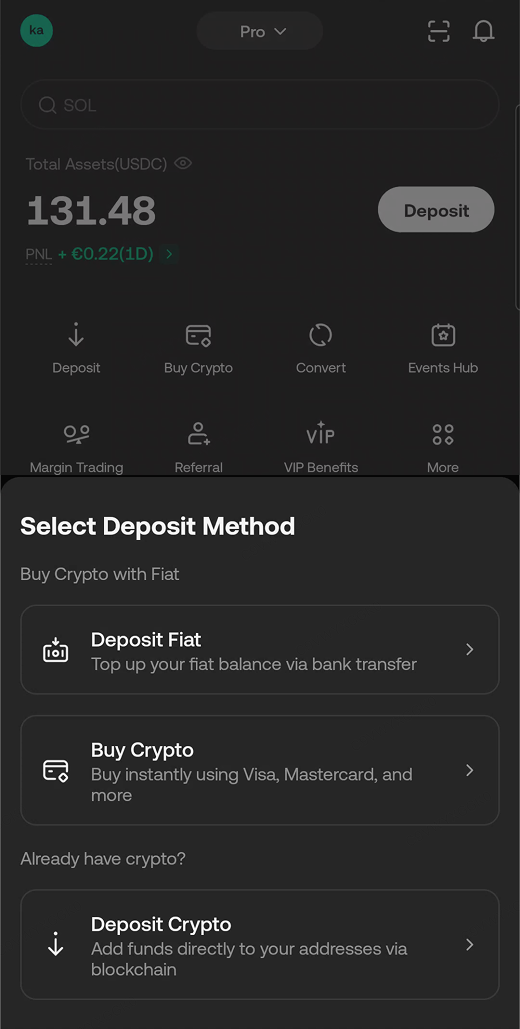
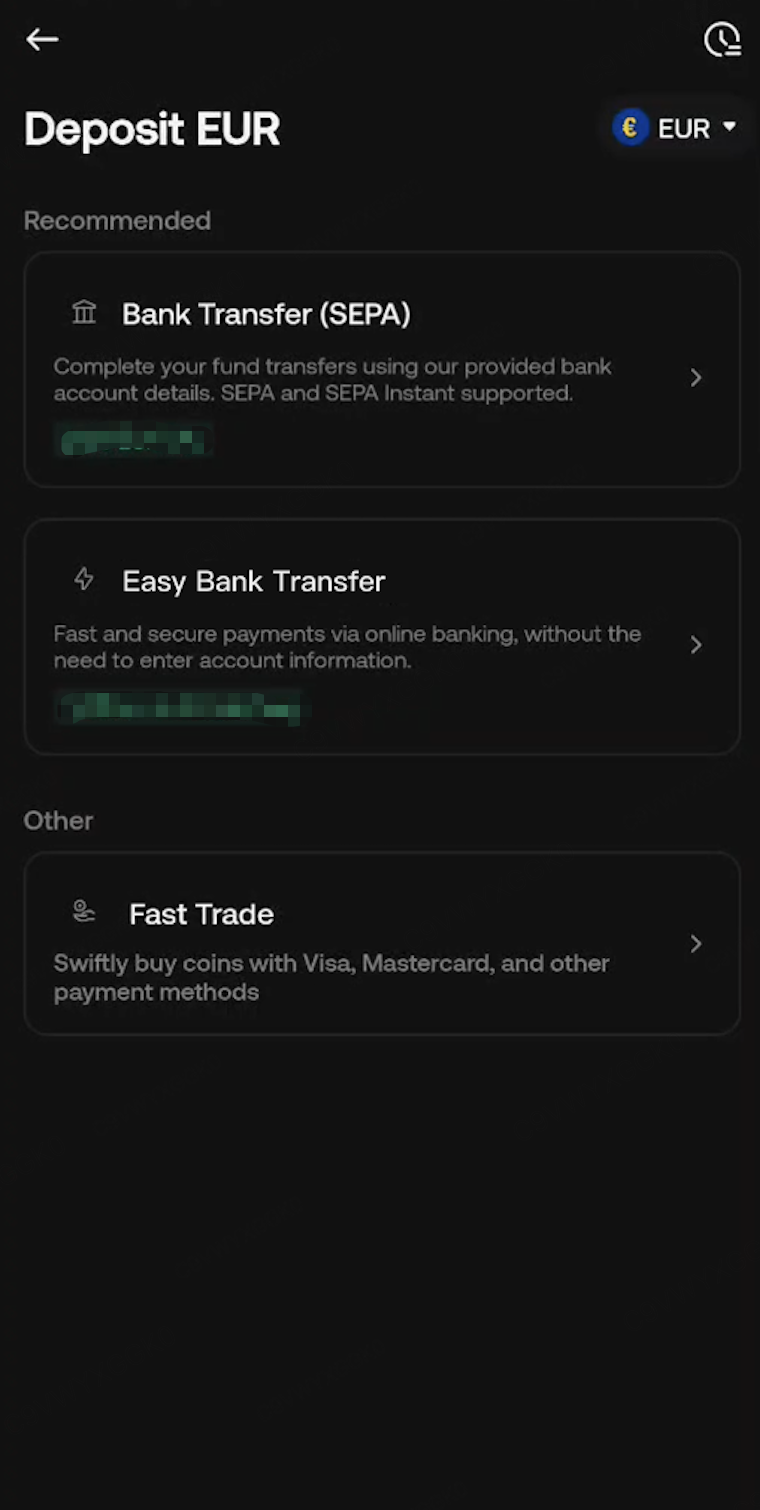
Step 3: Select "Easy Bank Transfer" to access the SEPA deposit page, and enter the amount you wish to deposit.
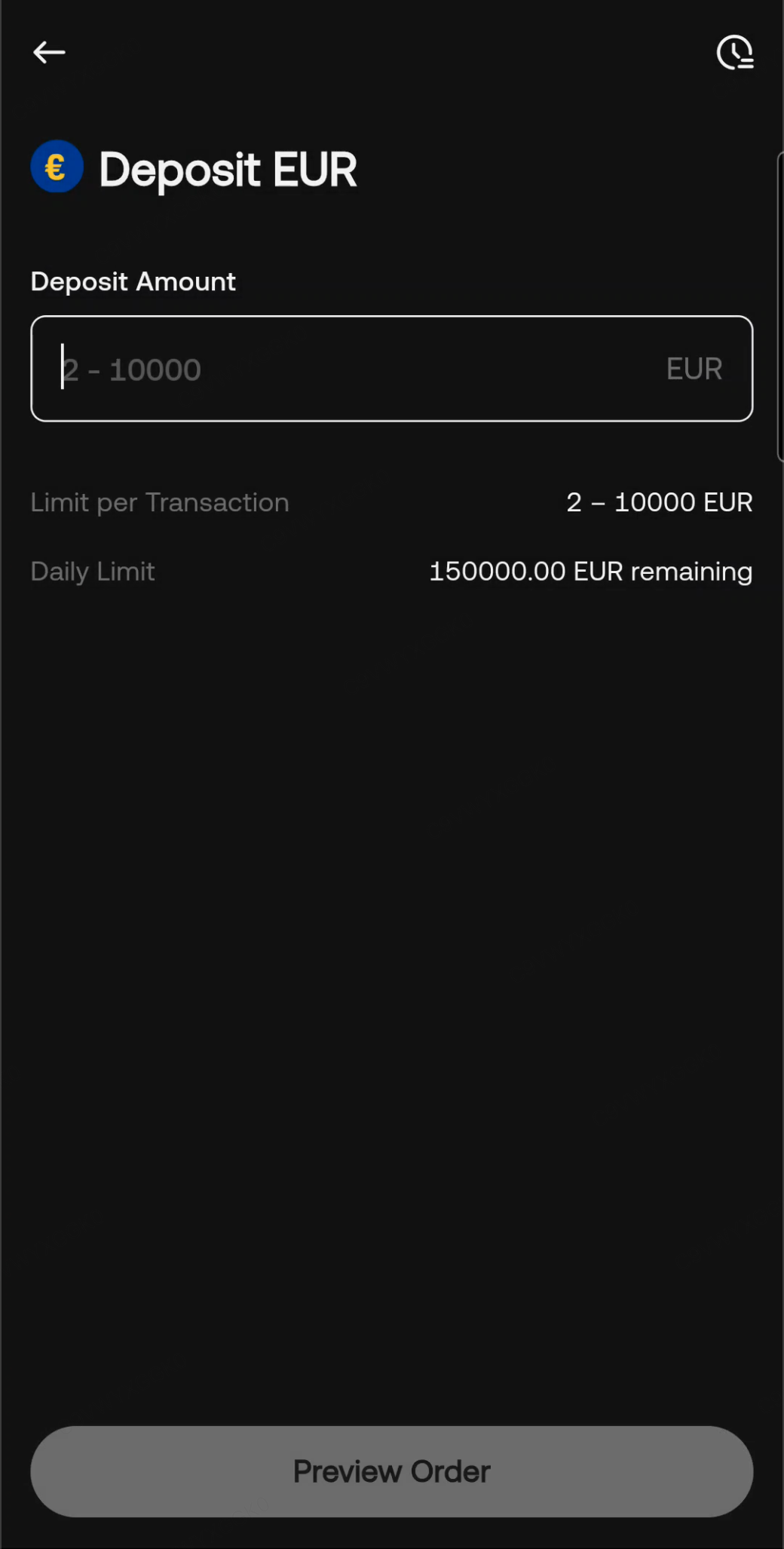
Step 4: Click "Preview Order" to review your EUR deposit.
On the order preview page, read and agree to the related terms, then click "Confirm." You will be redirected to the bank's secure verification page for authentication.
Please note: Before confirming the payment, please verify that the deposit transaction is initiated from your KuCoin EU account. Avoid trusting any third-party software's transaction guides.
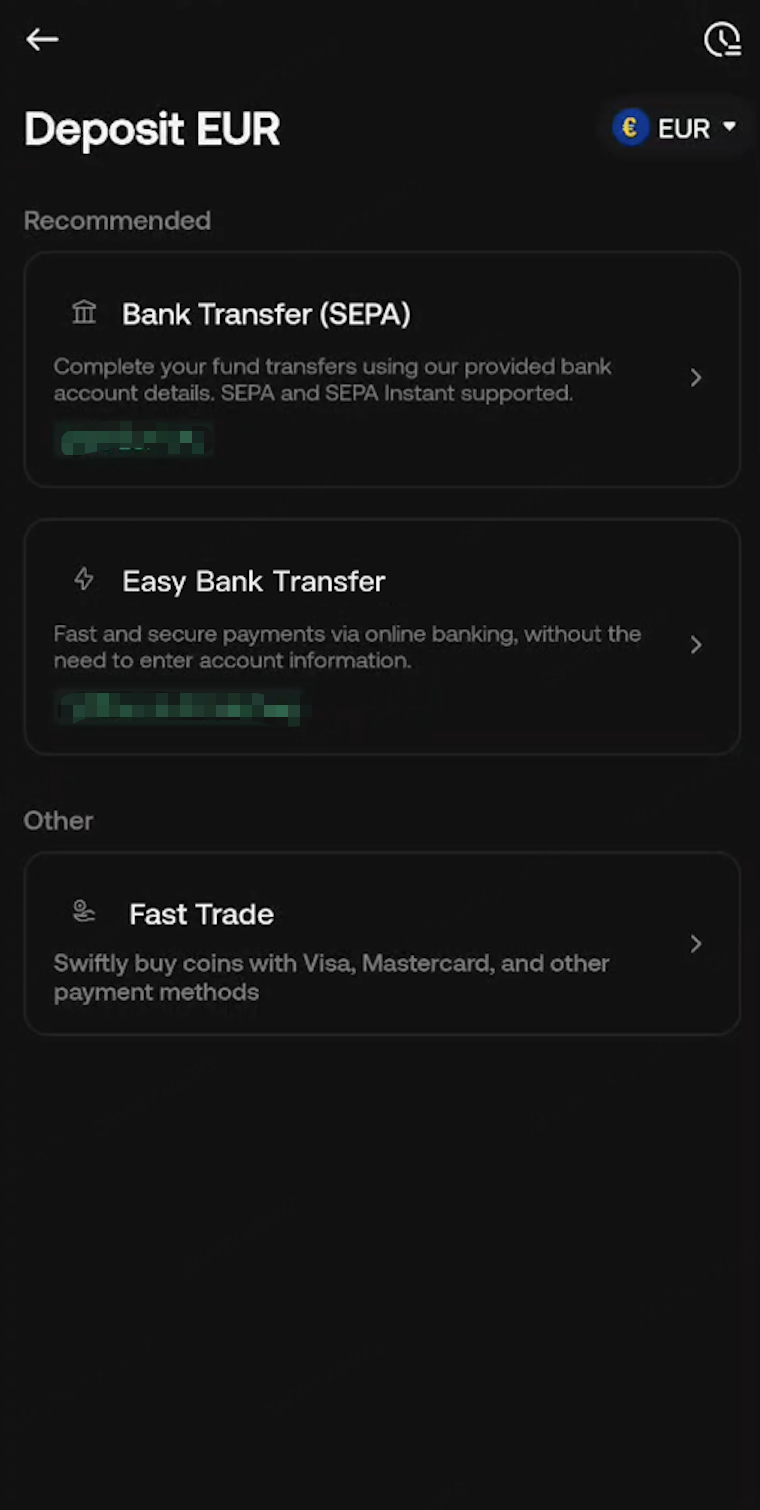
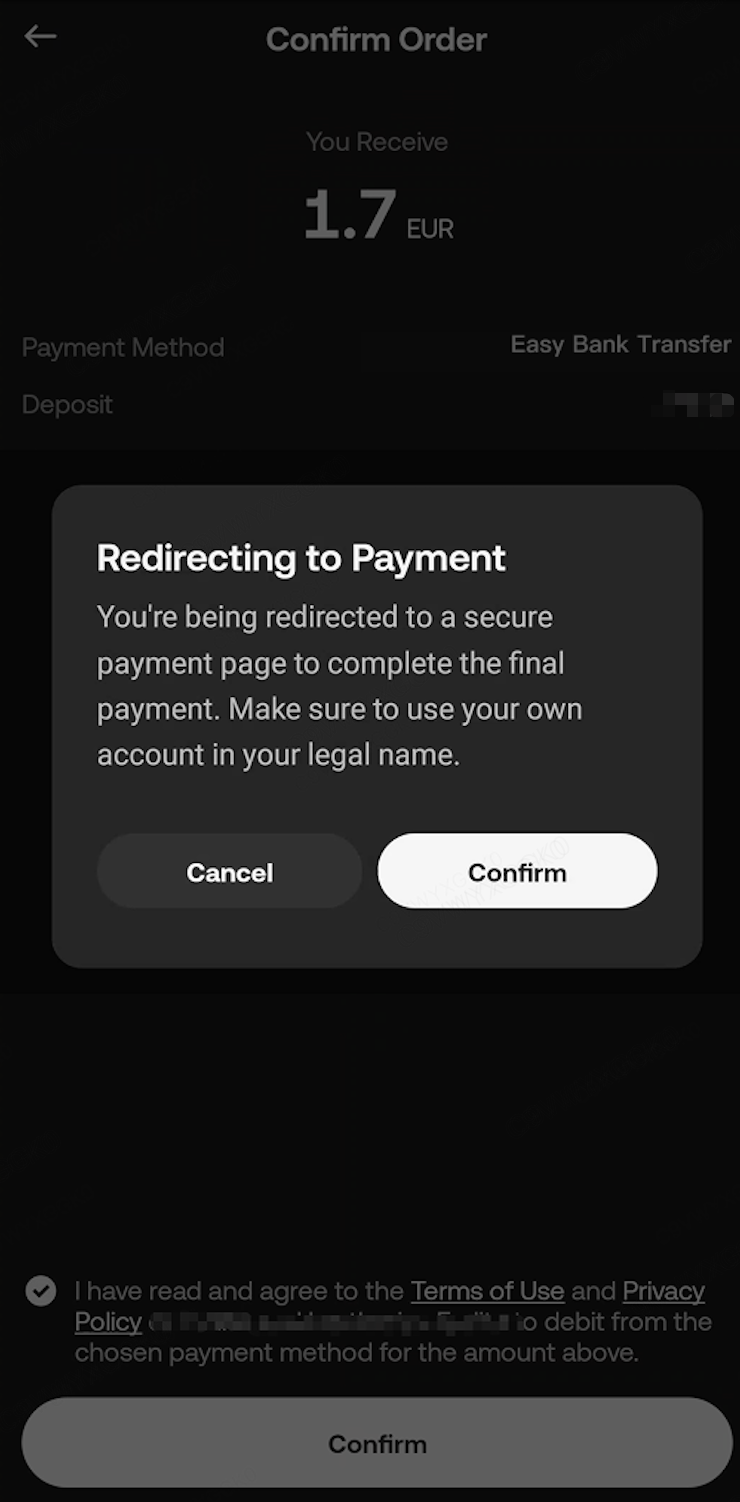
Step 5: You will be redirected to the bank selection page to authorize the transfer.
Select your bank and complete the account authorization to proceed with the transfer. Please note that this authorization is one-time per transaction — each transfer requires your approval.
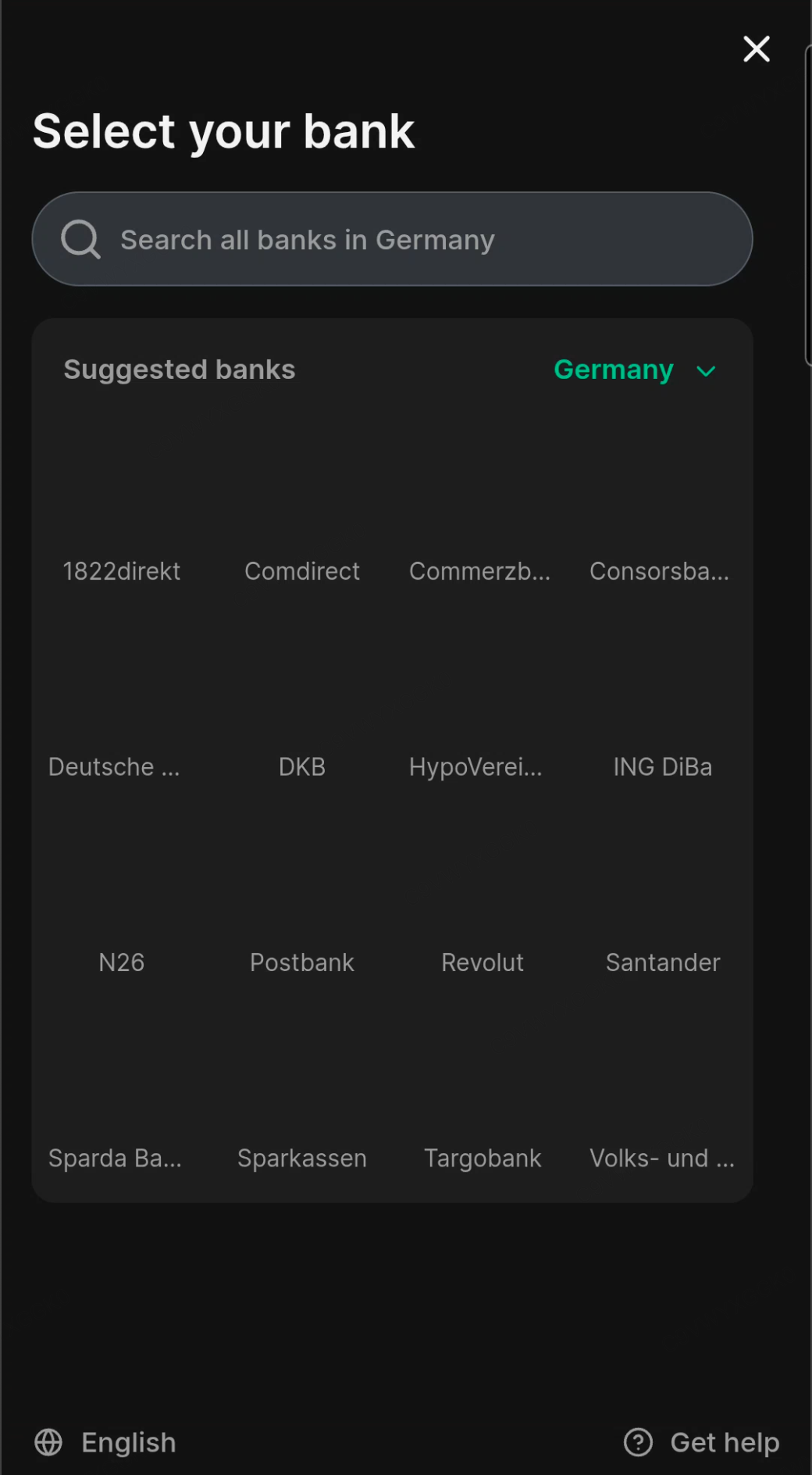
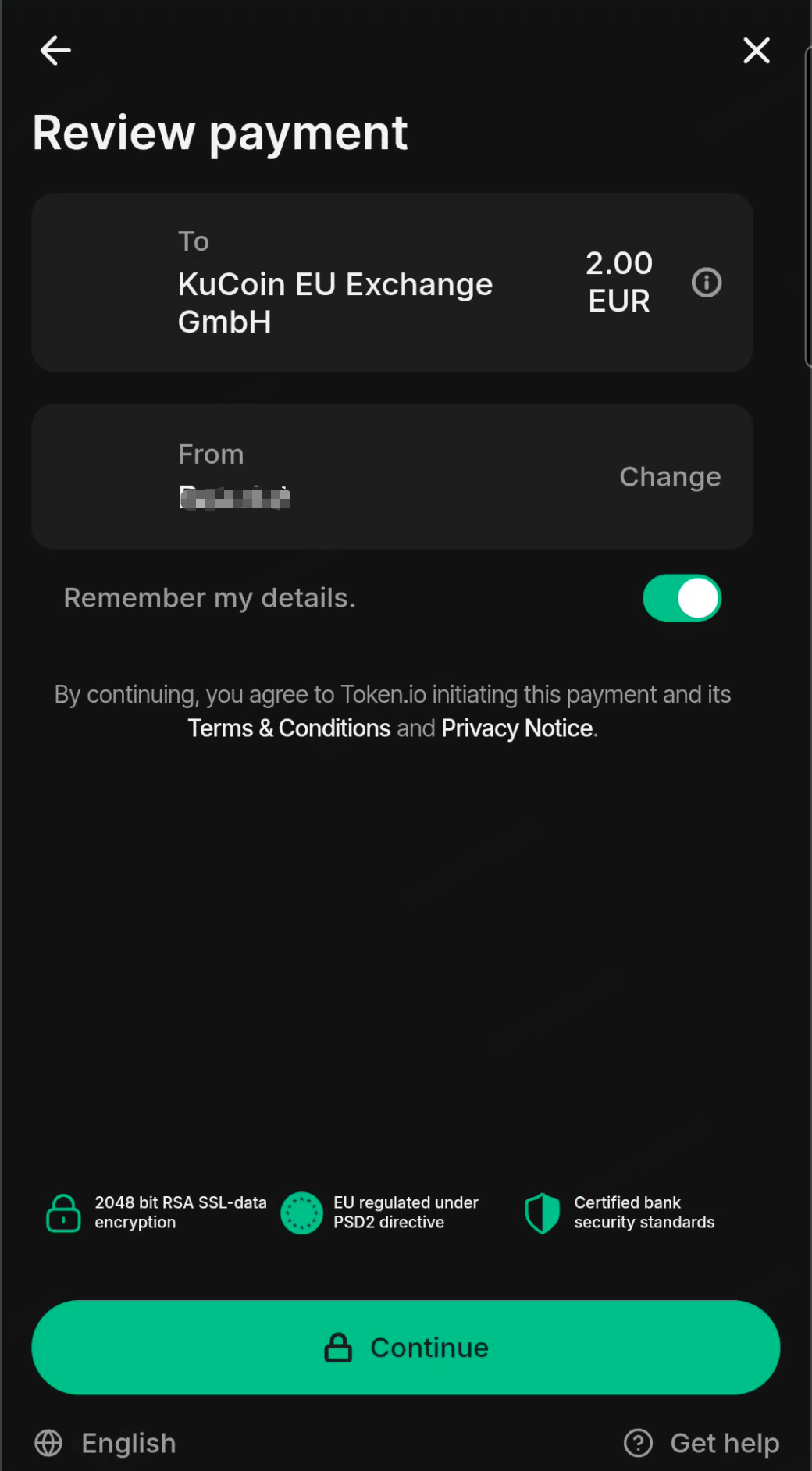
Step 6: Complete the payment and wait for the funds to be credited to your account.
Once you have completed the payment, please be patient. After the funds are received by KuCoin EU, they will be processed and credited to your account immediately. The credit time will depend on the payment method you selected and your bank's processing efficiency. During the wait, your deposit order status will be shown as "In Progress."
3. How to Deposit EUR Using Easy Bank Transfer (Web Version)?
Step 1: Access the official KuCoin EU website and log in to your account that has completed KuCoin EU KYC verification.
Step 2: Please click on "Buy Crypto" in the top navigation bar, then select "Deposit Fiat" to enter the fiat deposit page.

Step 3: Select "Easy Bank Transfer" to access the SEPA deposit page, and enter the amount you wish to deposit.
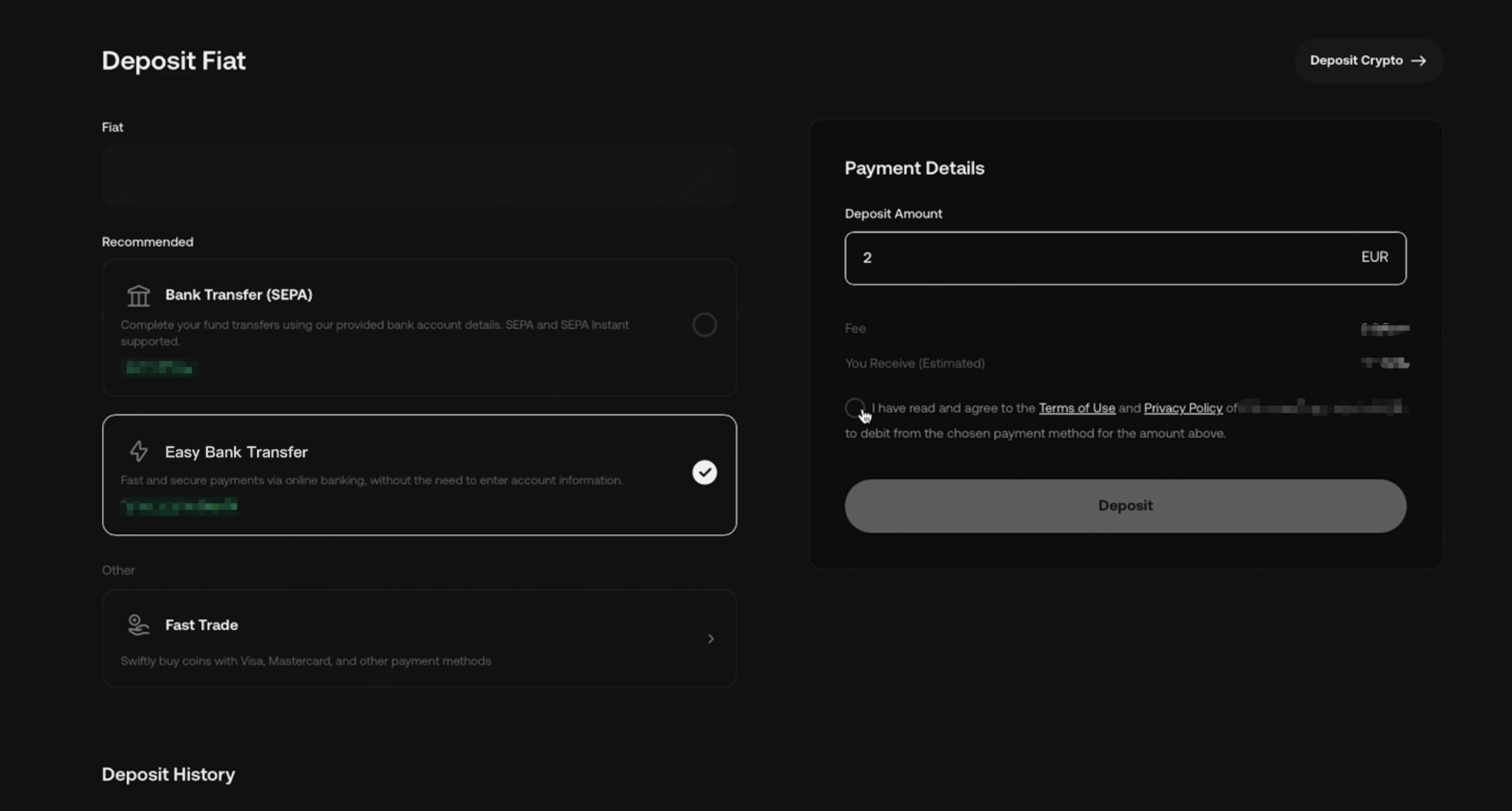
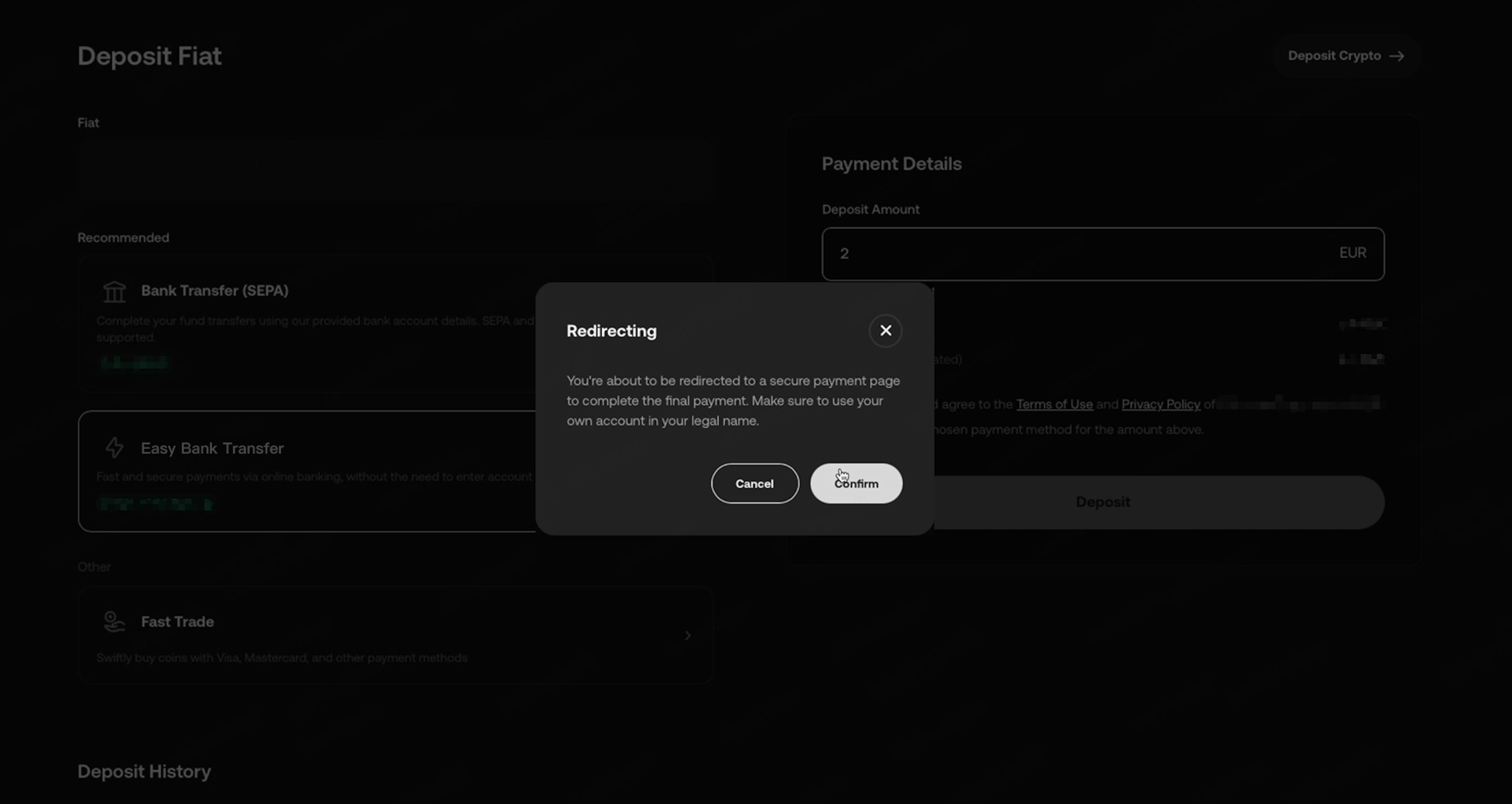
Step 4: Click "Deposit" and confirm the redirection to the bank selection page to authorize the payment.
Please note: Before confirming the payment, please verify that the deposit transaction is initiated from your KuCoin EU account. Avoid trusting any third-party software's transaction guides.
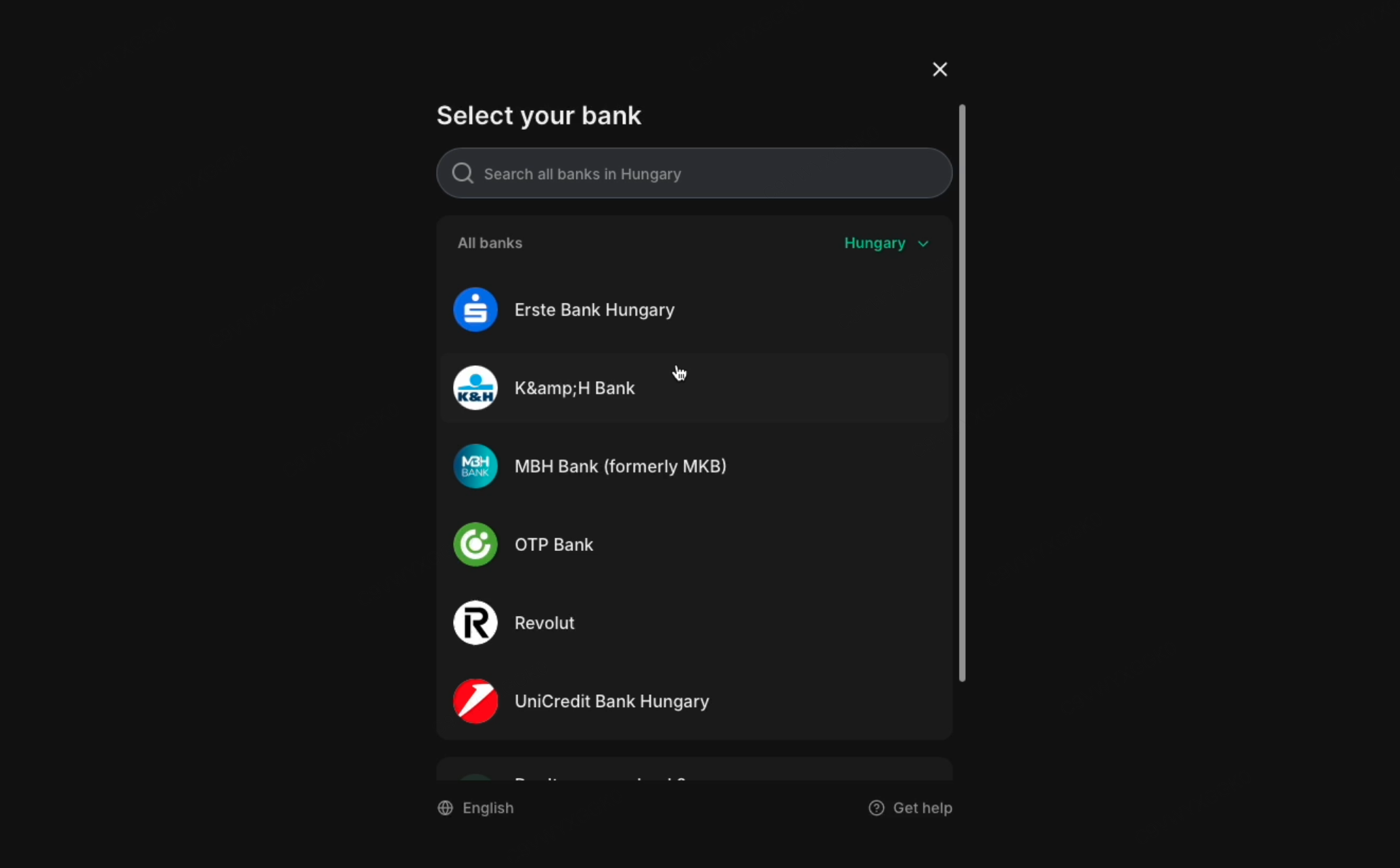
Step 5: Select your bank and complete the payment authorization.
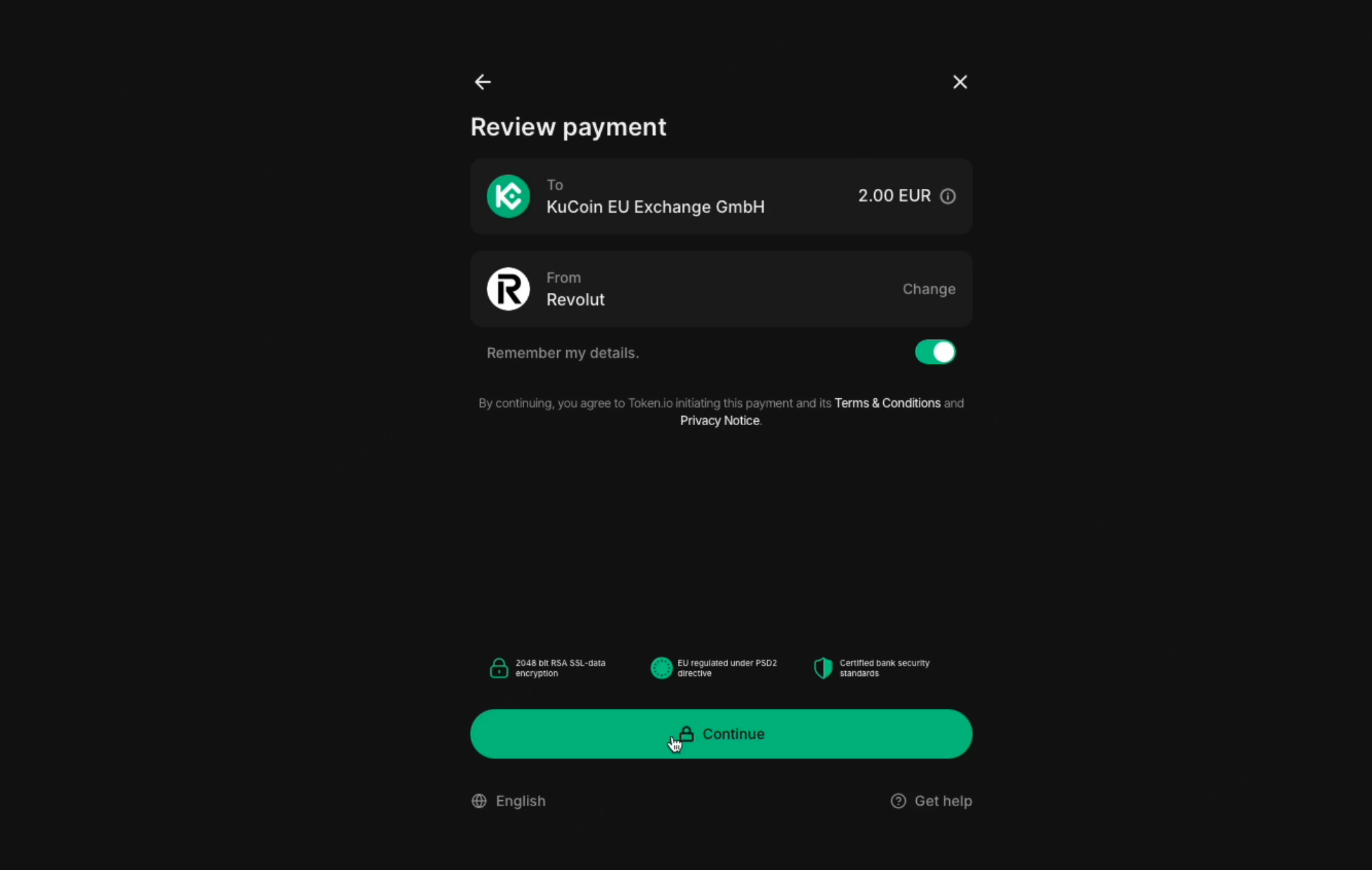
Step 6: Wait for the funds to be credited to your account.
Once you have completed the payment, please be patient. After the funds are received by KuCoin EU, they will be processed and credited to your account immediately. The credit time will depend on the payment method you selected and your bank's processing efficiency. During the wait, your deposit order status will be shown as "In Progress."
4. FAQs
4.1 What is the difference between Easy Bank Transfer and Regular Bank Transfer?
Easy Bank Transfer is a more convenient and secure online banking payment method that allows users to complete payments without manually entering complex recipient details. In contrast, Regular Bank Transfer (SEPA) requires users to input this information themselves to complete the transfer.
4.2 Why hasn't my EUR deposit via Easy Bank Transfer been credited yet?
Usually, orders deposited via Easy Bank Transfer are completed within 2 working days, depending on your bank's processing speed. First, confirm whether your payment has been completed and the transfer was successful. If more than 2 working days have passed and the funds still haven’t been credited to your KuCoin EU account, please contact customer support for further assistance.
4.3 Why does my EUR deposit order still show as "Processing" even though I’ve already received a refund?
Funds deposited via Easy Bank Transfer typically arrive within 2 working days and are marked as "Successful" once received. The order status will update once the funds are credited. If you have already received a refund, ignore the "Processing" status. The status will be updated to "Failed" or "Expired" once we receive notification from the bank.
4.4 Why was my EUR deposit request rejected?
If your deposit order was rejected, we recommend retrying the deposit process or using another bank account. Please ensure the following: The transaction is initiated from a verified bank account that belongs to you. You are aware of and comply with the bank's transaction limits.
4.5 Why do I need to complete account verification when withdrawing EUR, even though I’ve already deposited via Easy Bank Transfer?
KuCoin EU follows compliance regulations, and withdrawal account verification is one of the basic measures for anti-money laundering (AML). You can complete the verification as follows: Use KuCoin EU’s fiat withdrawal verification feature. Use Regular Bank Transfer via your intended withdrawal bank account for a small deposit. Once one of these steps is completed, you can freely withdraw your funds.
4.6 Why does the platform not show my deposit order even though I successfully paid via Easy Bank Transfer?
This is typically because you didn’t initiate a new deposit order on the KuCoin EU deposit page but instead used payment information from a previously successful transaction. Please note that all Easy Bank Transfer deposits must be initiated through the KuCoin EU deposit page and completed via online banking. Direct transfers to the previous recipient account will not be recognized by the system. If you need further help, please contact customer support.
We hope this article has been helpful. If you have any other questions, please reach out to our 24/7 customer support via online chat or submit a ticket.