
How to Spot Trade on KuCoin EU
This guide explains how to navigate the KuCoin EU platform and execute spot trades. Please read carefully to understand the steps involved and the associated risks.
KuCoin EU is committed to maintaining a secure and compliant environment in accordance with MiCAR requirements.
Step 1: Access the Platform
Web:
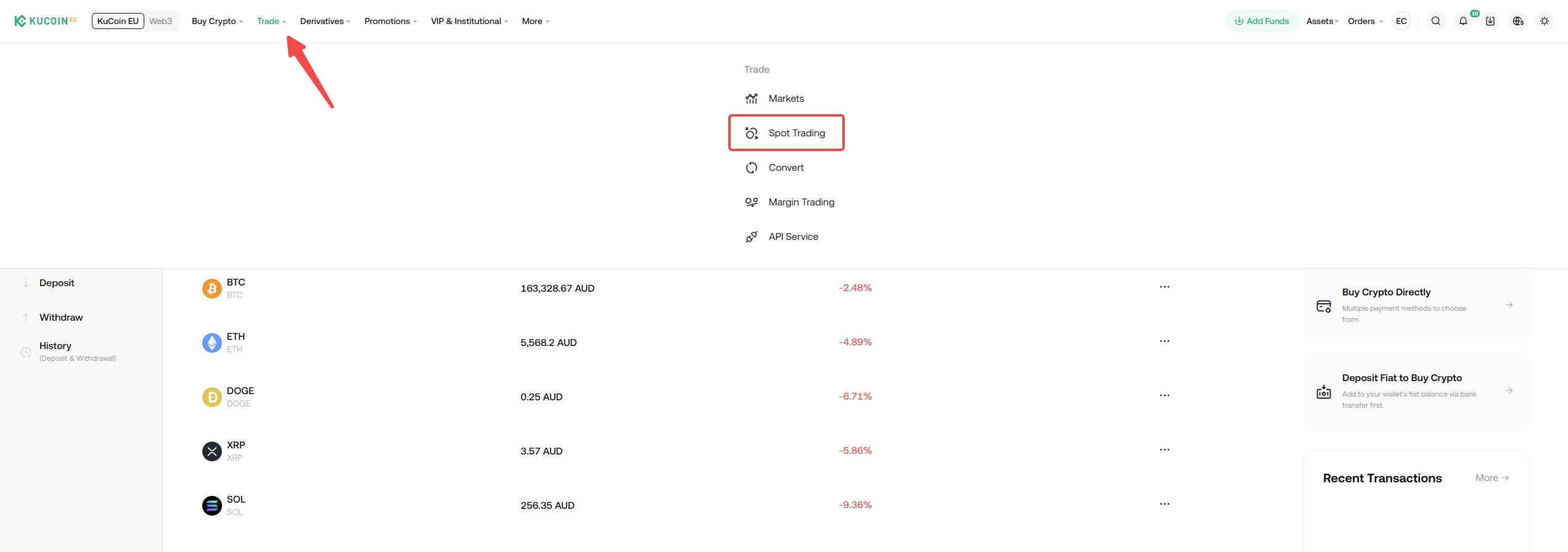
Navigate to the main website and find the "Trade" section in the top navigation bar, then select "Spot Trading." This will direct you to the trading page.
App:
Tap on "Trade" to access the trading features.

Step 2: Choose a Trading Pair
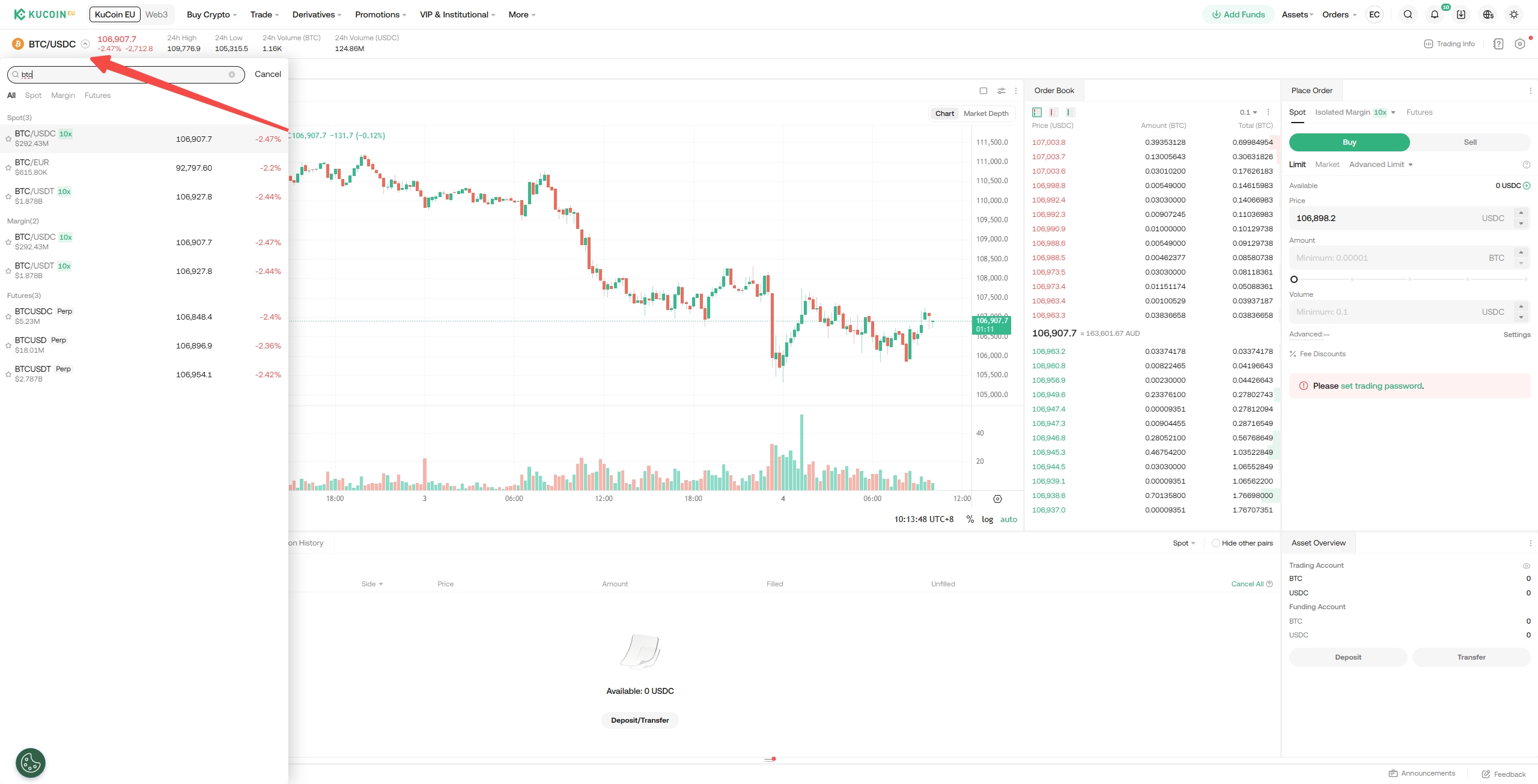
In the trading interface, select the trading pair displayed at the top left. You may search for pairs such as BTC/USDC and select the one you intend to trade.
Risk disclosure: Spot trading of digital assets carries risks including high price volatility, liquidity fluctuations, and potential financial losses. Ensure you understand these risks and assess whether spot trading is appropriate for your individual circumstances.
Step 3: Placing an Order
You will find the buy and sell panels at the bottom of the trading interface. KuCoin EU supports several order types, including limit orders, market orders, stop-limit orders, stop-market orders, one-cancels-the-other (OCO) orders, and trailing stop orders. Here's an overview of each order type:
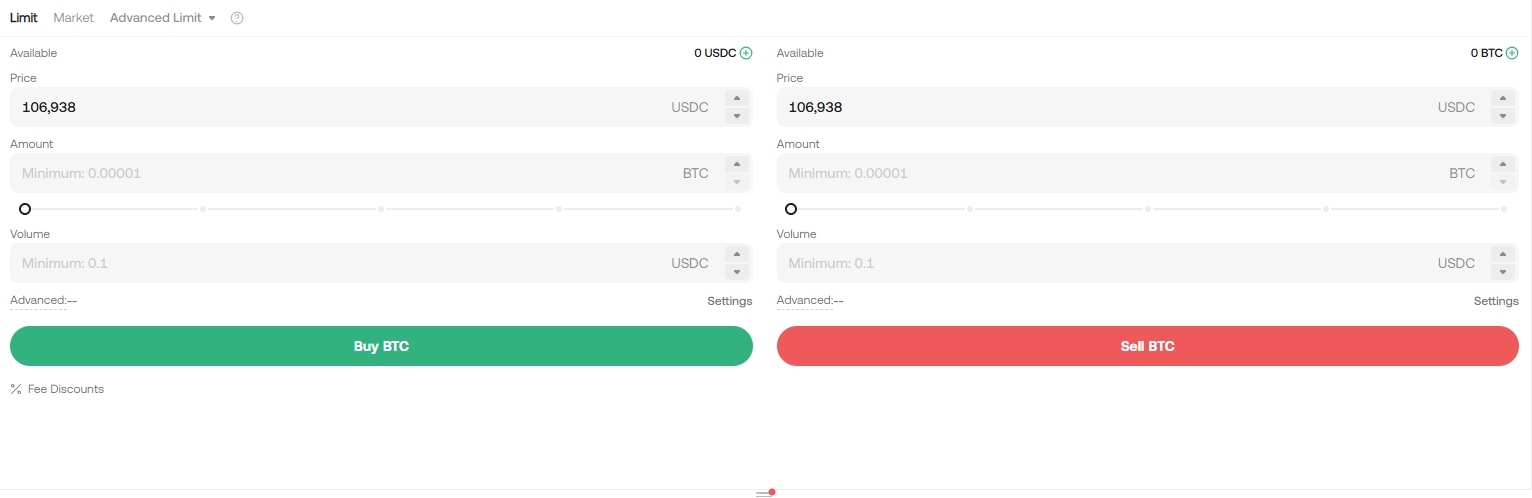
i. Limit Order: Allows you to buy or sell a cryptocurrency at a specified price or better.
Example: Assume the current price of BTC in the BTC/USDC trading pair is 100,000 USDC. You wish to sell 2 BTC each at a price of 101,000 USDC. To do this, you could place a limit order for 2 BTC at 101,000 USDC.
Risk Warning: Limit orders may not execute if market conditions do not reach your specified price.
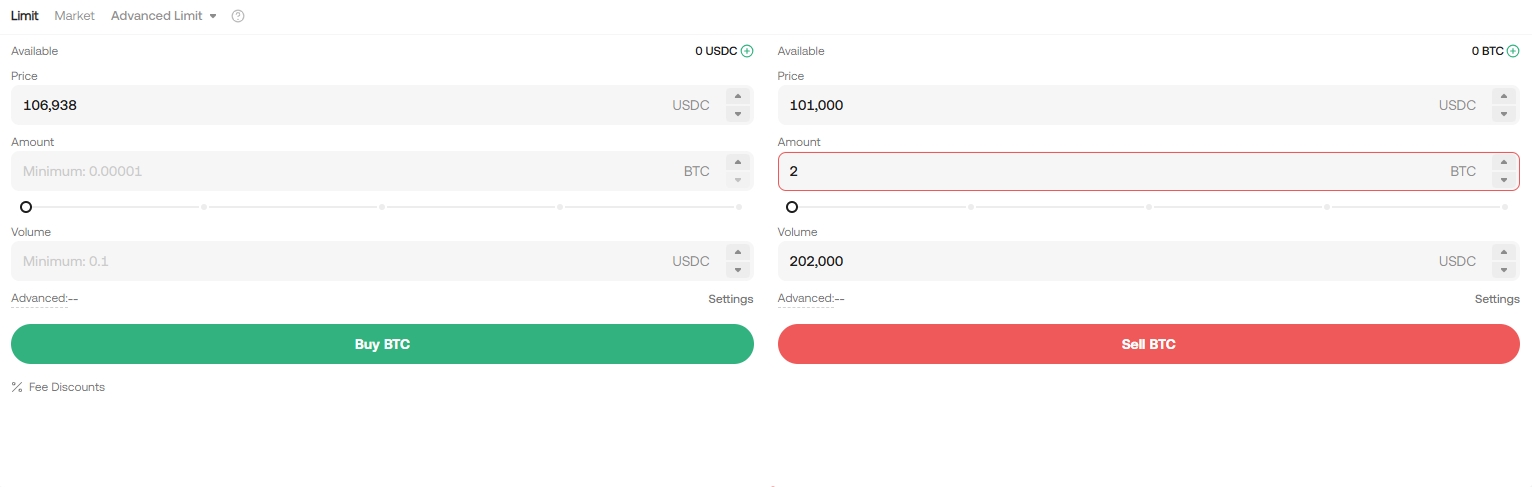
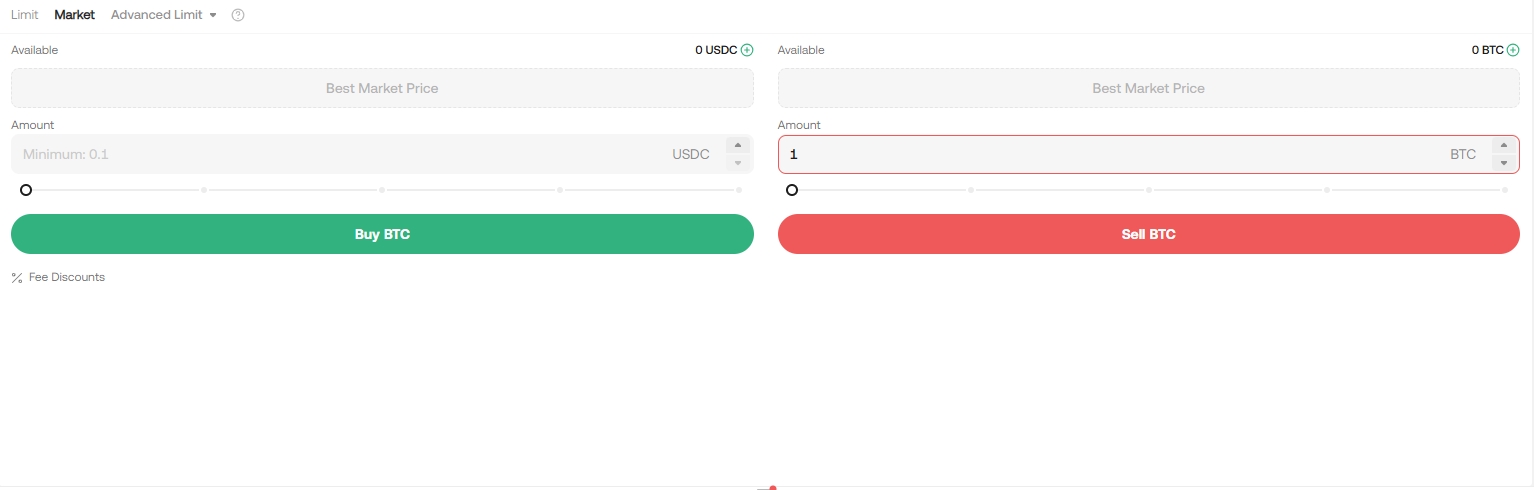
ii. Market Order: Executes immediately at the current best available price in the market.
Example: Use a market order for quick transactions when the current price is acceptable for your trading strategy.
Risk Warning: Market orders are impacted by market depth and volatility and are filled instantly. It’s important to pay attention to this when placing your orders as it cannot be canceled once placed.
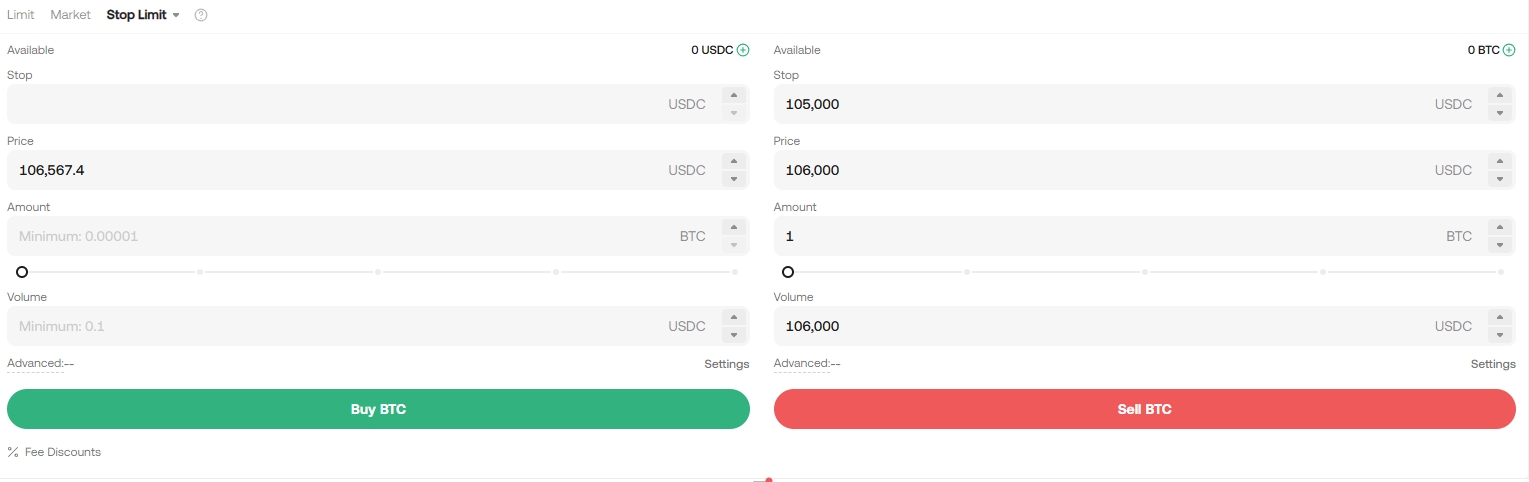
iii. Stop Limit Order: A stop limit order is a conditional trade that combines your limit order with a stop order.
To place a stop limit order, you set a stop (stop price), a price (the limit price), and enter the quantity (the amount of tokens you’re buying or selling). When the stop price is reached, a limit order will be placed based on the limit price and quantity specified.
Example: Assume the current price of BTC is 100,000. You believe its price resistance is around 105,000 USDC, suggesting that once the price of BTC reaches that level, it’s unlikely to go any higher in the short term. As such, your ideal selling price is 106,000 USDC, though you don't wish to monitor the market 24/7 just to maximize these profits. In such a scenario, you can opt to place a stop limit order.
To do this, select Stop Limit, and set a stop price of 105,000 USDC, a limit price of 106,000 USDC, and set quantity to 1 BTC. Then, click Sell BTC to place the order. When the price reaches or exceeds 105,000 USDC, the limit order will trigger, and once it reaches 106,000 USDC, your limit order should be filled.
Risk Warning: Stop-limit orders may not execute if the limit price is not reached in fast-moving markets.
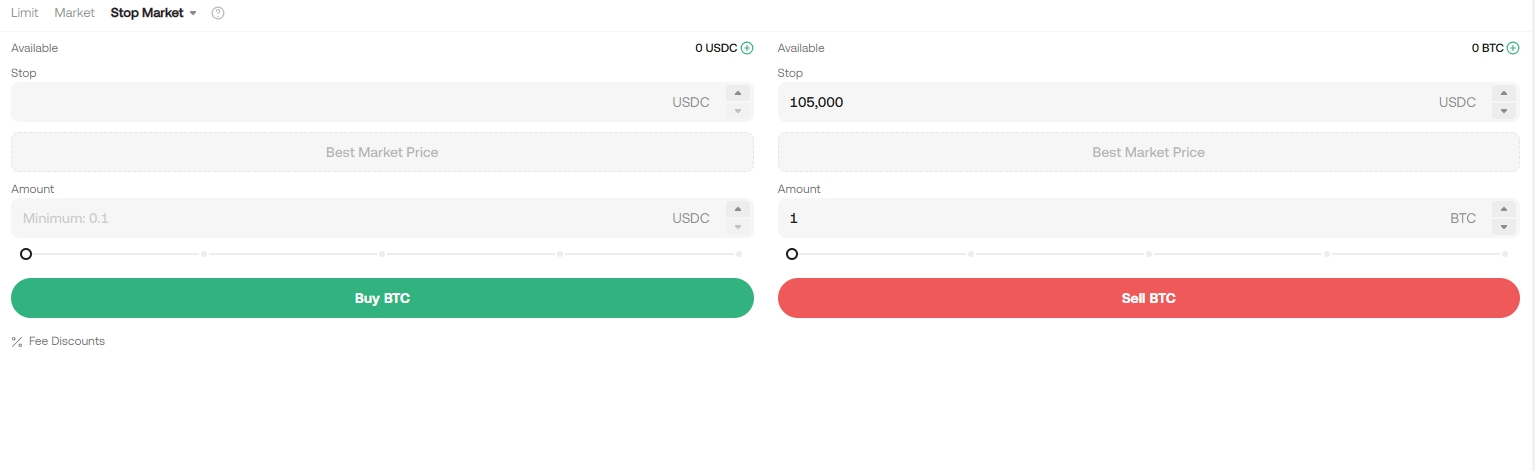
iv. Stop Market Order: A stop market order is an order to buy or sell an asset once the price reaches a specific price (the "stop price"). It is similar to the stop limit order, but once the stop price is hit, it becomes a market order and is filled at the next available market price. Useful for automated trading strategies without constant market monitoring.
Example: Assume the current price of BTC is 100,000 USDC. You believe resistance is at 105,000 USDC, and that the price is unlikely to go any higher in the short term once it reaches that level. Again, you don't wish to have to monitor the market 24/7 just to sell at an ideal price. In this situation, you can opt for a stop market order.
To do this, you would select Stop Market, set a stop price of 105,000 USDC, quantity as 1 BTC, then click Sell BTC. When the price reaches or exceeds 105,000 USDC, the market order triggers and is filled at the next available market price.
Risk Warning: Execution occurs at the available market price at the time of triggering and may differ from the stop price.
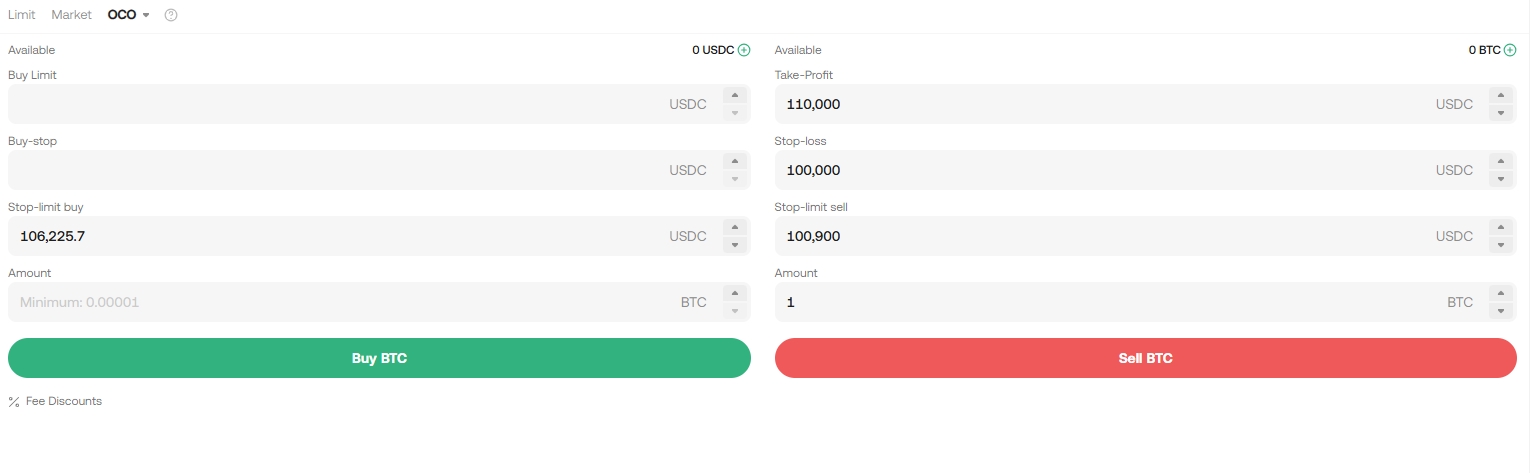
v. One-Cancels-the-Other (OCO) Order: This order allows you to place two orders at the same time; a limit and a stop limit order. Depending on how the market moves, one order cancels the other as soon as one of them is executed. Use OCO orders for strategic positioning with multiple price targets.
Example: Assume the price of BTC is 105,000 USDC. You believe the final price of BTC will eventually decline, either after rising to 110,000 USDC and falling, or by falling directly from where it is now. As such, you intend to sell at least at 100,900 USDC, just before the price drops below the support level of 100,000 USDC.
To do this, select OCO, set your price to 110,000 USDC, stop to 100,000 USDC (triggering a limit order should the price reach 100,000 USDC), limit to 100,900 USDC, quantity to 1, and then click Sell BTC.
To learn more on how to place and use OCO orders:
https://www.kucoin.com/en-eu/blog/everything-you-need-to-know-about-oco-orders-kucoin-tutorial
vi. Trailing Stop Order: This is a modified version of a typical stop order. It automatically adjusts the stop price at a fixed percentage below or above the market price. When the market price meets both the stop and percentage conditions, the limit order triggers. With a trailing buy order, you’re able to start buying promptly the moment the market starts to rise after a drop. Likewise, with a trailing sell order, you’re able to start selling promptly when the market begins to fall after an upward trend. A trailing stop protects gains by allowing a trade to remain open and continue to profit, as long as the price moves in the user's favor. The trade is then closed if the price changes direction by a specified percentage.
Example: Assume the price of BTC is 100,000 USDC. You anticipate the price of BTC will rise to 105,000 USDC, and that after it continues to rise, it will at most retrace by 5% of a certain level before you consider selling again. For this, you would set your selling price at 120,000 USDC. Your strategy would be to place a sell order at 120,000 USDC, and another only when the price hits 105,000 USDC and experiences a 5% retracement.
To do this, select Trailing Stop, set the activation price to 105,000 USDC, trailing delta to 5%, price to 120,000 USDC, quantity to 1, then click Sell BTC.
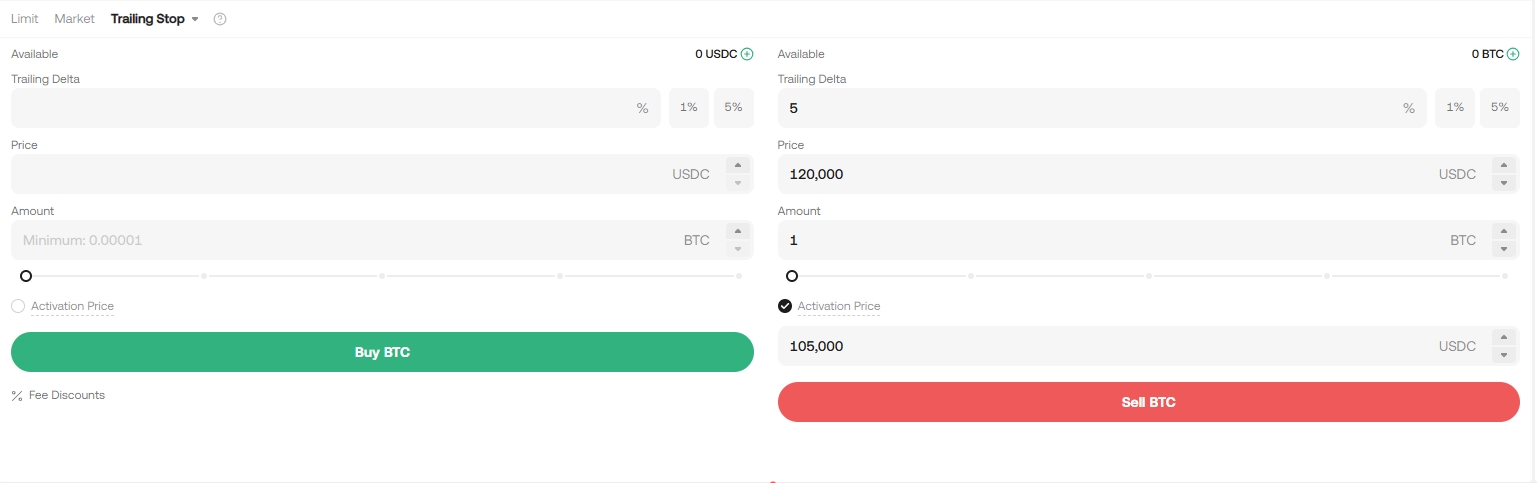
Alternatively, you may also leave the activation price unticked and the system will auto activate it based on the market price after placement.
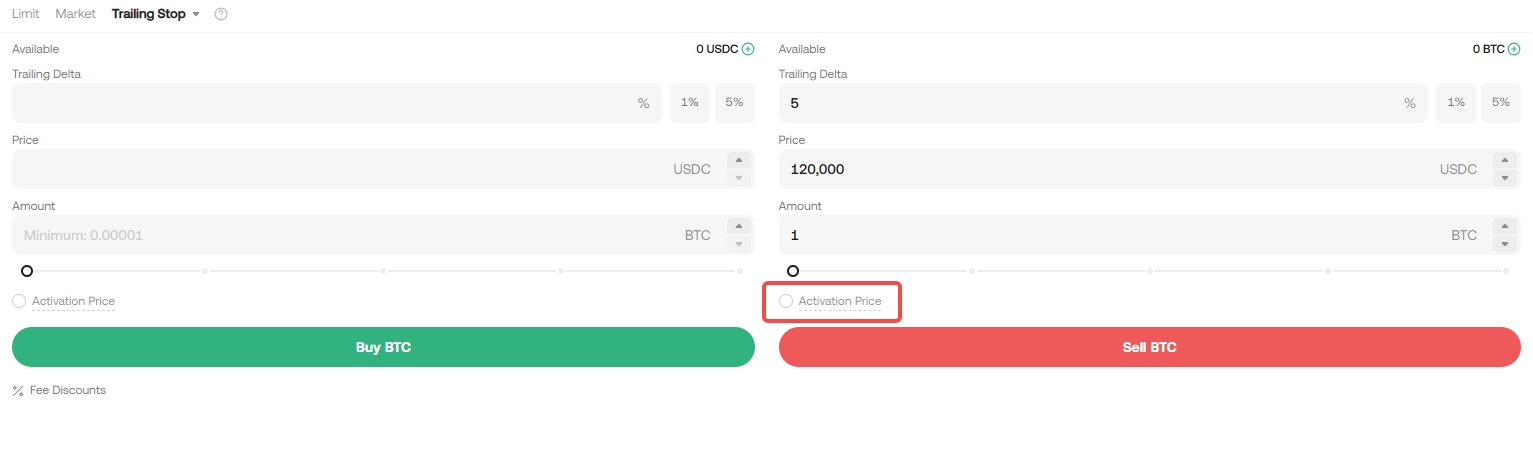
Risk Warning: Improper trailing settings may result in unintended order execution. Ensure the percentage or delta aligns with your risk tolerance.
Important Risk Information
-
High market volatility
-
Liquidity fluctuations
-
Potential loss of the entire invested amount
-
Execution risks, including slippage and unfilled orders
We hope this article has been helpful. If you have any other questions, please reach out to our 24/7 customer support via online chat or submit a ticket.