
How to Find your KuCoin Account's UID?
KuCoin has launched a UID function to strengthen the protection of your privacy and security when using the exchange. The KuCoin UID consists of at least eight digits.
This article will guide you on how to find your KuCoin UID.
Ways to check your KuCoin UID.
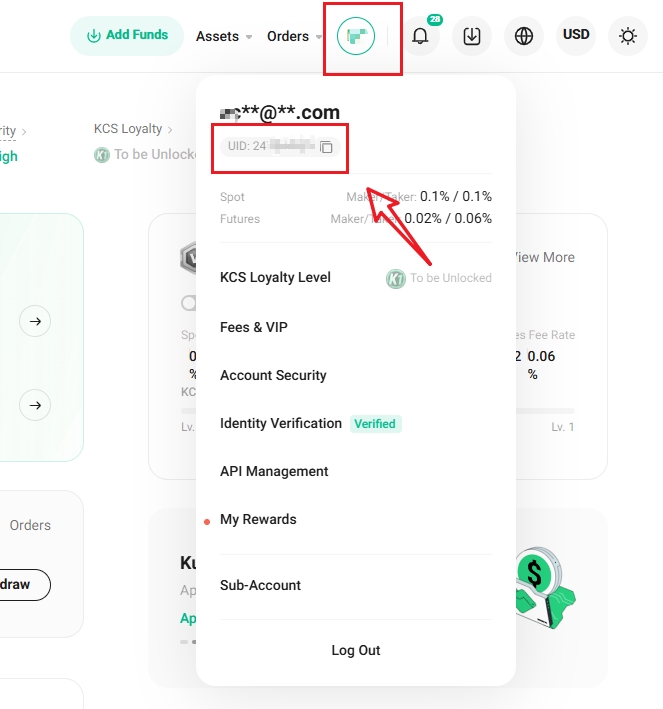
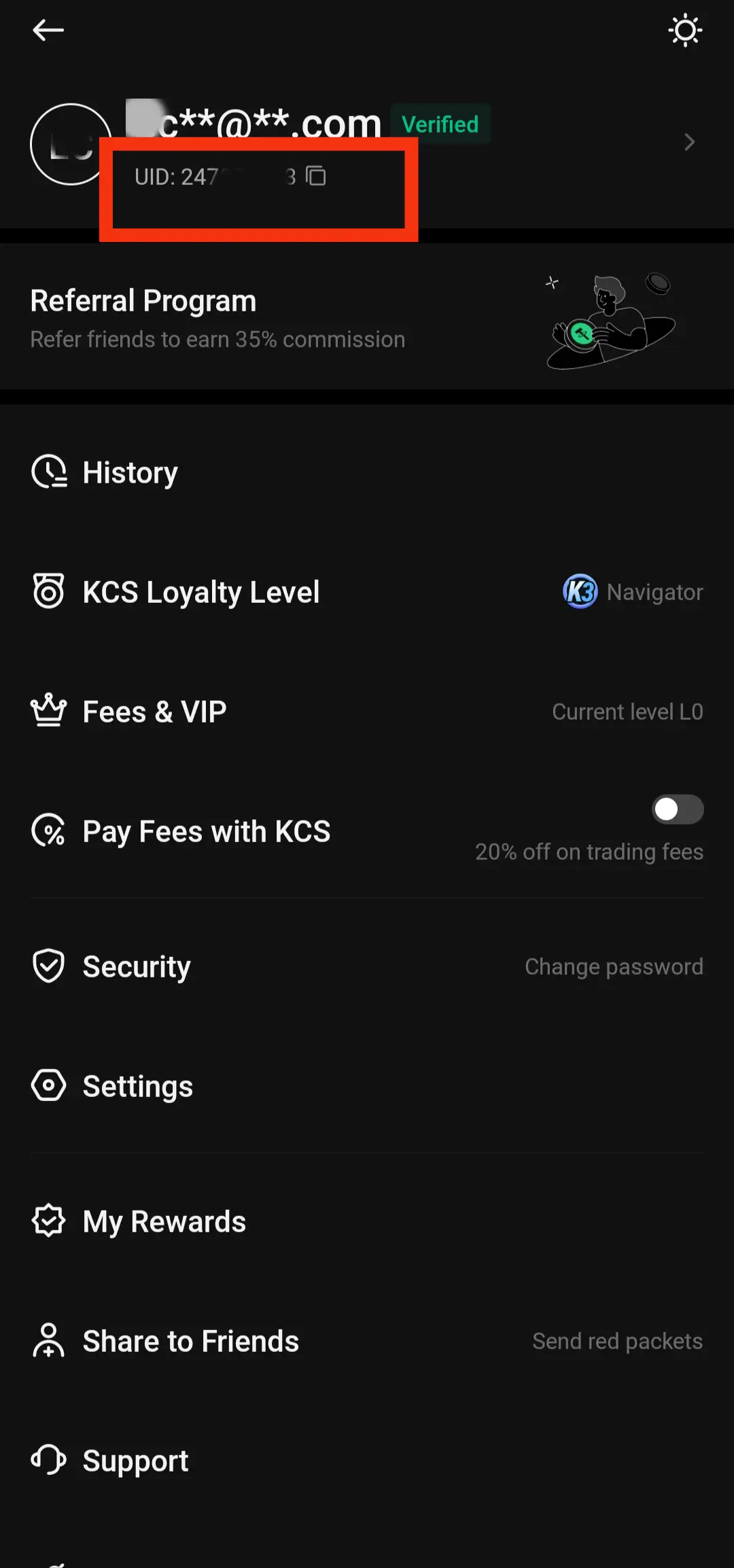
To find the UID of your KuCoin account, you can simply log in to your KuCoin account and then go to your profile icon in the top bar to check it. The following are two ways to check your KuCoin UID via the website and KuCoin APP.
Via the Website:
Log in to your KuCoin account via https://www.kucoin.com/en-au/ucenter/signin
Hover your cursor over your profile icon, and the UID will appear. You may also click on it to visit the User Profile page.
Via the KuCoin App:
Step 1: Open the KuCoin App.
Step 2: Log in to your KuCoin account.
Step 3: Toggle the menu by tapping on the profile icon at the top left part of the app to see your UID.
We hope this article has been helpful. If you have any other questions, please reach out to our customer support via online chat or submit a ticket.
Happy trading on KuCoin!