How to Complete Individual Verification (KYC) via Web
Last updated: 01/14/2026
KuCoin has required Identity Verification (also known as Know Your Customer, or KYC) for our users. To pass KYC, you’ll need to submit your ID documents and complete face verification. This is part of our commitment to curbing illicit activities such as money laundering and terrorist financing.
Table of Contents
1.KYC Verification Process Overview
The KYC Verification process consists of three levels:
-
Basic Verification
-
Retail Verification
-
Wholesale Verification
Important Note: Before proceeding to Retail or Wholesale Verification, users must first complete Basic Verification successfully.
2. Completing Identity Verification
2.1 Basic Verification
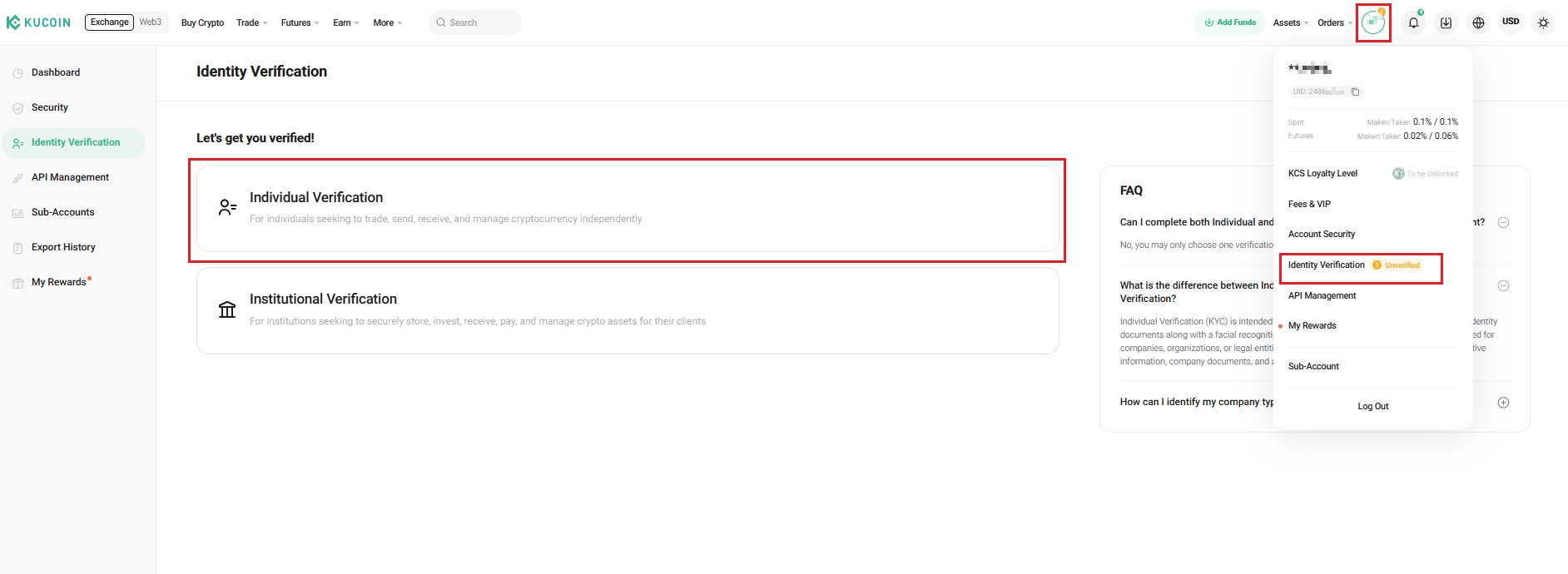
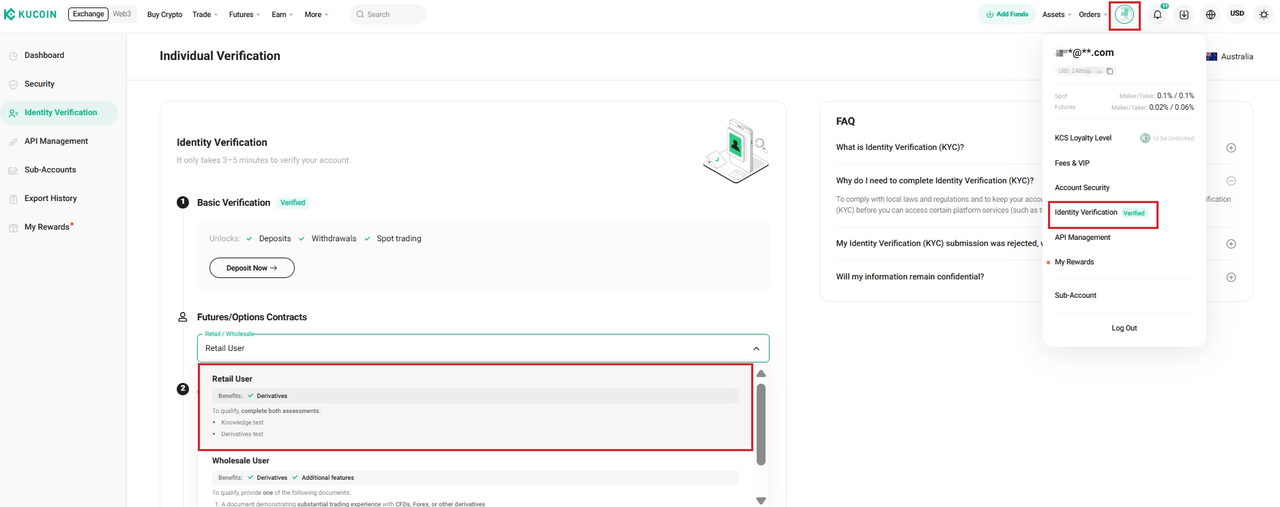
Log in to your KuCoin account, select Avatar → Identity Verification → Individual Verification.
Select your country/region and your ID type of choice, then hit Verify

Choose a Verification Method
On the verification page, you will see several options:
-
Scan QR Code with Your Phone (Recommended) → Use your mobile phone camera to scan the QR code and continue.
-
Scan QR Code with the KuCoin App → Open the KuCoin App, scan the QR code, and proceed.
-
Verify on Current Device → Continue verification directly on your computer.
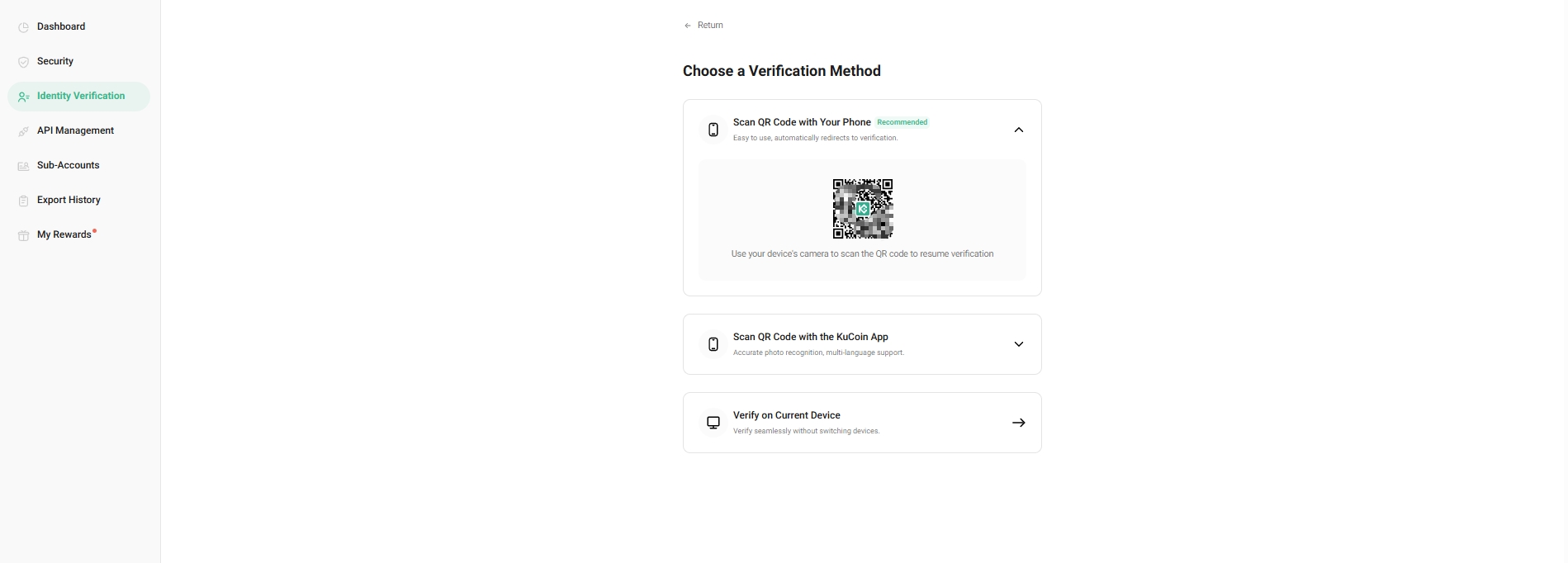
If you choose Verify on Current Device, please click "Get Verified" to upload a photo of your ID using your chosen method.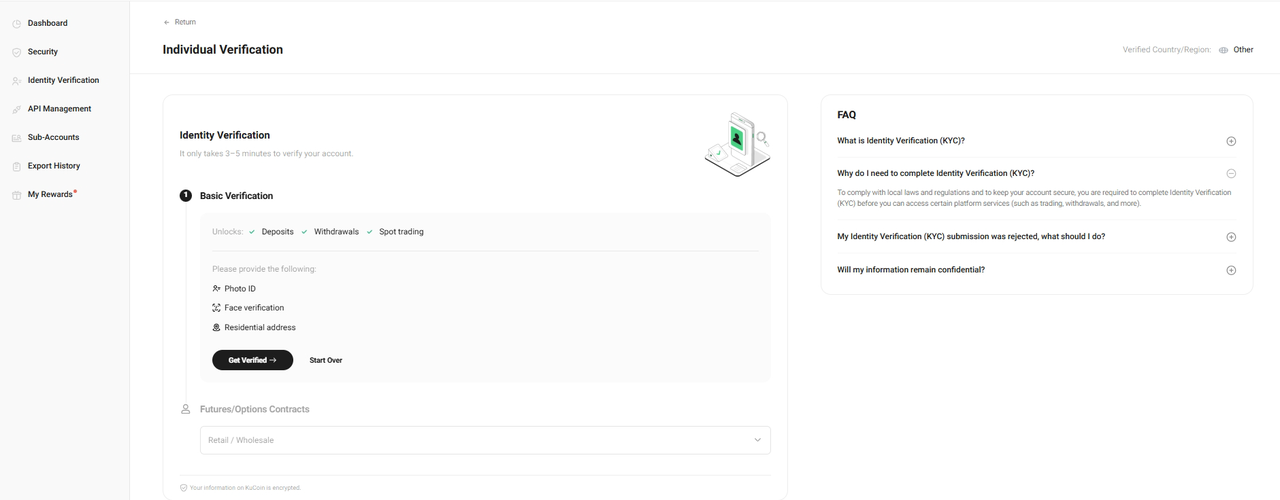
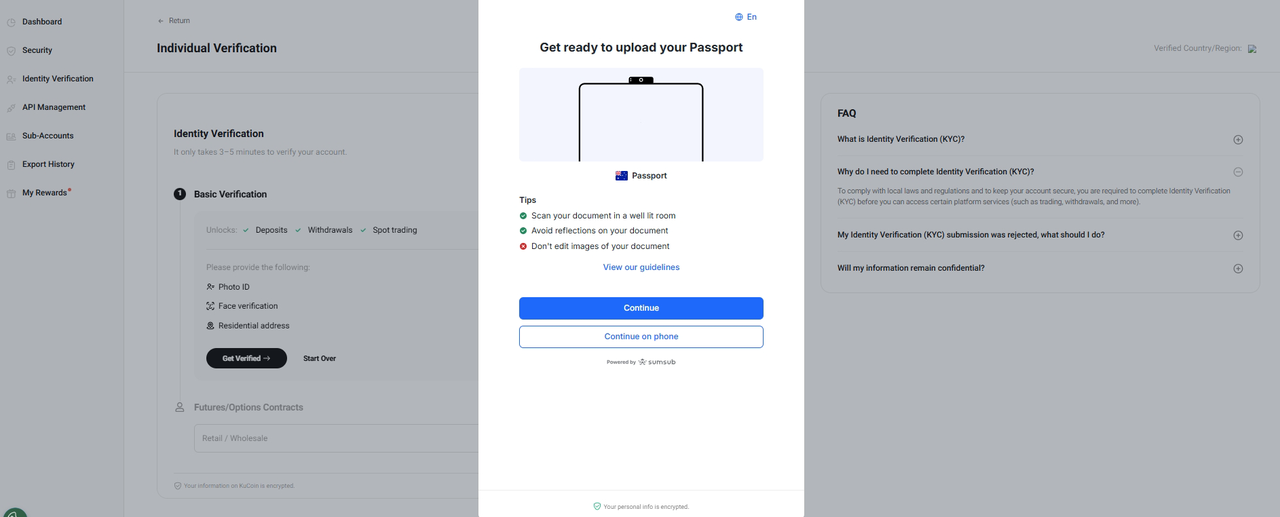
After confirming your uploaded photos, hit Continue to proceed with face verification.
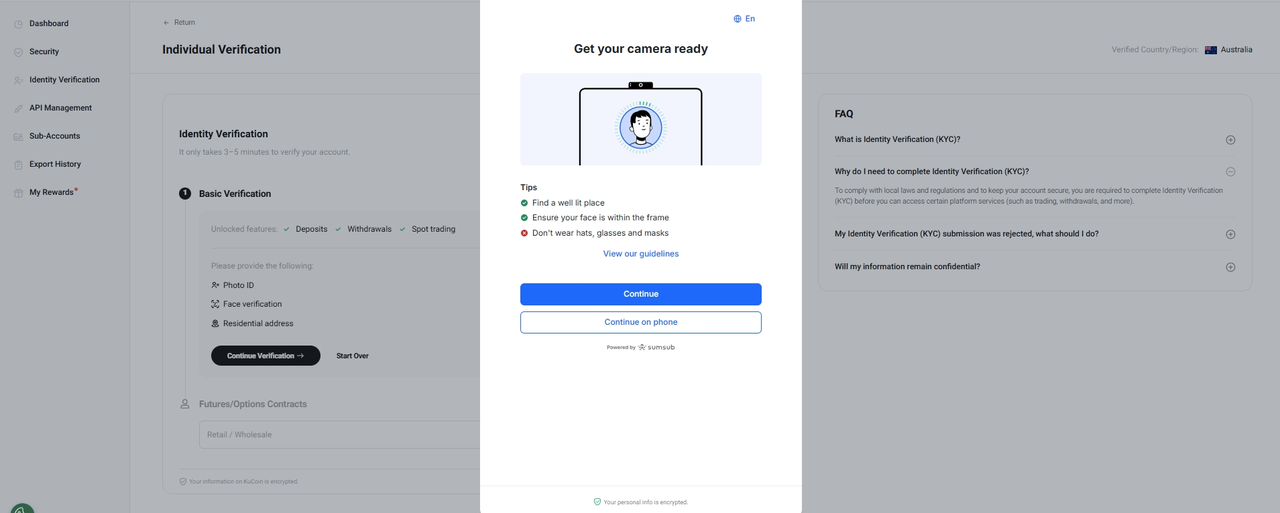
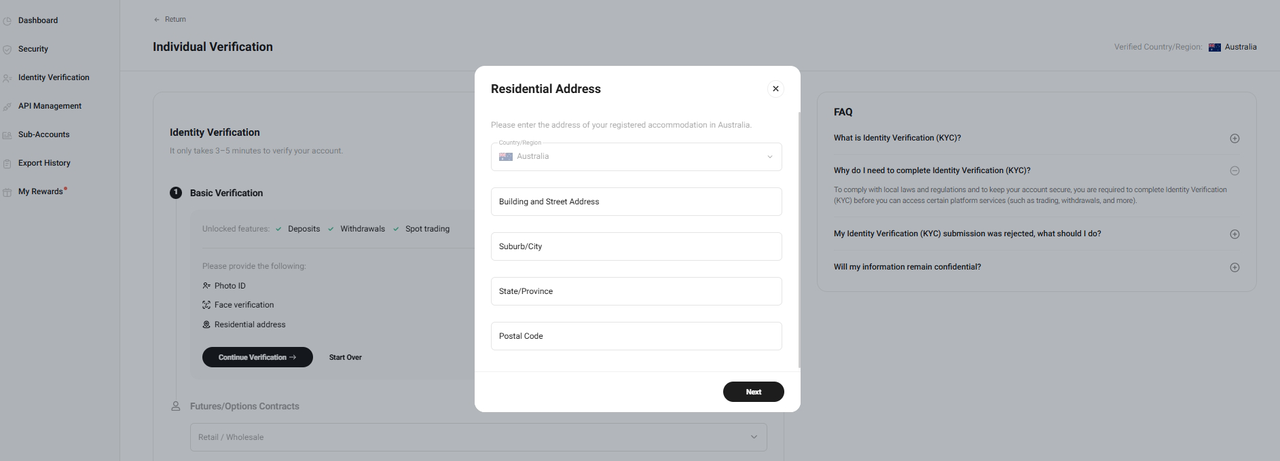
Enter the address of your registered accommodation in Australia and complete the agreement.
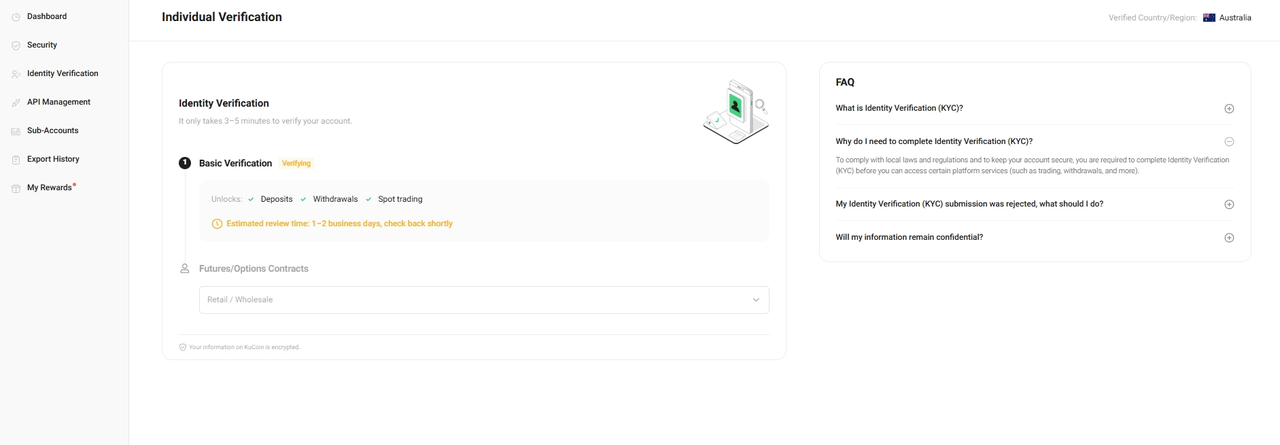
After submission, you will see a message: Submission Complete. This means your request has been received and will be reviewed within 1–2 business days. You may view the results of your review on the Identity Verification page. 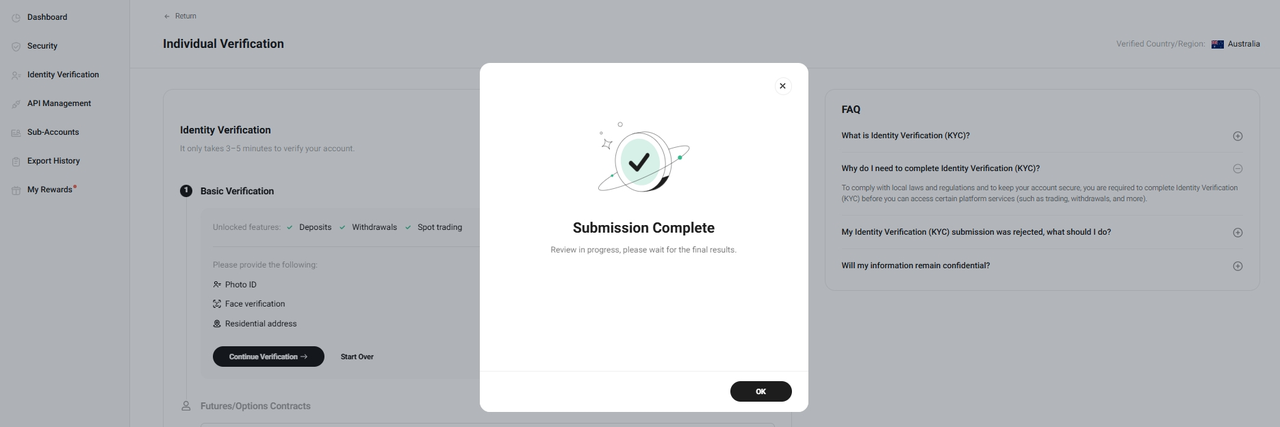
2.2 Retail Verification
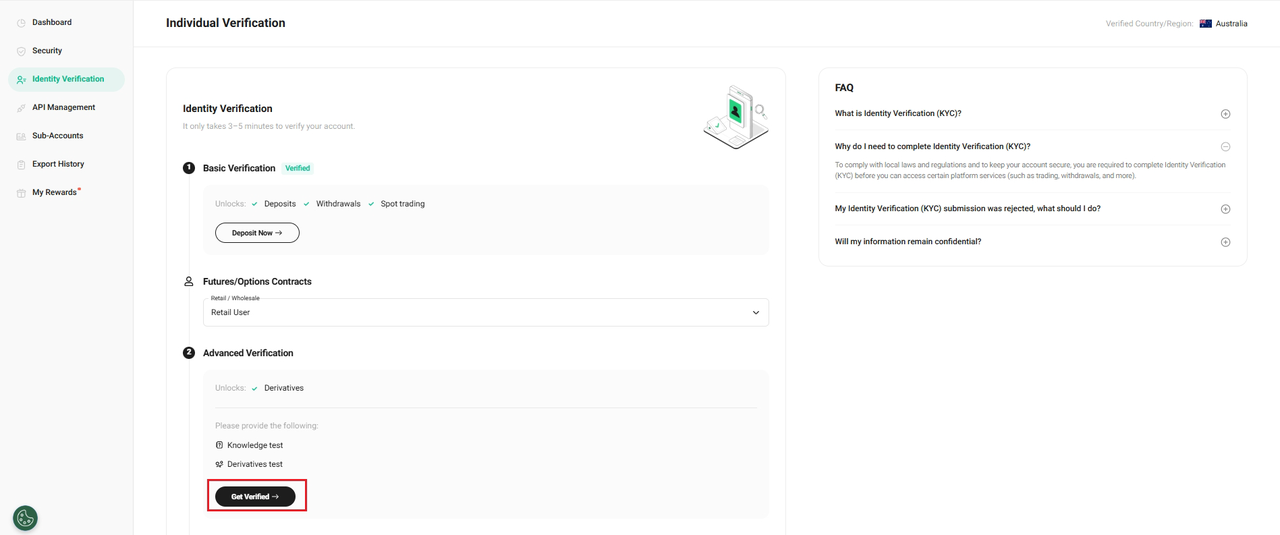
Choose Retail User and click “Get Verified” to complete the Knowledge and Derivatives tests to qualify
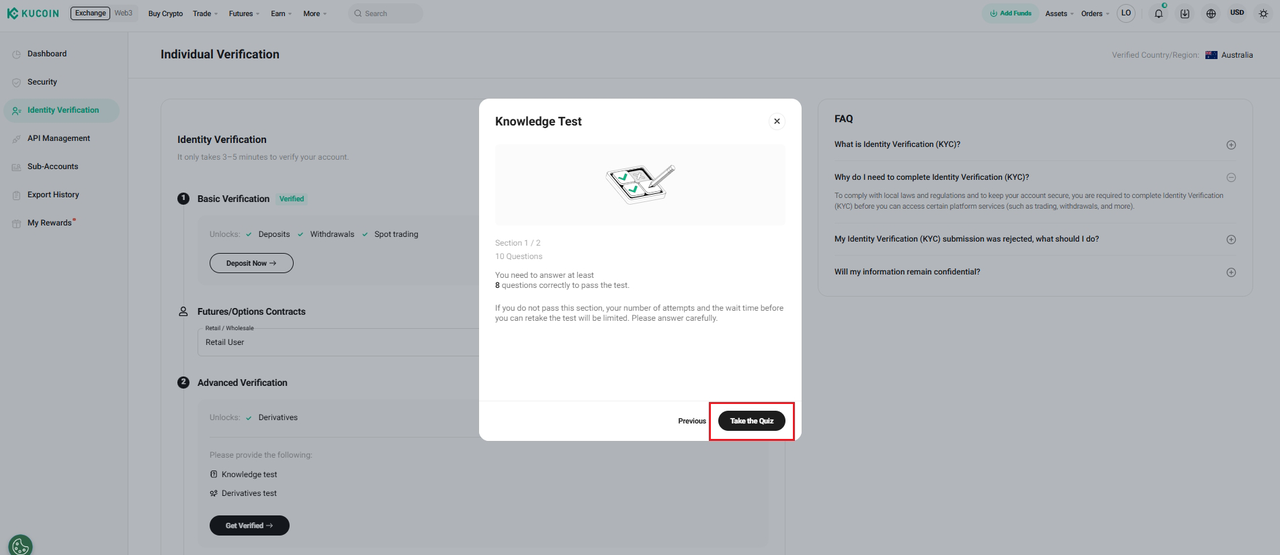
Click “Take the Quiz” to start Knowledge Test
Exam Rules:
1.Passing Requirement: Answer at least 8 questions correctly.
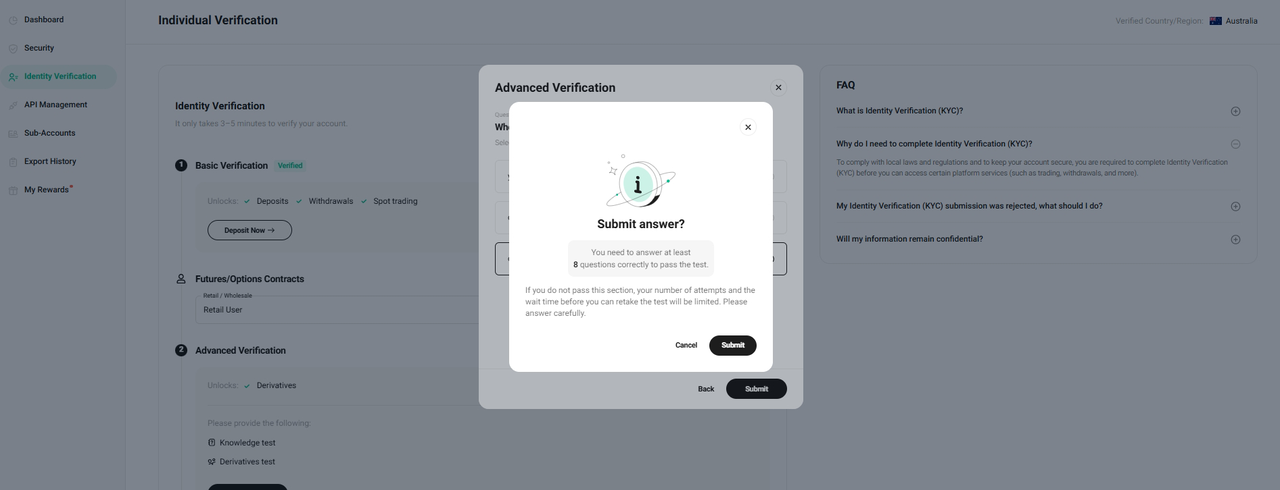
Upon successfully completing the Knowledge Test, kindly proceed to complete the Derivatives Test. Your results will be provided immediately after submission.
Once you have finished the Knowledge Test and the Suitability Test, please review and agree to the “Terms & Conditions”. After this step, you will receive a confirmation message indicating “Submission Complete.”
2.3 Wholesale Verification
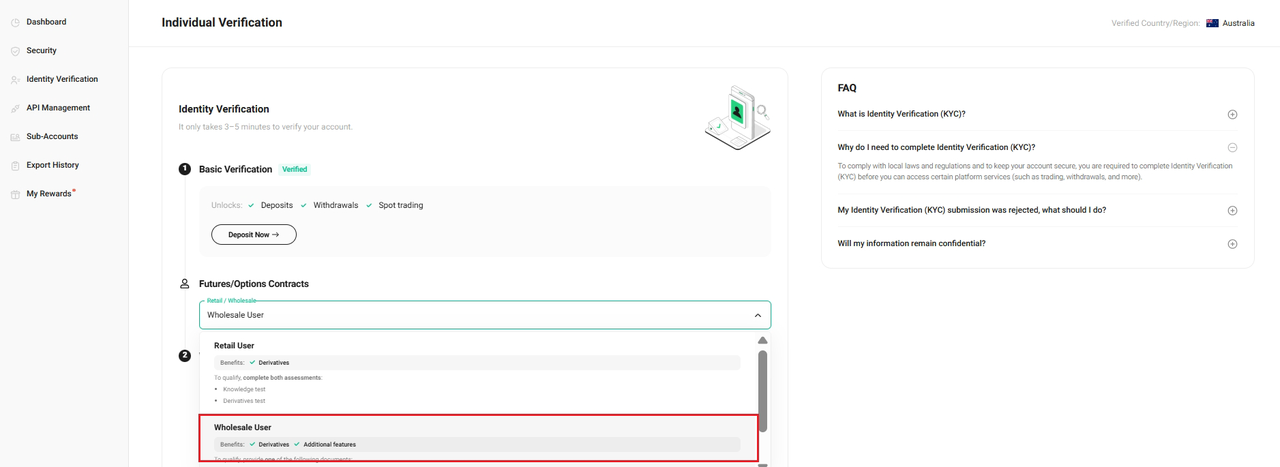
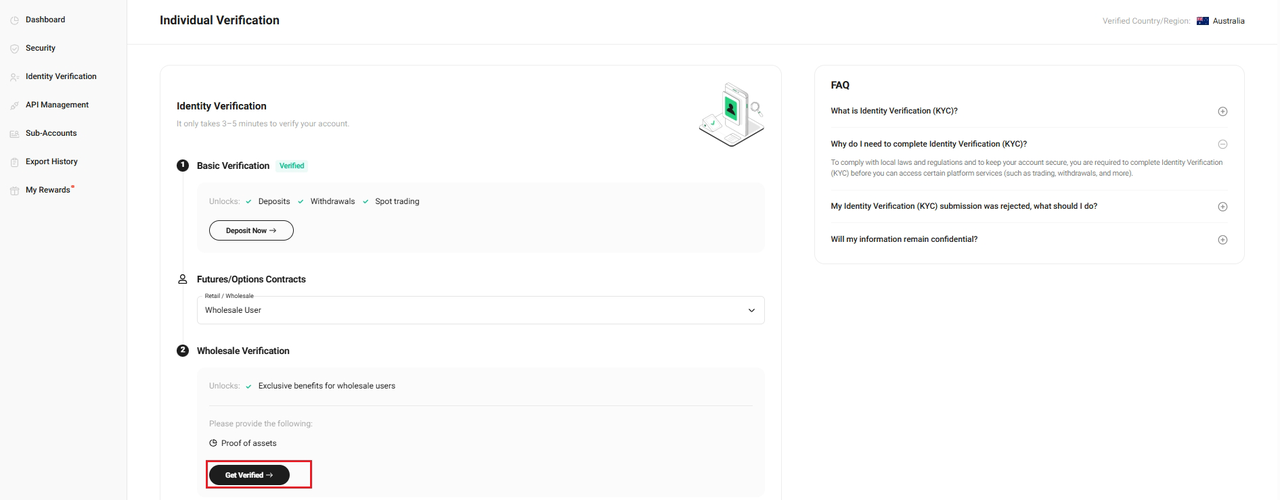
Choose Wholesale User and click “Get Verified” complete the Wholesale Verification
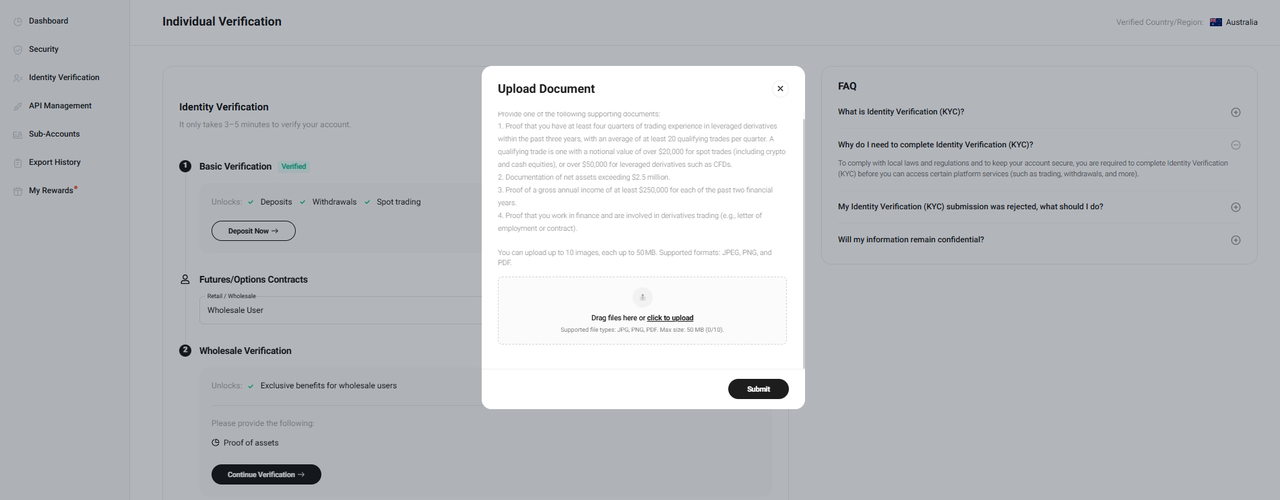
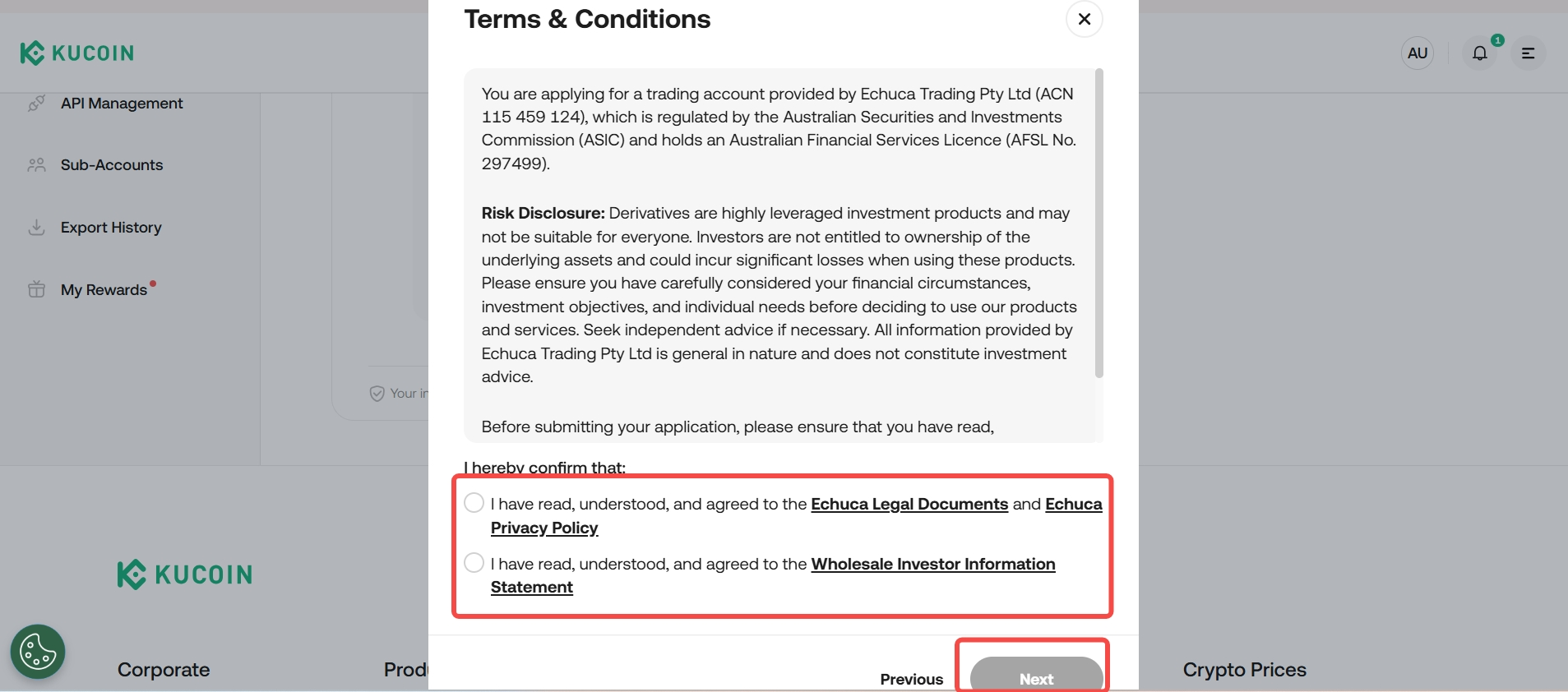
Upload Document and agree Terms & Conditions
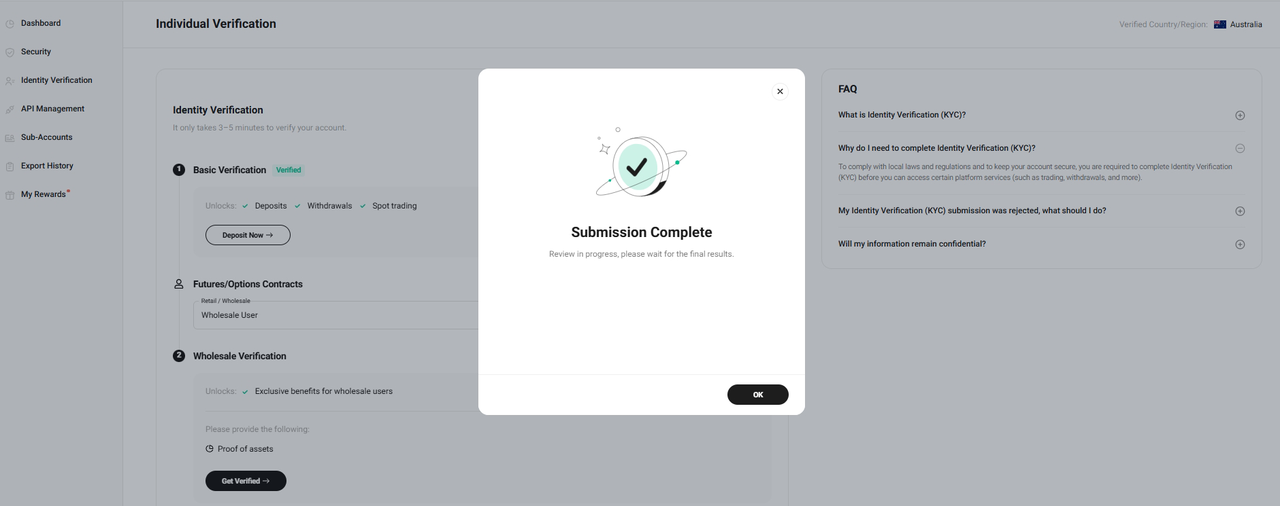
After submission, you will see a message: Submission Complete. This means your request has been received and will be reviewed within 1–2 business days. You may view the results of your review on the Identity Verification page.
3.Troubleshooting Unsuccessful Identity Verification (Web)
Encountering issues during the KYC process can be frustrating. Follow these steps to resolve some of the common issues that may arise:
i. Update Your Browser: Check if you’re using the latest version of your web browser. This helps to avoid common issues during verification.
ii. Record the Issue: If the issue persists, take screenshots of the error messages, or record a video of your verification attempt to help us diagnose the issue more effectively.
iii. Contact Support: Submit a ticket and send the relevant screenshots or recordings to our support team for further assistance. We’ll be ready to help.
4.Benefits of Completing Identity Verification
Once verified, you’ll be able to enjoy more functions on the KuCoin platform.
|
Action
|
Unverified Accounts
|
Verified Accounts
|
|
|
Basic Account Functions
|
Link/change security settings
|
Yes
|
Yes
|
|
Freeze account
|
Yes
|
Yes
|
|
|
Delete account
|
Yes
|
Yes
|
|
|
Create sub-account
|
Yes
|
Yes
|
|
|
Create APIs
|
Yes
|
Yes
|
|
|
Delete/edit APIs
|
Yes
|
Yes
|
|
|
Export order history
|
Yes
|
Yes
|
|
|
Participate activity
|
No
|
Yes
|
|
|
Deposit
|
Fiat deposit
|
No
|
Yes
|
|
Buy crypto via via Visa/Master card/Fiat balance
|
No
|
Yes
|
|
|
Deposit crypto
|
No
|
Yes
|
|
|
Withdrawal
|
Fiat withdrawal
|
No
|
Yes
|
|
Sell crypto via Visa/Master card/Fiat balance
|
No
|
Yes
|
|
|
Withdraw Crypto
|
No
|
Yes
|
|
|
Stake
|
KCS Staking
|
No
|
Yes
|
|
Trading
|
Spot trading
|
No
|
Yes
|
|
Margin trading
|
No
|
Yes
|
|
|
Trading bot
|
No
|
Yes
|
|
|
Convert
|
No
|
Yes
|
|
|
Derivative Product
|
Futures trading
|
No
|
|
For your privacy and security, we’re constantly making improvements to the Identity Verification process. We strongly recommend getting verified as soon as possible to continue using account functions normally.
We hope this article has been helpful. If you have any other questions, please reach out to our 24/7 customer support via online chat or submit a ticket.
Happy trading on KuCoin!