

How to Export Account History
Table of Contents
1. Via Export History Page
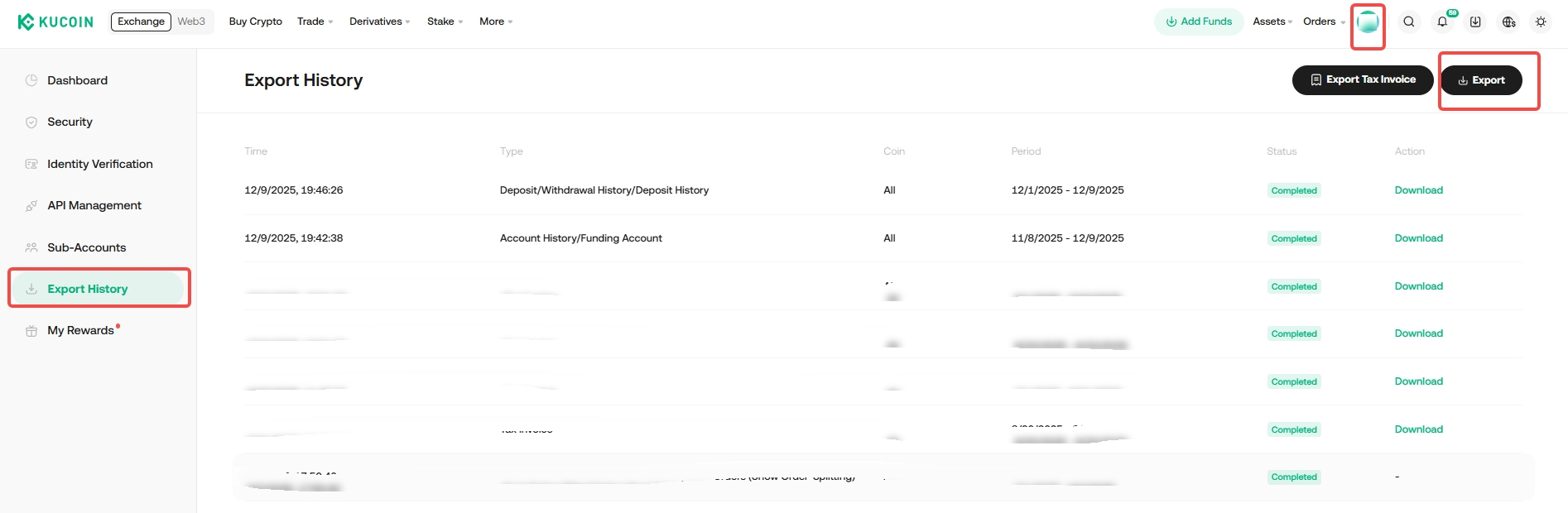
Step 1: Log in to your account, Click on Profile> Export History >Export or via link
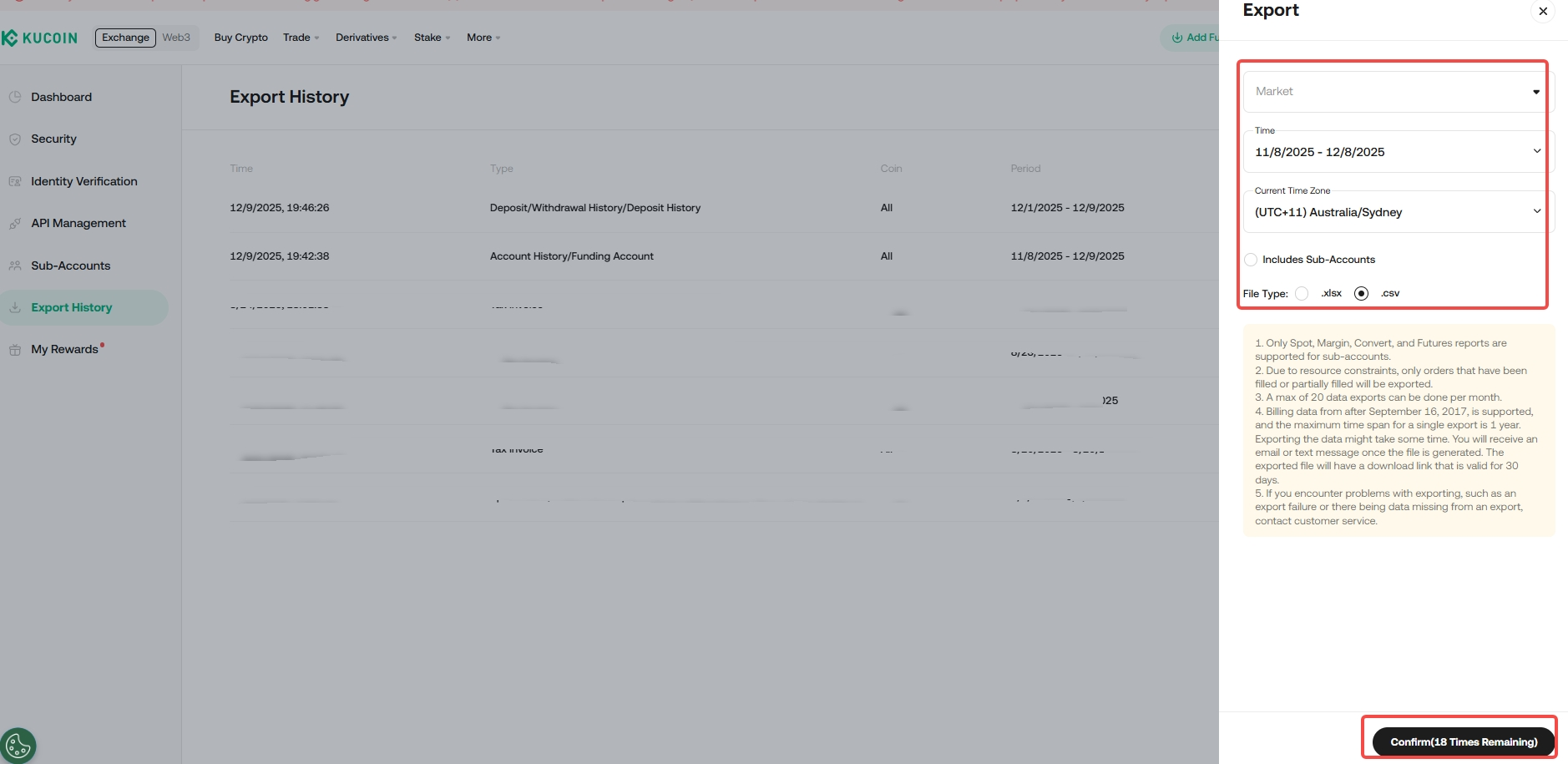
Step 2: Select the type of data and period required and click Confirm.
You may include Sub-account data and select the time zone as well as the format of the data exported.
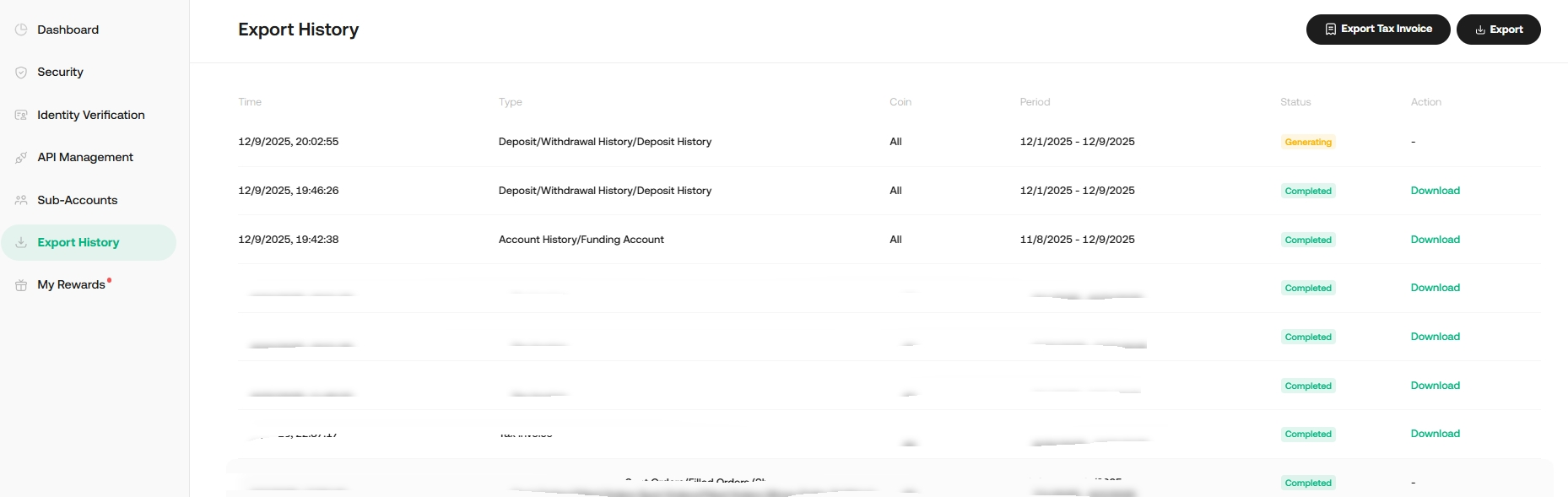
Step 3: Once submitted, please wait for the file to be generated.
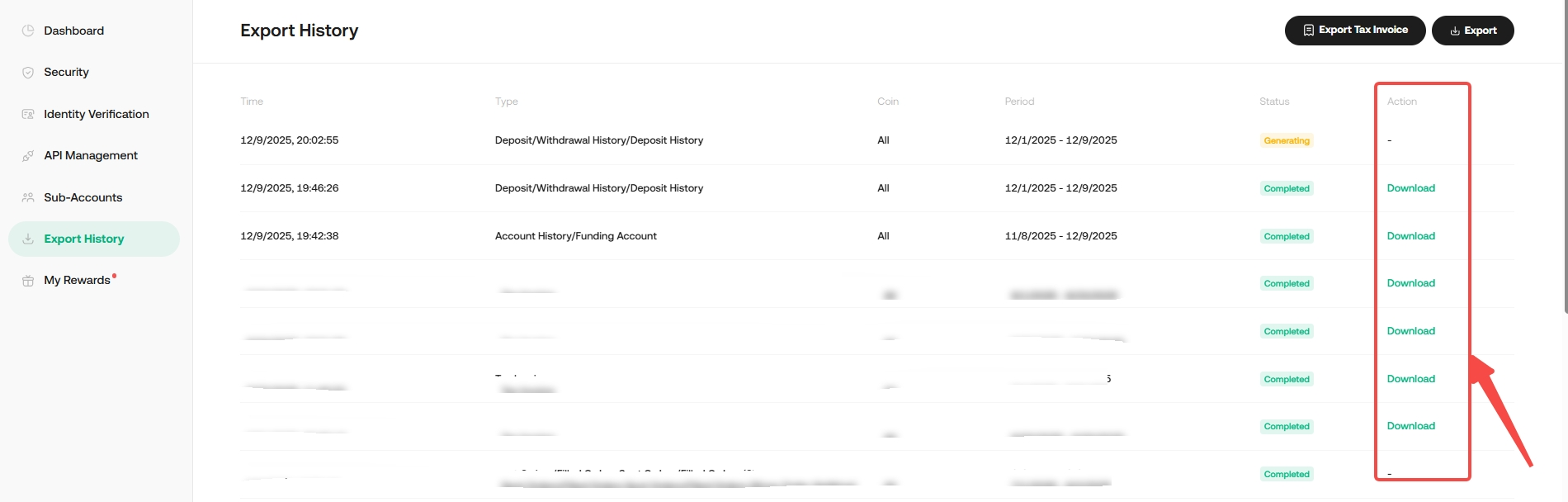
Step 4: Once generated, click Download
2. Via Export Data Page
1. Log in to your KuCoin account and visit the Export Data page.
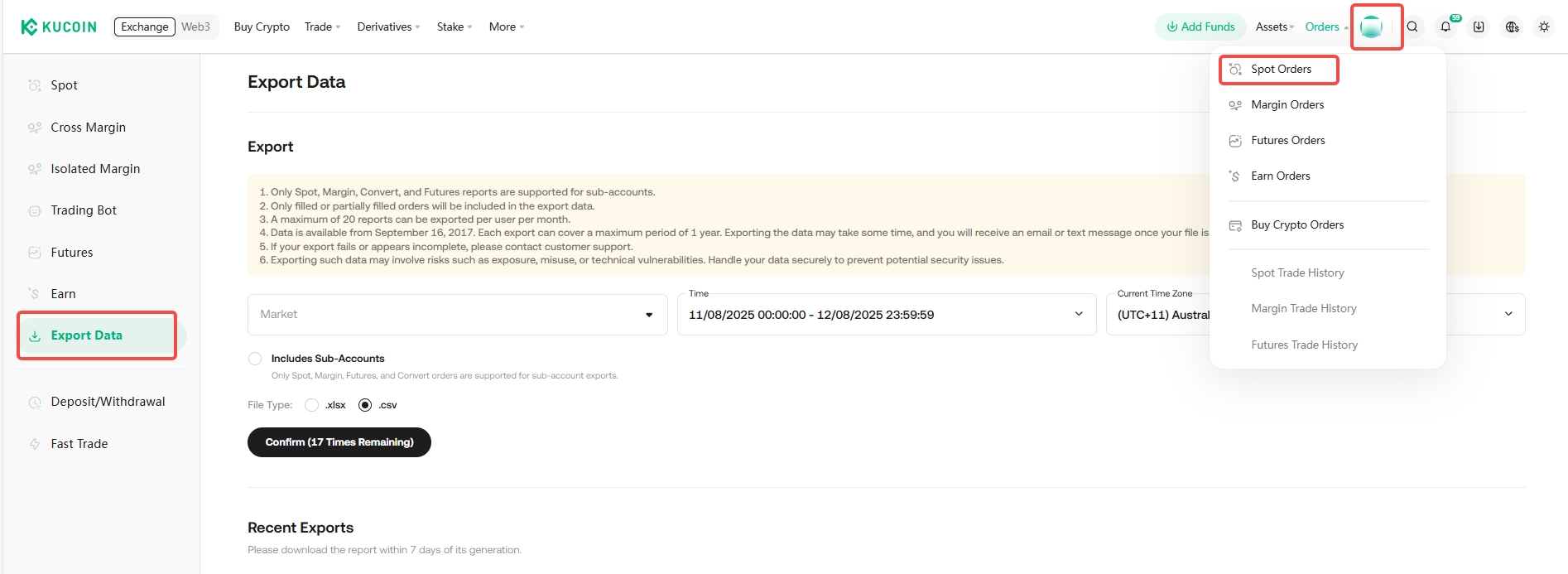
2. Select the type of data and period required and click Confirm.
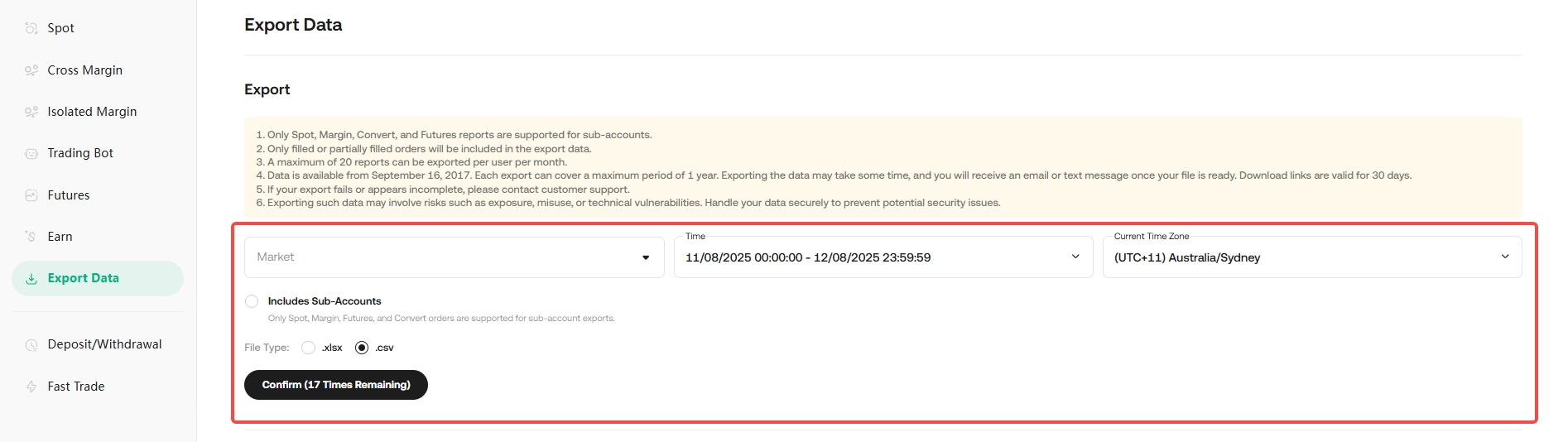
3. It will take some time to export your trade history. Once the trade history is exported, you will be notified via SMS, email, or on-site notification.
4. Once you have been notified, head to Orders> Export Data. Click Download to complete the export process. The download link will remain valid for 30 days.
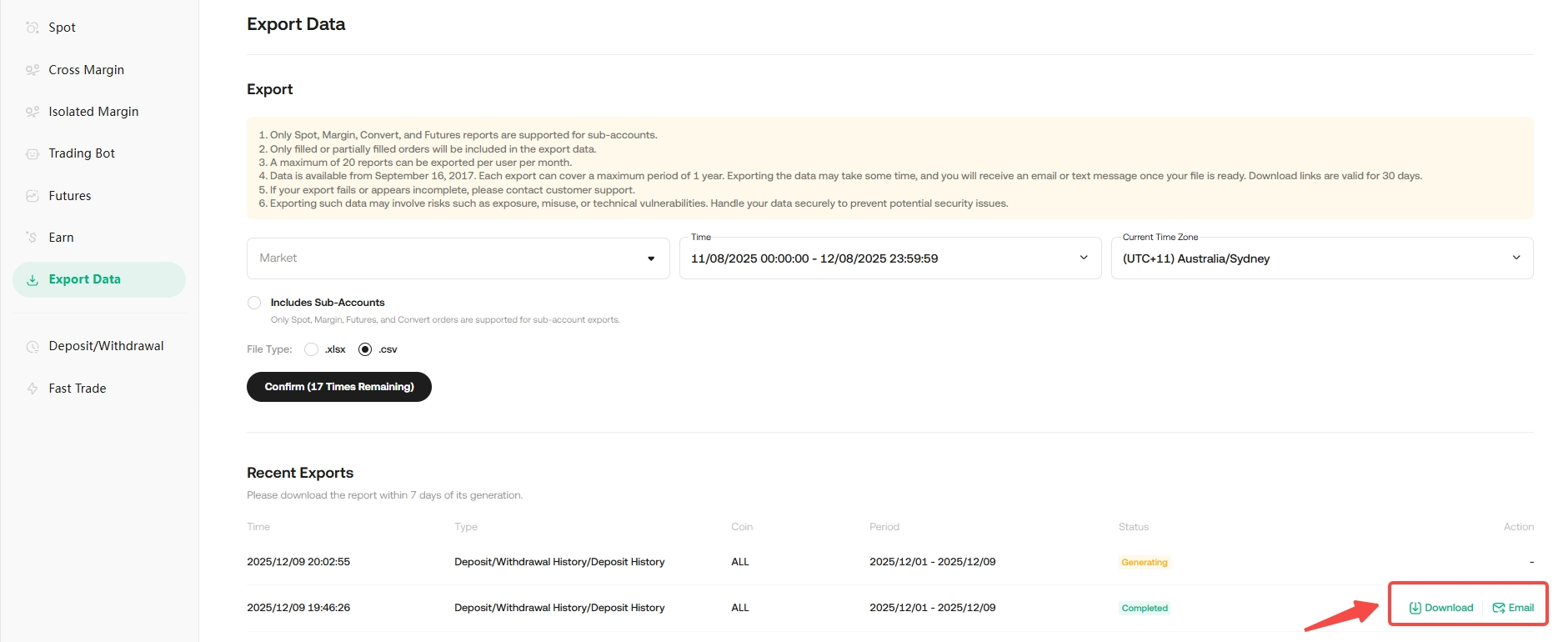
3. Via Help Center Page
Step 1: Log in to your account and Proceed to Help center and Click on Export History or via link
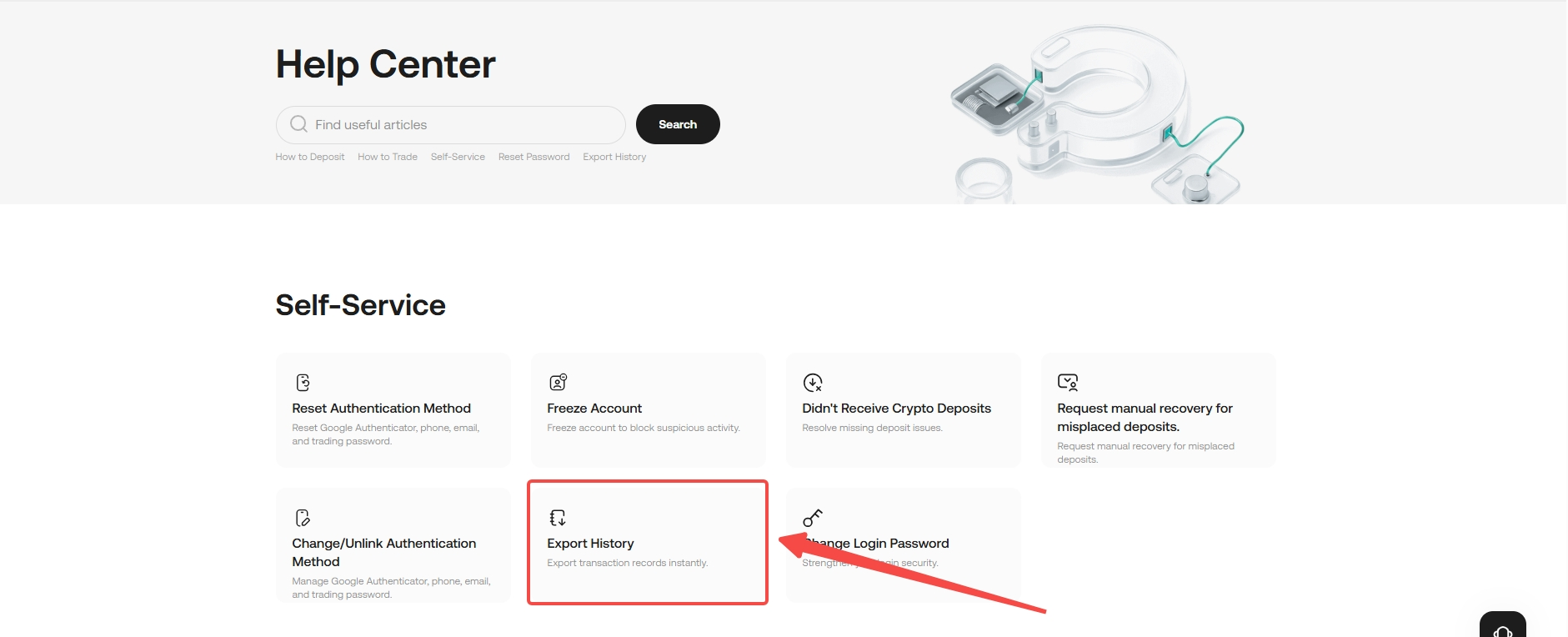
Step 2: Please follow the prompts on the page to complete the download.
Note: