

A Guide for Australian Users: How to Deposit AUD via PayID on KuCoin
2026/01/12 17:42:02
For those entering the digital asset ecosystem in Australia, the primary and most vital step is the secure and compliant transfer of fiat currency from a local bank account to the platform. Within the 2026 Australian regulatory framework, PayID/Osko has established itself as the preferred real-time funding tool for local users.
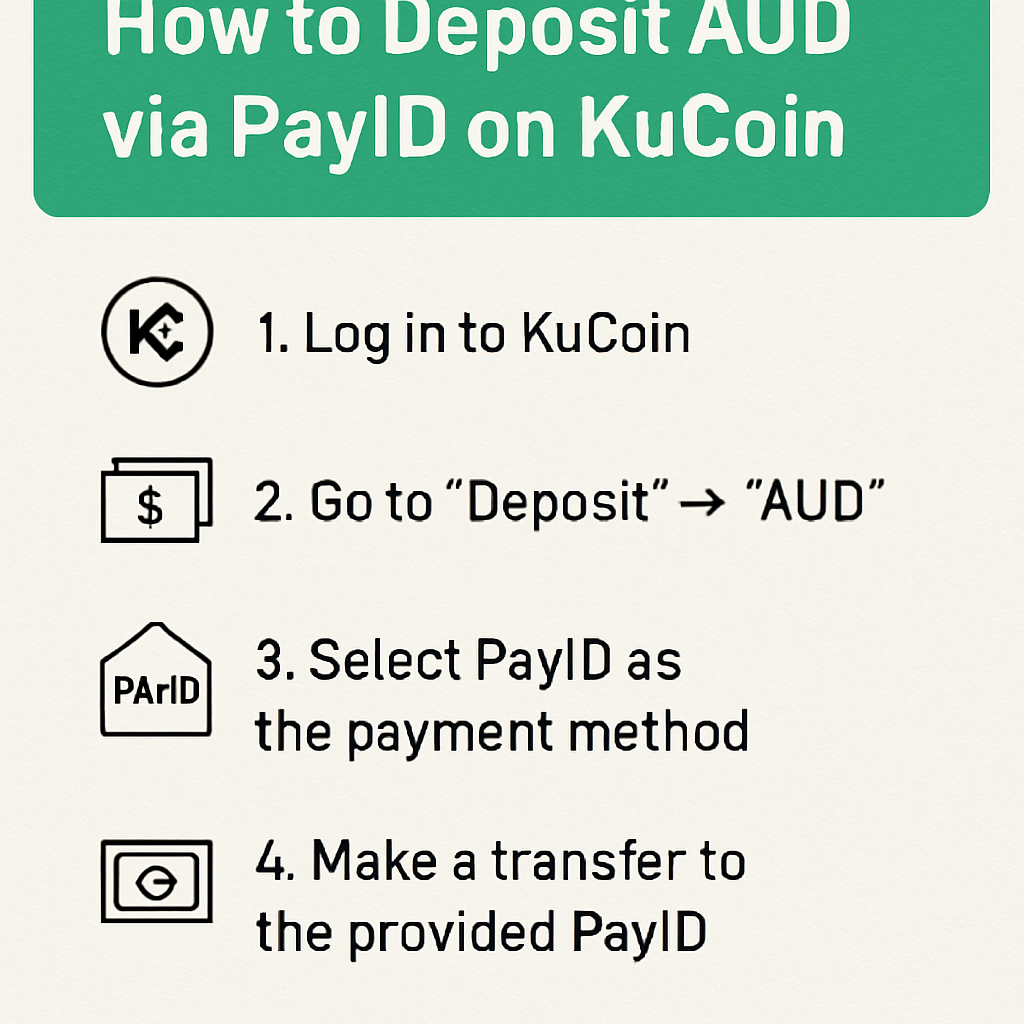
This guide provides a comprehensive breakdown of how to use PayID to deposit Australian Dollars (AUD) into your KuCoin account via the "Big Four" banks (CBA, Westpac, ANZ, and NAB).
Why Choose PayID for AUD Deposits?
Within the Australian payments infrastructure, PayID is a service powered by the New Payments Platform (NPP). Compared to traditional BSB and Account Number transfers, it offers several distinct advantages:
-
Real-Time Settlement: In the vast majority of cases, funds are transferred from your bank to the platform within seconds.
-
Operational Simplicity: There is no need to enter complex banking codes; a simple email address acts as the unique identifier.
Prerequisites: Completing Australian Identity Verification (KYC)
In accordance with Australian Anti-Money Laundering and Counter-Terrorism Financing (AML/CTF) legislation, users must complete identity verification before engaging in fiat transactions.
-
Prepare your Australian Driver’s Licence or Australian Passport.
-
Navigate to the "Identity Verification" section in the KuCoin Security Centre.
-
Critical Note: Ensure that the name on your identity documents exactly matches the name on your Australian bank account. This alignment is essential for the successful processing of PayID deposits.
Step 1: Obtain Your Unique PayID Details on KuCoin
Before initiating a transfer from your bank, you must retrieve your specific deposit credentials from the KuCoin platform:
-
Log in to the KuCoin App and tap "Assets" in the bottom menu.
-
Select "Deposit" and then choose "Fiat".
-
Search for and select "AUD (Australian Dollar)" from the currency list.
-
Select "PayID/Osko" as your payment method.
-
The system will display your unique PayID email address (typically ending in kucoin.com or a partner payment gateway).
-
Important: Use the "Copy" icon to ensure accuracy and avoid manual entry errors.
Step 2: Initiating the Transfer via Australian Bank Apps
Once you have your PayID, log in to your banking application to send the funds. Below are the steps for the major Australian institutions:
-
Commonwealth Bank (CBA - CommBank)
-
Open the App and select "Pay & Transfer" > "Pay Someone".
-
Tap the "+" icon in the top right, then select "More" > "Email address".
-
Paste the PayID email copied from KuCoin.
-
Enter the amount and confirm the recipient's name (this will usually appear as KuCoin or its payment service provider).
-
Tap "Pay Now".
-
Westpac
-
Open the App and navigate to "Payments" > "Make a payment".
-
Select "Pay new payee".
-
Under "I want to pay," select "Email address".
-
Enter the PayID and specify the deposit amount.
-
Review the details and tap to submit.
-
ANZ
-
Tap the "Pay Anyone" menu.
-
Select "Add a new payee" and choose "Email address" as the payment type.
-
Enter the PayID; the system will automatically verify the recipient.
-
Input the amount and complete the multi-factor authentication.
-
NAB (National Australia Bank)
-
Go to "Transfer & Pay" and select "Pay Anyone".
-
Select "Mobile/PayID", then choose the "Email" option.
-
Paste the PayID and enter the desired amount.
-
Review the recipient details on the confirmation page and tap "Send."
Step 3: Confirmation of Funds
After completing the transaction in your banking app, funds typically appear in your KuCoin "Fiat Account" within 1 to 5 minutes.
-
You can verify the balance by navigating to "Assets" > "Fiat" > "AUD".
-
Tax Record-Keeping: It is highly recommended to export your AUD deposit history periodically to assist with your annual Capital Gains Tax (CGT) obligations to the ATO (Australian Taxation Office).
Troubleshooting Common Issues
While PayID is designed for speed, delays may occasionally occur due to the following reasons:
-
Name Mismatch: If your bank account is held as "John Doe" but your KuCoin account is verified as "JD Crypto," the transfer may be flagged or reversed by the system.
-
First-Time Transfer Delay: To prevent fraud, some banks (notably CBA) may apply a 24-hour security hold on the very first PayID transfer to a new recipient.
-
Transaction Limits: Ensure the deposit amount is within your bank's daily PayID transfer limit.
Compliance Statement and Security Notice
As an Australian user, please be advised:
-
No Interest Guaranteed: AUD held within the platform is for transaction purposes only and does not accrue interest.
-
Not Financial Advice: This guide is provided for technical operational purposes only and does not constitute a recommendation to purchase any digital asset.
-
Fund Security: Only obtain PayID information through official KuCoin channels. Never transfer funds to individuals via social media or third-party messaging apps.