

How to Complete Identity Verification (KYC) via App
As a leading global exchange, KuCoin EU has required Identity Verification (also known as Know Your Customer, or KYC) for our users.
To pass KYC, you’ll need to submit your ID documents and complete face verification. This is part of our commitment to curbing illicit activities such as money laundering and terrorist financing.
For more information on the updated list of Identity Verification functions, see Part 3 of this article.
1. Completing Identity Verification (App)
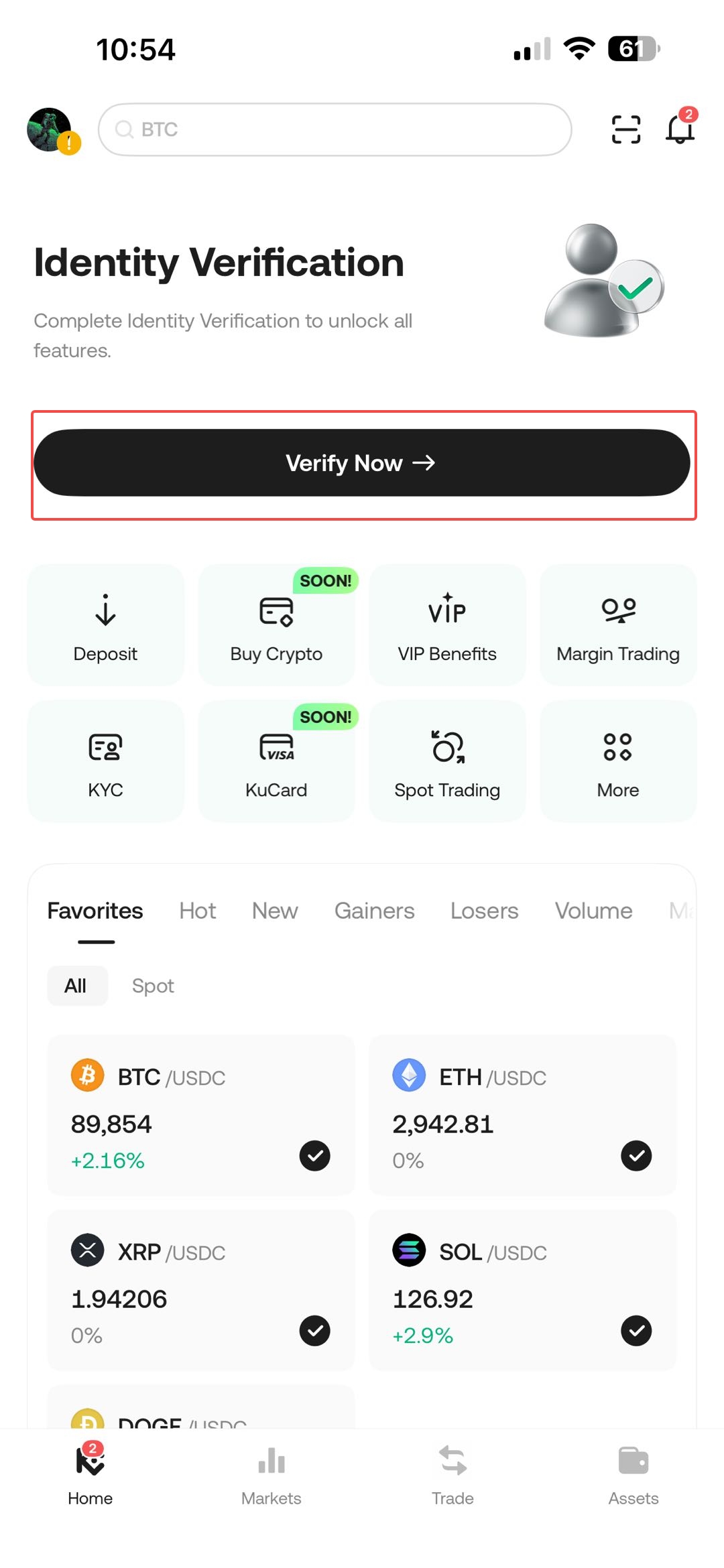
1. Login to your KuCoin EU account on the app and click on Verify Now to proceed to the identity verification page.
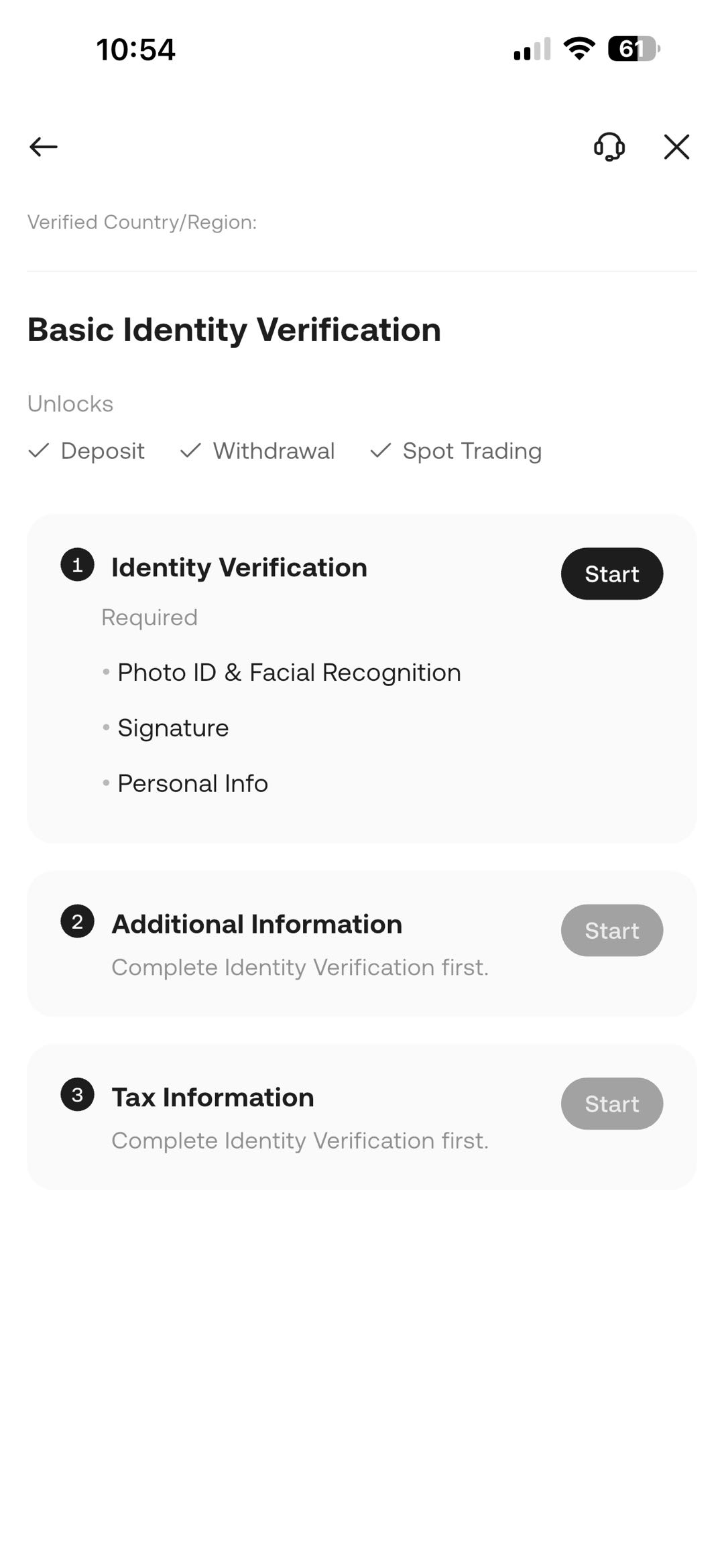
2. Click on Start to begin the identity verification process.
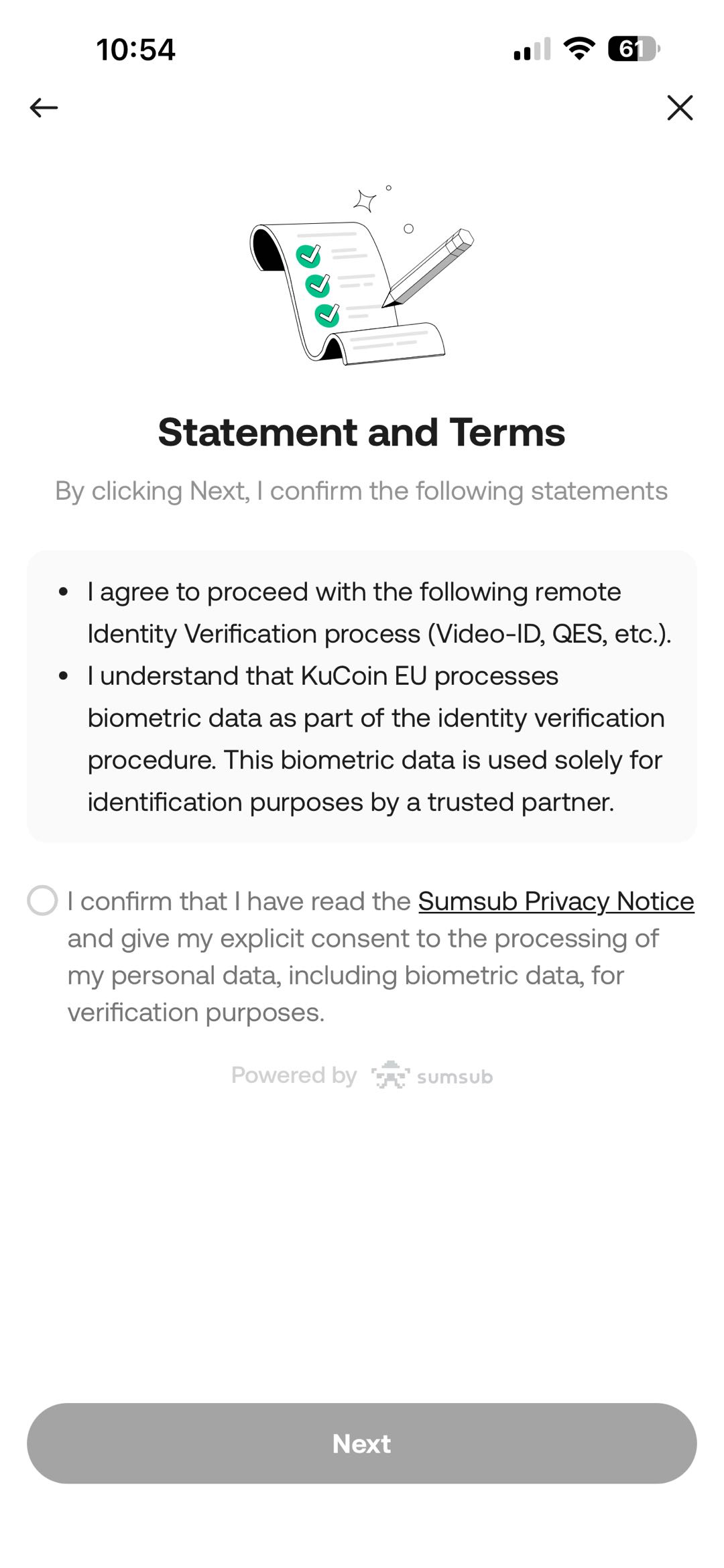
3. Click on confirm and click Next to proceed.
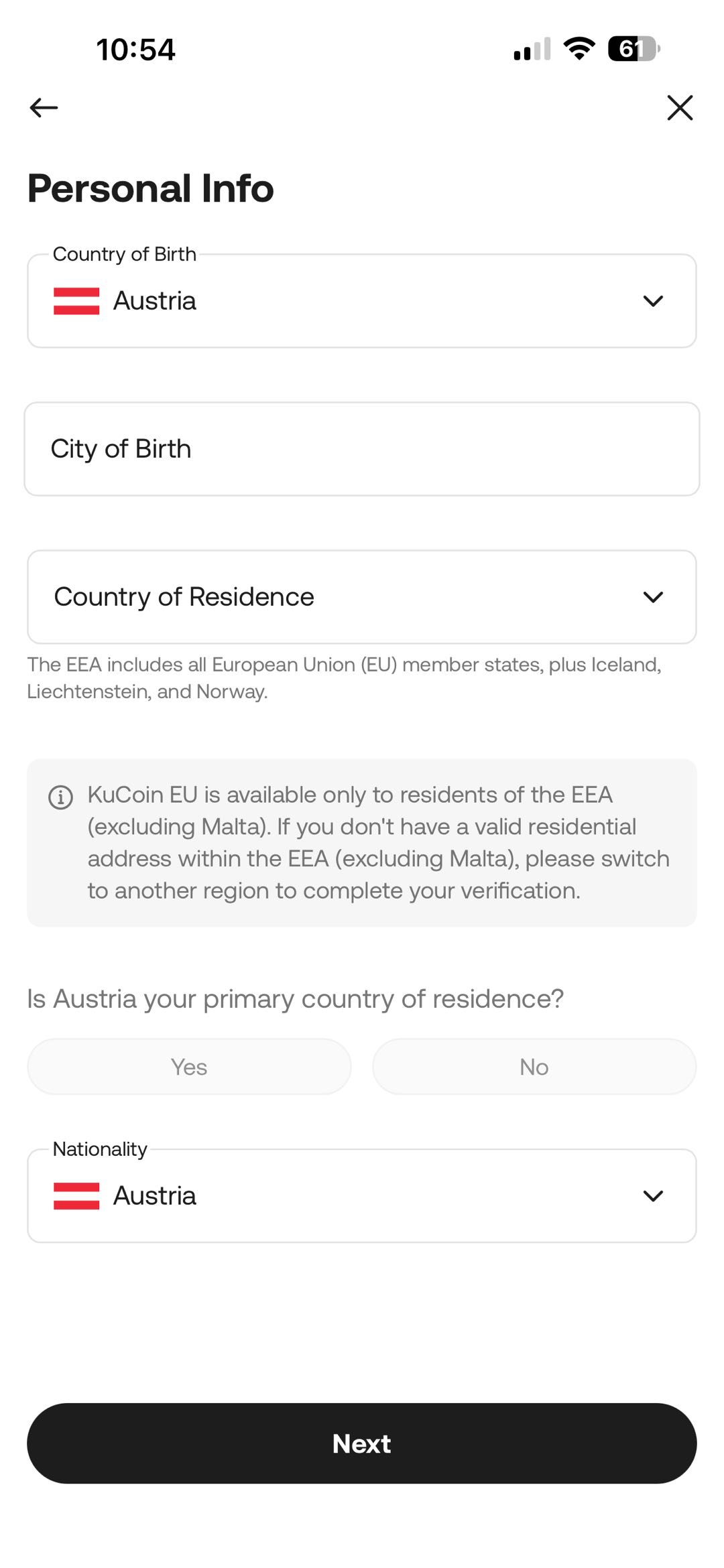
4. Enter your personal info and click Next to proceed to the next step.
5. Follow the on-screen instructions and fill in the necessary information to proceed with the verification process.
Note: Please note that KuCoin EU supports ID Card and Passport as identity verification documents.
2. Troubleshooting Unsuccessful Identity Verification (App)
Encountering issues during the KYC process can be frustrating. Follow these steps to resolve some of the common issues that may arise:
- Check if Your App is Updated: Using the latest version helps to avoid common issues during verification.
- Check Your Device’s Connection: The quality of your network connection may sometimes affect the verification process, so try getting a stable network signal.
- Record the Issue: If the issue persists, take screenshots of the error message, or a screen recording of your verification attempt to help us diagnose the issue more effectively.
- Contact Support: Submit a ticket (On the app, click on your Profile → Support → Submit a Ticket) and send the relevant screenshots or recordings to our support team for further assistance. We’ll be ready to help.
2.1 Tips for Uploading Photos
- Each document can only be used to sign up for and verify one KuCoin EU account.
- Supported image formats are JPG and PNG.
- Valid documents include your ID card, driver's license, and passport.
- If difficulties persist, check for network issues. Attempt the upload later or try updating your app.
2.2 Failed Verification Notification
If you receive a notification that your Identity Verification was unsuccessful:
- Log in to your account on the app.
- Select your profile, then navigate to Identity Verification to view the reasons for failure.
- Click Re-Verify to resolve them, submitting the correct information. Your submission will be expedited for review.
3. Benefits of Completing Identity Verification
Once verified, you’ll be able to enjoy more functions and higher daily withdrawal limits on the KuCoin EU platform.
| Action | Unverified Accounts | Verified Accounts | |
| Basic Account Functions | Link/change security settings | Yes | Yes |
| Freeze account | Yes | Yes | |
| Delete account | Yes | Yes | |
| Create sub-account | Yes | Yes | |
| Create APIs | Yes | Yes | |
| Delete/edit APIs | Yes | Yes | |
| Export order history | Yes | Yes | |
| Participate activity | No | Yes | |
| Deposit | Deposit crypto | No | Yes |
| Deposit Fiat | No | Yes | |
| Withdrawal |
Withdraw Crypto | No | Yes |
| Withdraw Fiat | No | Yes | |
Trading |
Spot Trading |
No |
Yes |
| Margin trading |
No |
Yes | |
| KuCoin EU Convert | No | Yes | |
We hope this article has been helpful. If you have any other questions, please reach out to our 24/7 customer support via online chat or submit a ticket.