

What Is KuCard-AU? And How Can I Apply for a KuCard-AU?
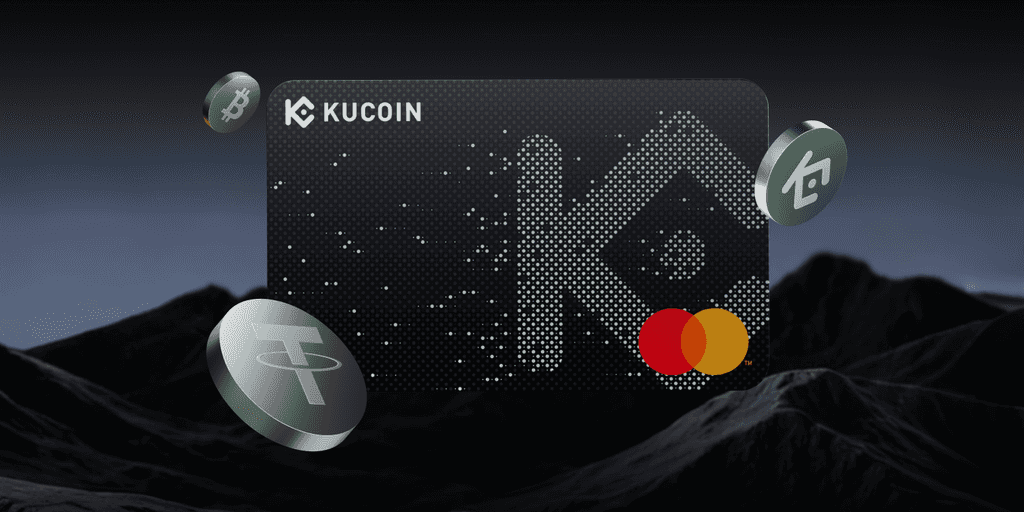
About KuCard-AU: A Mastercard debit card for Everyday Payments
KuCard-AU is a Mastercard debit card that enables users to make payments globally at merchants accepting Mastercard. The card can be used for everyday transactions and supports integration with Apple Pay and Google Pay, subject to the availability and terms of the respective providers.
KuCard-AU allows eligible users to spend funds by converting supported crypto-assets into fiat currency at the time of payment. The conversion is executed prior to settlement, ensuring that payments are made in fiat currency to merchants.
What are the key features of KuCard-AU?
KuCard offers several unique features:
• Instant Crypto-to-Fiat Conversion: Supported crypto-assets are converted into fiat currency at the time of card transaction, subject to exchange rates, fees, and market conditions.
KuCoin-AU does not guarantee exchange rates or execution times, and conversion outcomes may vary depending on market conditions.
• Everyday Card payments: KuCard can be used for eligible in-store and online payments where Mastercard debit cards are accepted.
• Cashback and Rewards Programs: KuCard transactions may qualify for cashback or reward programs, subject to specific program rules, eligibility criteria, caps and exclusions. Get cashback, along with discounts and more. Cashback rates are not guaranteed and may change over time.
• Seamless Payment Integration: Connect your KuCard to Apple Pay and Google Pay for convenient digital payments.
• Enhanced Security: Track transactions with notifications and detailed histories, ensuring secure and transparent spending.
• Global Acceptance: Use your KuCard anywhere that accepts Mastercard, providing unparalleled convenience.
What are the supported currencies for KuCard?
The standard settlement currency for KuCard is:
• USDC
KuCard supports a wide range of cryptocurrencies, including:
• BTC
• ETH
• XRP
• USDT
• KCS
Additionally, KuCard supports many other cryptocurrencies, such as:
|
SOL
|
SUI
|
TRB
|
TRX
|
VRA
|
XAI
|
XLM
|
|
PYTH
|
QNT
|
SHIB
|
POL
|
TON
|
ATOM
|
AVAX
|
|
BNB
|
BONK
|
CAT
|
CGPT
|
DOGE
|
DOGS
|
DOT
|
|
IMX
|
JASMY
|
LINK
|
LTC
|
METIS
|
NAKA
|
NEAR
|
|
OP
|
ORDI
|
PEPE
|
|
|
|
|
Types of KuCard
-
Virtual Card:
A digital-only card that can be used for online payments and added to supported digital wallets. It functions like a traditional debit card without a physical form.
Application fee: The first virtual card is free, starting from the second virtual card application, with a fee of 9.99 USDC per card
Maximum quantity: 5 cards
-
Physical Card:
At present, physical cards are not supported and will be opened in the future.
Important Information
KuCard is a payment product and not a debit facility, investment product, or savings account. Cryptocurrency values may fluctuate, and users are solely responsible for understanding the risks associated with holding and converting crypto-assets.
How to Apply for a KuCard-AU?
Who can apply for a KuCard?
Currently, KuCard-AU is exclusively available to Australian residents. To qualify, applicants must have a valid KuCoin AU account and have to complete full KYC verification.
Eligibility primarily depends on residence within Australia. There's no need for a debit check, but a valid KuCoin AU account and completed Identity Verification and full KYC are required.
KuCard Application Requirements
KuCard is available exclusively to eligible users who are Australian residents.
To apply for and use KuCard, users must:
-
Successfully complete identity verification (KYC)
-
Provide Identity Verification: Proof of Identity such as Passport or AU Driving License.
-
Provide Residential Address or Address Verification: Valid Australian residential address or Proof of Residence in Australia.
Availability of KuCard is subject to regulatory requirements, internal compliance checks, and the KuCard Terms of Use.
What are the steps to apply for a KuCard?
To apply for a KuCard, follow these steps:
-
Visit the KuCoin AU homepage:
• Select the Buy Crypto tab and choose KuCard.
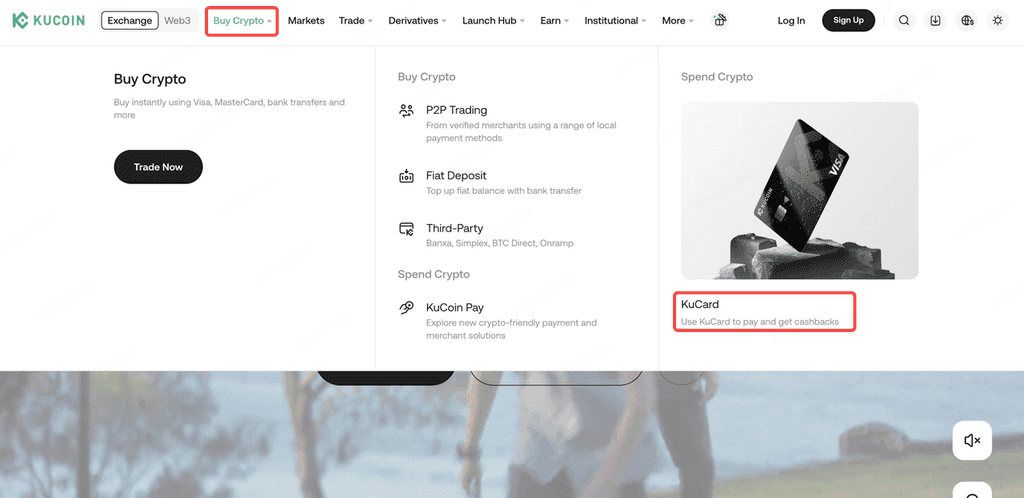
• Alternatively, directly access the application portal here.
-
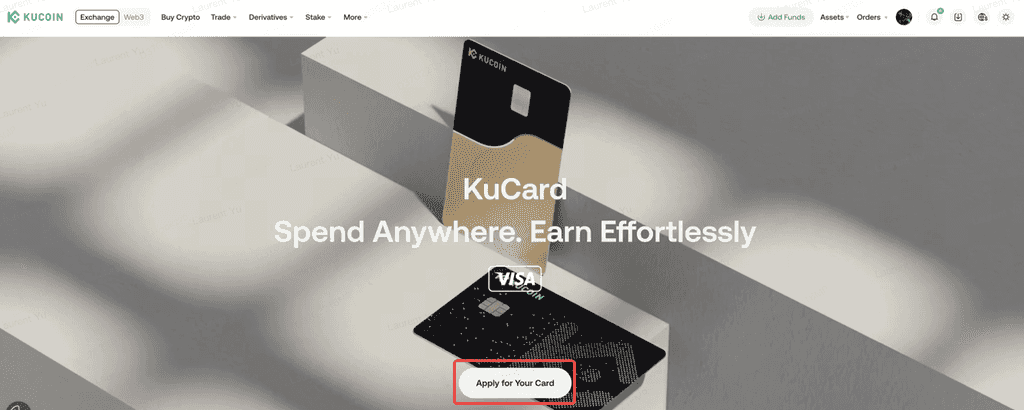
Click Apply Now.
-
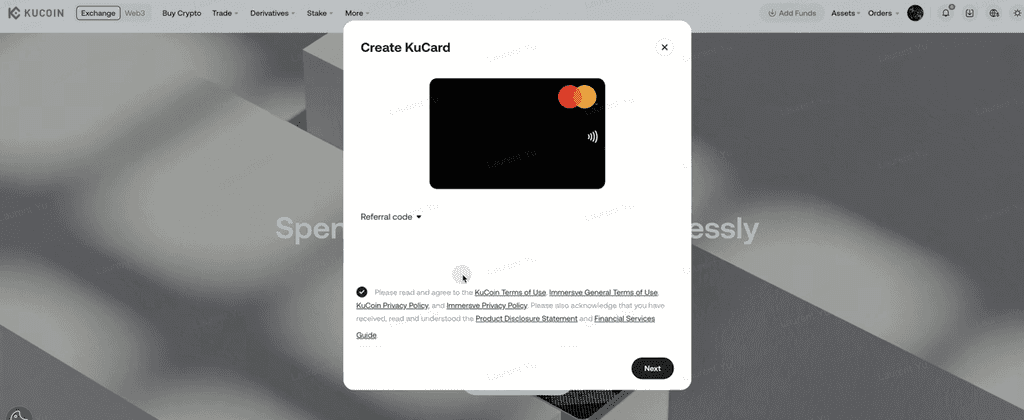
Read and agree to KuCard’s Terms of Use and Privacy Policy.
-
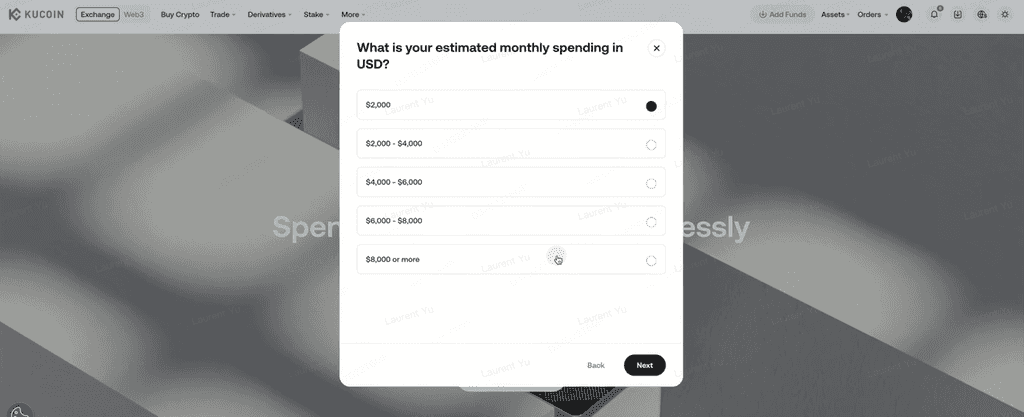
Choose your estimated monthly spending in USD.
-
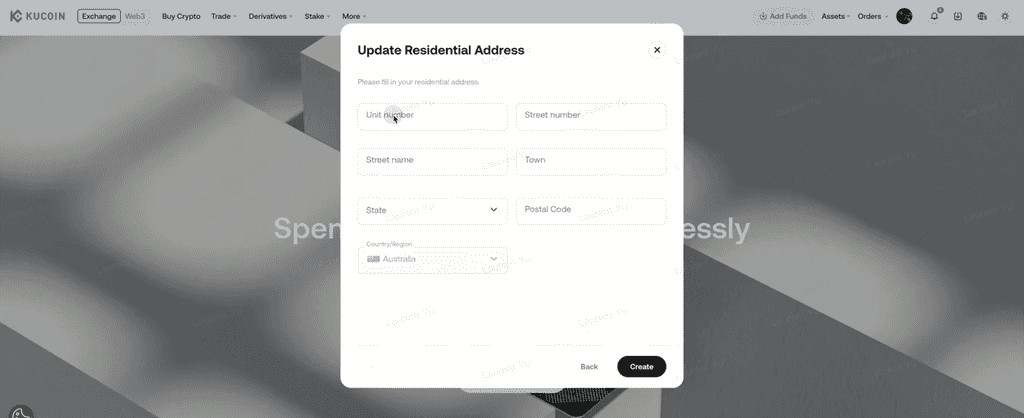
Update your residential address.
-
Submit Your Application.
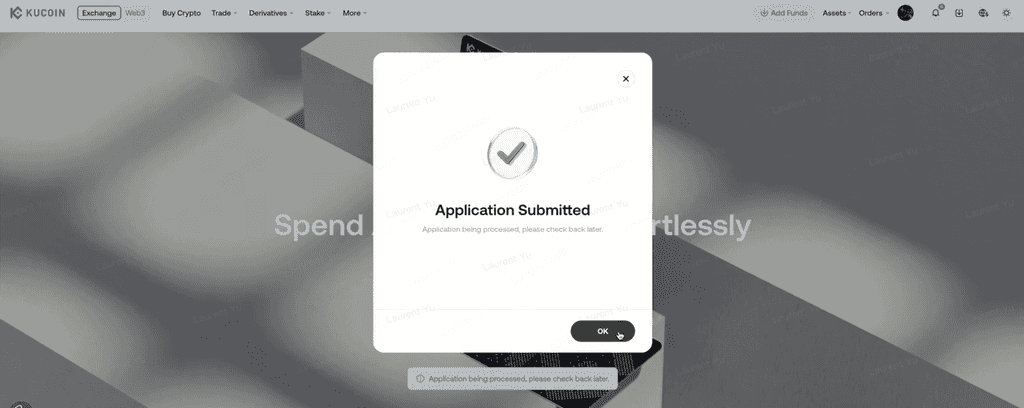
• Congratulations! Your KuCard application has been successfully submitted.
How to apply for additional KuCards?
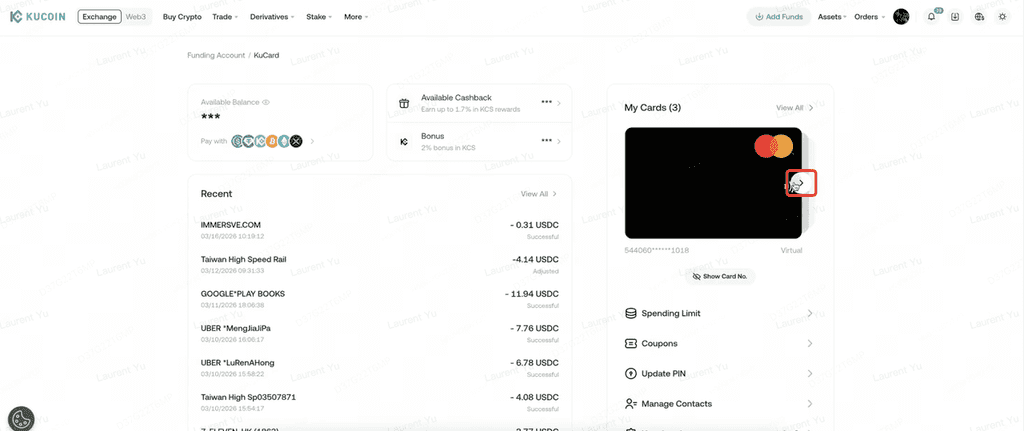
-
Click the button on the right side of the card surface.
-
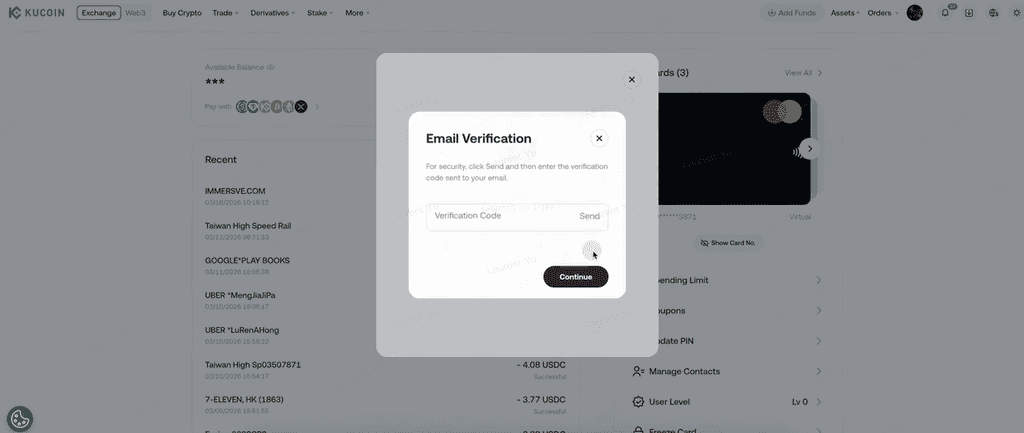
Complete email verification.
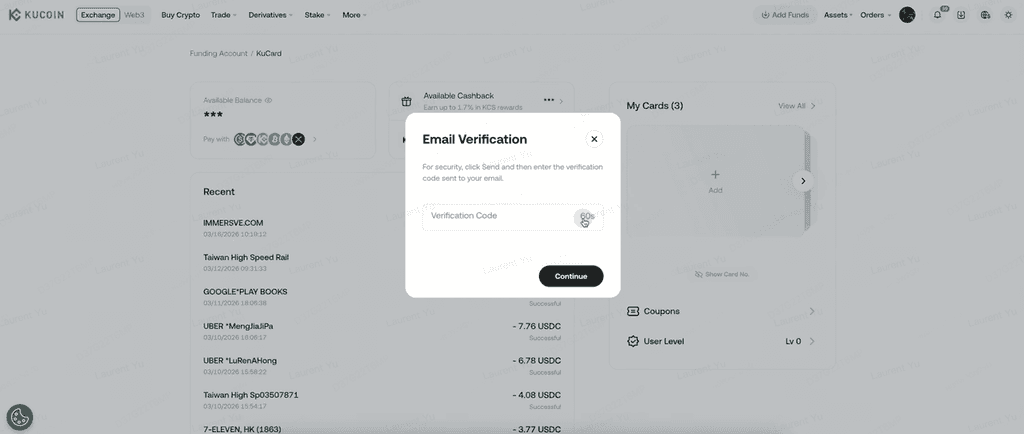
-
Select the type of virtual card.
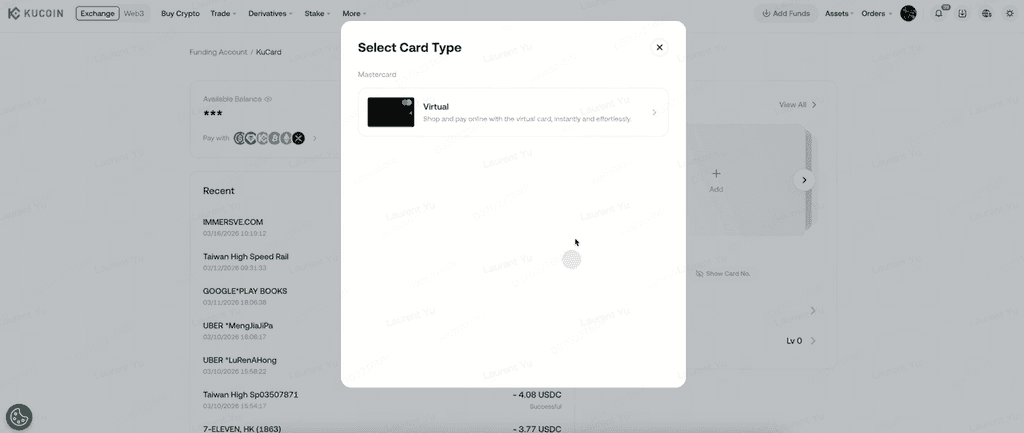
-
Read and agree to KuCard’s Terms of Use and Privacy Policy.
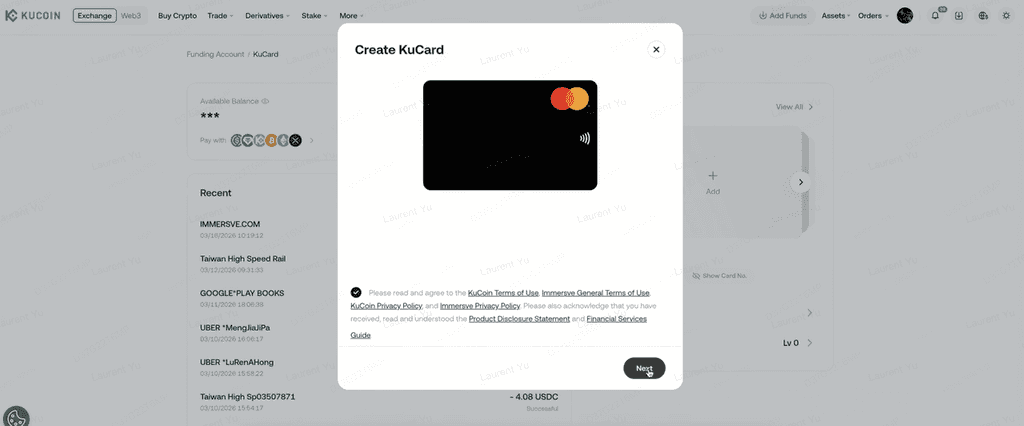
-
Pay the application fee of 9.99 USDC.
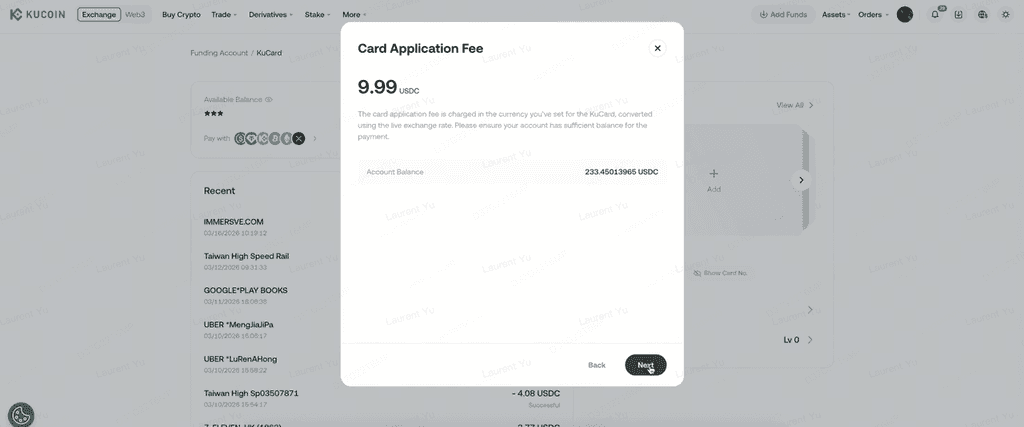
• Congratulations! Your KuCard application has been successfully submitted.
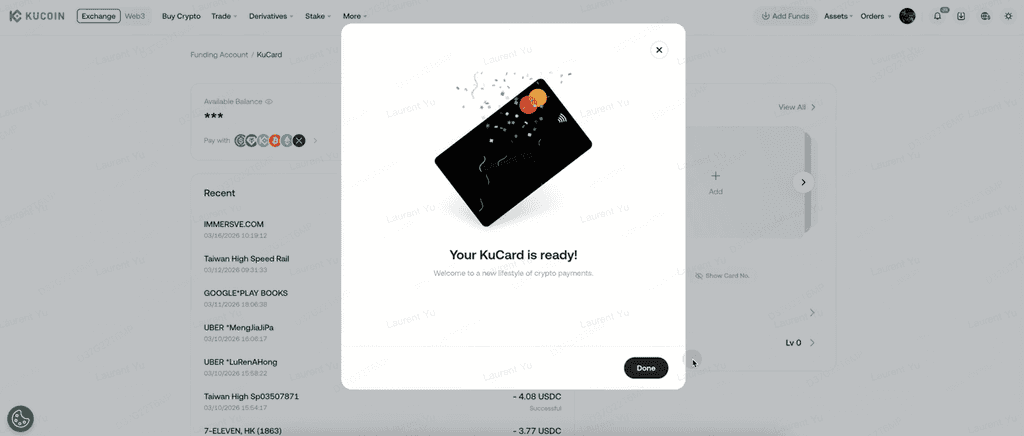
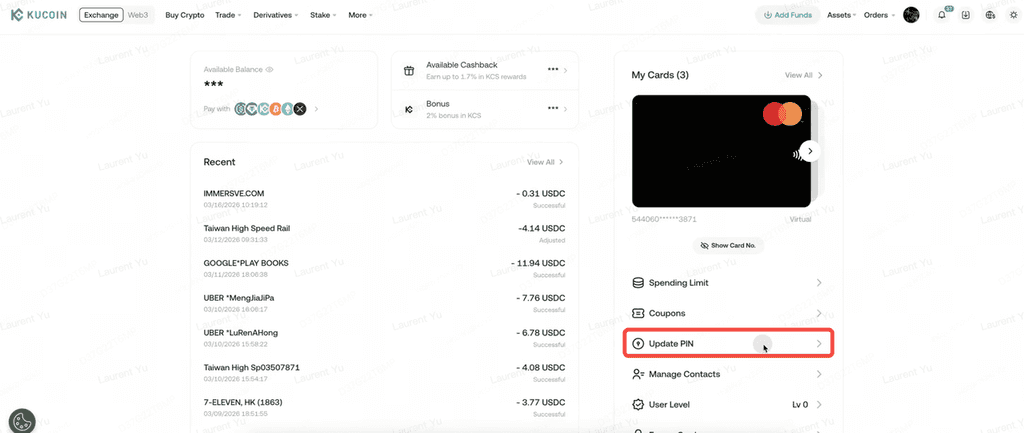
How can I update my KuCard PIN?
To change your PIN:
-
Log in to your KuCoin account
-
Select Update PIN
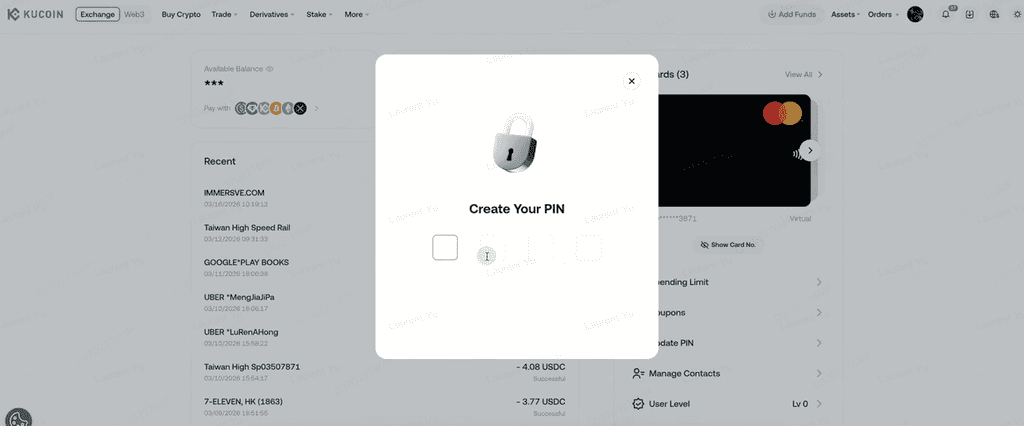
-
Enter your new PIN
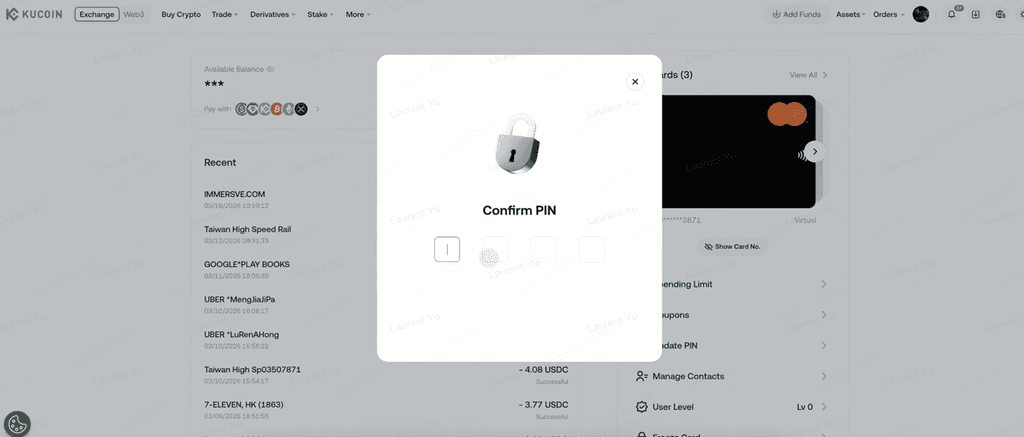
-
Confirm your new PIN
-
Complete email verification
Troubleshooting KuCard applications
If you experience issues during the application process, please ensure that:
-
Your identity document:
-
Is issued within Australia
-
Is valid and not expired
-
If issues persist, KuCoin customer support can assist.
Common reasons for application rejection
Applications may be rejected for reasons including, but not limited to:
- Invalid phone number format
-
Incorrect name
a. Minimum two characters
b. No special characters
c. Latin characters only
-
Invalid 3DS password format
-
Incorrect date of birth information
-
Insufficient balance to cover the applicable application fee (Starting from the application for the second virtual card, the fee is 9.99 USDC per card, and a maximum of five cards can be owned)
-
Risk Control Reason
Ready to Experience the Future of Payments?
KuCard is designed to support convenient spending of digital assets in everyday payment scenarios. For full details, including fees, limits, and supported assets, please review the KuCard Terms of Use before applying.
We hope this article has been helpful. If you have any other questions, please reach out to our 24/7 customer support via online chat or submit a ticket.