How to Use Isolated Margin Trading on the KuCoin EU App
This guide explains the operational steps required to use Isolated Margin Trading on the KuCoin EU App. Margin trading involves borrowing digital assets using collateral and carries significant risks, including the possibility of losses exceeding the initial amount deposited. This document is for informational purposes only and does not constitute investment advice, financial guidance, or a suitability assessment under MiCAR or MiFID.
1. Access the Isolated Margin Page
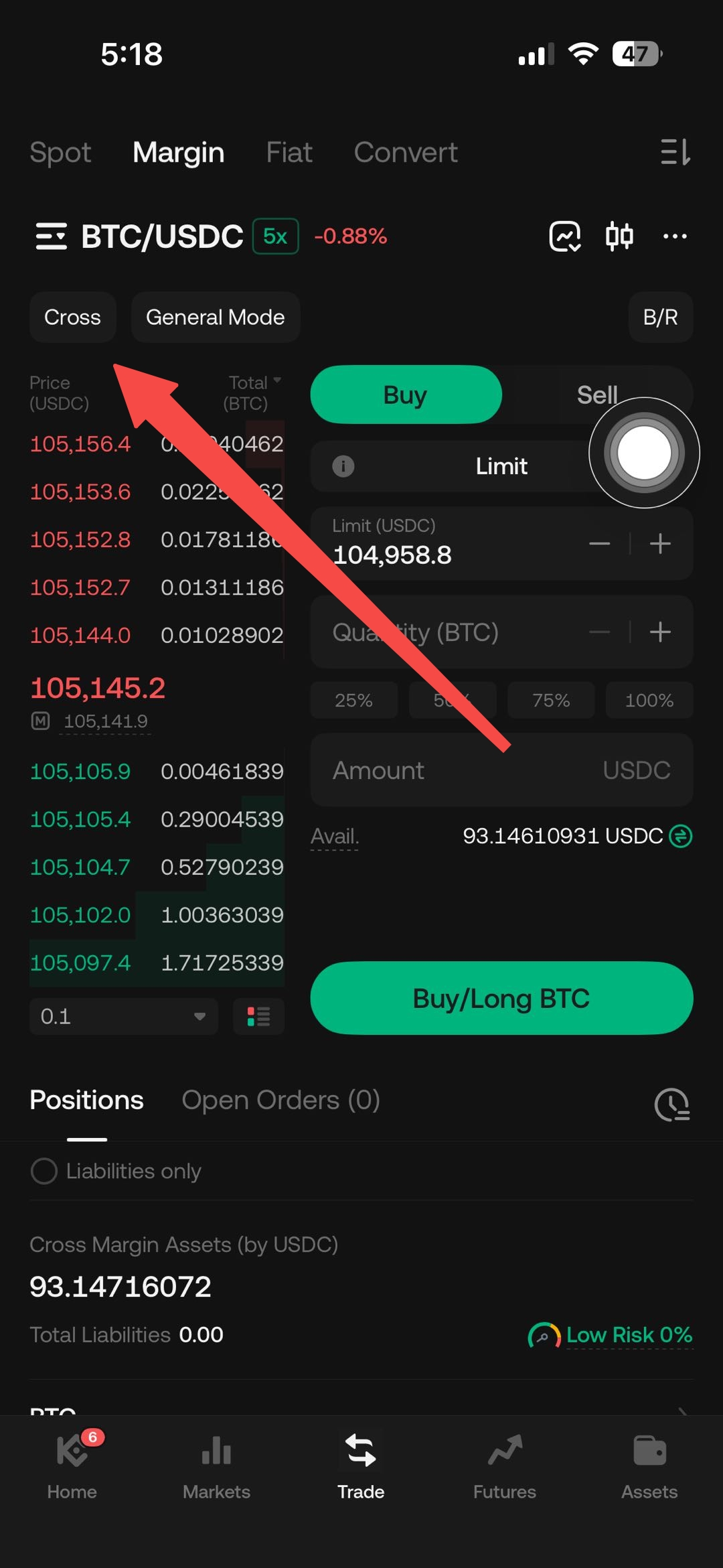
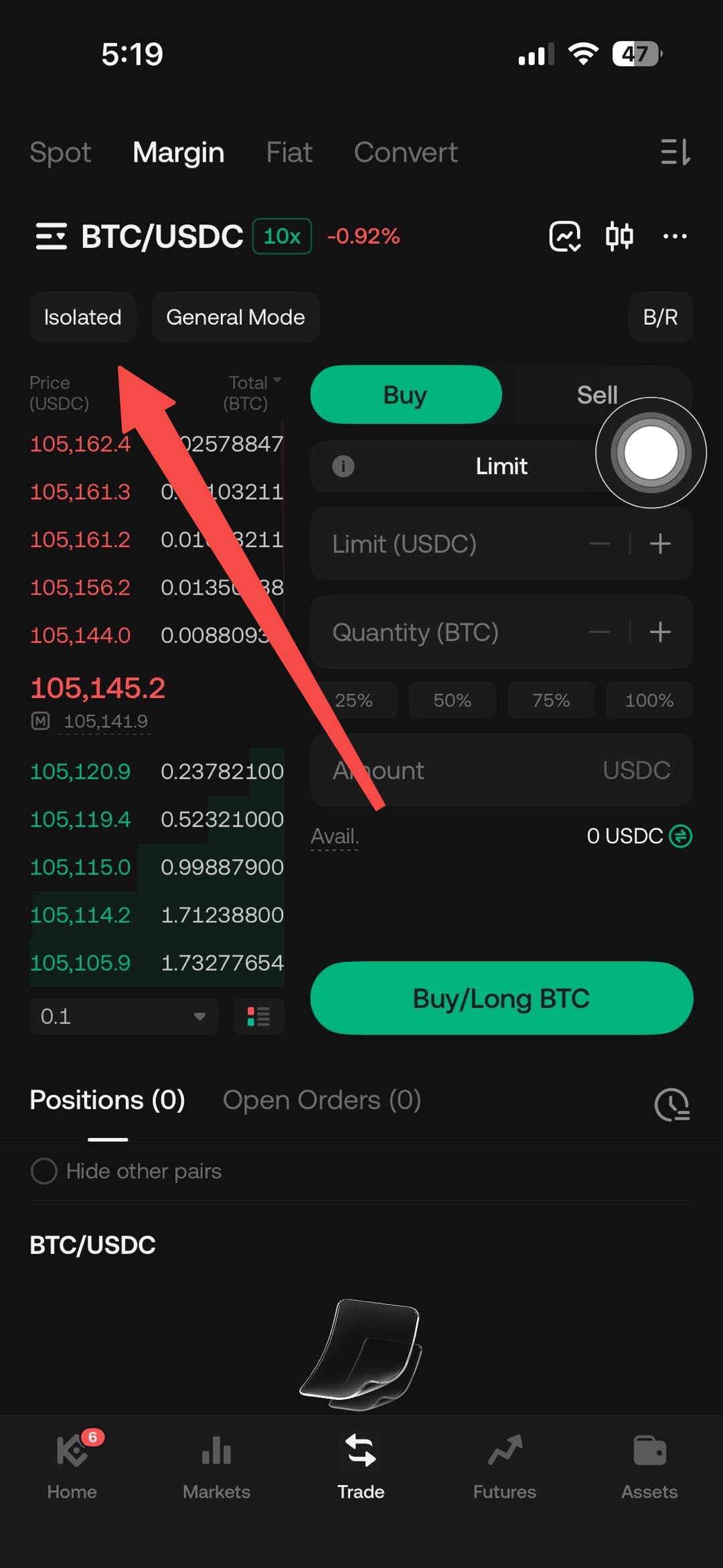
Open the KuCoin EU app, and select Trade → Margin Trading. Locate the margin more located on the top left corner and choose Isolated Margin.
2. Transfer Collateral to the Isolated Margin Account
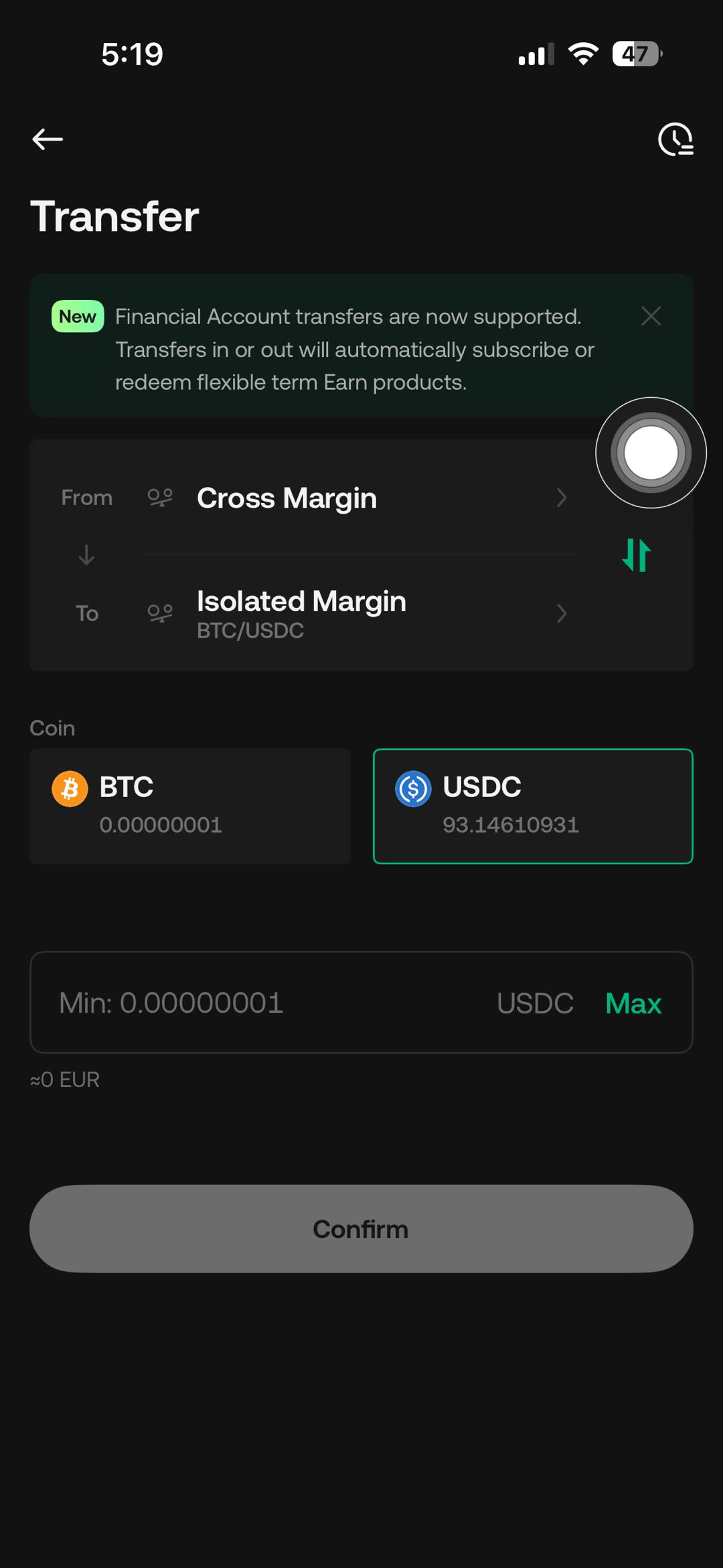
Transfer your principal amount (the margin) into your Isolated Margin account. On the trading interface, tap the Transfer icon. In the transfer interface pop up, select an Isolated Margin trading pair (such as BTC/USDC), then transfer assets into your Isolated Margin Account to serve as your margin.
3. Borrow Funds
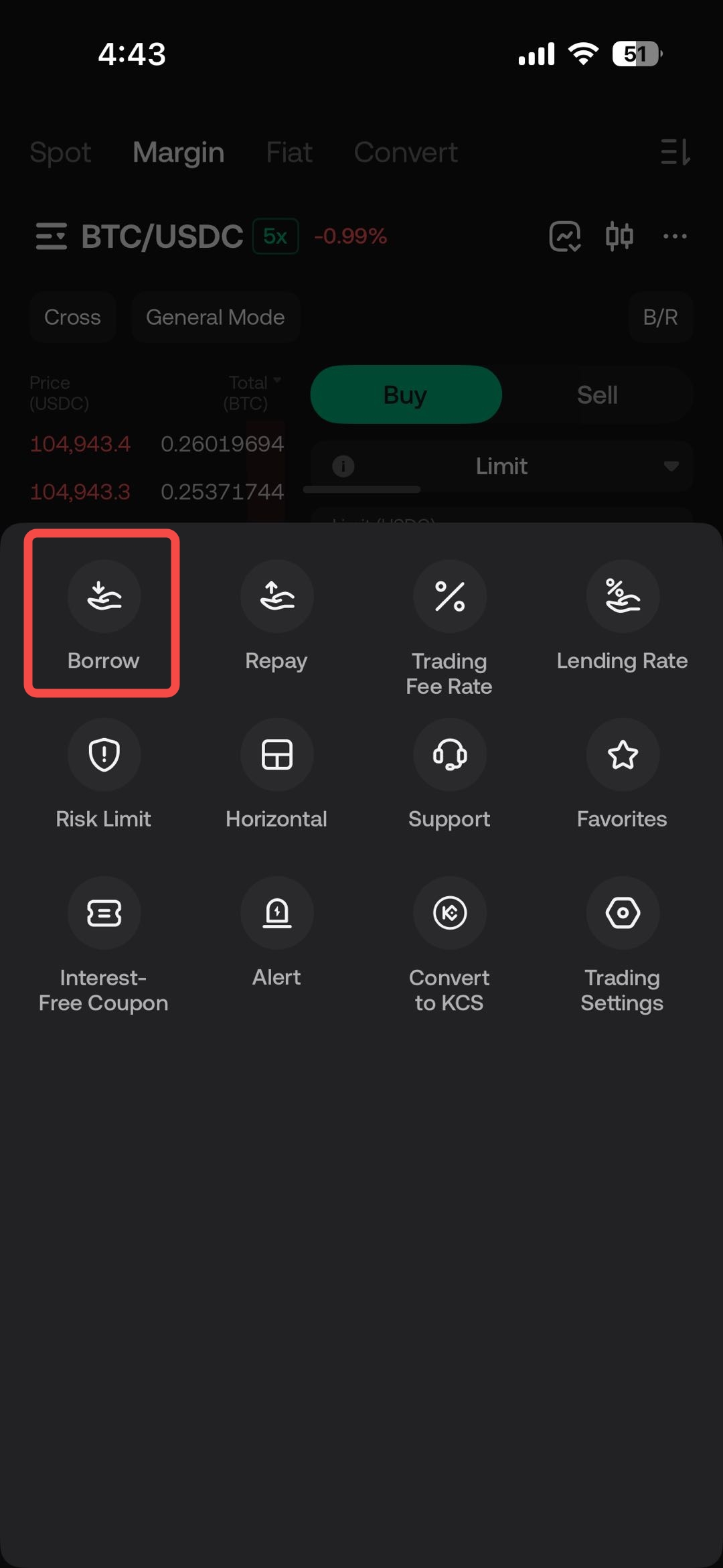
On the trading interface, locate the 'More' button in the top-right corner and click on 'Borrow' button. In the Borrow page, select a Currency Type, enter an amount, and tap Confirm.
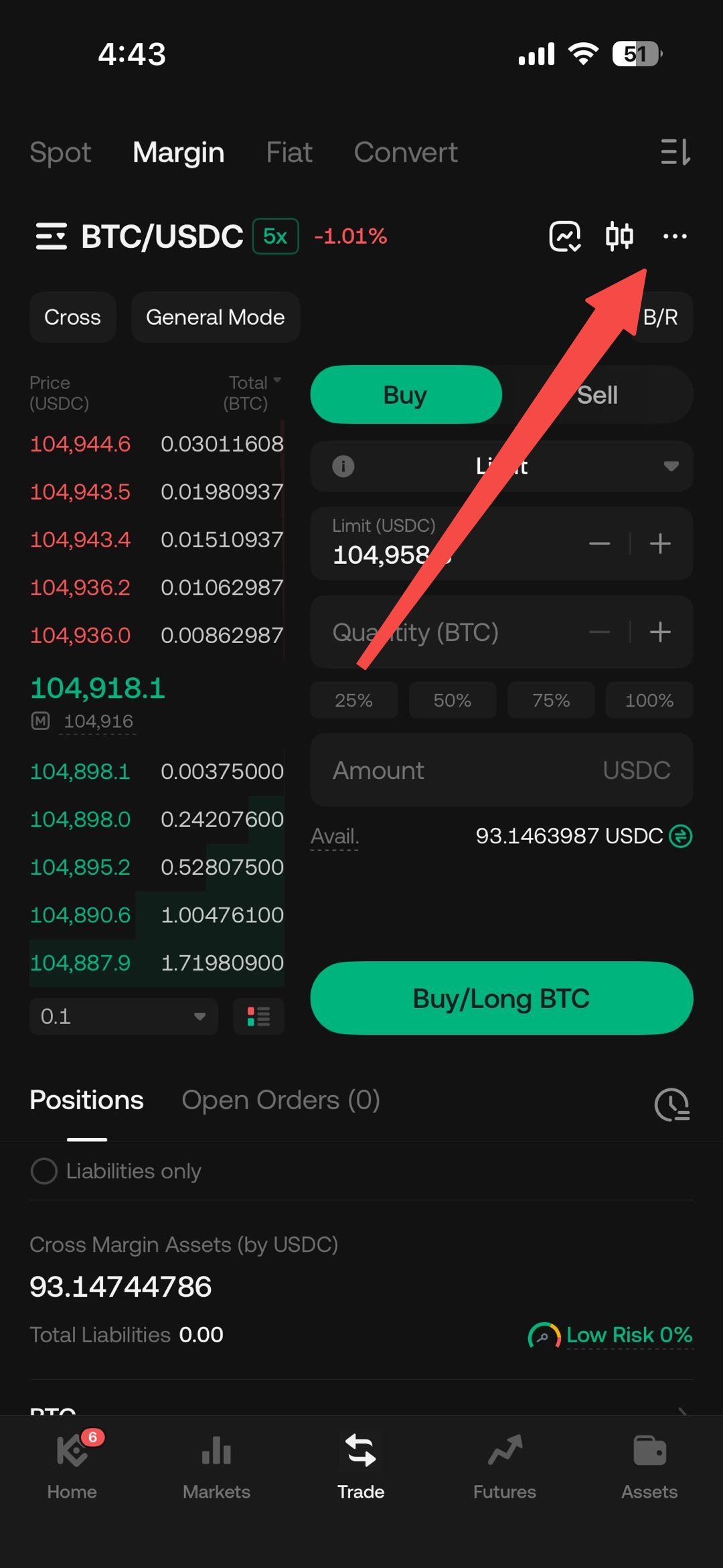
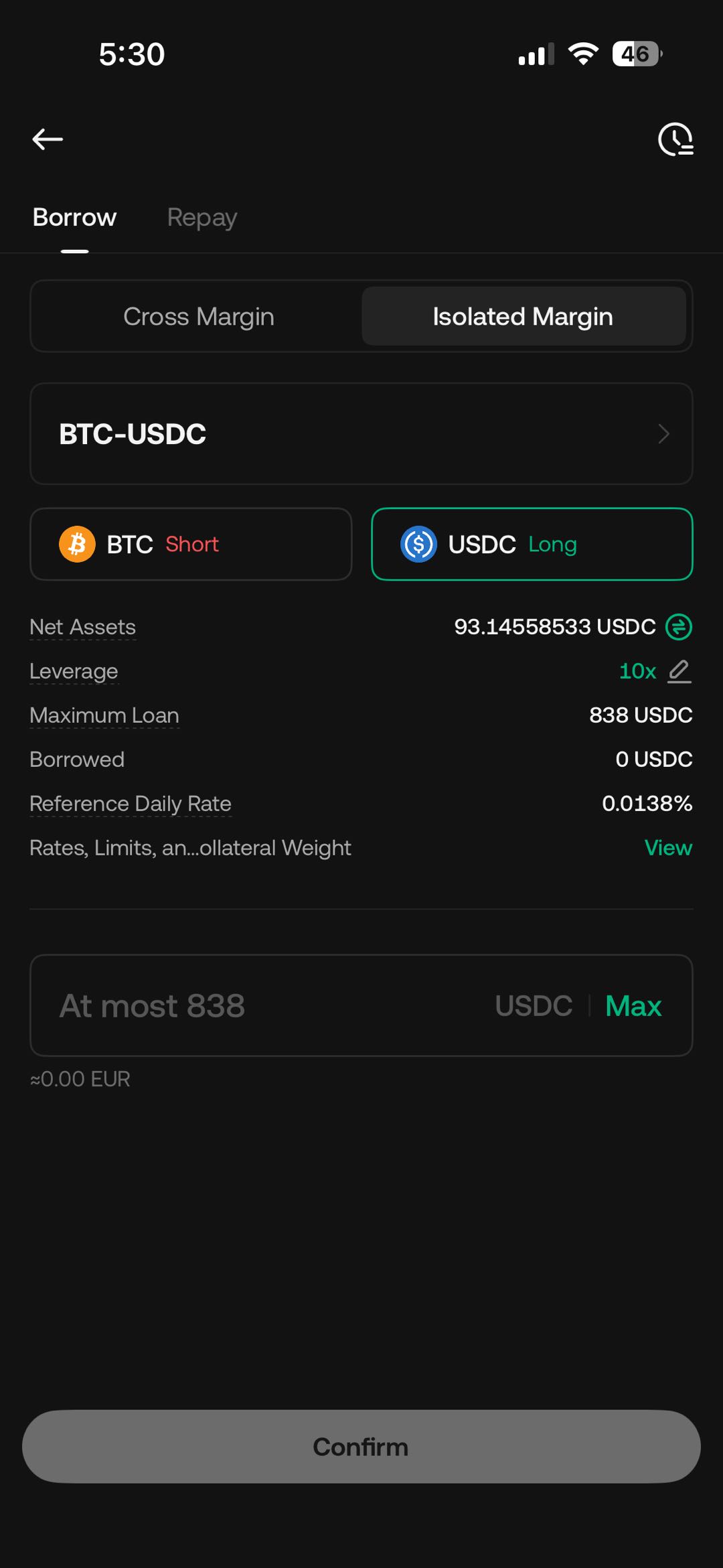
Note: On the trading interface, you can select Auto-Borrow or Auto-Repay.
Refer to Understanding the Auto-Borrow, Auto-Repay, and Auto-Renew Functions in Margin Trading to learn more about the steps on how to borrow, trade, and repay your loans.
4. Place Your Trade
Example: Buy/Long BTC
In the trading interface, select Buy, and choose your order type from the dropdown menu (Limit, Market, Stop Limit, and Stop Market).
- For a Limit order, enter your Limit price (in USDC), the Amount of BTC you want to purchase, and the Vol of USDC you want to trade.
- For a Market order, enter the Amount of USDC you want to trade.
- For a Stop Limit order, you must specify the Stop Price, Limit Price, Amount of BTC to purchase, and the Vol of USDC you want to trade.
- For a Stop Market order, specify the Stop Price and the Amount of USDC to trade.
Click Buy/Long BTC after entering your trading parameters as specified above. You will need to input your Trading Password to confirm the trade.
Example: Sell/Short BTC
In the trading interface, select Sell, and choose your order type from the dropdown menu (Limit, Market, Stop Limit, and Stop Market).
- For a Limit order, enter your Limit price (in USDC), the Amount of BTC you want to sell or short, and the Vol of USDC you want to trade.
- For a Market order, enter the Amount of USDC you want to trade.
- For a Stop Limit order, you must specify the Stop Price, Limit Price, Amount of BTC to sell, and the Vol of USDC you want to trade.
- For a Stop Market order, specify the Stop Price and the Amount of USDC to trade.
Click Sell/Short BTC after entering your trading parameters as specified above. You will need to input your Trading Password to confirm the trade.
5. Close Your Positions
Click the Close All button in the trading interface to close your trade positions.
6. How to Make Repayment
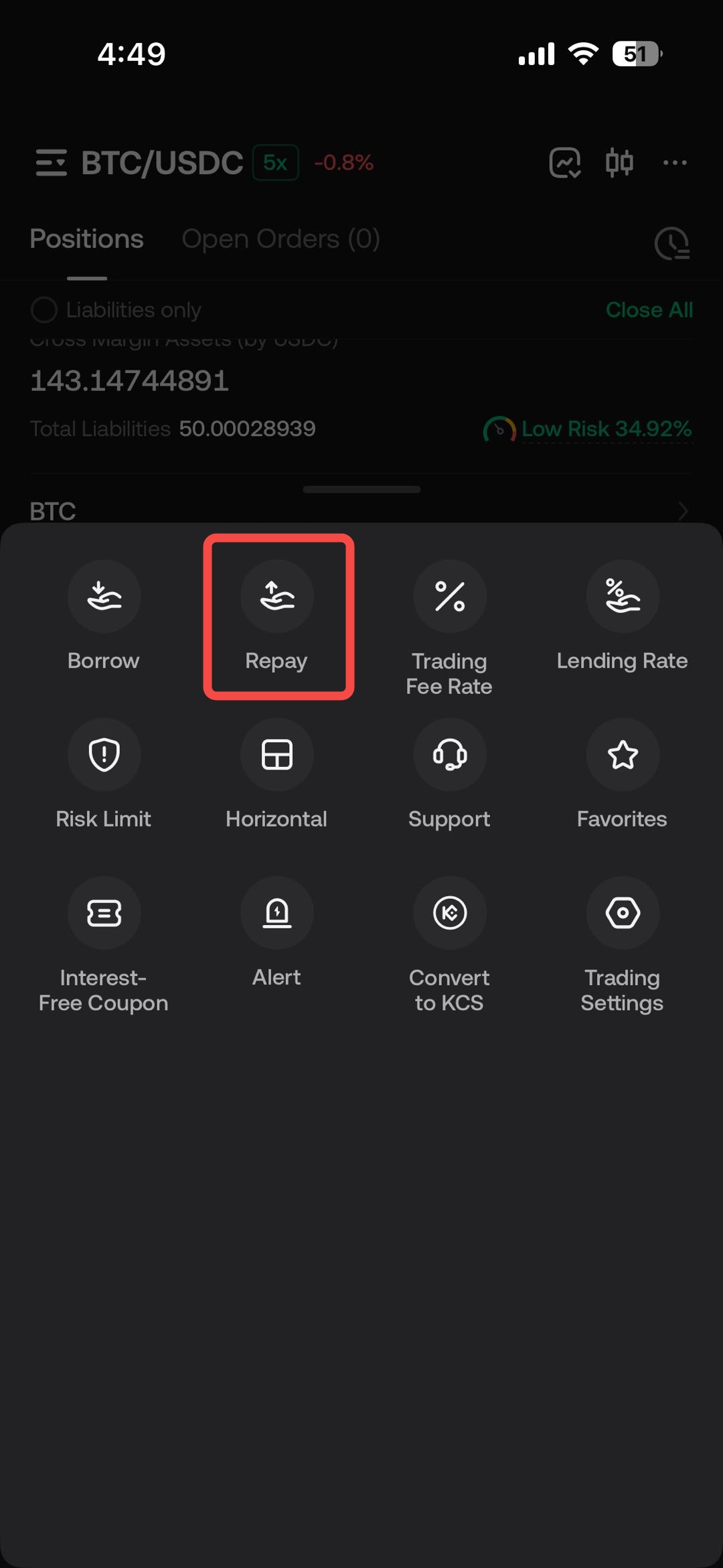
Click Repay in the trading interface to repay your loans (inclusive of interest). In the pop-up window for repaying your liabilities, select the currency, enter an amount, and tap Repay to successfully clear any outstanding amounts.
6. Checking Liabilities and Order History
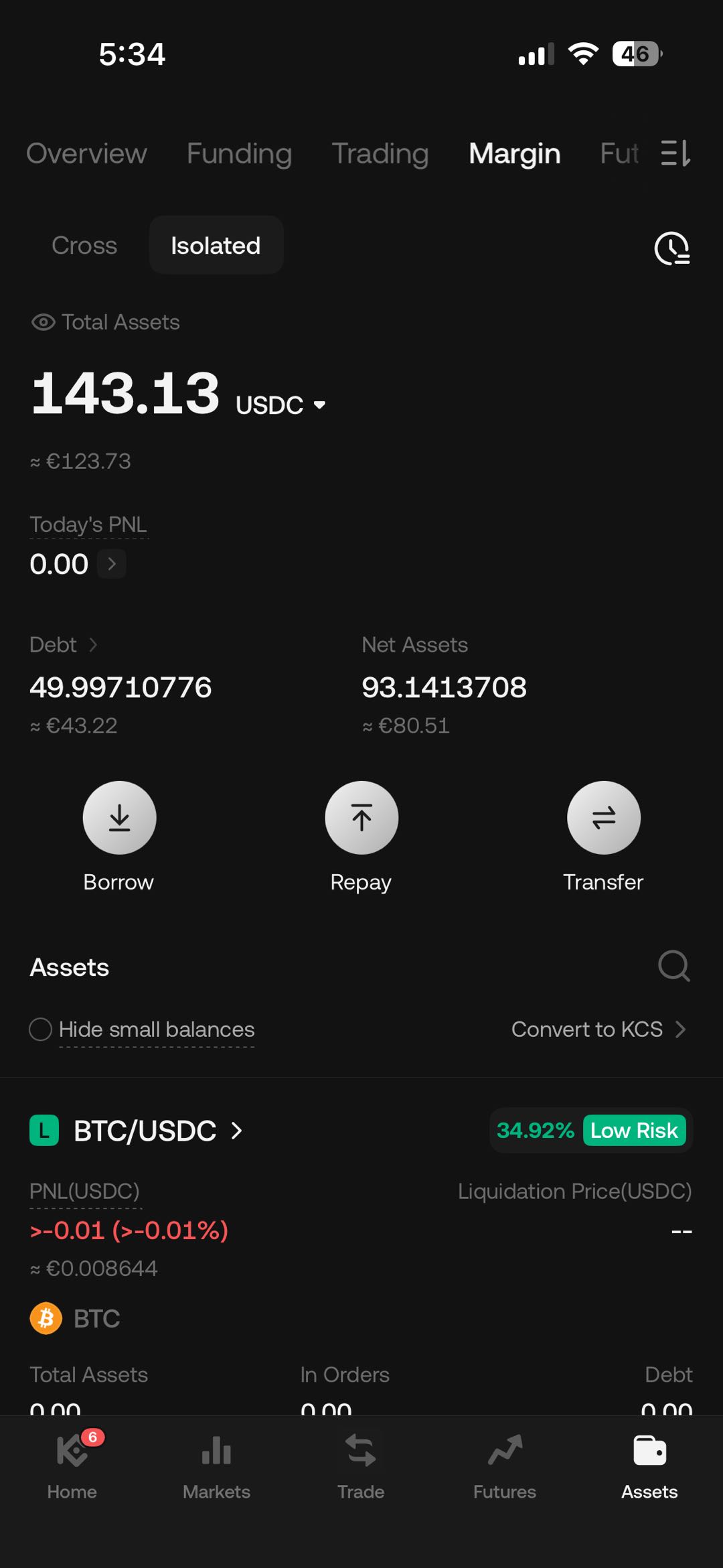
To check your liabilities and order history in KuCoin EU margin trading, navigate to the margin trading interface within the KuCoin EU platform. Here, you can view detailed information about your borrowed funds and liabilities, as well as track your past and current orders. This feature helps you manage your margin trading activities effectively by keeping a close record of your transactions and financial obligations.
Risk Disclosure
Margin trading:
- Amplifies both potential gains and losses
- May lead to losses exceeding the initial collateral
- Can trigger forced liquidation when the debt ratio reaches system-defined thresholds
- Is affected by rapid market movements that may raise the debt ratio unexpectedly
- Requires continuous monitoring and awareness of borrowing costs (interest)
Margin trading is not suitable for all users. Individuals should:
- Understand how leverage, liquidation, and interest function
- Ensure they can monitor positions consistently
- Consider independent financial advice where appropriate
Users must evaluate whether margin trading aligns with their financial situation and risk tolerance.
We hope this article has been helpful. Please reach out to our 24/7 customer support via online chat or submit a ticket if you have any other questions.