How to create a KuCoin Web3 wallet?
Останнє оновлення: 11.09.2025
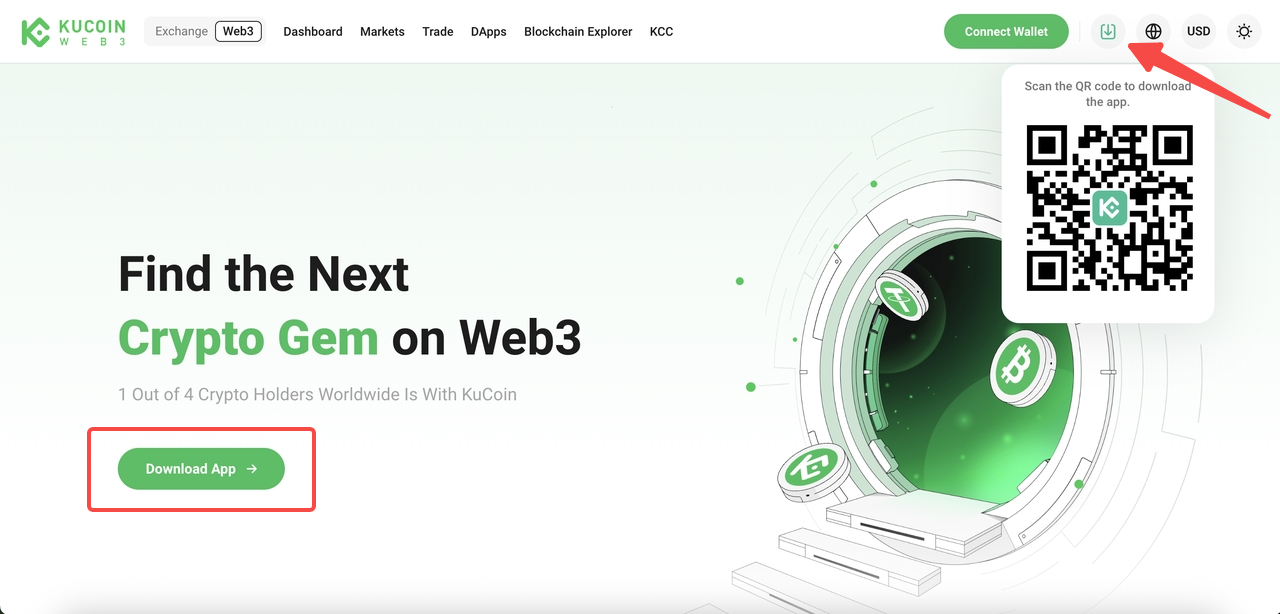
Step 1. Download
-
Visit the official KuCoin Web3 website and click Download App, or simply scan the QR code.
Step 2. Create Your Wallet
-
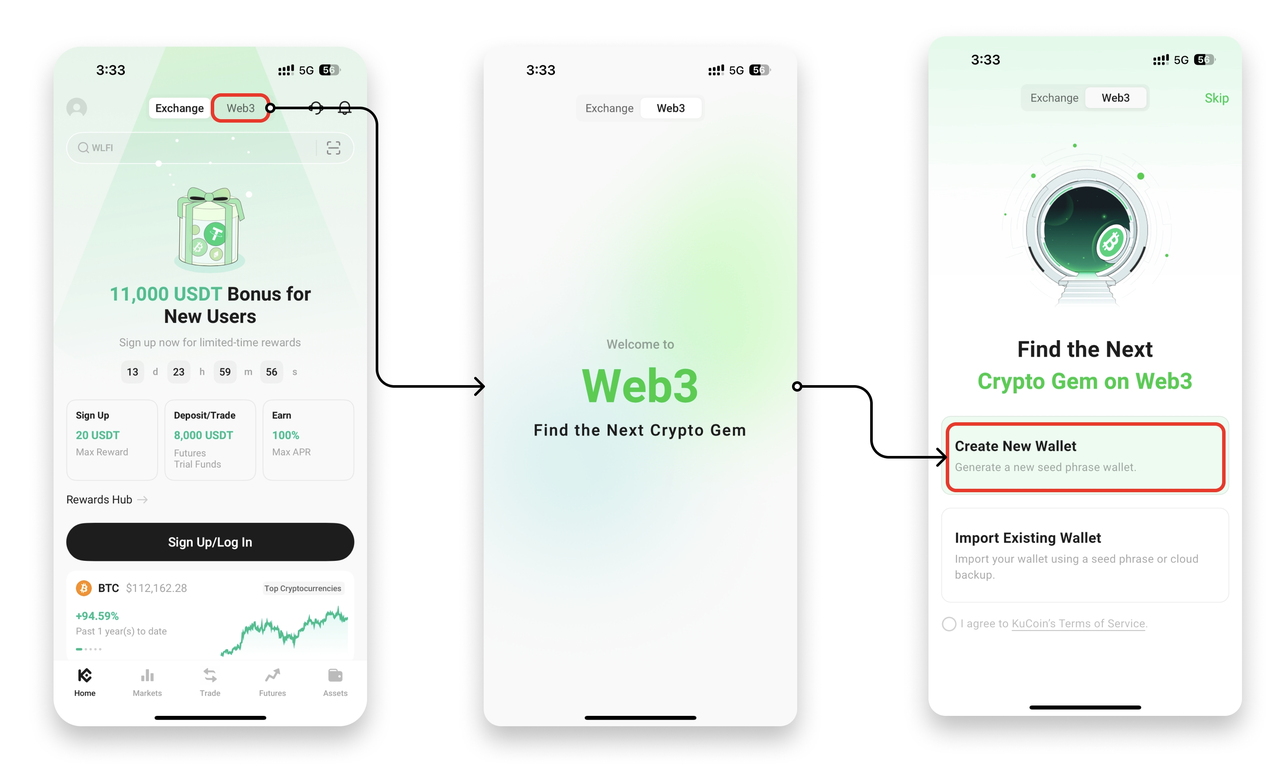
Open KuCoin app, go to Web3, and tap Create New Wallet.
-
Your wallet will be instantly generated with a unique seed phrase.
Step 3. Back Up Your Wallet (Important!)
Your seed phrase or private key is the only way to recover your wallet and access your assets.
You have two options:
-
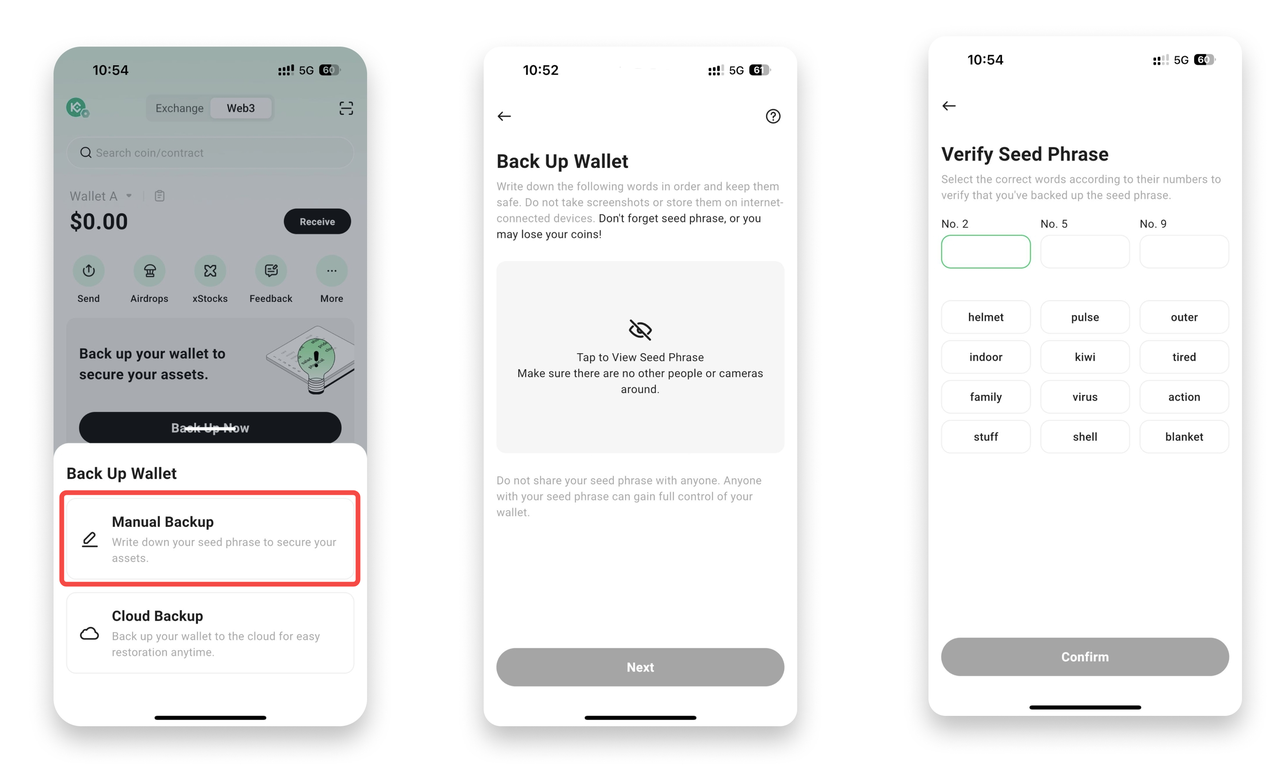
Manual Backup
-
Write down your seed phrase in the correct order.
-
Tap Next and select correct words to verify.
-
Select Done to complete setup.
-
-
Cloud Backup
-
Securely store your seed phrase in the cloud.
-
Set a password for extra protection.
-
⚠️ Never share your seed phrase with anyone. Keep it offline and safe.
After you back up your seed phase, wallet creation is done.
You can now start managing assets, swapping tokens, and exploring dApps with KuCoin Web3 Wallet.