How to Export Deposit & Withdrawal History
อัปเดตล่าสุด: 17/10/2568
You may need your KuCoin deposit and withdrawal history to file your income taxes during the tax season. KuCoin now allows users to export their history at any time. This article outlines how to export your deposit and withdrawal history and provides some general tips.
1. Instructions for exporting deposit & withdrawal history.
Step 1:
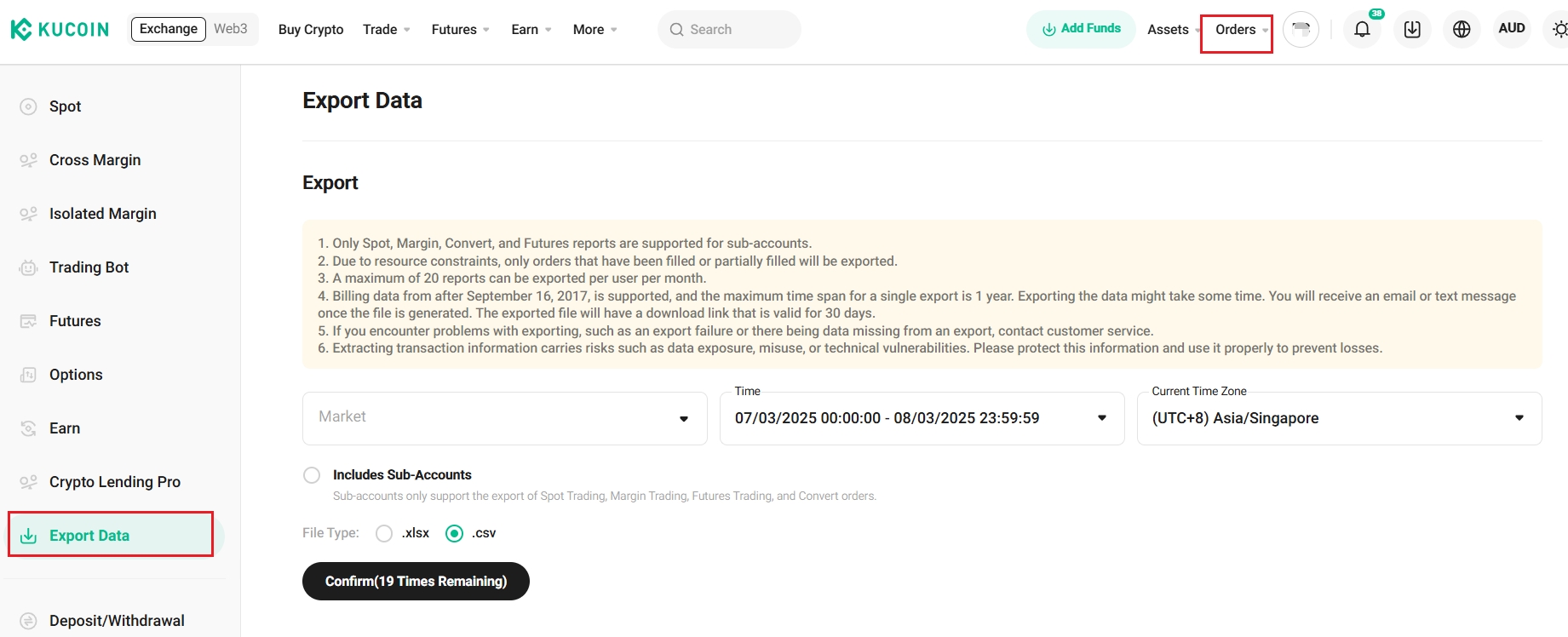
Go to https://www.kucoin.com/en-au/order/order-export and visit the Orders page, then click Export Data in the left corner
Step 2:
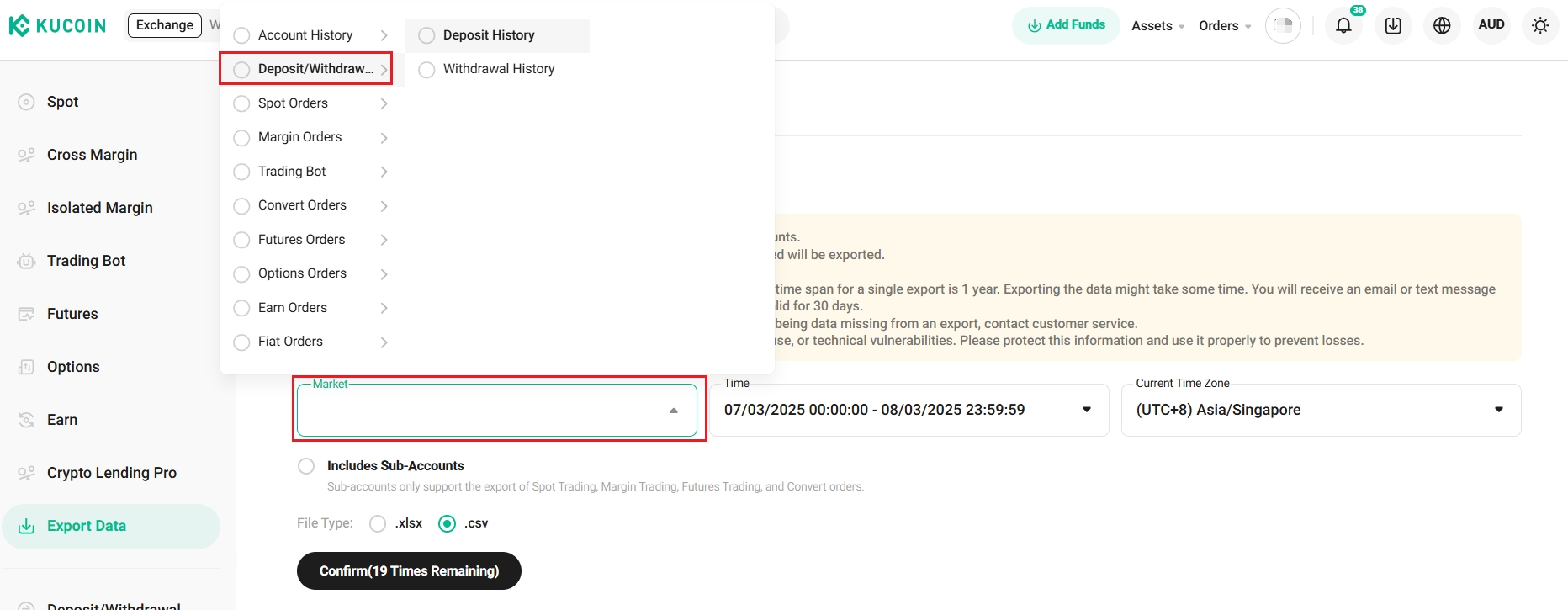
Choose Deposit/Withdraw on the Market Section, select the Time and Current Time Zone, then click Confirm.
Tips:
- Due to the server resources required, a maximum of 20 reports can be exported per user per month. The maximum time span for a single export is 1 year.
- Exporting the data might take some time. You will receive an email or text message once the file is generated. The exported file will have a download link that is valid for 30 days.
We hope this article has been helpful. If you have any other questions, please reach out to our 24/7 customer support via online chat or submit a ticket.
Happy trading on KuCoin!