Trading Password
Your trading password is very important. When enabled, it’s used to verify all your transactions on KuCoin, including spot, futures, and margin trading, as well as withdrawals and API-related actions. Remember or write down your trading password securely. Here, we’ll help you on how to set, change, and reset your trading password.
Table of Contents
1. Configuring Your Trading Password
Step 1: Visit KuCoin official website and log in your KuCoin account;
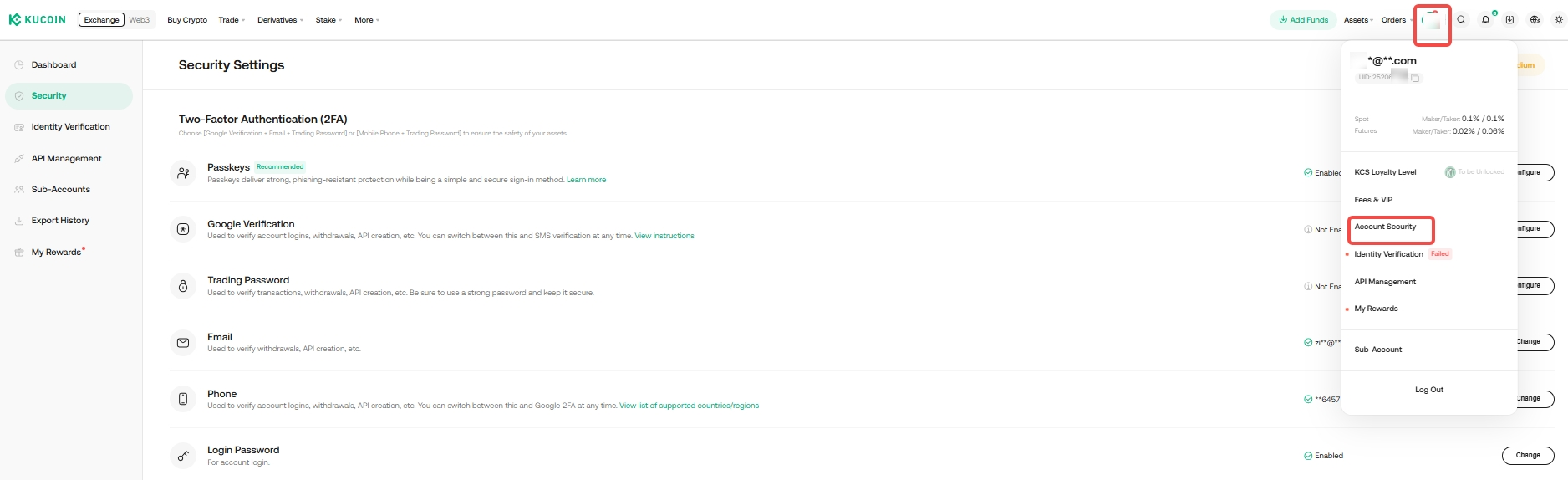
Step 2: Click the personal icon in the upper right corner to enter the "Account Security" page;
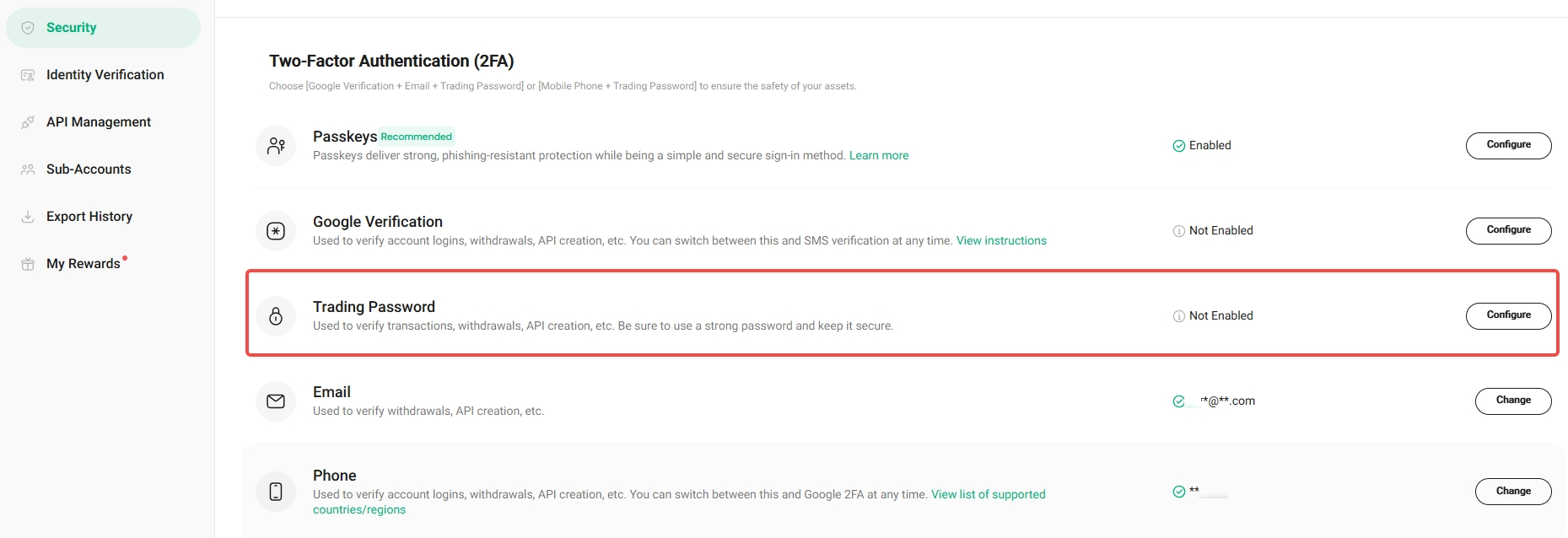
Step 3: In Security Settings, look for Trading Password. Select Configure next to it.
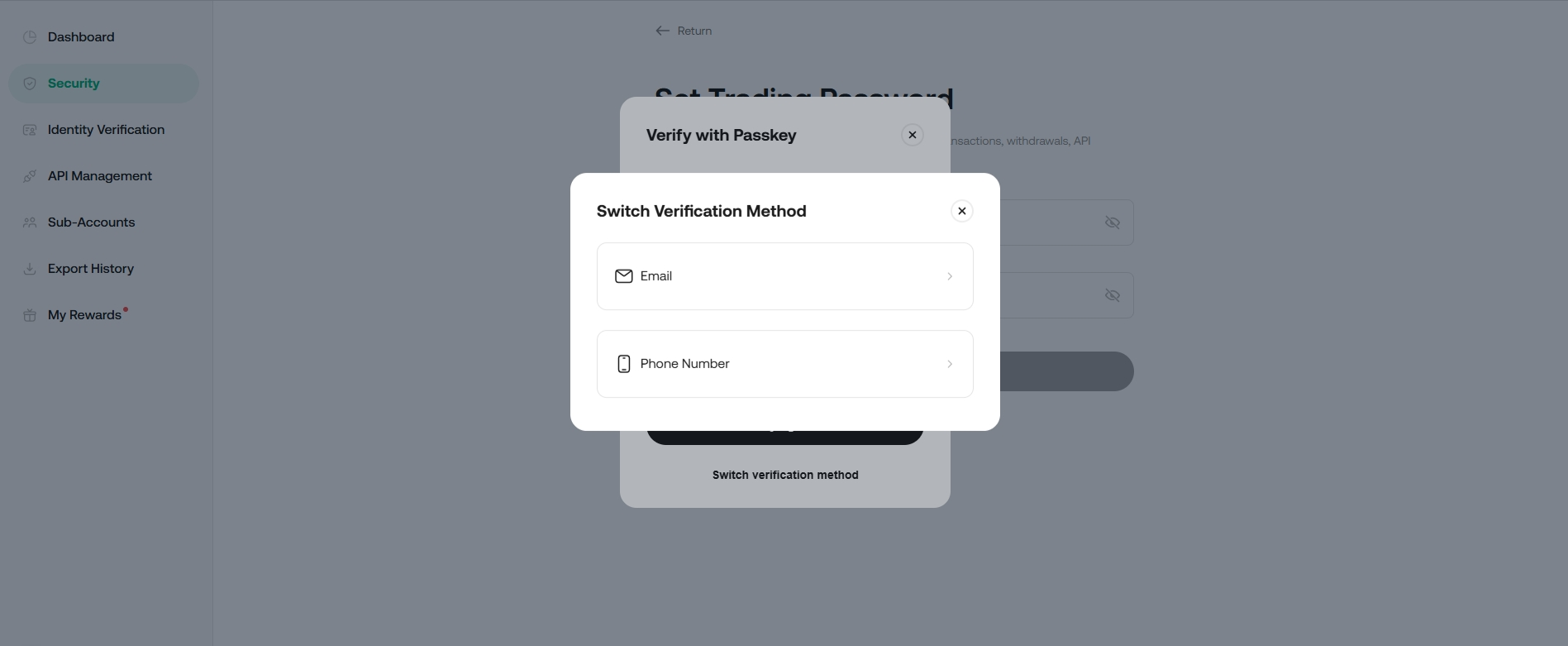
Step 4: Complete the security verification by either confirming your passkey or entering the code sent to you via SMS or Email.
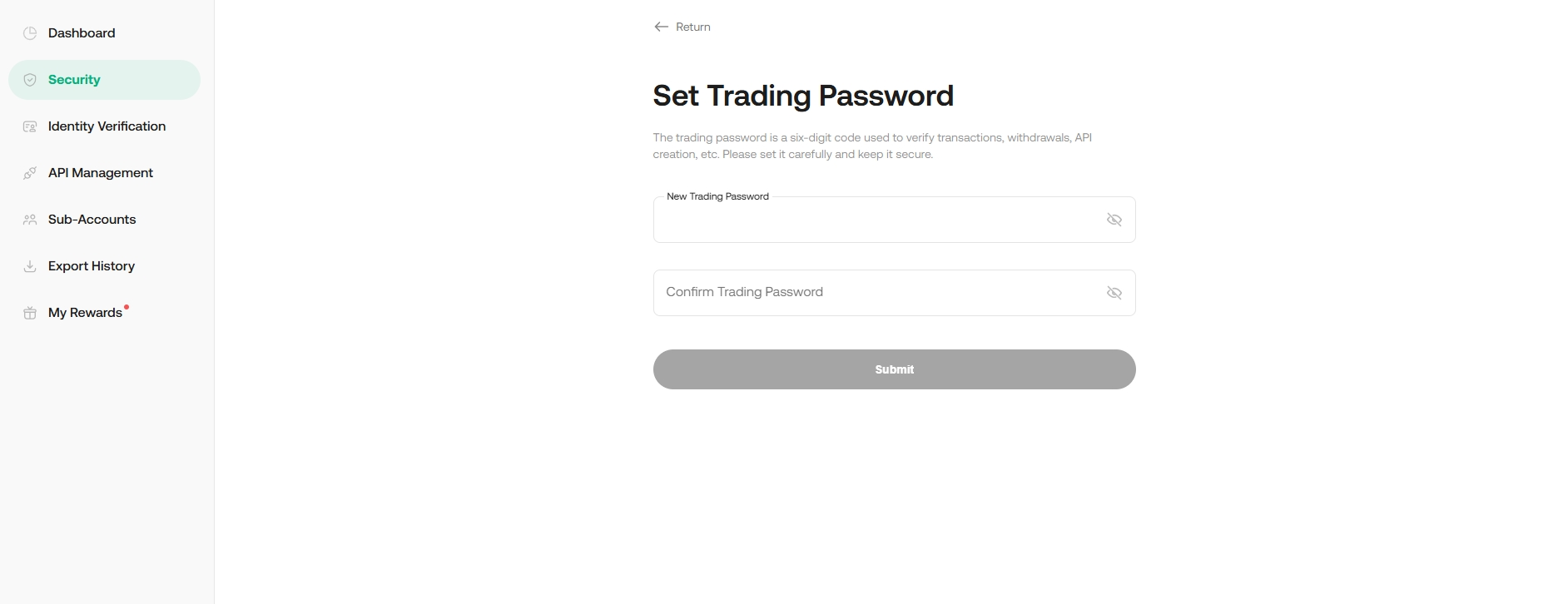
Step 5: Set trading password and hit Submit.
Note:
• The password must be 6-digits with no letters or symbols.
• Remember and keep your password safe, as it can only be recovered via Multi-Factor Authentication.
• KuCoin support will never ask for your trading password on any communication channels. Do not share your trading password with anyone.
2. Changing Your Trading Password
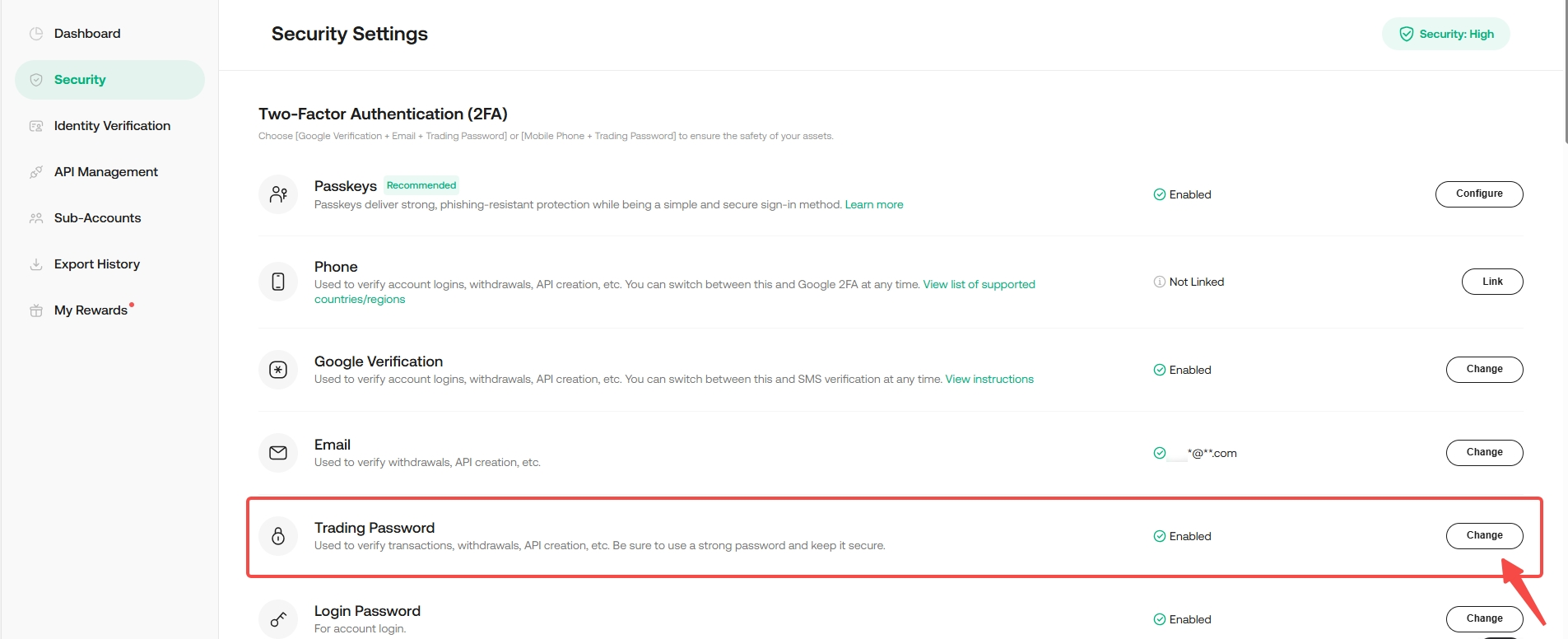
Step 1: In Security Settings, hit the Change button next to Trading Password
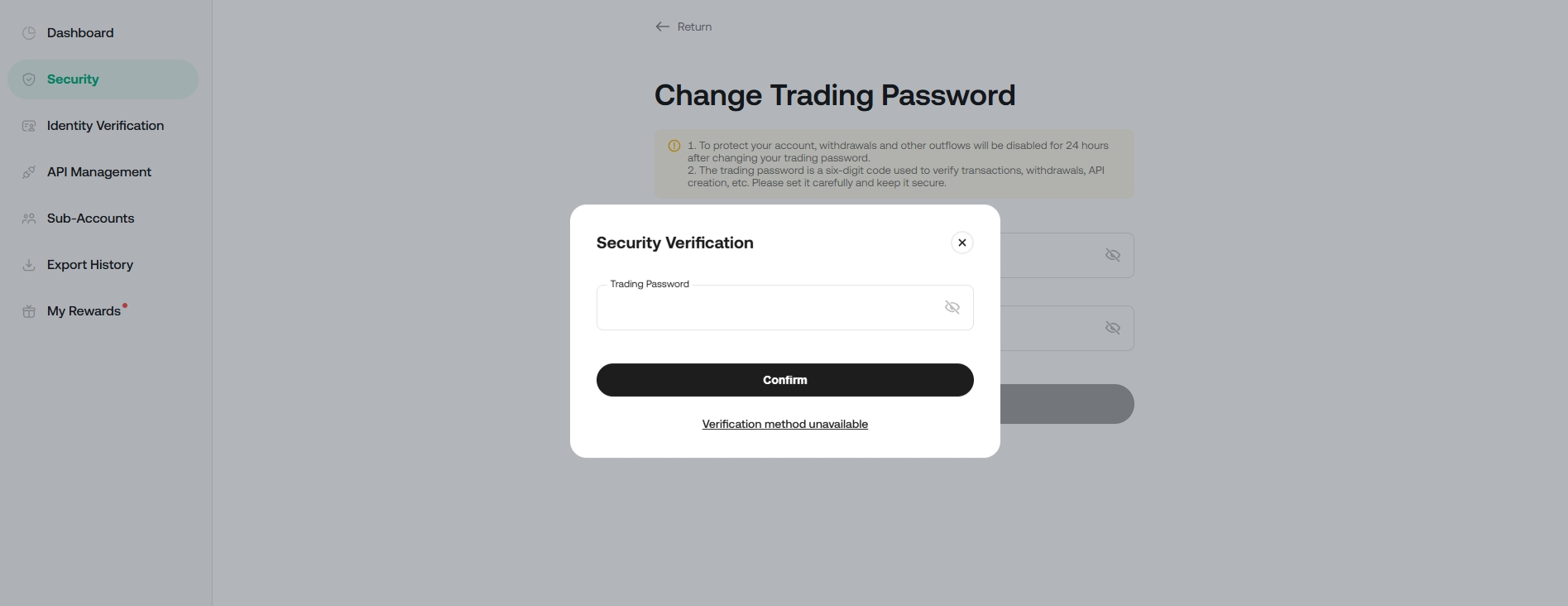
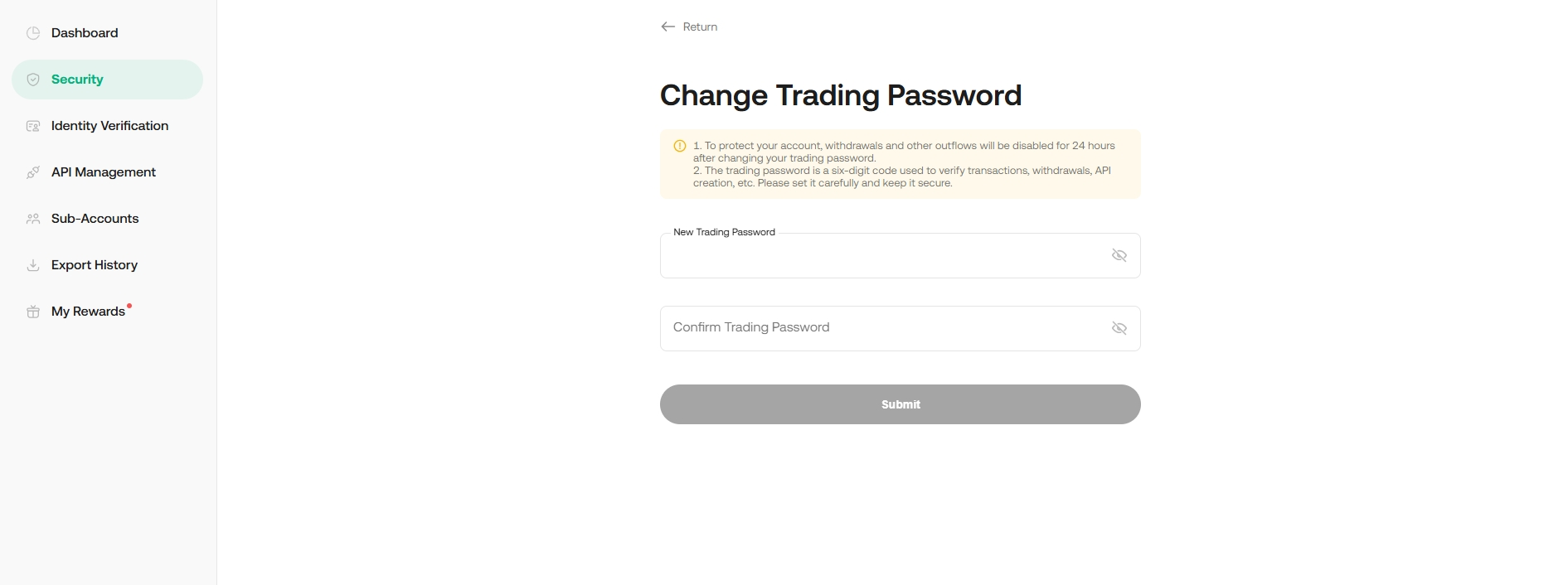
Step 2: Enter your current password and the new password, then click Confirm.
Note:
• Withdrawals feature will be disabled for 24 hours after changing your trading password to protect your assets.
• Once changed, your trading password is effective immediately.
3. Resetting your Trading Password
Please follow How to Reset Security settings
Note:
- Please note that the withdrawal service will be suspended for the next 24 hours after updating the security settings.
- When reset authentication, please upload the required photos while following the instructions closely, or your appeal may be rejected.
- The review may take 48 hours to be completed after you submit the request.