How to View Your Transaction History
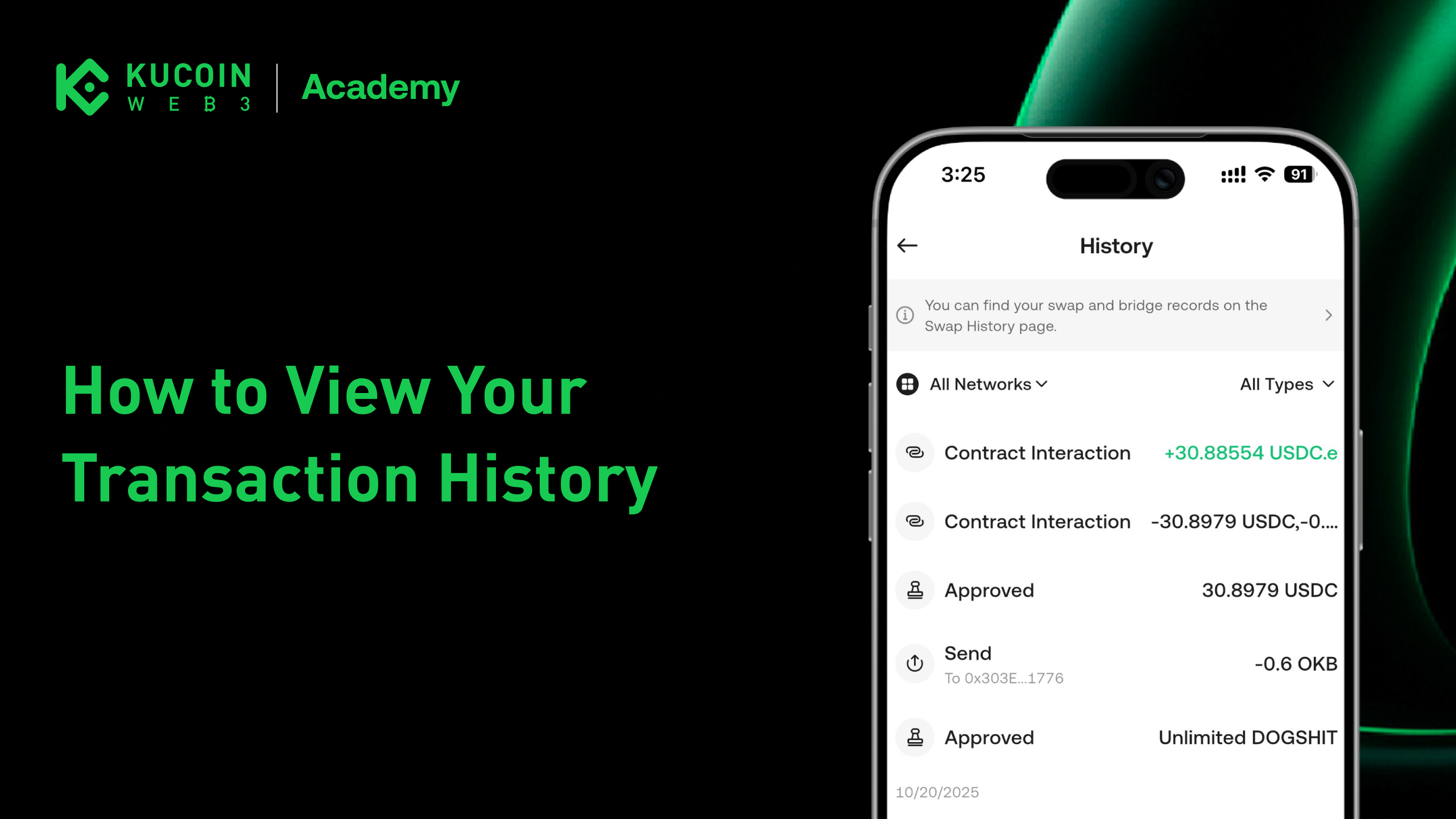
KuCoin Web3 Wallet is a non-custodial Web3 wallet, meaning all transactions are executed on-chain and recorded permanently on the blockchain. Your transaction history reflects real on-chain activity and can always be independently verified using a block explorer.
This guide explains how to view your transaction history in KuCoin Web3 Wallet and how to check detailed transaction information using a block explorer.
View Transaction History in KuCoin Web3 Wallet
You can view your recent transaction activity directly within KuCoin Web3 Wallet.
Steps
- Open KuCoin App
- Switch to Web3
- Go to History
- Browse incoming and outgoing transactions
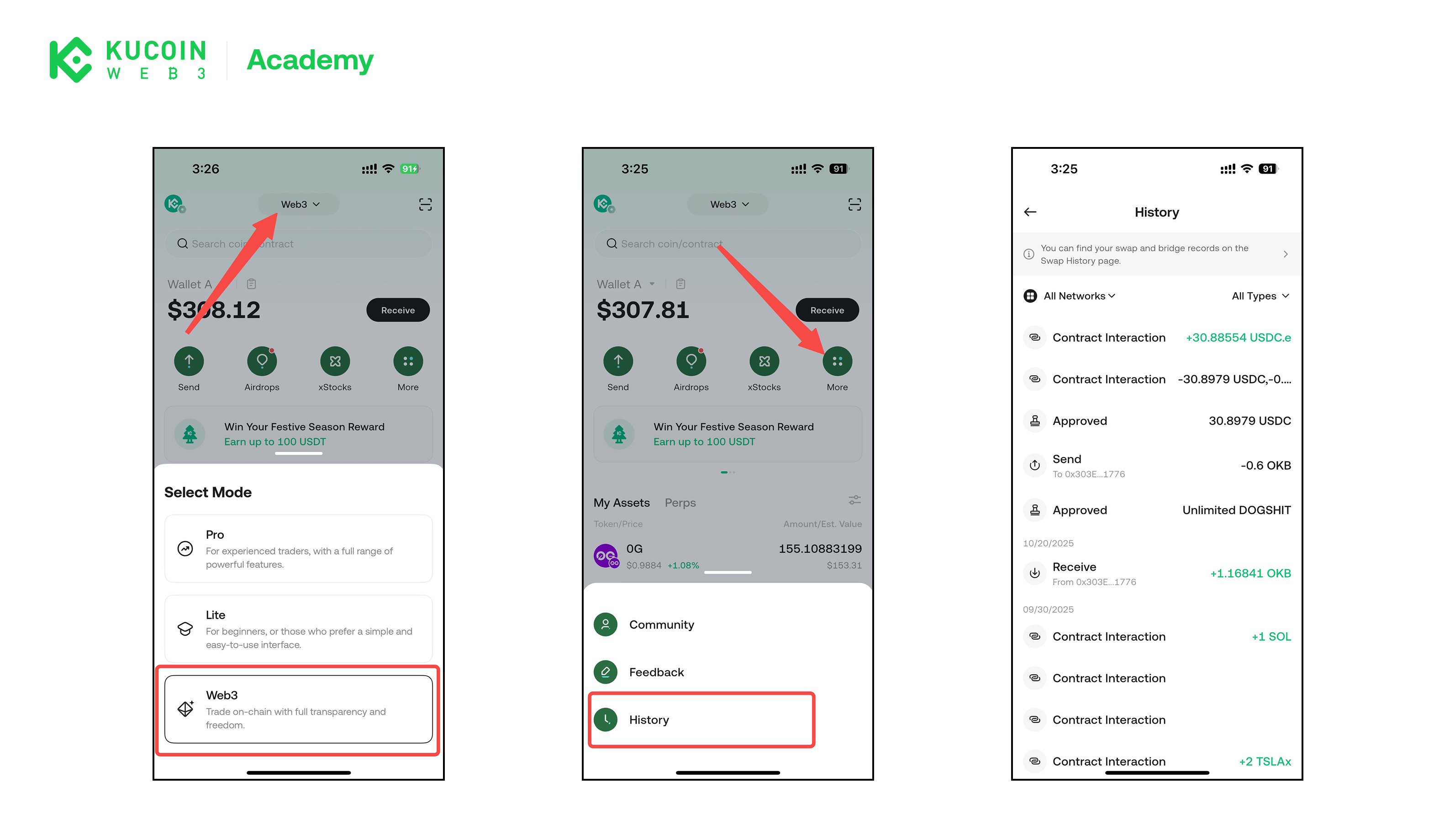
Each transaction entry typically shows:
- Transaction type (Send / Receive / Contract Interaction, etc.)
- Token and amount
- Transaction status (Pending / Confirmed / Failed)
- Timestamp
View Transactions on a Block Explorer
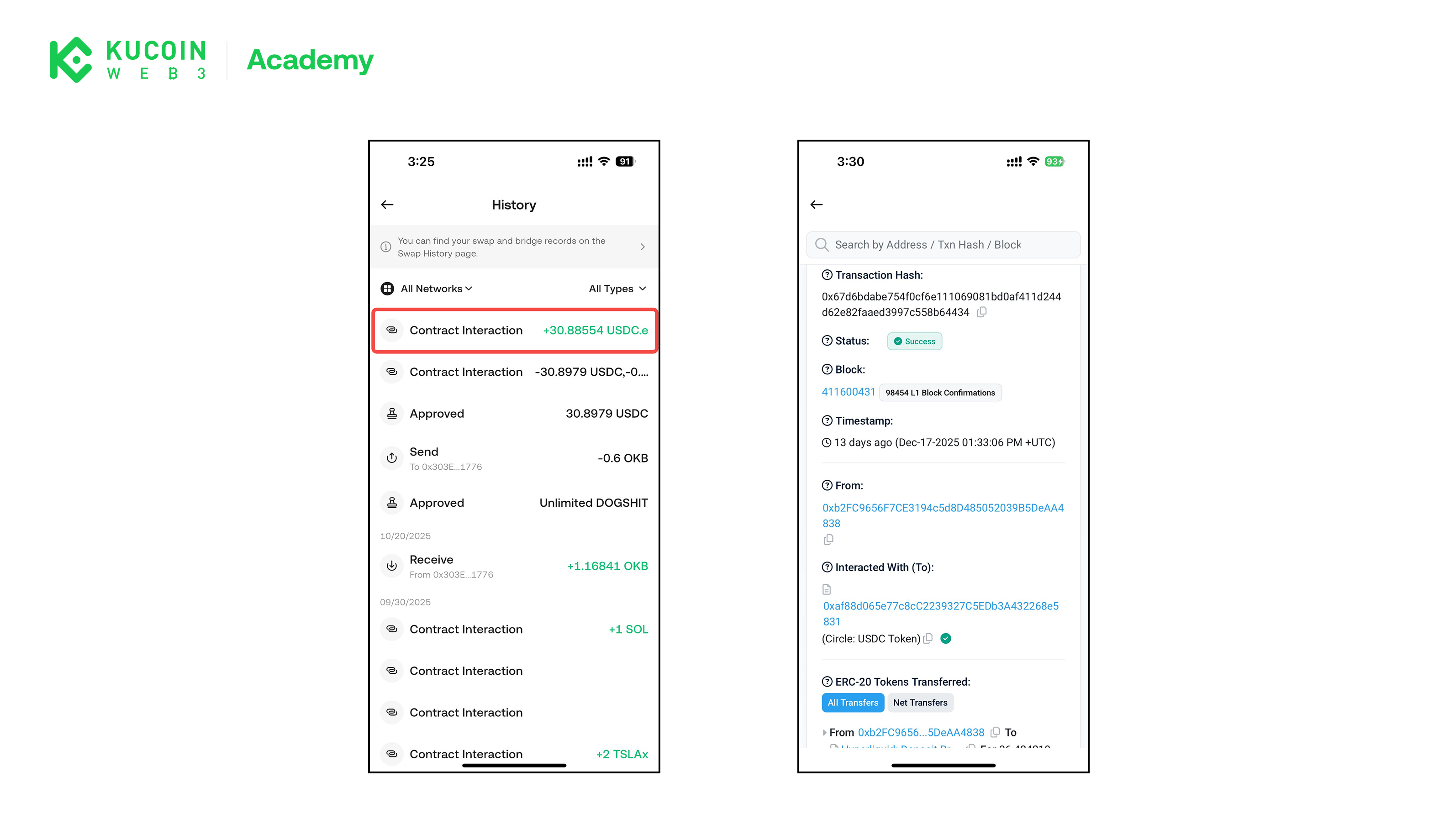
For full details, you can check any transaction directly on a block explorer, which is a public website that displays on-chain data.
How to Open a Transaction in a Block Explorer
- In Transaction History, tap or click a transaction
- You will be redirected to the corresponding block explorer for that network
Alternatively, you can: Copy your wallet address and search it on a block explorer, you will see all the transactions you've made with this wallet address.
Common Block Explorers by Network
Depending on the network used, transactions can be viewed on different explorers, such as:
- Ethereum / Arbitrum / Optimism: Etherscan and related explorers
- BNB Chain: BscScan
- Polygon: PolygonScan
- Solana: Solscan
Always make sure you are using the correct explorer for the network on which the transaction was made.
What You Can See on a Block Explorer
A block explorer provides detailed on-chain information, including:
- Transaction hash (TxID)
- Sender and recipient addresses
- Token transfers
- Gas fees paid
- Block number and confirmation count
- Execution status
This information is publicly accessible and cannot be altered.
Important Notes
- KuCoin Web3 Wallet does not modify or control transaction history
- All records come directly from the blockchain
- Transactions on-chain are generally irreversible
- If a transaction is confirmed on-chain, it cannot be canceled or rolled back
About KuCoin Web3 Wallet:
🔗 X (Twitter)
🔗 Telegram Group
🔗 Telegram Channel
🔗 Get KuCoin Web3 wallet