What is Auto-Subscribe?
Última atualização: 30/12/2025
If you often forget to place new Earn orders, you might want to try the Auto-Subscribe feature. Here are some introductions.
Introduction
Auto-Subscribe lets you seamlessly subscribe your idle crypto assets in your account or renew your Fixed-Term earn order subscription for the new term.
You can enable Auto-Subscribe on the Earn page and manage the coin list on the auto-subscribe page. Once activated, all new and existing assets will automatically begin earning. helping you maximize the returns on your idle funds.
How to enable Auto-Subscribe
-
Log in to your KuCoin account on the app. Ensure you are in KuCoin Lite mode. Tap Earn on the bottom.
-
Click the enable button on the top cad
-
Simply follow the front-end instructions to enable the feature.
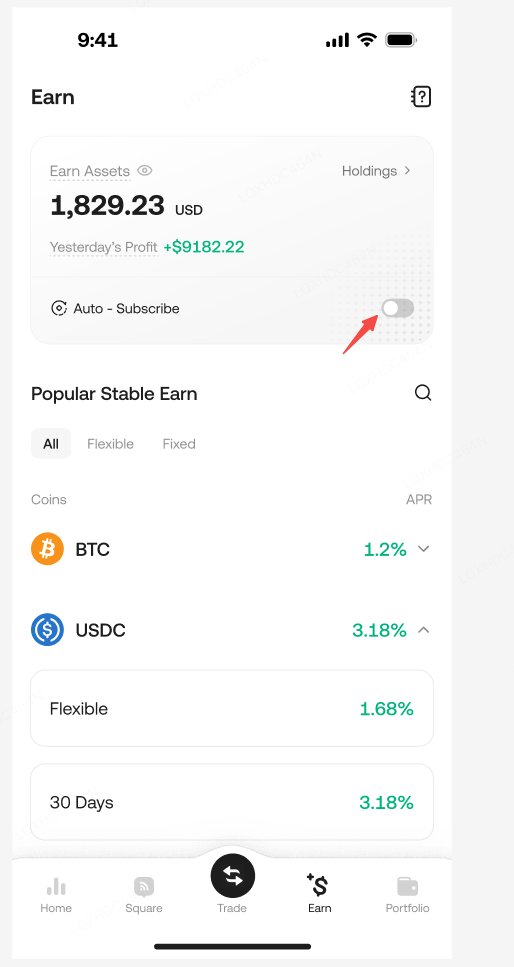
If you no longer wish to use this function, you can disable it in the corresponding location.