Como recarregar seu celular pelo KuCoin Pay? (App)
Há 4 maneiras:
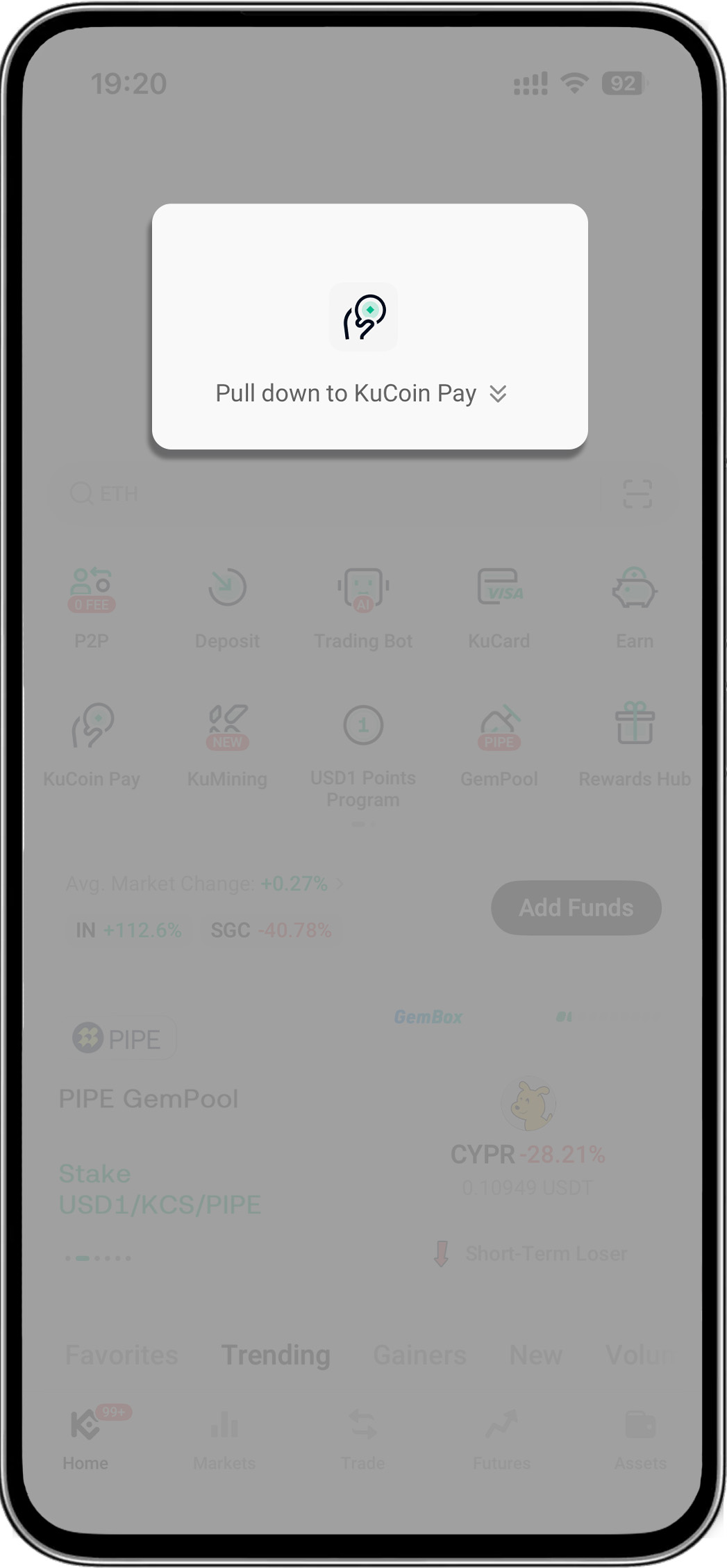
- Abra o aplicativo KuCoin > Puxe para baixo na página inicial para revelar o "KuCoin Pay"
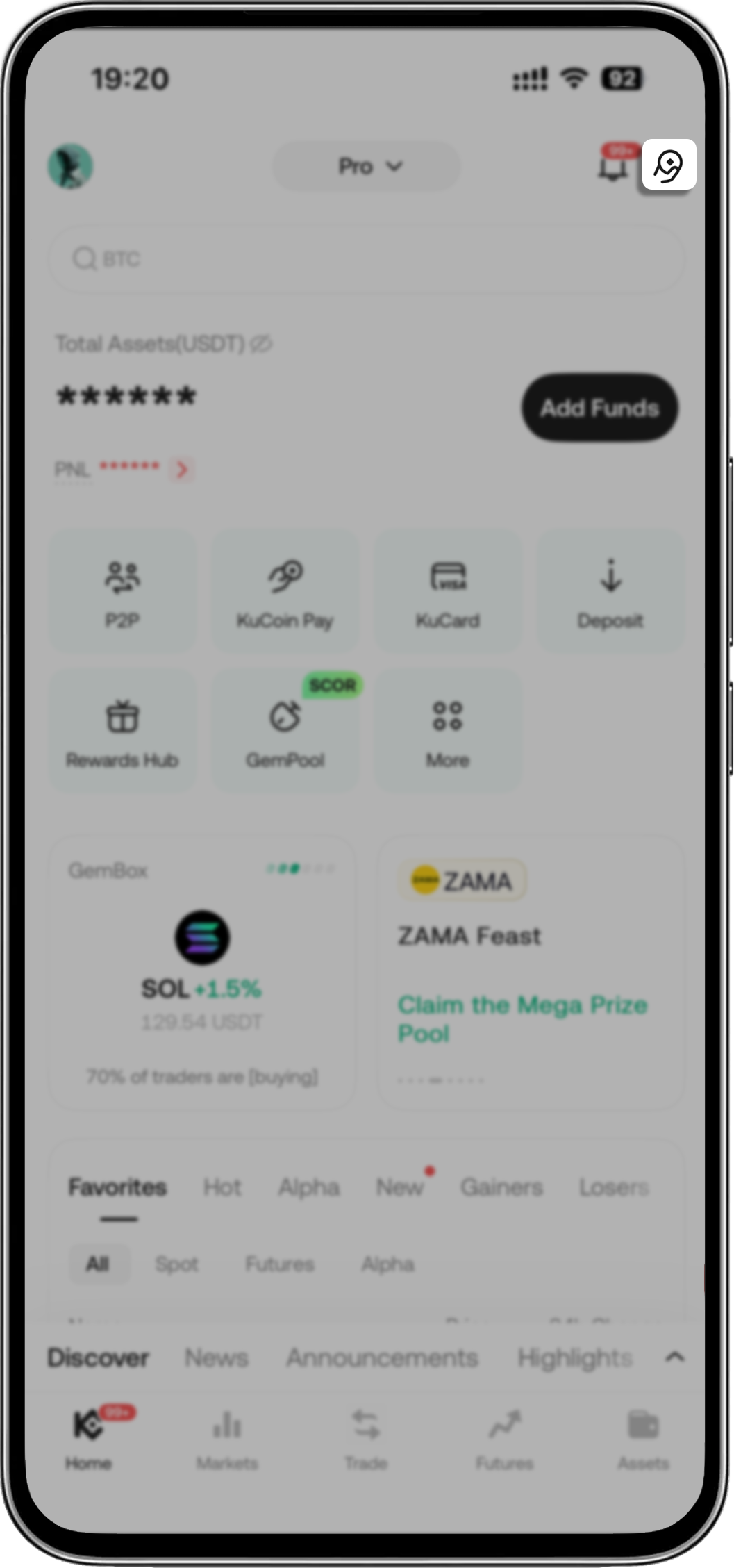
- Abra o aplicativo KuCoin > Toque no ícone KuCoin Pay no canto superior direito
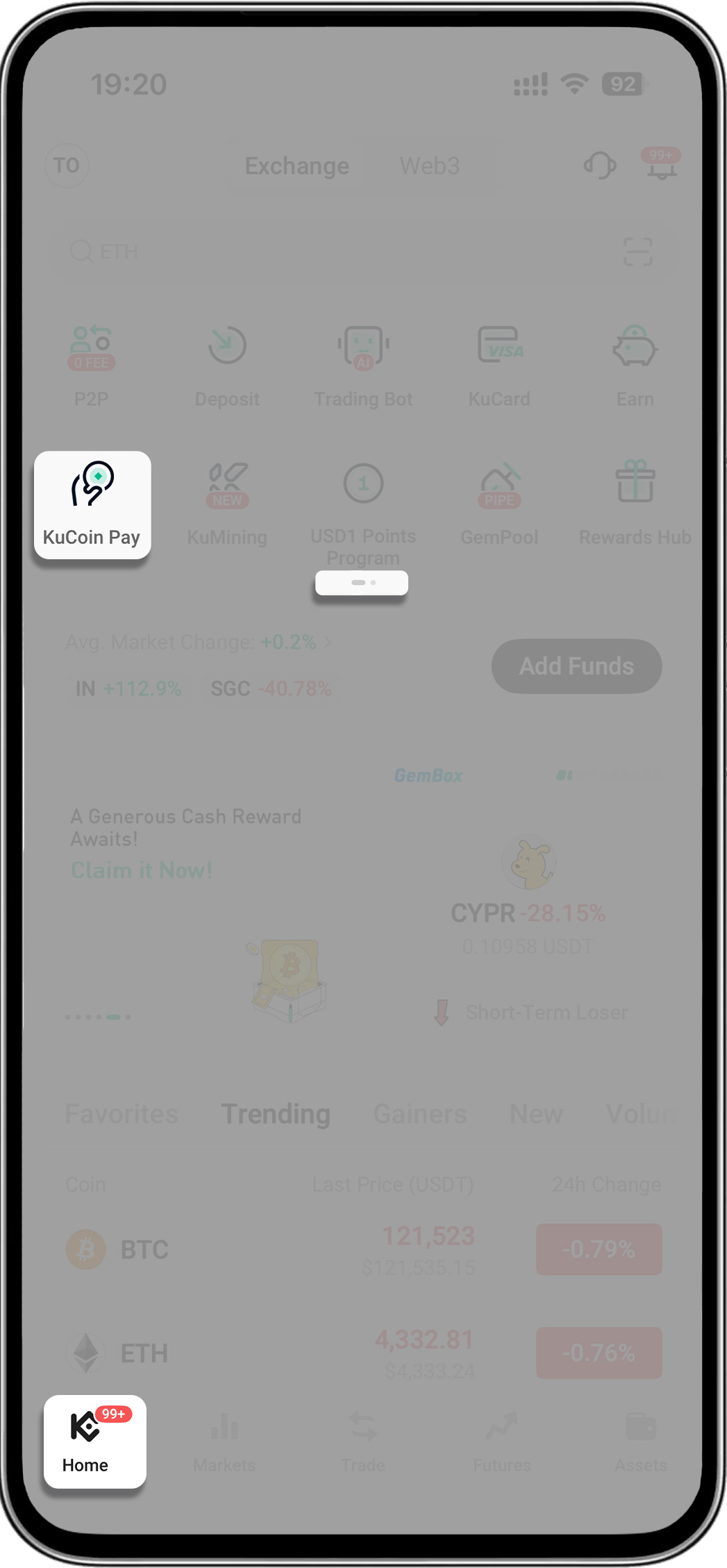
- Abra o aplicativo KuCoin > Vá para a segunda página do menu > Toque em "KuCoin Pay"
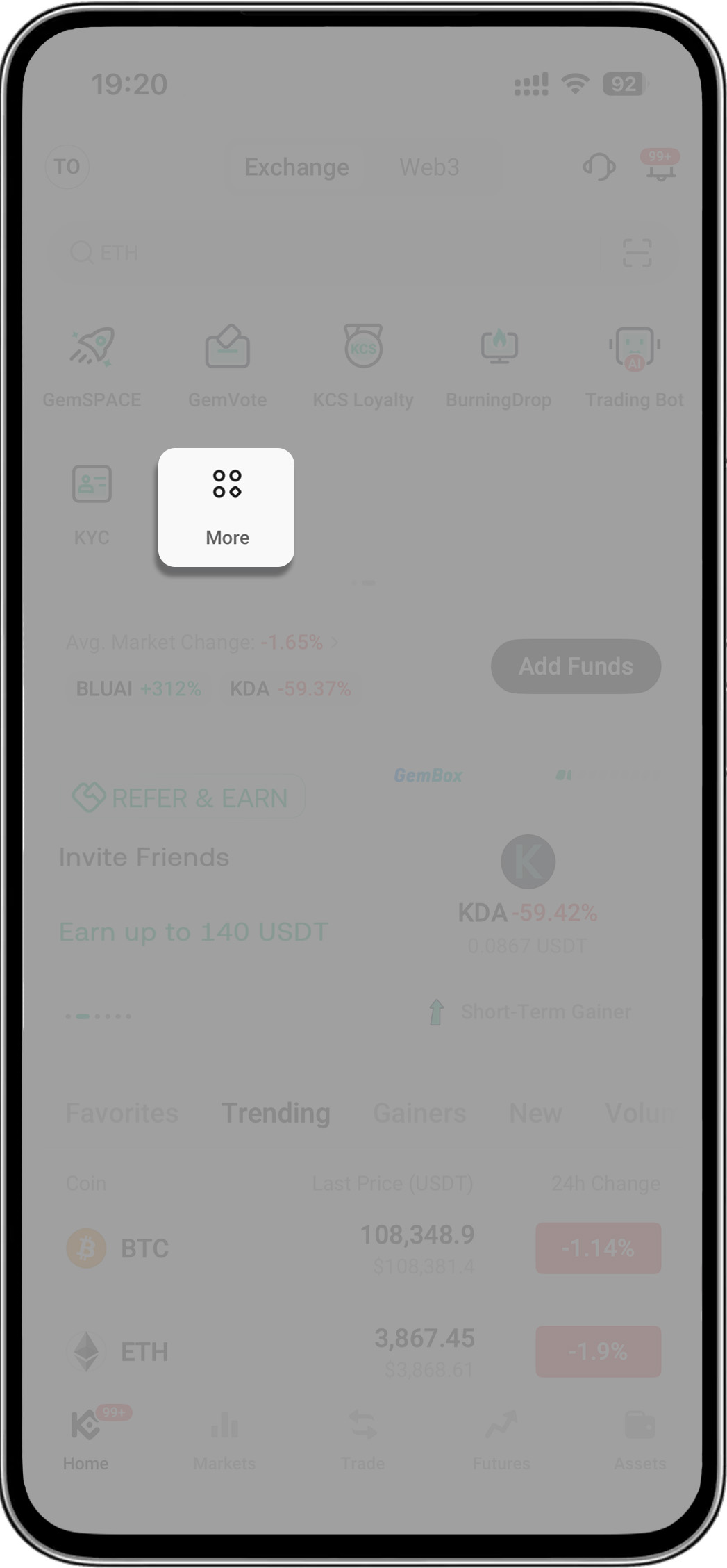
- Abra o aplicativo KuCoin > Toque em "Mais" > Encontre "Ativos" > Selecione "KuCoin Pay"
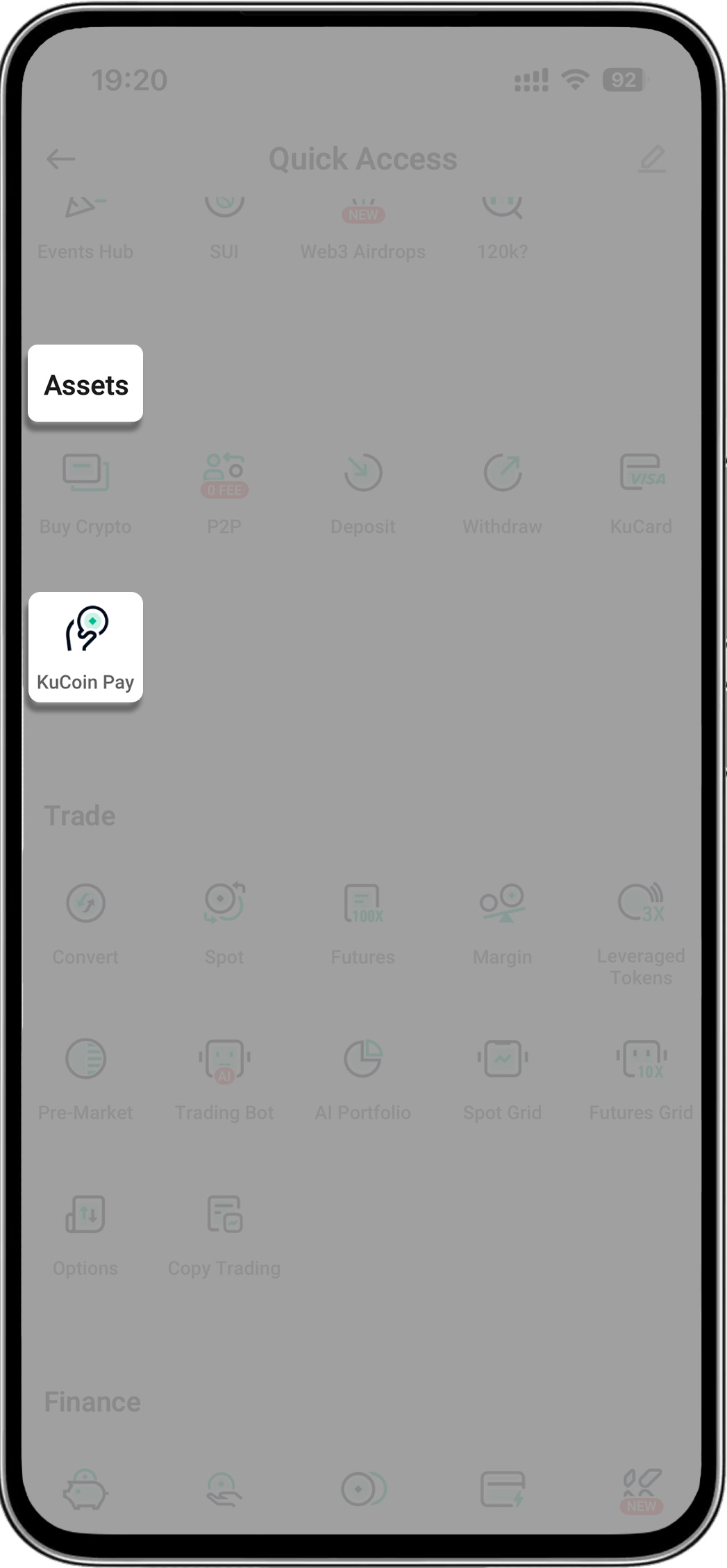
2. Recarregue seu telefone
-
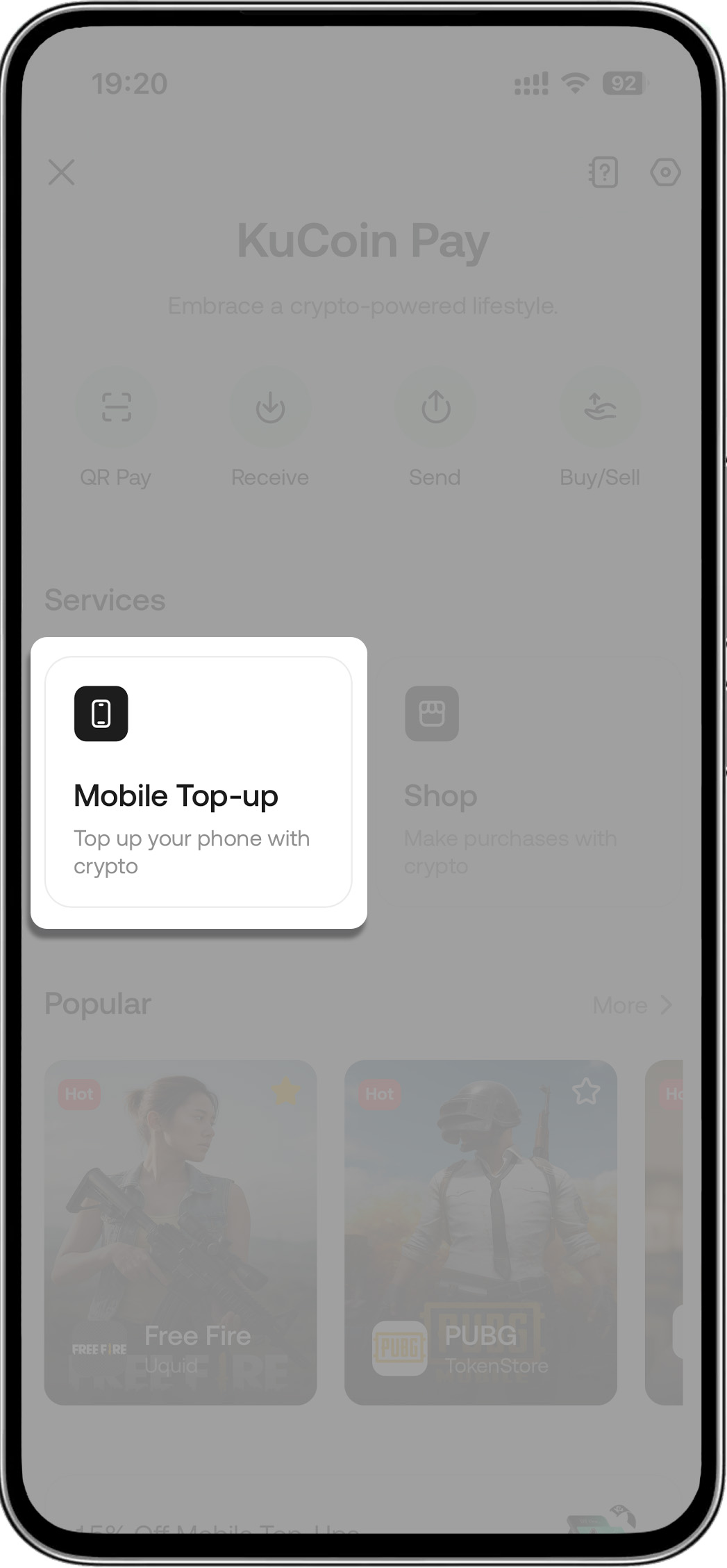
Etapa 1: Toque em “Recarga Móvel”
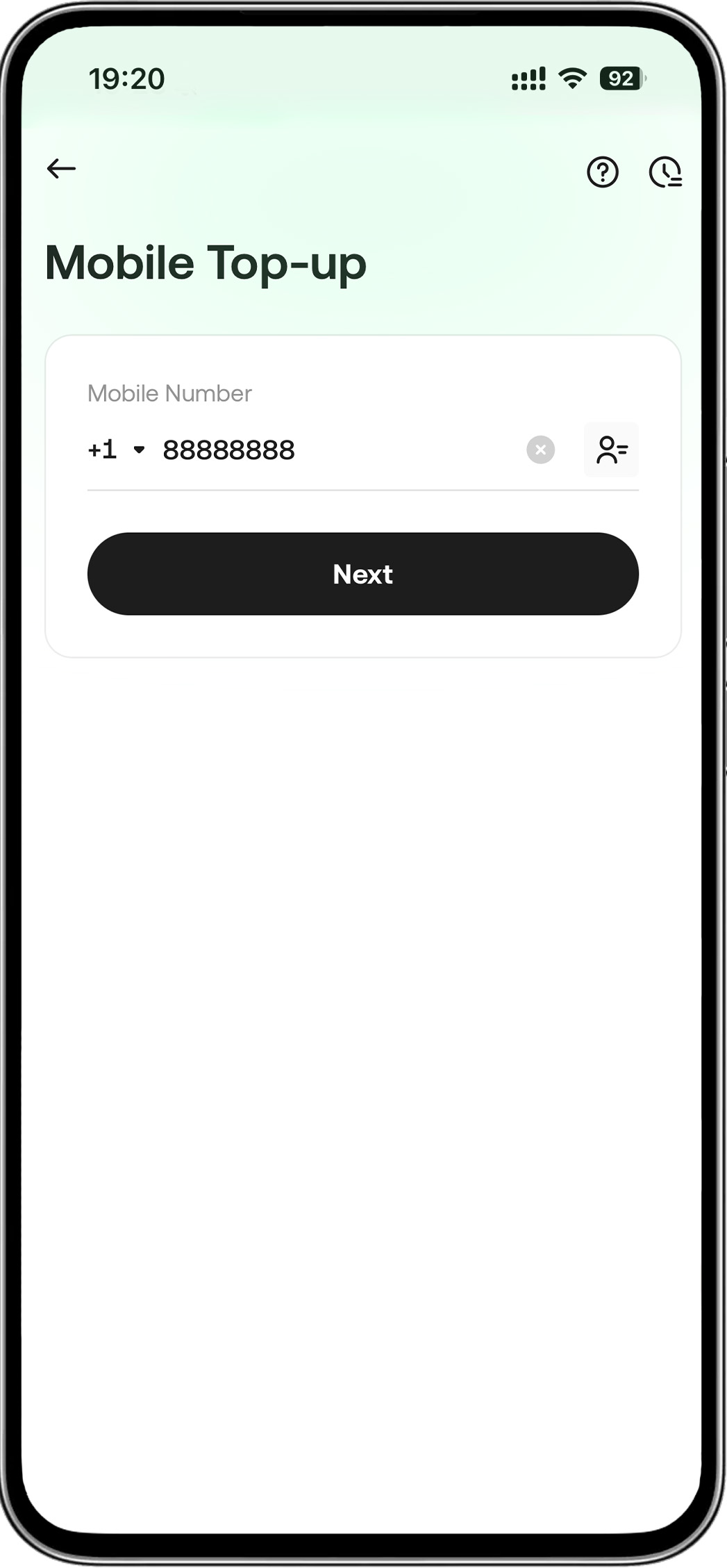
- Etapa 2: Insira seu número de telefone
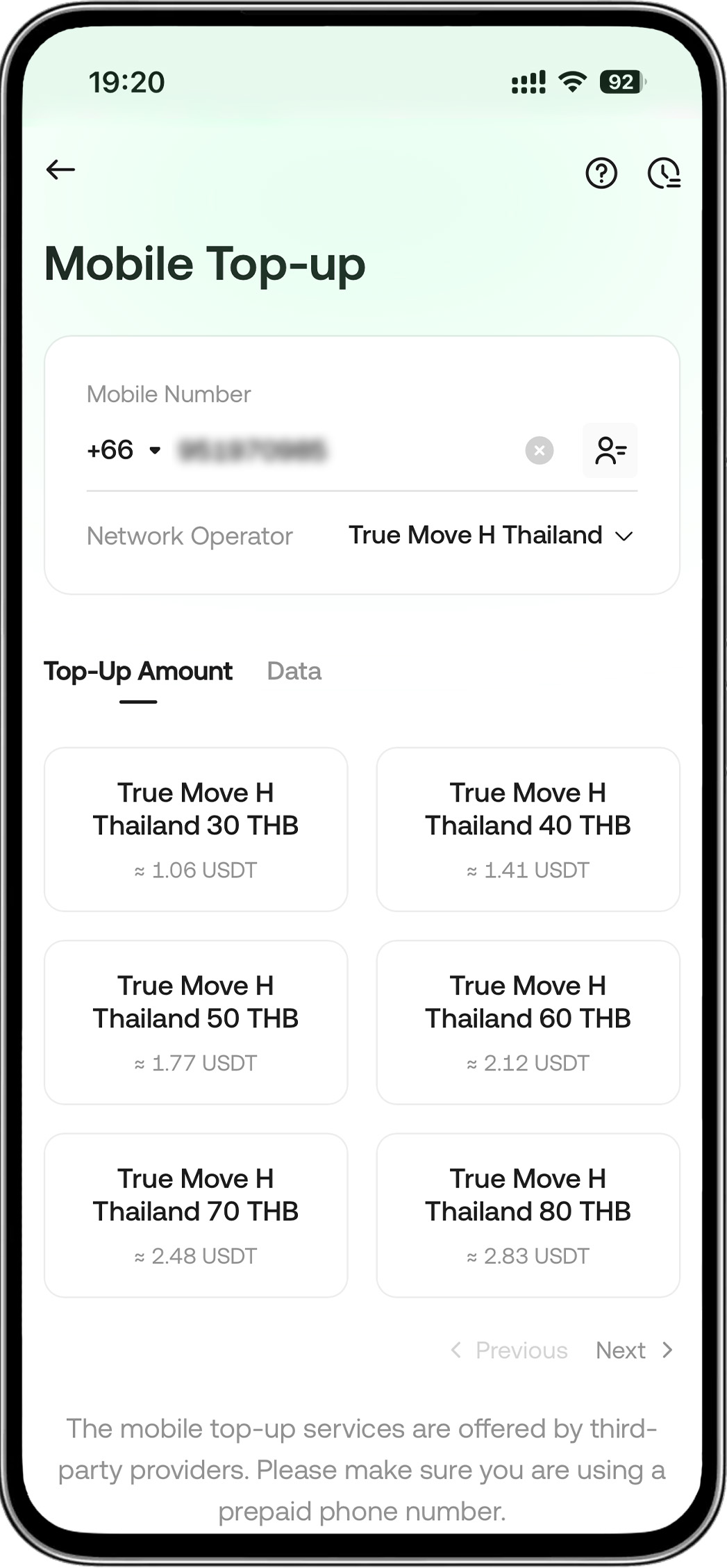
- Etapa 3: Escolha um operador e a quantia que deseja recarregar
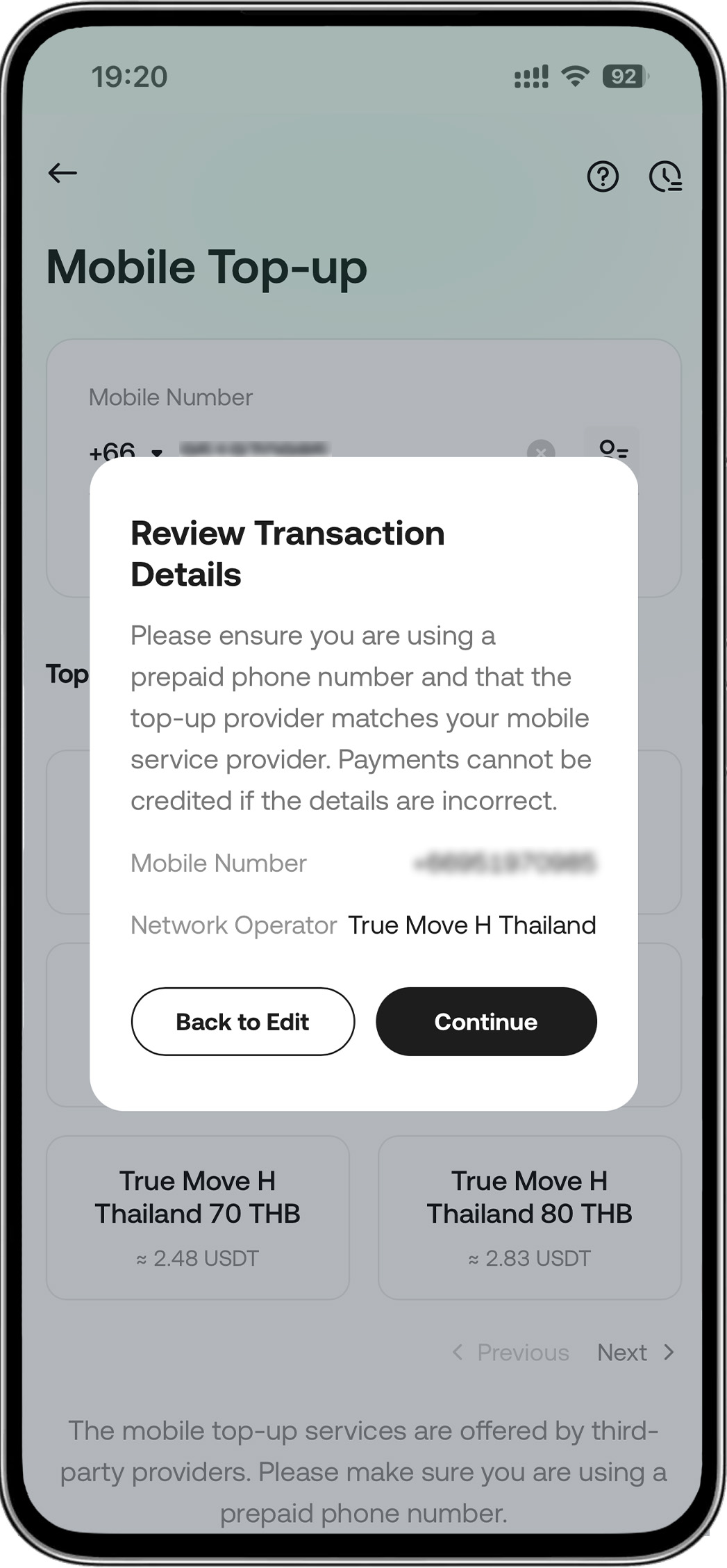
- Etapa 4: Continuar o pedido
-
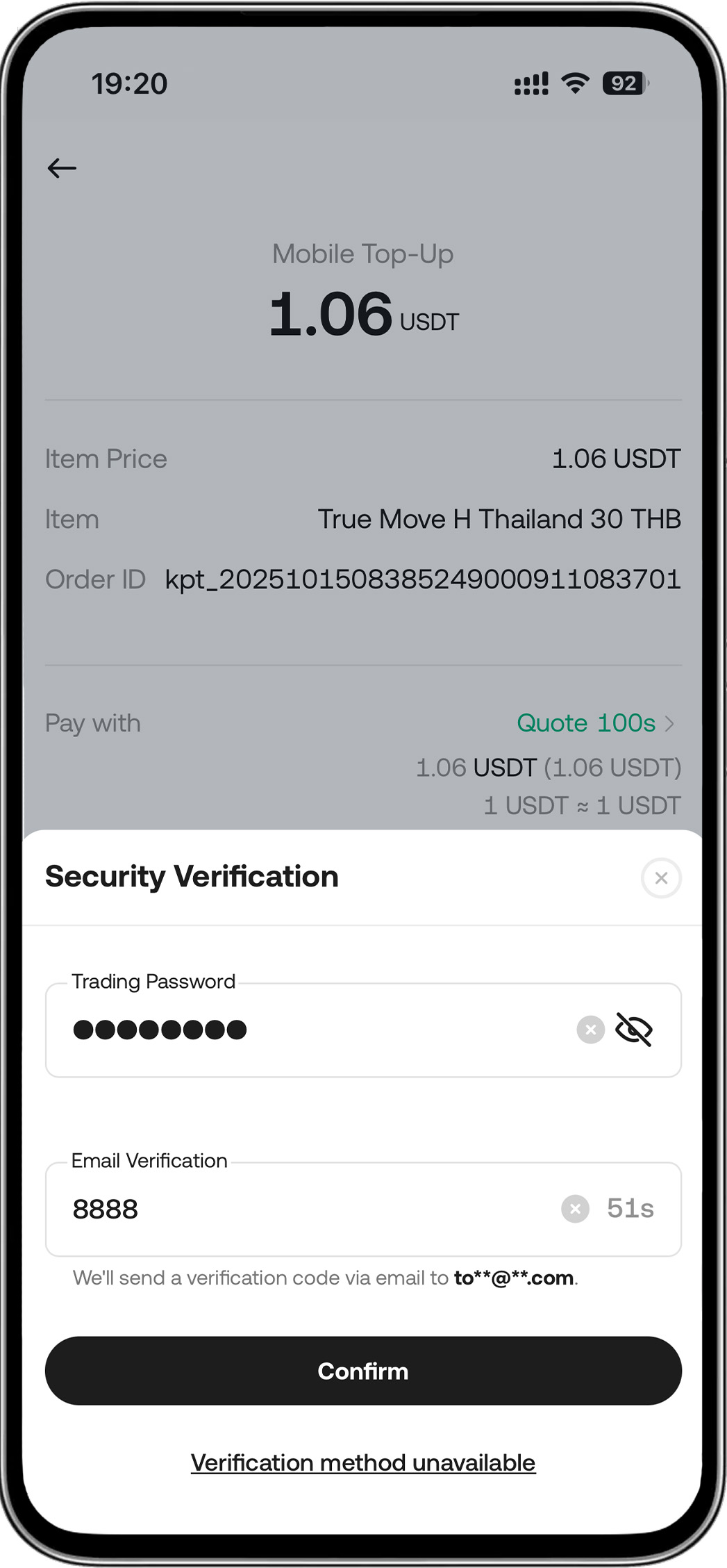
Passo 5: Insira sua senha > Conclua o pagamento
Outras Perguntas Frequentes
1. Quanto tempo leva uma recarga?
2. Como posso verificar o status da minha recarga?
3. Por que minha recarga foi recusada?
Sua transação pode ser recusada por alguns motivos:
-
Você selecionou o provedor de serviço móvel errado.
-
O número de telefone que você inseriu não é elegível para recargas (por exemplo, pode não ser um número pré-pago).
4. O que devo fazer se a transação de recarga falhar?
Se uma transação falhar, você será notificado e um reembolso será processado automaticamente em poucos minutos. Observe que os reembolsos são emitidos em USDT. Recomendamos revisar os Termos e Condições antes de qualquer pagamento.
5. Como funciona o reembolso?
6. O que devo fazer se minha conta móvel não for recarregada após um pagamento bem-sucedido?
Dica: Tenha pronto o número de referência do operador ao entrar em contato com eles. Você pode encontrar esse número no seu histórico de transações: vá para [Recarga Móvel] -> [Histórico] e selecione a transação específica.