Como vender cripto para moedas fiduciárias e sacar para seu cartão na KuCoin?
Última atualização: 28/02/2026
Você agora pode vender cripto por dinheiro e sacar diretamente para seu cartão no aplicativo e no site da KuCoin.
-
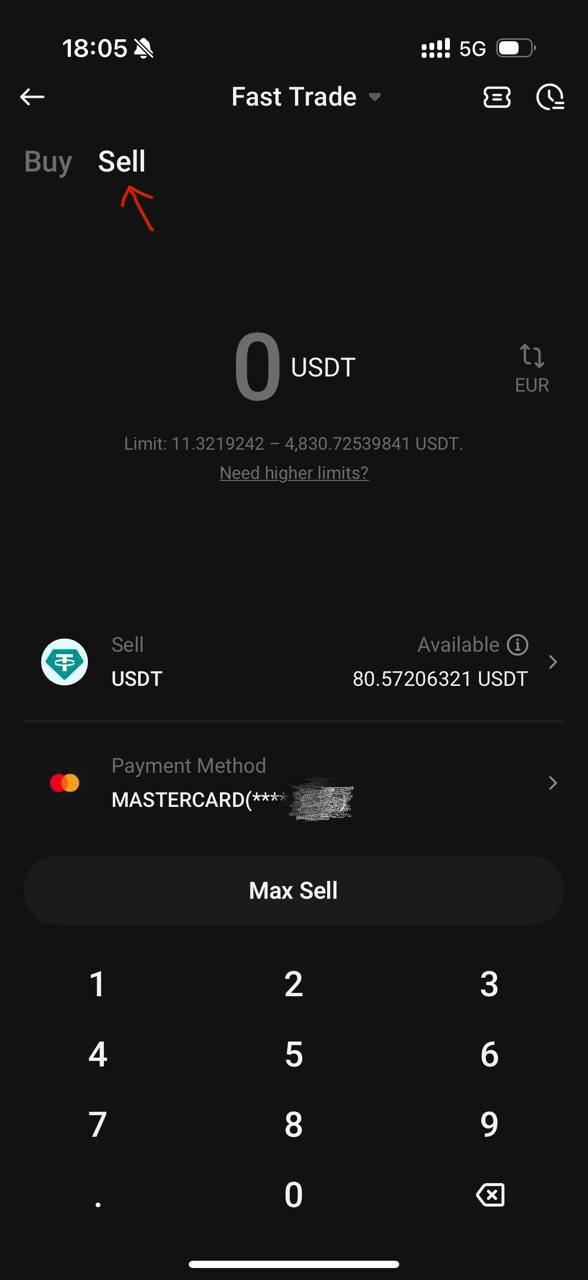
Faça login no seu aplicativo KuCoin e vá para [Comprar Cripto] - [Compra Rápida], depois altere para [Vender] na parte superior.
-
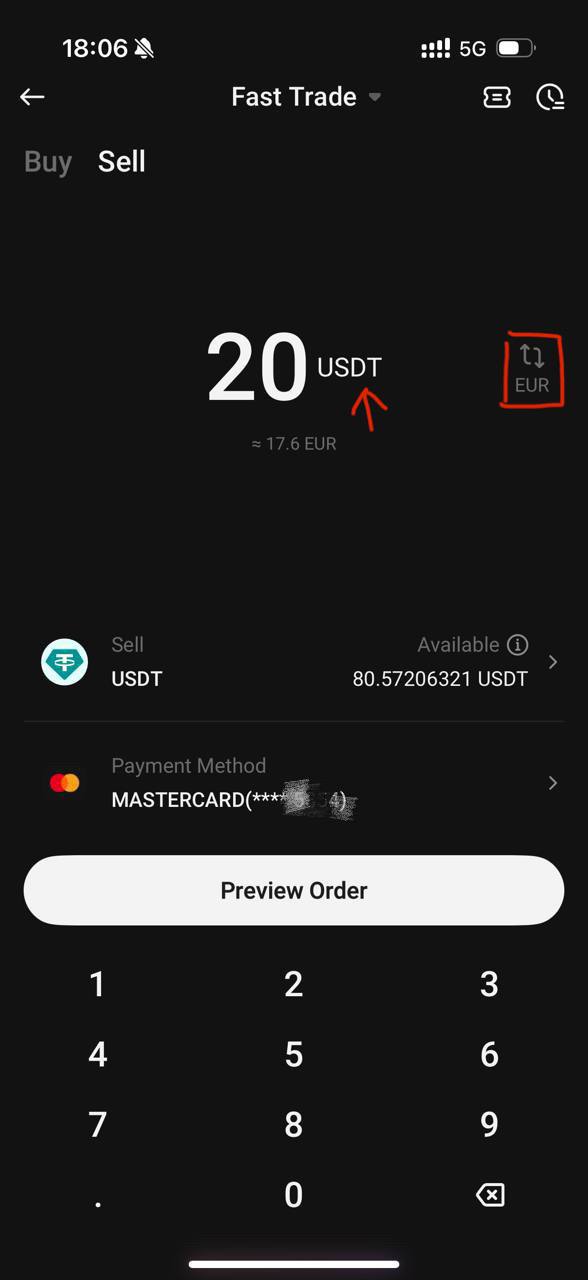
Escolha o criptoativo que deseja vender, selecione a moeda que deseja receber, insira a quantia e escolha [Card] como forma de pagamento. Leia e aceite os Termos dos Serviços de Compra e Venda.
Nota:
Criptomoedas atualmente suportadas: USDT
Moedas fiduciárias atualmente suportadas: USD, AED, AUD, ILS, PLN, SEK, CHF e outras.
-
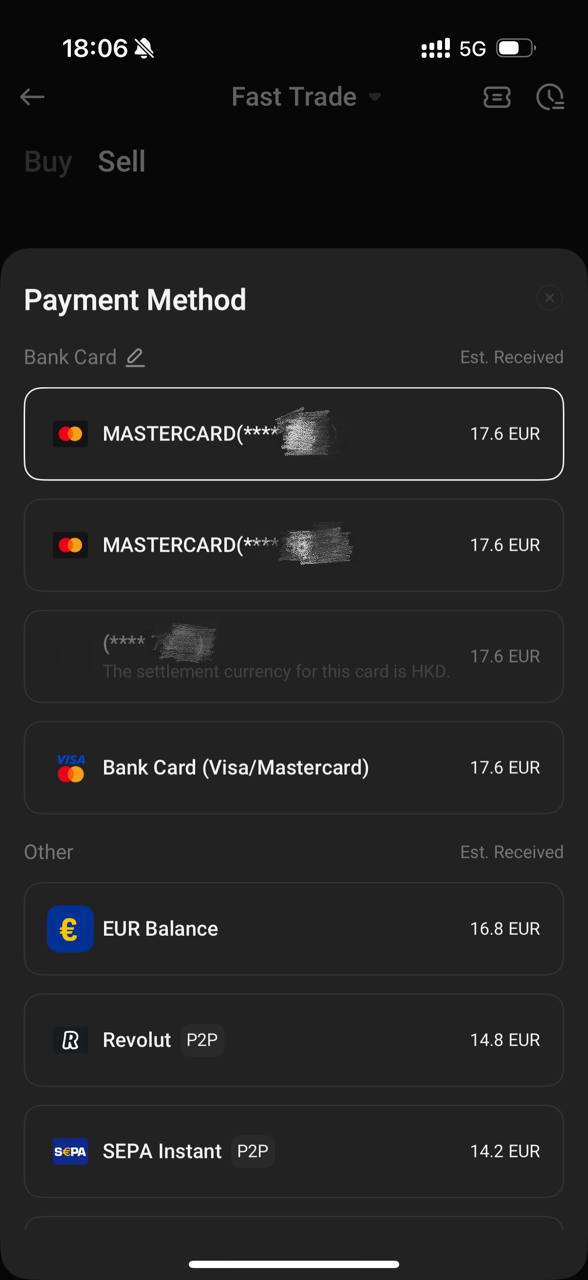
Selecione um cartão vinculado ou adicione um novo cartão se ainda não tiver vinculado um.
-
Seu pedido será processado em breve.
-
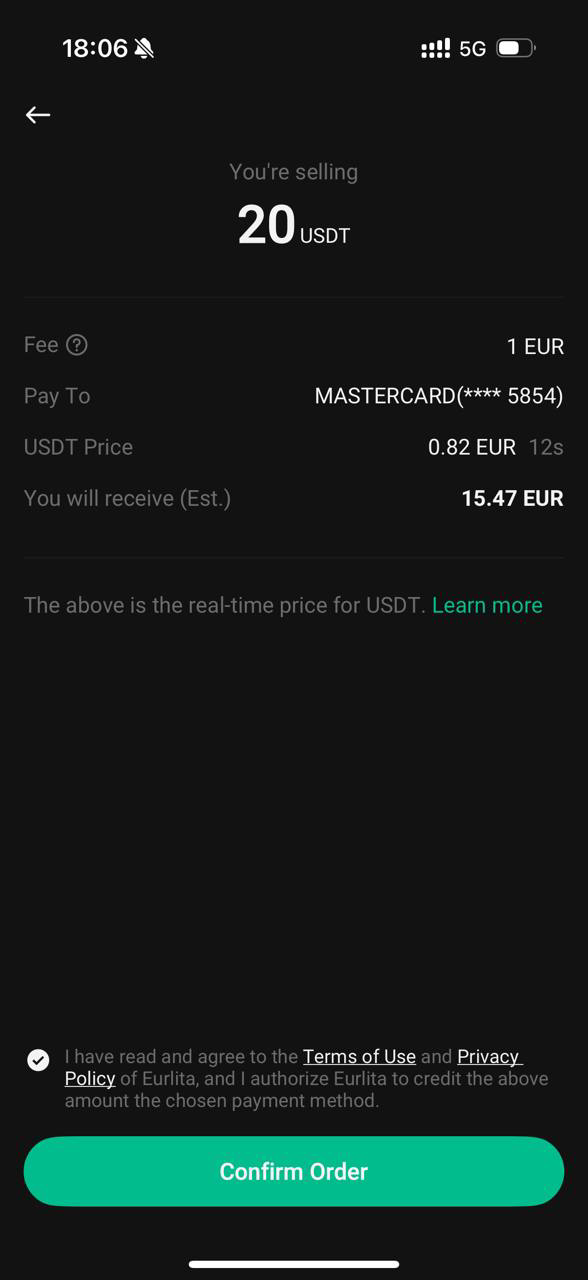
Revise os detalhes da ordem de venda, leia os termos cuidadosamente e toque em [Confirmar].
-
Complete as verificações de segurança.
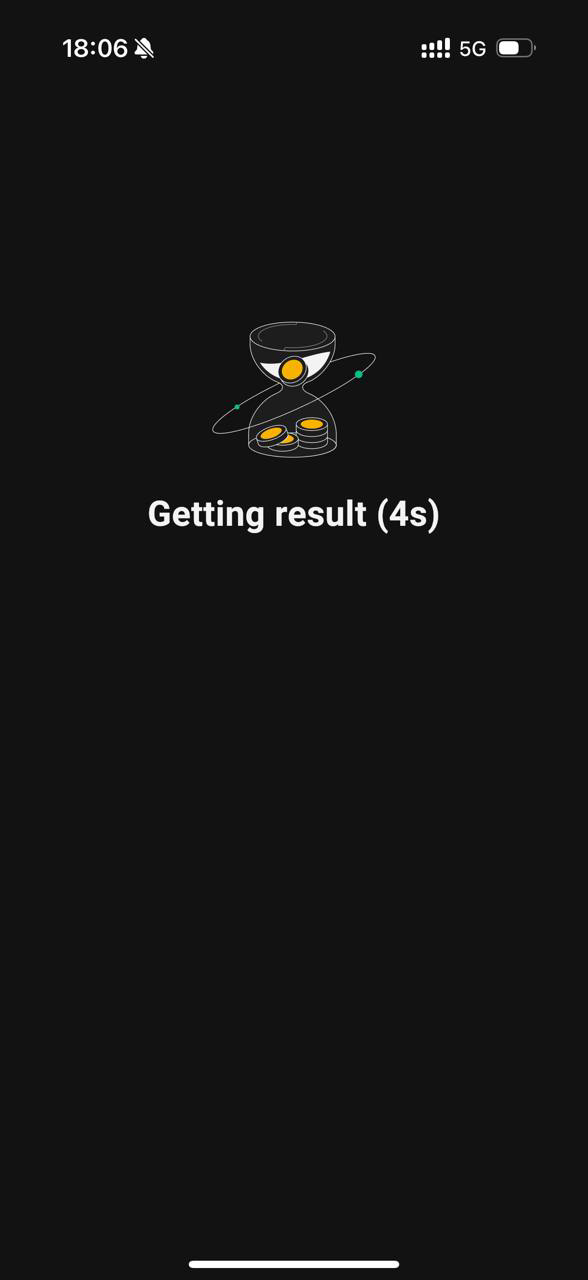
Se o processo levar muito tempo, a cotação poderá expirar. Nesse caso, você será redirecionado para uma nova página de cotação. Por favor, revise a cotação atualizada e confirme a transação novamente para prosseguir.
-
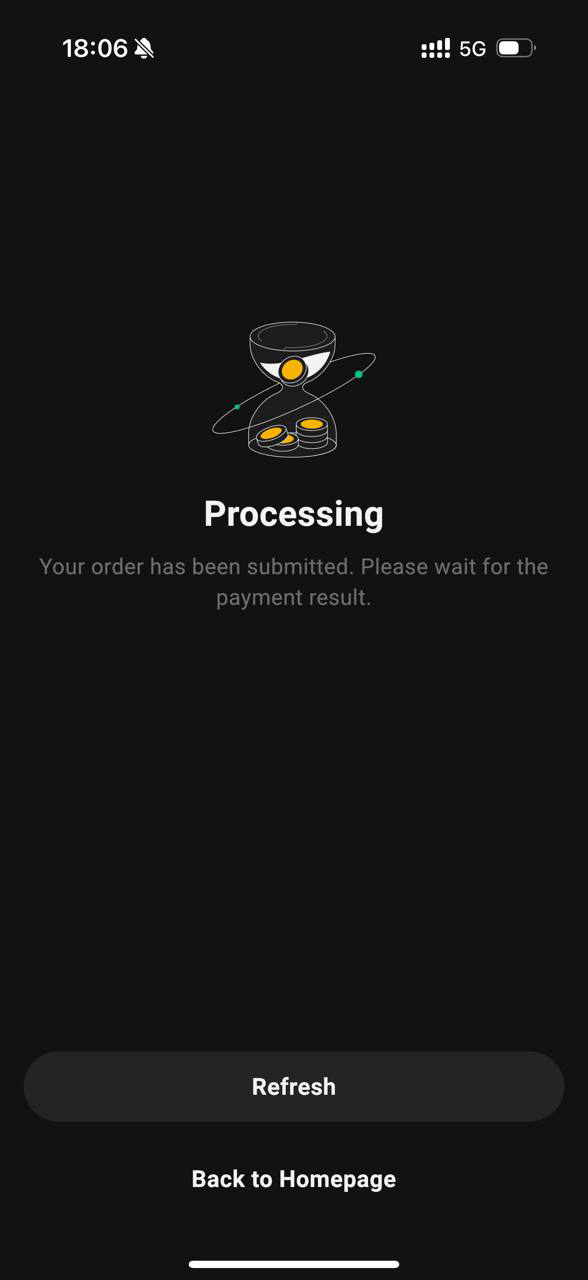
Seu pedido foi enviado com sucesso.
-
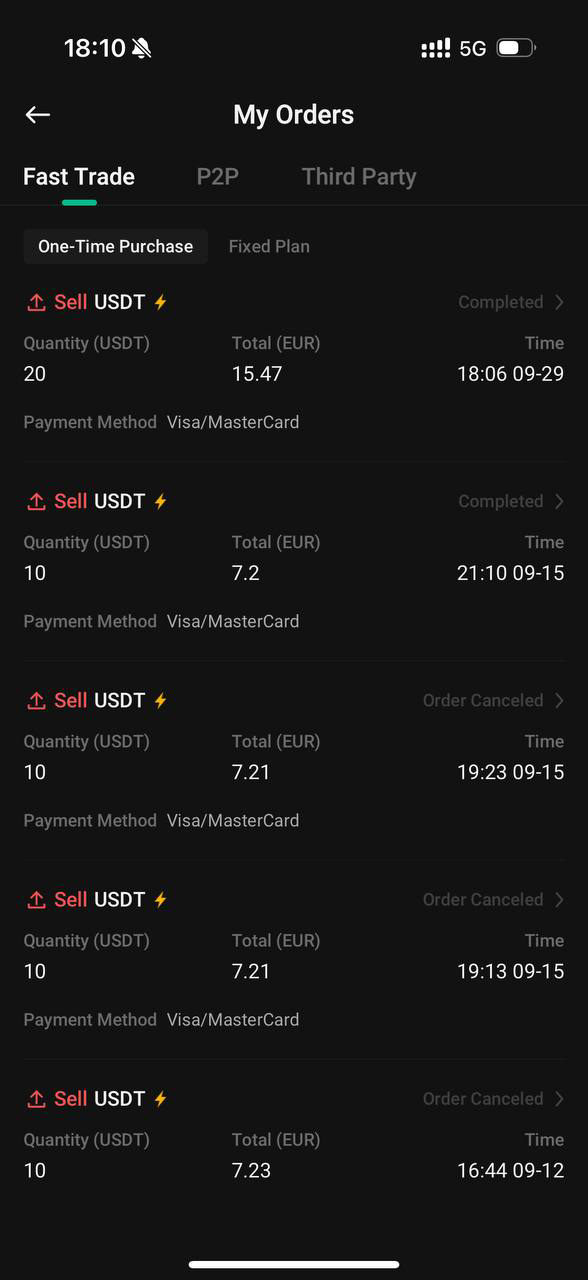
Para verificar os detalhes do seu pedido, vá para [Pedidos] - [Pedidos de Compra de Criptomoedas] - [Venda].
Isenção de responsabilidade: Esta página foi traduzida com IA para facilitar a leitura. Para obter as informações mais precisas, consulte a versão original em inglês.Mostrar original