Congelando e Descongelando Sua Conta
Aqui você aprenderá como congelar e descongelar sua conta para obter ajuda rapidamente caso enfrente uma ameaça à segurança.
Conteúdo
1. Congelando sua conta
2. Descongelando sua conta
Congelando sua conta
Você pode congelar sua conta rapidamente usando três métodos:
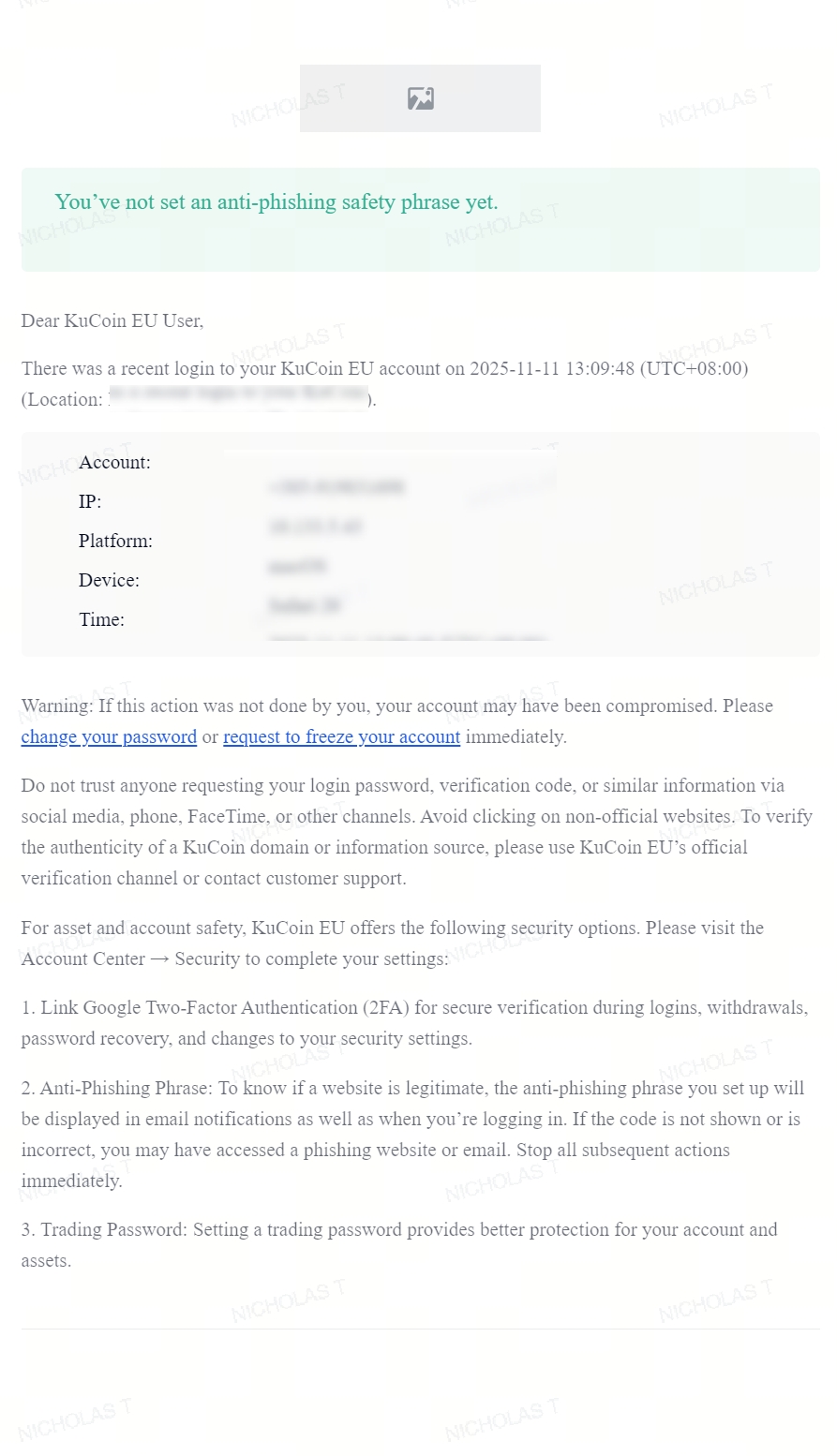
1. Ao realizar ações sensíveis, você receberá um e-mail de confirmação que também contém um link para congelamento. Clique no link para congelar sua conta imediatamente. Os cenários que geram esse e-mail de confirmação incluem:
- Atividade incomum de IP
- Notificações de login
- Ativação de alavancagem
- Alteração ou desvinculação do telefone
- Alteração ou desvinculação do e-mail
- Alteração ou redefinição da senha de negociação
- Alteração da senha de login
- Criação ou modificação de APIs
- Saques
- Congelamento e descongelamento da conta
O link deve ser semelhante a este:
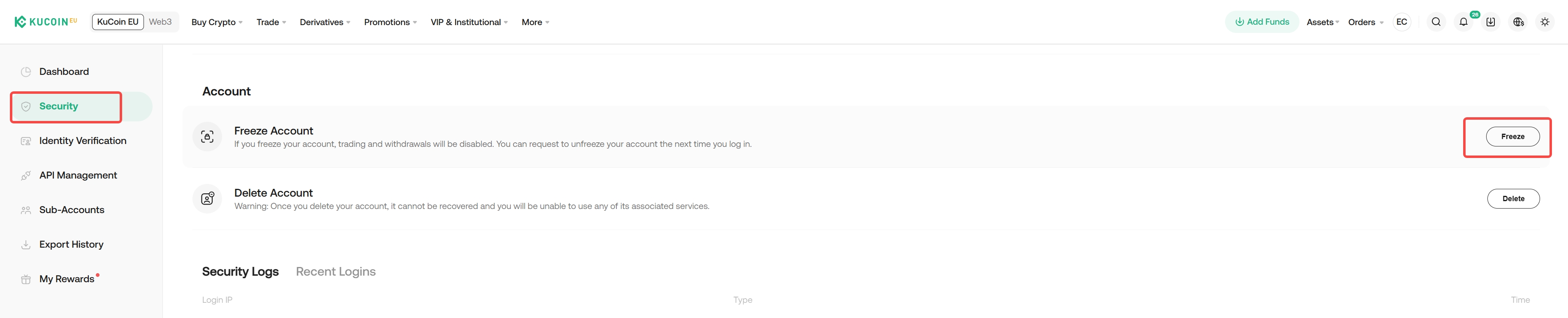
2. Se você já estiver logado, um congelamento de emergência pode ser feito de duas maneiras:
i. Clique em seu Perfil → Segurança → Localize Congelar Conta
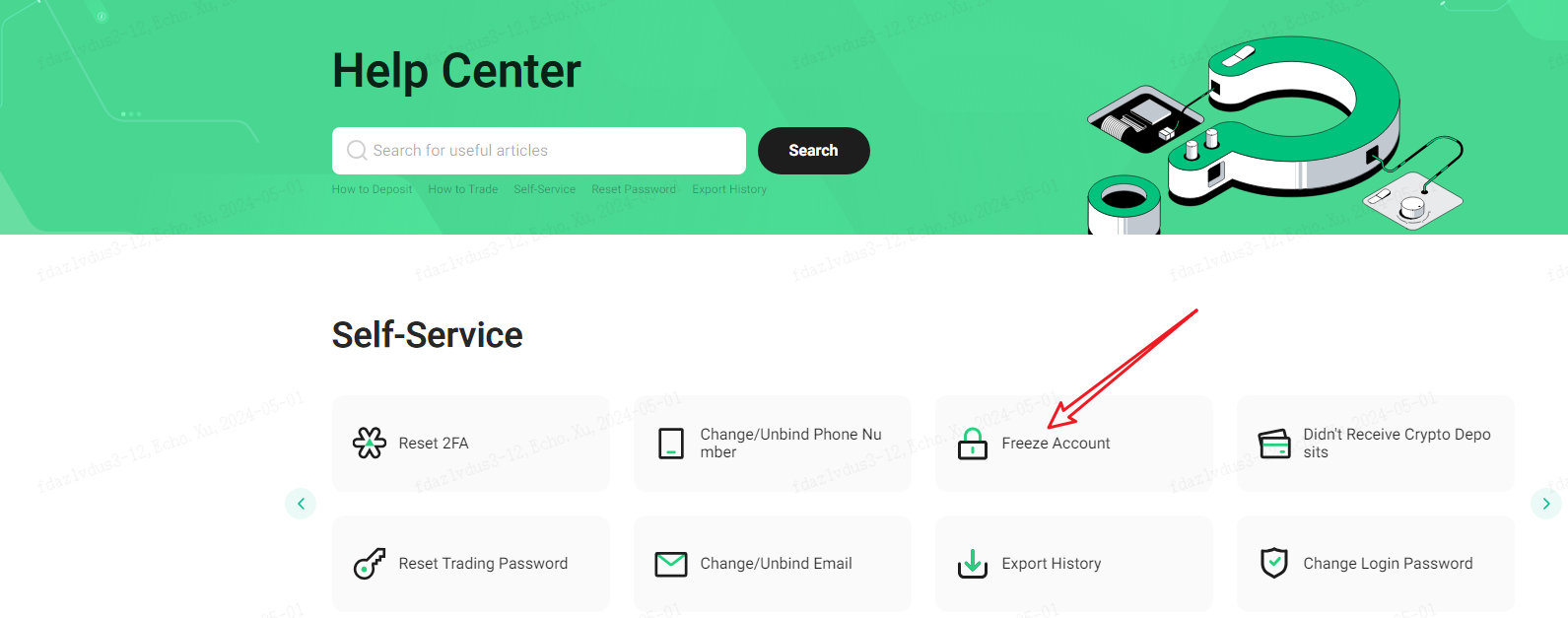
ii. Ou vá para página de Central de Ajuda → Congelar Conta
3. Se você suspeitar que sua conta ou e-mail foi comprometido e não conseguir fazer login na sua conta KuCoin EU, entre em contato com o suporte ao vivo imediatamente. Após verificarmos sua identidade, sua conta será congelada prontamente.
Web:
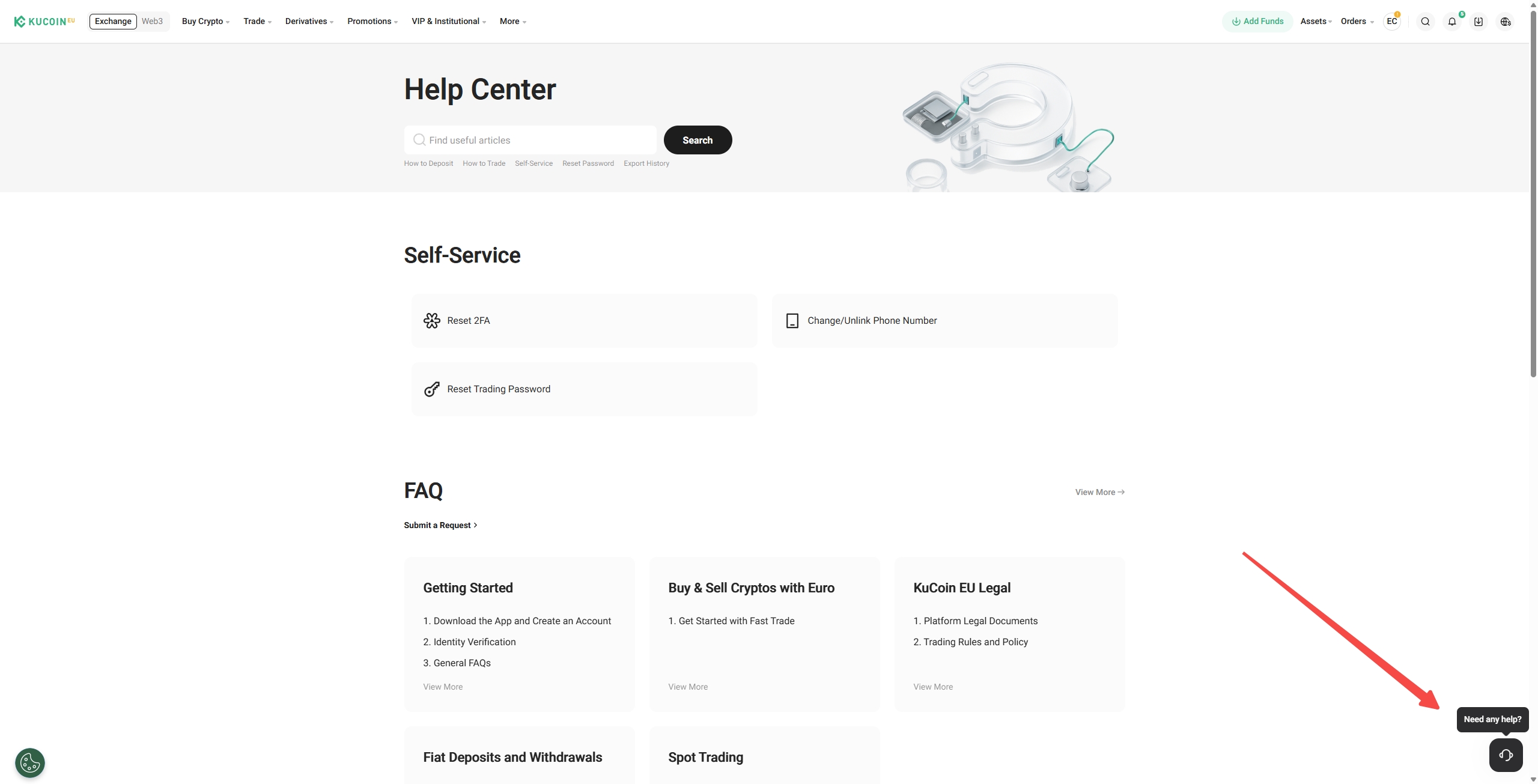
Acesse o site oficial da KuCoin EU. Na seção Serviços, na parte inferior da página inicial, selecione Central de Ajuda. Alternativamente, clique no ícone de suporte ao cliente “Precisa de ajuda?” no canto inferior direito.
App:
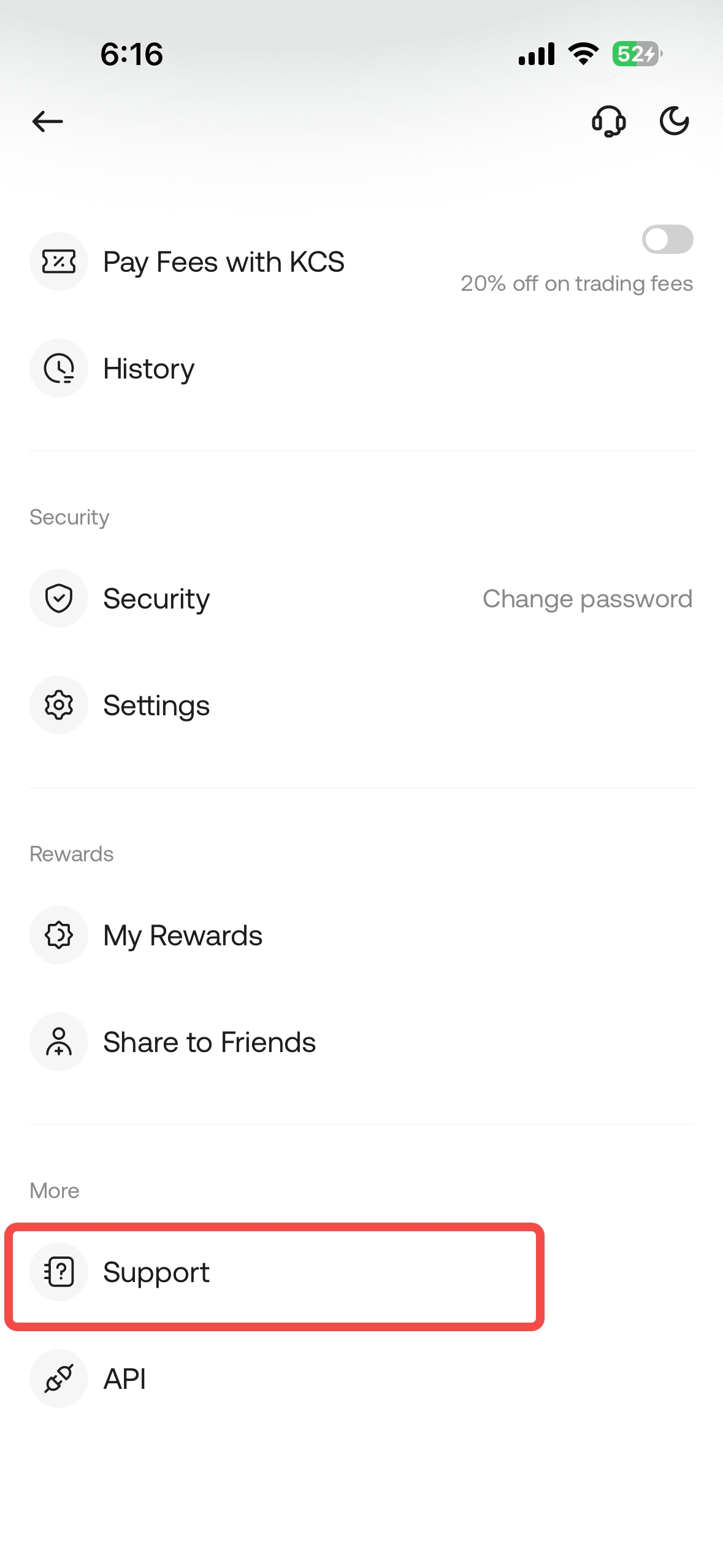
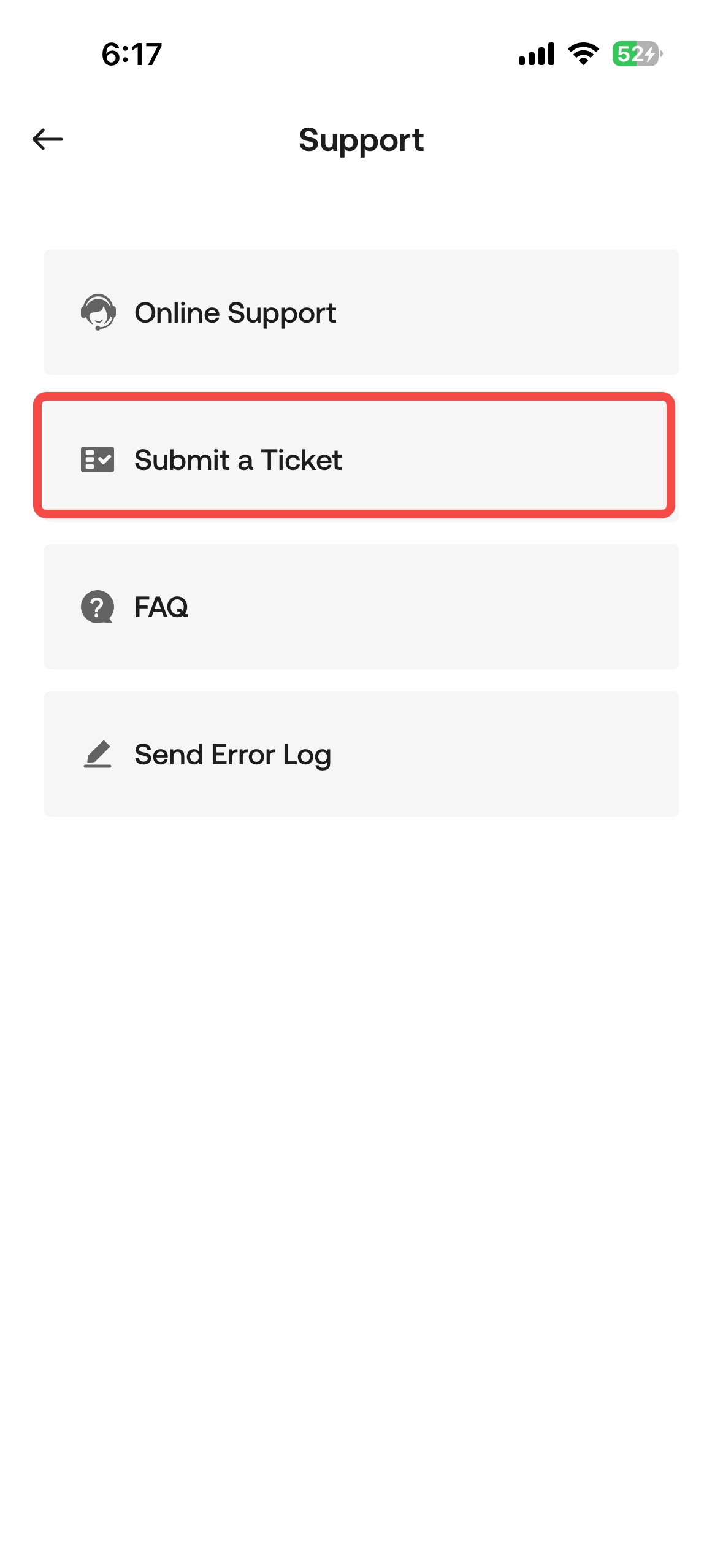
Faça login no aplicativo, abra o menu tocando em seu perfil no canto superior esquerdo e clique em Suporte → Suporte Online.
Descongelando sua conta
Quando você tiver certeza de que sua conta está segura, poderá descongelá-la por meio de um descongelamento automático ou entrando em contato com o suporte ao cliente para um descongelamento manual.
1. Descongelamento Automático
Se você congelou sua conta por conta própria, será necessário enviar uma solicitação de descongelamento automático. Primeiro, faça login na sua conta. Deve aparecer um pop-up solicitando que você conclua uma verificação de segurança. Insira sua senha de negociação e o código de verificação que você recebeu (via e-mail ou SMS) para verificar sua conta. Em seguida, siga os demais passos exibidos na web para concluir a Verificação de Identidade e enviar uma solicitação de descongelamento automático.
2. Descongelamento Manual
Se sua conta foi congelada por outros motivos e você não consegue fazer login, sacar ou negociar, entre em contato com o suporte online. Investigaremos as causas e descongelaremos sua conta o mais rápido possível.
Esperamos que este artigo tenha sido útil. Se você tiver outras dúvidas, entre em contato com nosso suporte ao cliente 24/7 por meio de chat online ou envie um ticket.