法定通貨の入出金

How to Complete SEPA Additional Verification?

最終更新:2025/07/30


1. What is SEPA Additional Verification?

The primary purpose of SEPA Additional Verification is to ensure users meet compliance requirements when making SEPA deposits and withdrawals. By verifying users’ identity and bank account information, this process helps prevent mismatched account details, reduces transaction risks, ensures fund security, and enhances both account safety and transaction efficiency.


2. SEPA Additional Verification Process

KuCoin offers two SEPA verification paths. The system will automatically assign the most suitable path based on your specific situation. Please follow the instructions and prompts on the KuCoin interface to complete the verification as required.

(1) Path 1:

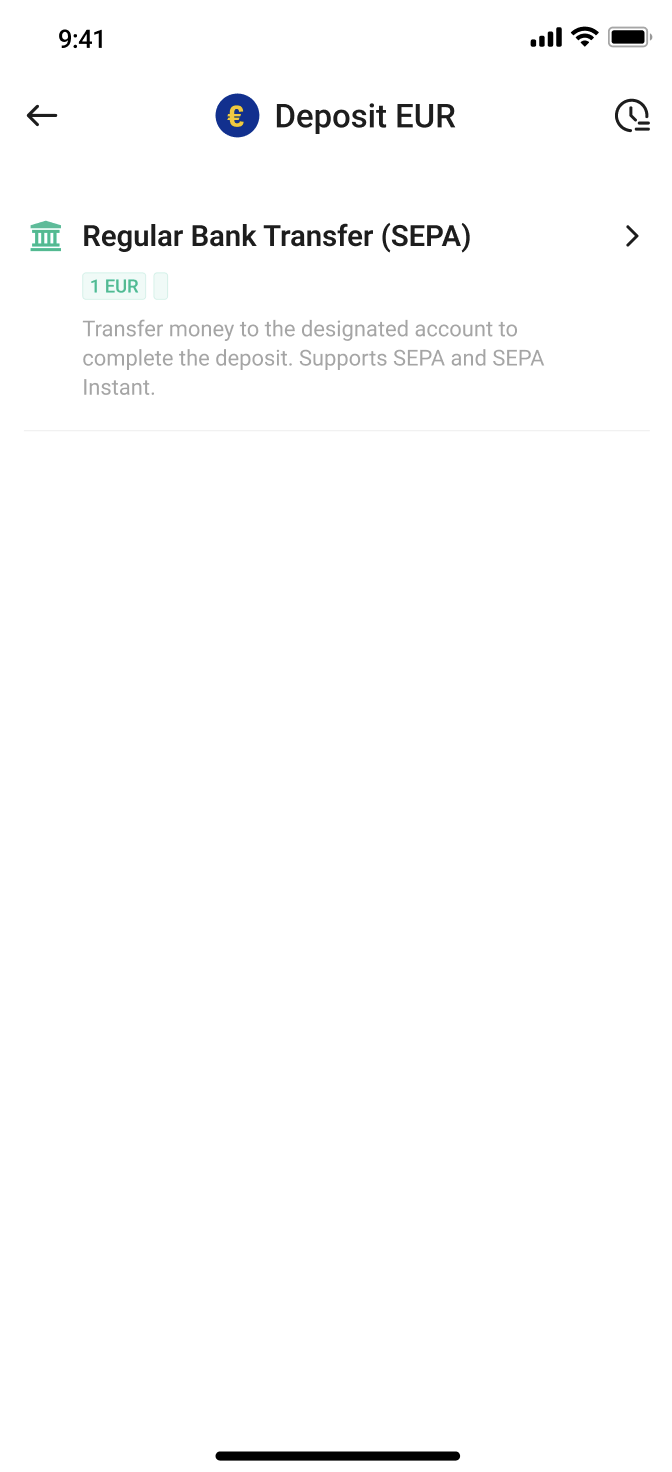
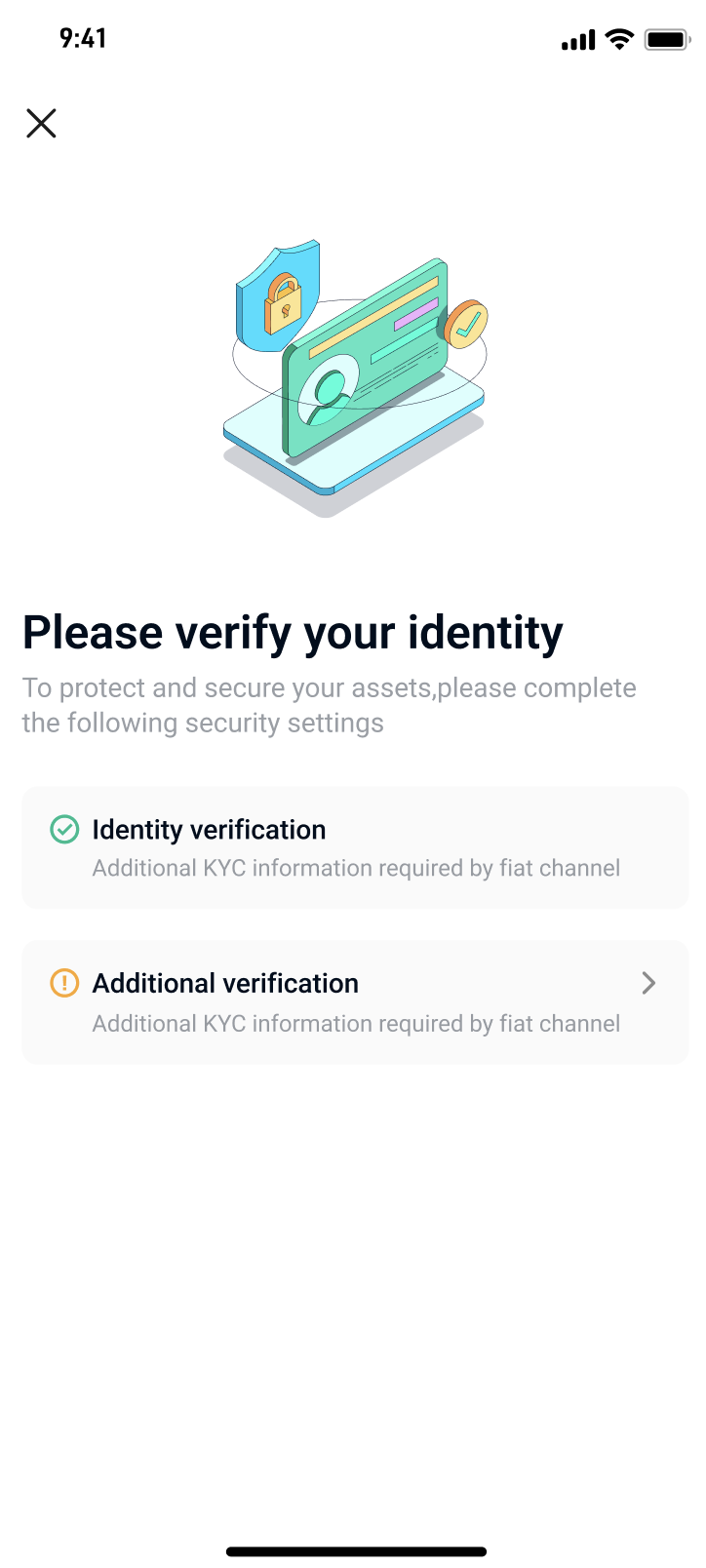
Step 1: On the EUR deposit/withdrawal page, click "Bank Transfer (SEPA)" to enter the additional verification prompt page, then click "Additional Verification."

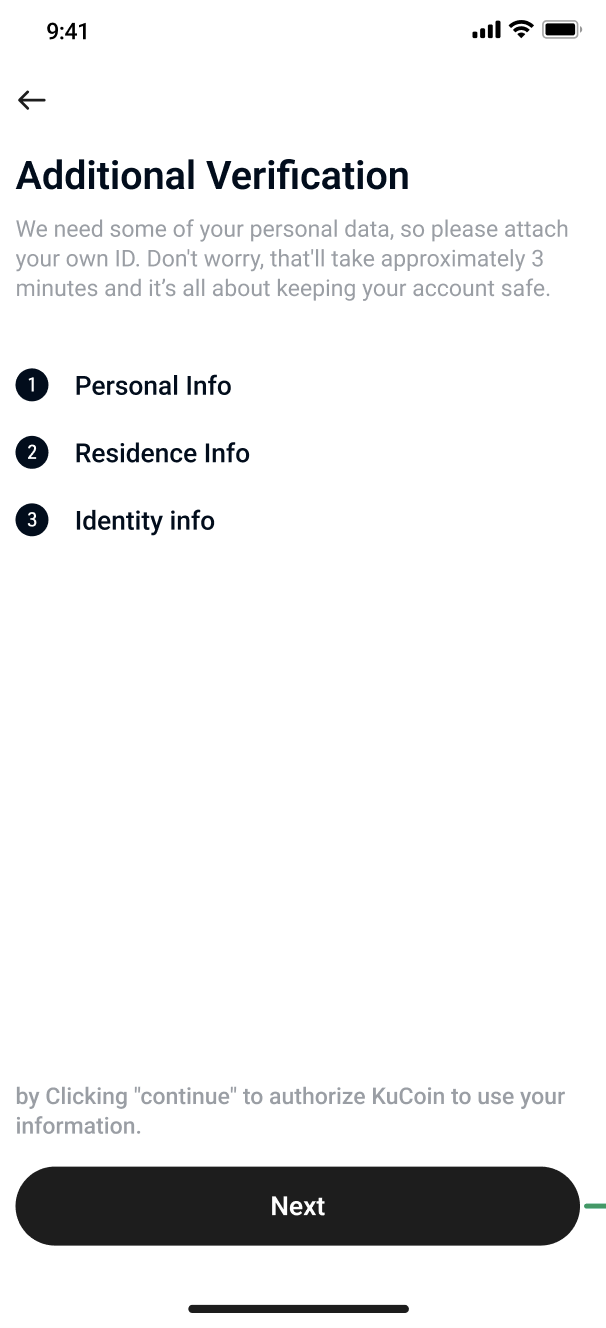
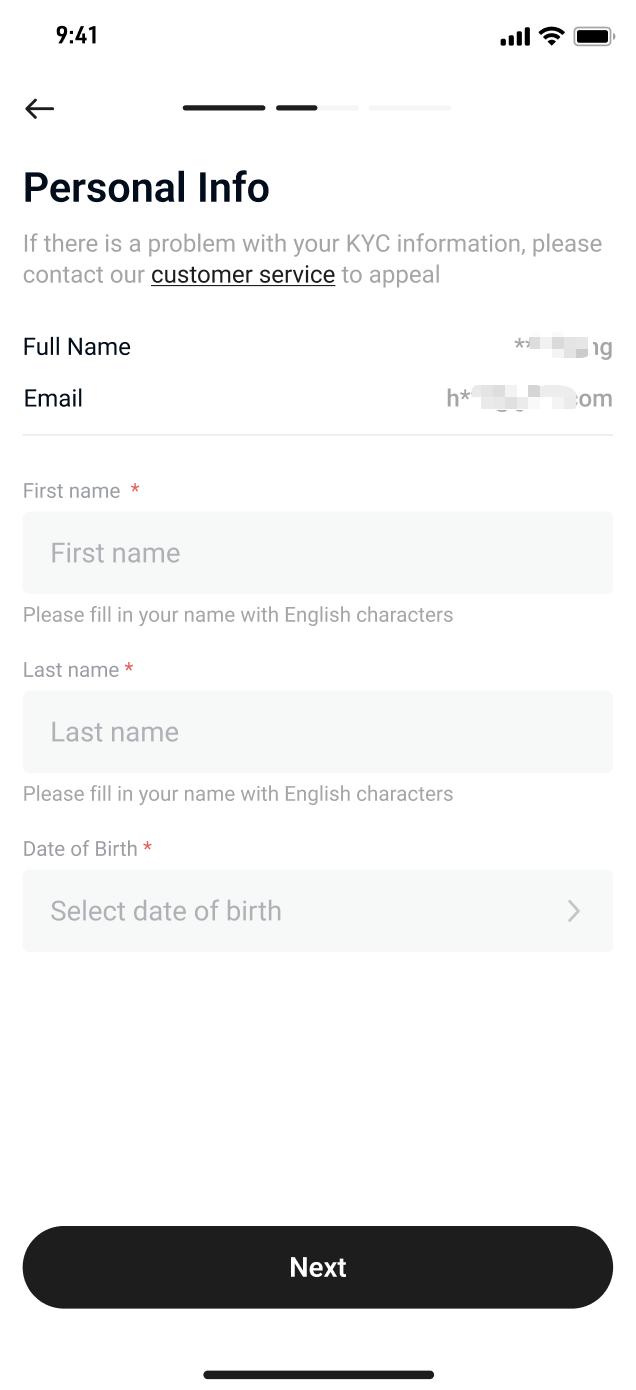
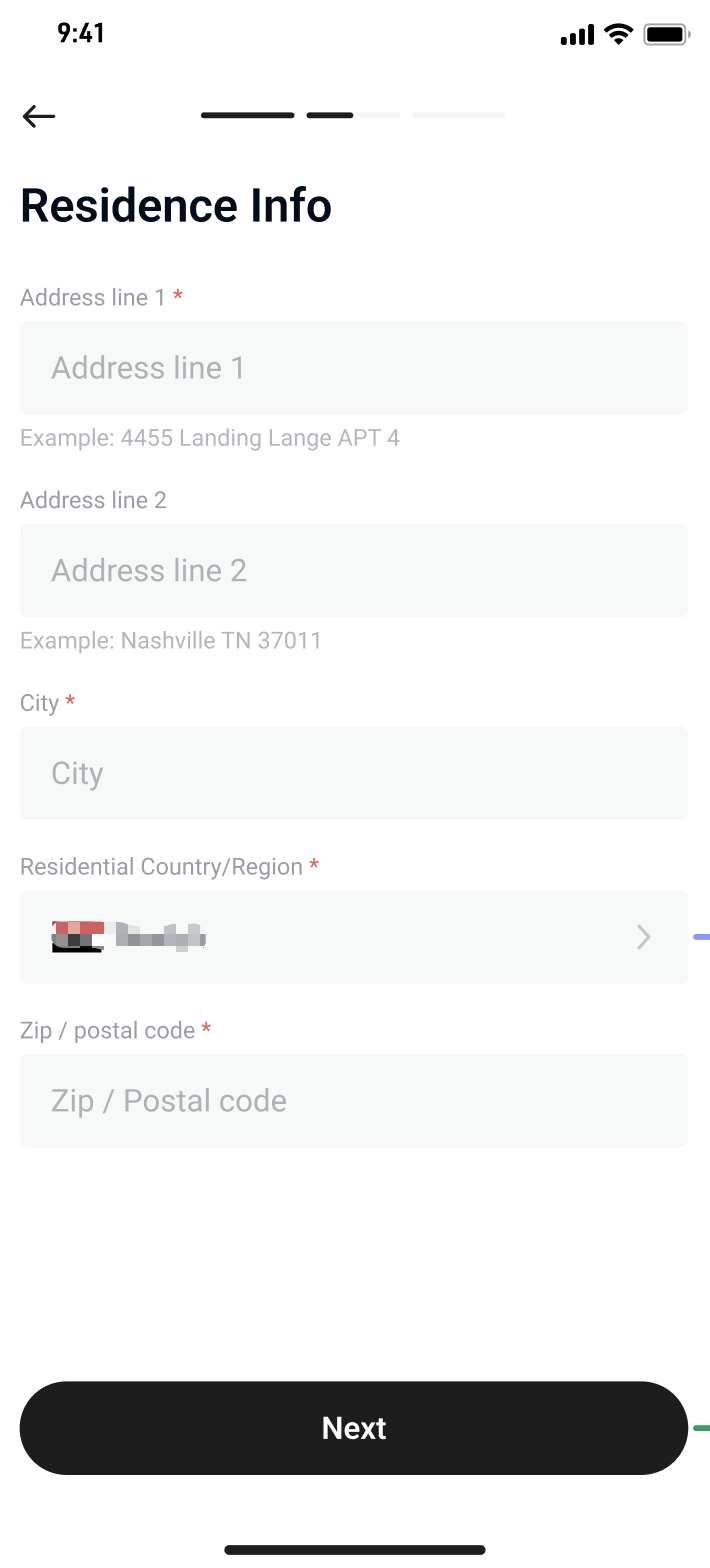
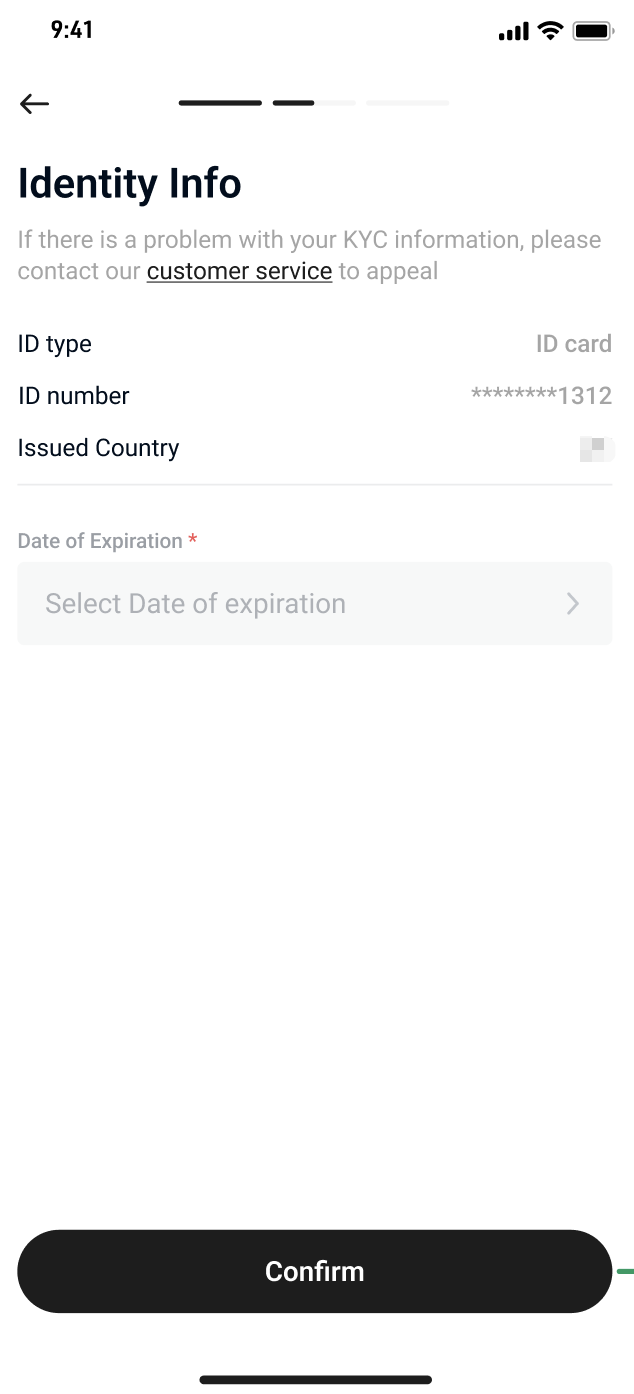
Step 2: Review the required information and click "Next". Accurately fill in your full name, date of birth, address, city, country, postal code, ID expiry date, and other relevant details.

  • Please ensure that the name you enter matches the name on your bank account to avoid transaction failures.
  • Make sure the information you provide is consistent with what you submitted during your KuCoin KYC verification.

Step 3: After submitting the information, the system will automatically process the verification, which usually takes less than 1 minute.


 (2) Path 2:

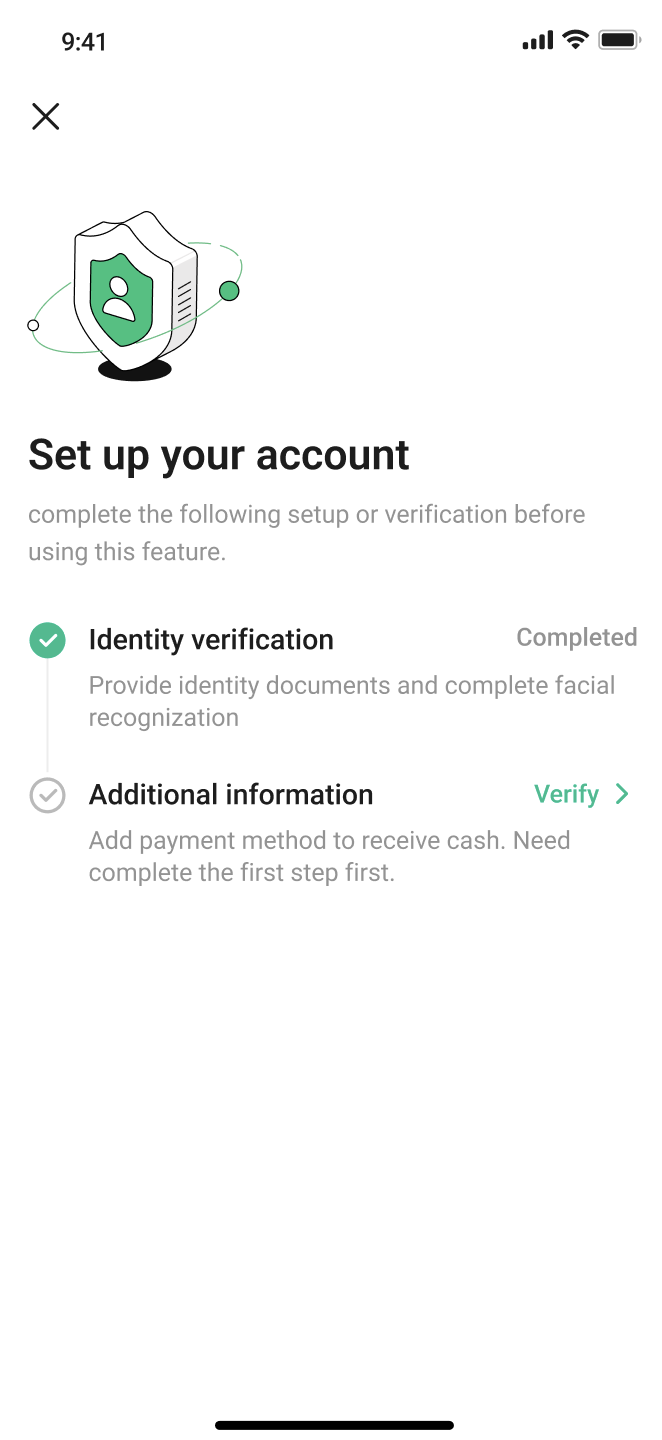
Step 1: On the EUR deposit/withdrawal page, click "Bank Transfer (SEPA)" to access the additional verification prompt page, then click "Verify" to proceed to the supplementary information page.

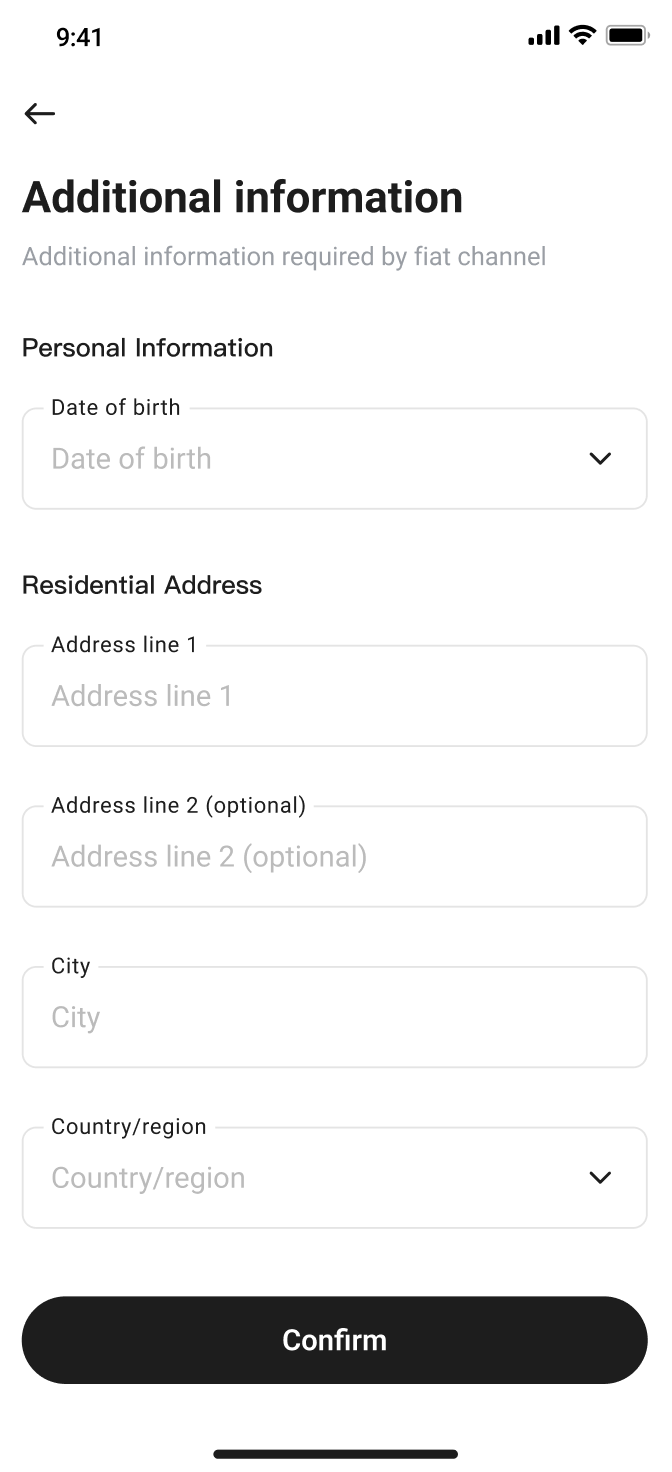
Step 2: Fill in your date of birth, address, city, country, and other details, then click "Confirm" to continue. 

Step 3: After submission, the system will verify the information. The process typically completes within 1 minute.


3. Frequently Asked Questions (FAQ)

3.1 I have completed KuCoin’s KYC verification, but the SEPA Additional Verification page shows “Identity Verification Failed.”

Please ensure that your KuCoin KYC status is indeed "Verified." If your KYC appears successful but the system still shows a failure message, we recommend contacting KuCoin Support for further assistance.


3.2 I submitted the SEPA Additional Verification, but the status still shows “In Progress.”

Normally, SEPA verification is completed within 1 minute. If the status remains stuck on "In Progress" for an extended period, please check whether the identity information you submitted has already been used to complete SEPA verification for another account. According to policy, the same identity information cannot be used for SEPA verification more than once. If the previously verified account has been closed, please contact KuCoin Support and provide details so they can assist you.


3.3 I have tried multiple times to submit SEPA Additional Verification, but the "Additional Information" step keeps failing.

We recommend that you take a screenshot or screen recording of the error message to help our support team identify the issue more accurately. Please contact KuCoin Support as soon as possible and provide the relevant documentation to receive further technical support.