What Are Security Settings and How to Reset Them?
1. What are Security Settings
1.1 Login Password
To effectively protect user accounts, KuCoin EU enforces strong password requirements. Your password must include an uppercase letter, a lowercase letter, a number, and be between 10 to 32 characters long.
1.2 Multi-Factor Authentication (MFA)
Multi-Factor Authentication (MFA) is a simple and effective measure that adds an extra layer of protection. When MFA is enabled, you perform a second type of verification in addition to entering your username and password.
KuCoin EU supports several MFA methods, including:
• Email Verification Code
• SMS Verification Code
• Google Authenticator (Google 2FA)
• Passkey
Additionally, our app offers biometric authentication options, such as fingerprint and facial recognition, to verify your identity quickly and securely. If the system security detects significant anomalies in the device and IP address used to log into your account, or if it deems your recent action to be of risk to your account security, email links will be used to further reinforce verification. This helps prevent account breaches from phishing attacks, telecom frauds, and various other threats.
1.3 Trading Password
Trading Password is a six-digit code set by users to verify all transactions on KuCoin EU , including spot, withdrawals and API-related actions.
2. How to Reset Security Settings
2.1 How to access my account if I have lost access to my Login Password and Account Security Setting(s)
If you have lost access to your login password and account security setting(s), simply follow the steps below:
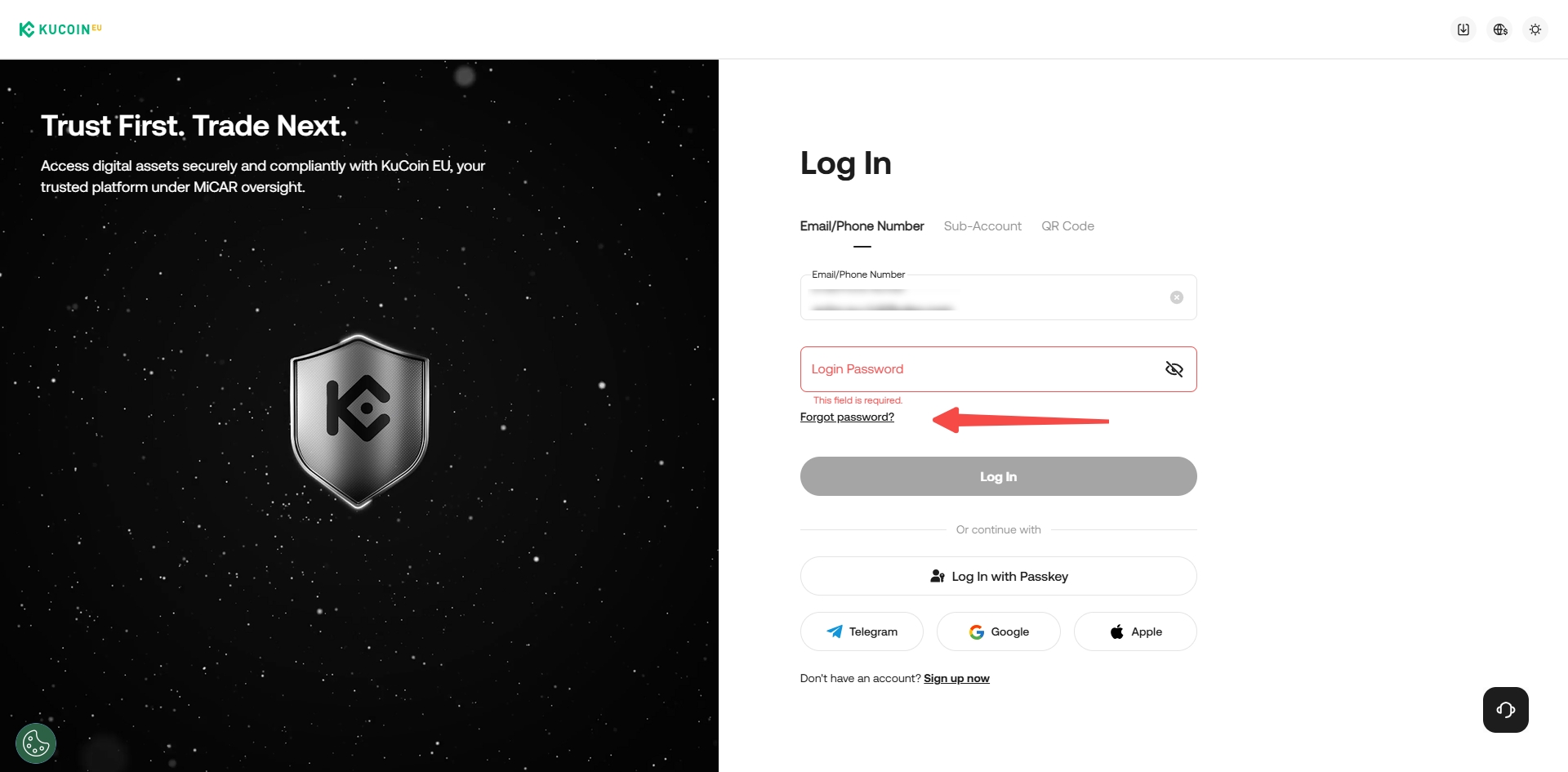
Step 1: Head over to KuCoin EU login page and enter your registered email address or phone number.
Step 2: Click on "Forgot Password" and enter your registered email address or phone number then select 'Confirm'
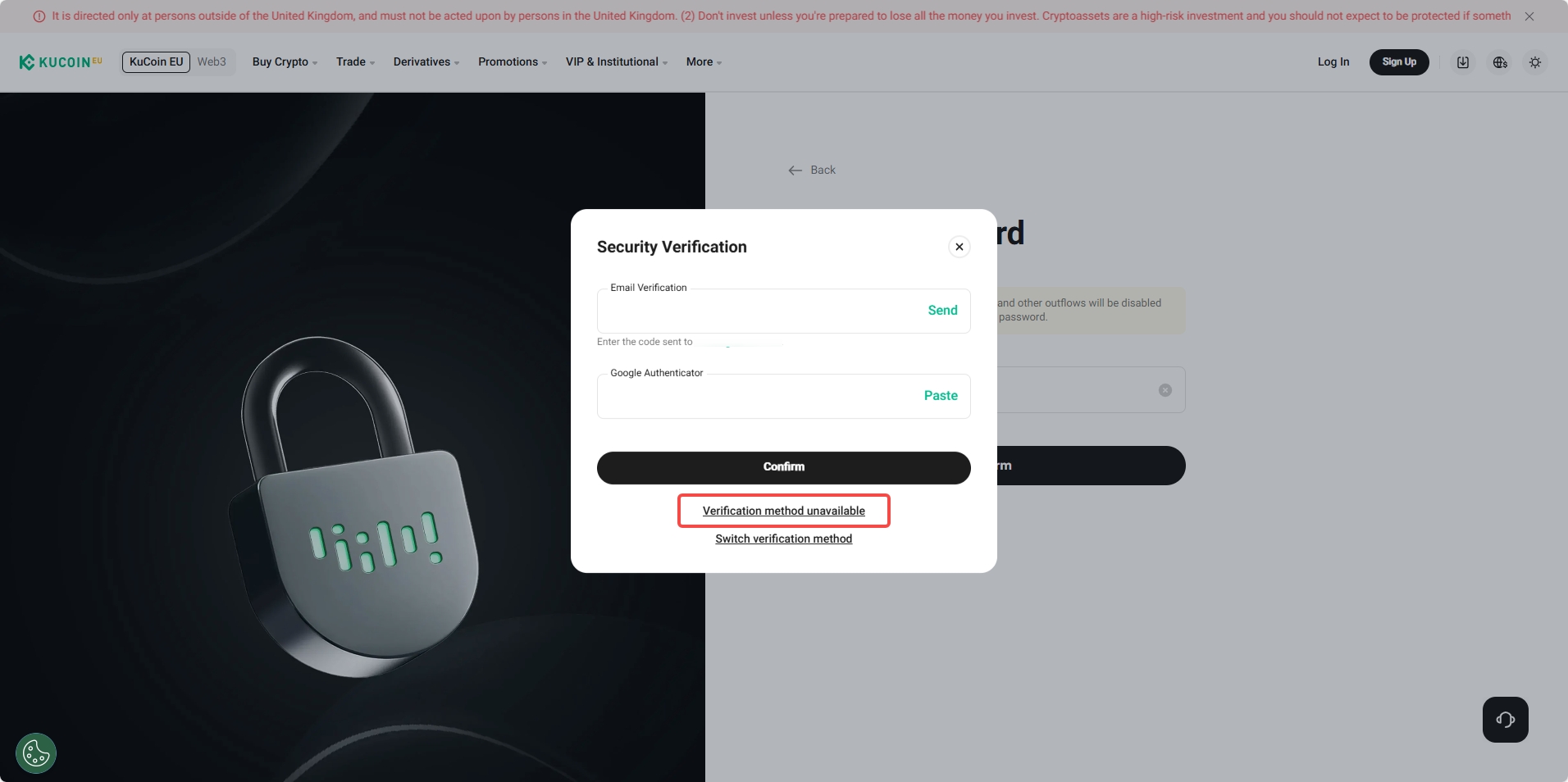
Step 3: You will be prompted to complete security verification. If you have lost access to your security settings which is preventing you from changing your login password, click on "Verification Method Unavailable"
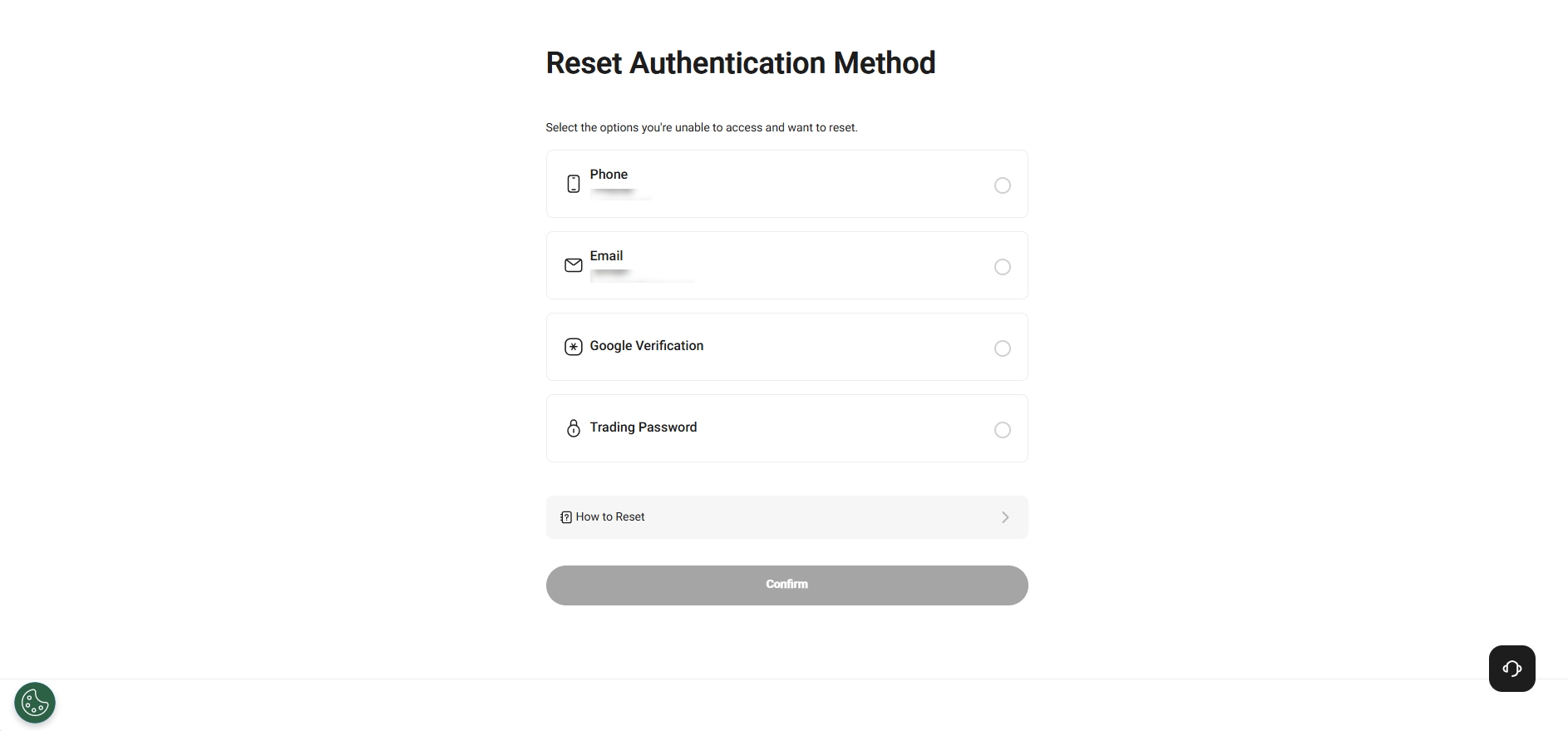
Step 4: Select the security settings that you have lost access to and click 'Confirm'. Then follow the on-screen instructions to reset your security settings.
2.2 How to reset account security setting(s) but I still have access to my Login Password.
If you have lost access to your security settings but still have access to your login password, simply follow the steps below:
Step 1: Head over to KuCoin EU login page, input your registered email address or phone number and login password and proceed.
Step 2: When prompted to complete security verification, click on "Security verification not available".
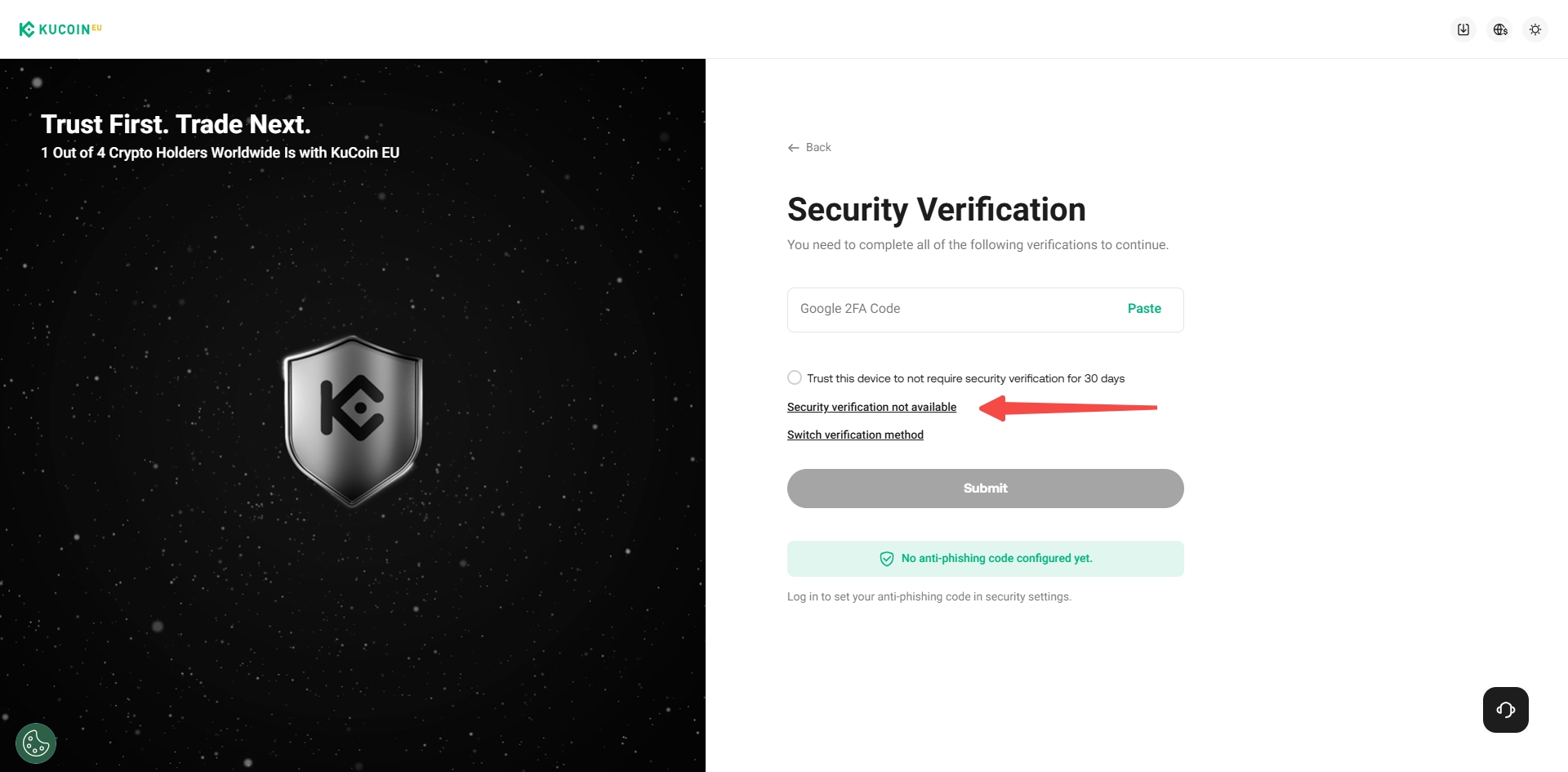
Step 3: Select the security settings that you have lost access to and click 'Confirm'. Then follow the on-screen instructions to reset your security settings.
2.3 How to reset account security setting(s) after I logging in to my account.
If you have lost access to your security settings while your KuCoin EU account remains logged in, you may follow these steps to reset your security settings:
Step 1: Hover over your avatar located in the top-right corner, and select "Account Security"
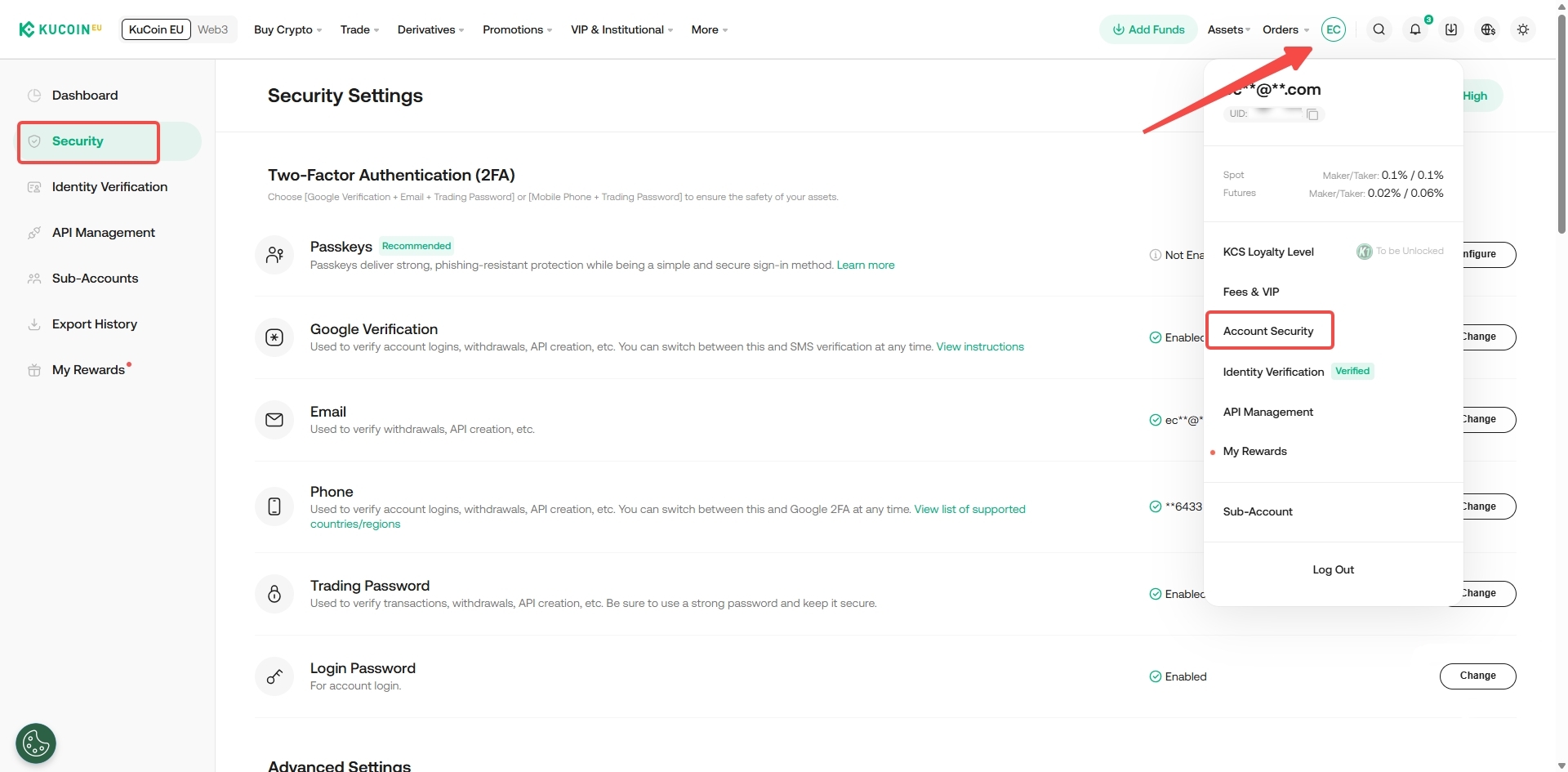
Step 2: Locate the security settings that you have lost access to and click 'Change' and click on "Verification Method Unavailable".
Step 3: Select the security settings that you have lost access to and click 'Confirm'. Then follow the on-screen instructions to reset your security settings.
2.4 How to reset your account security settings from Help Center.
You can also reset your security setting(s) from the Help Center. Alternatively, you can also click here to access the Help Center.
Step 1: Click on "Reset Authentication Method" on the Help Center page.
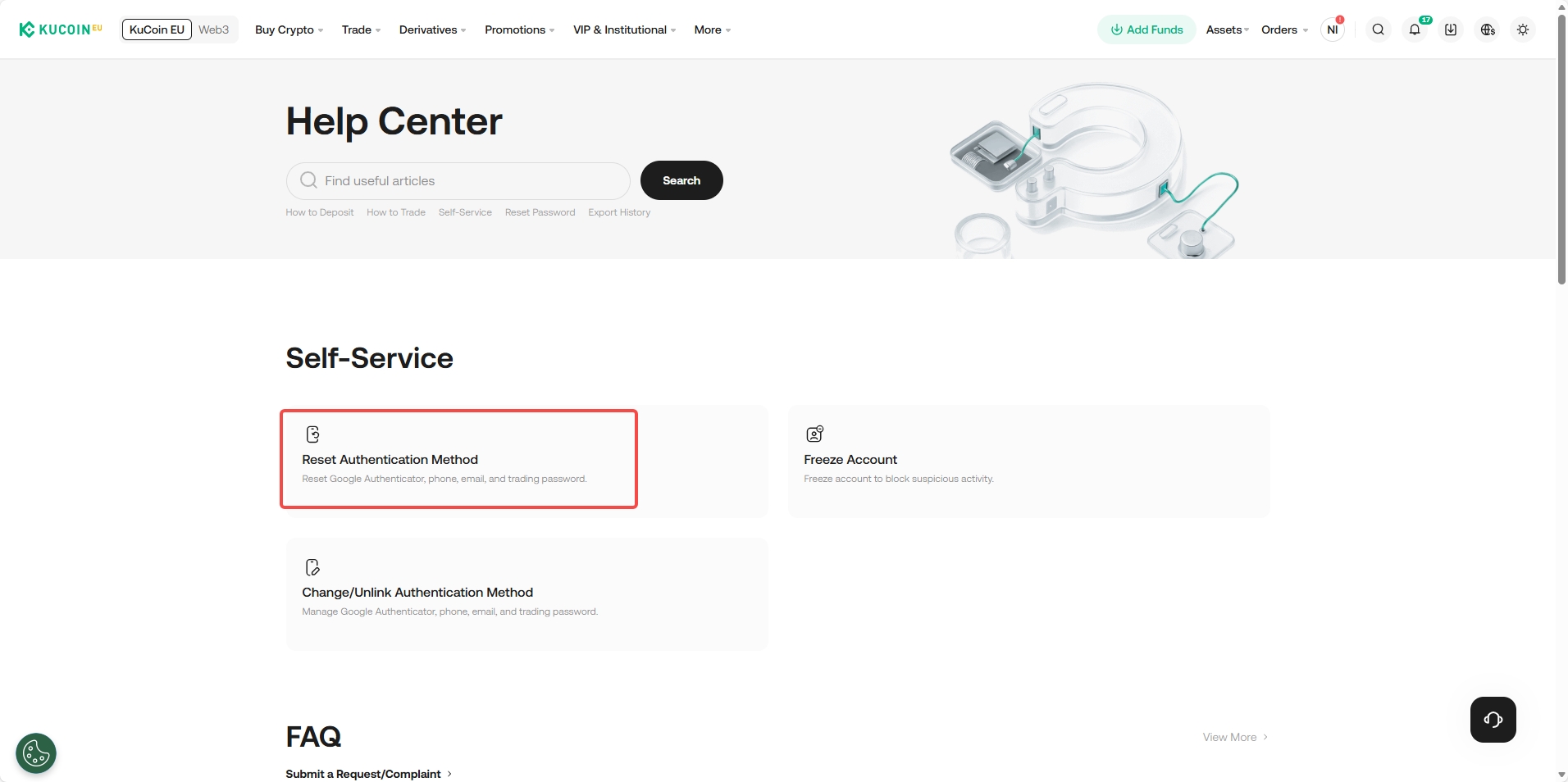
Step 2: Select the security settings that you have lost access to and click 'Confirm'. Then follow the on-screen instructions to reset your security settings.
Note:
• Please note that the withdrawal service will be suspended for 24 hours after resetting security settings to safeguard your assets.
• Your request may take up to 48 hours to be completed.
We hope this article has been helpful. If you have any other questions, please reach out to our 24/7 customer support via online chat or submit a ticket.