Phone Number
To better protect your account, link your phone number as a verification method. Having multiple security measures lowers the chances of a security breach. Examples of such setups include: Google 2FA + email address + trading password or phone number+ trading password.
Table of Contents
How to Change Your Phone Number
1. How to Link a Phone Number
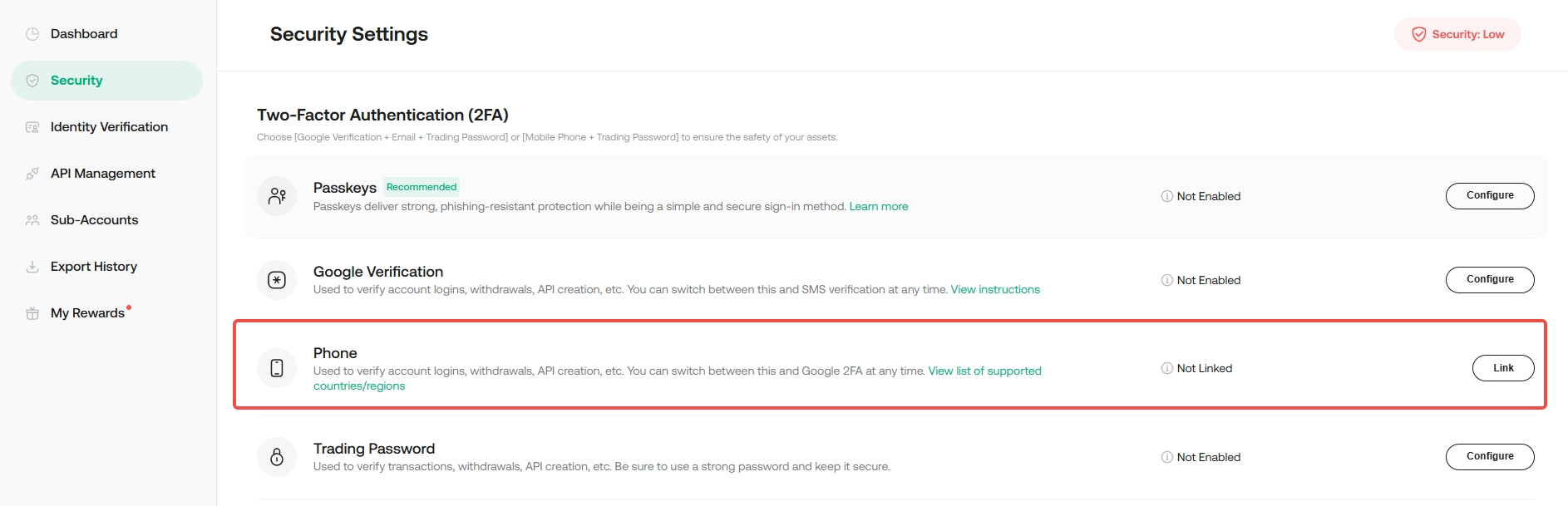
Step 1: Login into your account, go to Security Settings, look for the phone option, and hit the "Link" button.
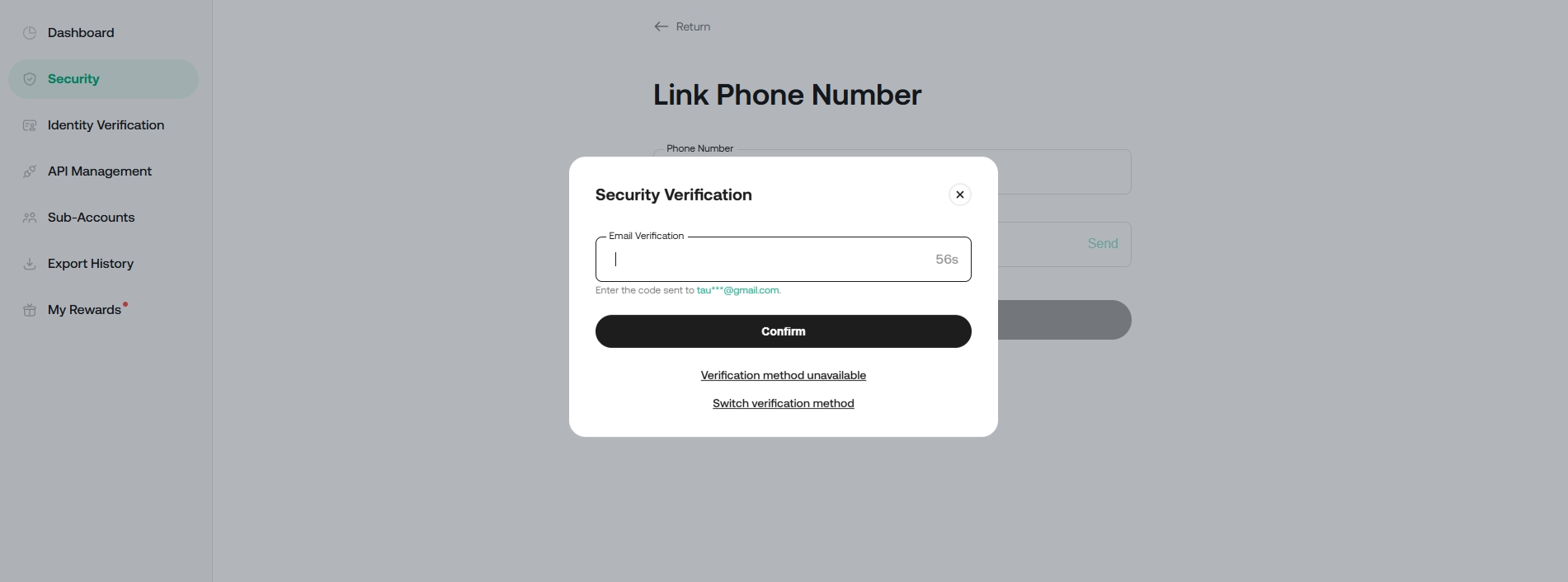
Step 2: You will be prompted to either confirm your passkey or enter a verification code, which can be obtained from Google 2FA or your email.
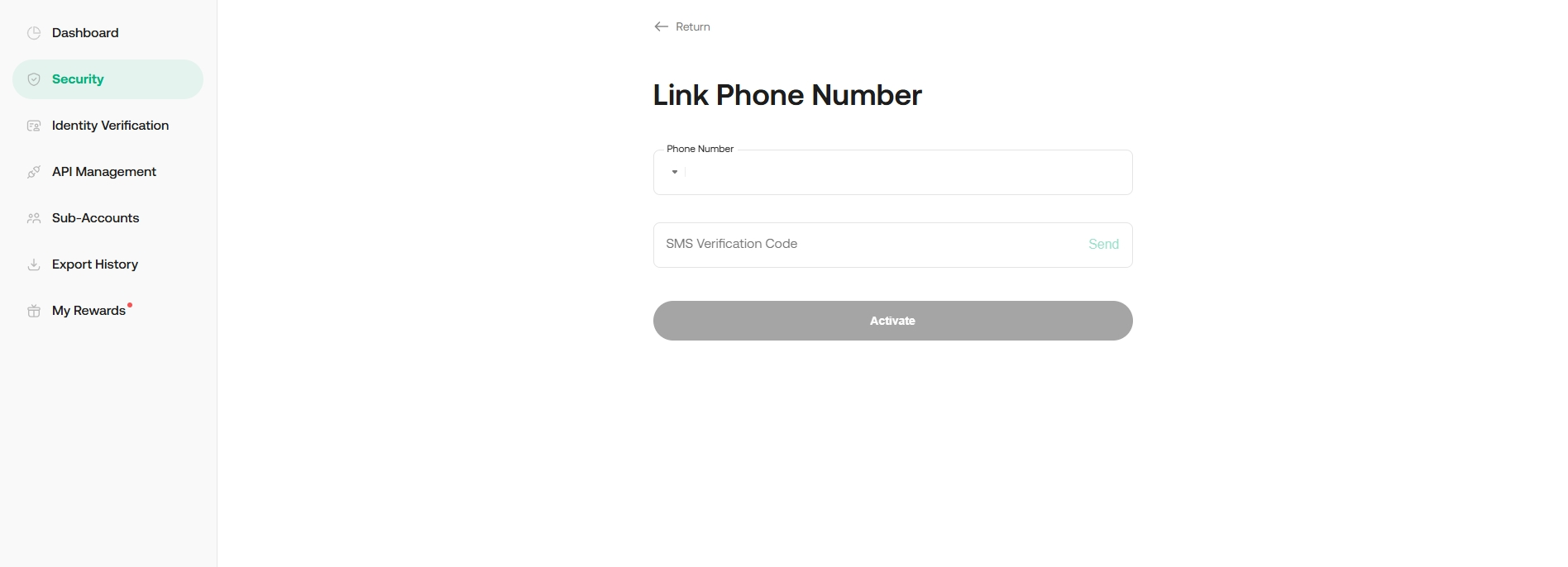
Step 3: On the next page, enter the phone number you wish to bind and hit Send. The code should then be sent to you via SMS verification code. Enter the six-digit code and hit Activate.
Note:
- If you’re trying to use an email verification code, remember to click the Send button to request one.
- Please be aware that once an email address or phone number is linked to an account, it cannot be unlinked; Users can only change the email address or phone number. To keep our users' accounts safe, we collect phone numbers and email information from all users and store this data securely within our databases. If a user unlinks their phone number or email, resulting in the deletion of this information, it may affect the account's security and functionality.
2. How to Change Your Phone Number
Scenario 1: You can log in and still have access to your old phone
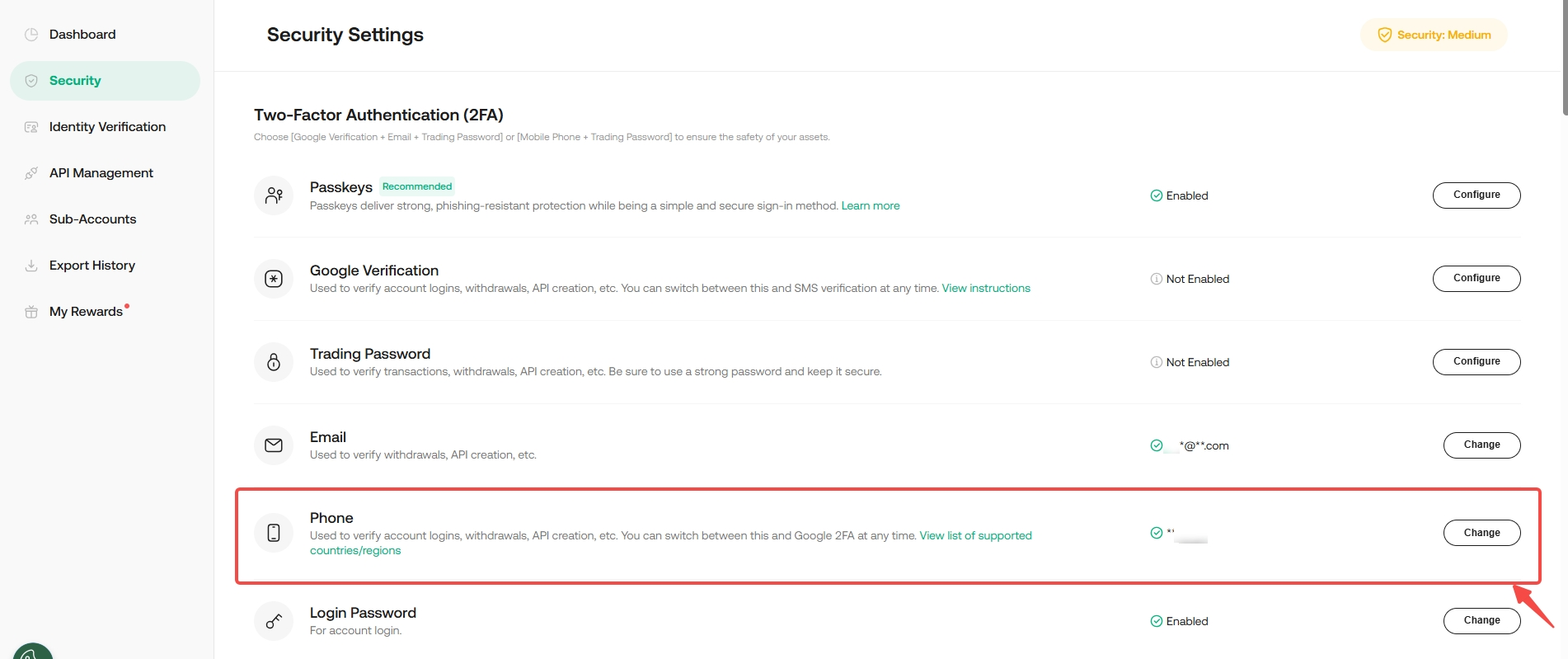
Step 1: Go to Security Settings, look for the option for phone, and select Change.
Step 2: You’ll be asked to complete the security verification using a passkey or by entering a verification code sent to you via SMS.
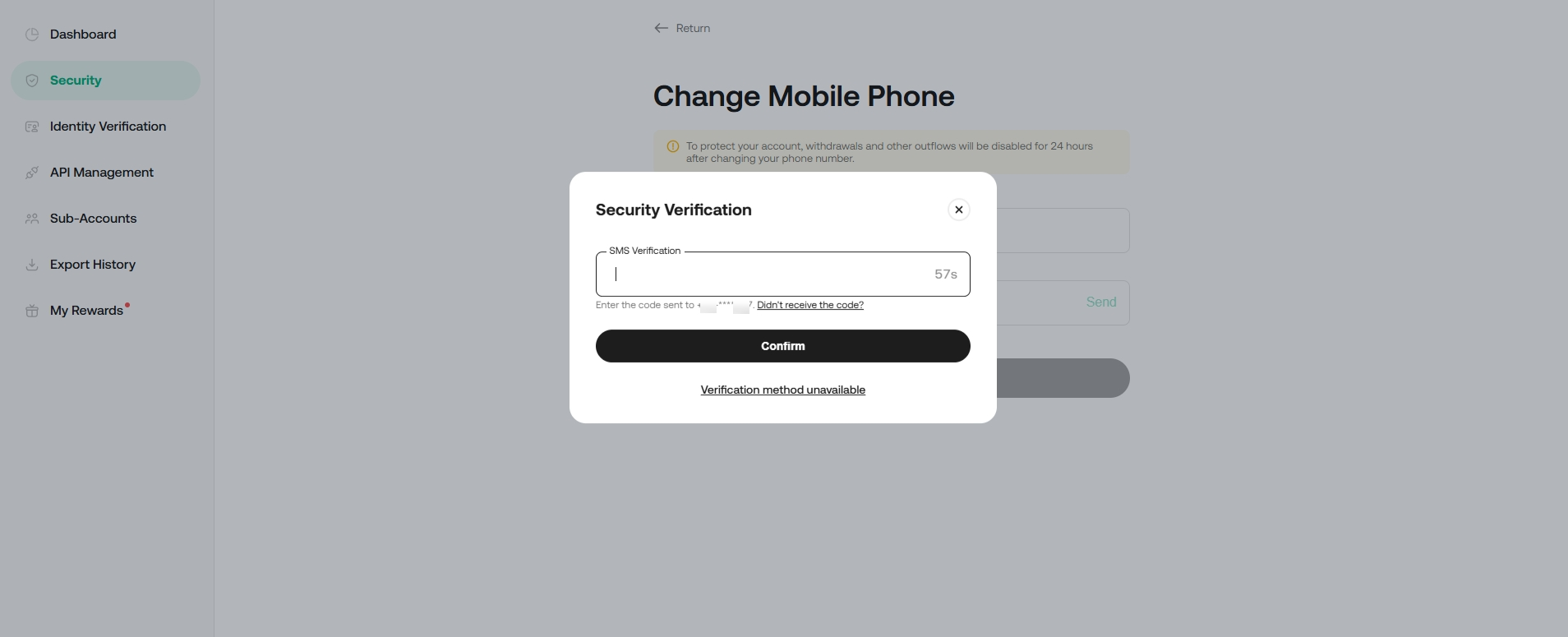
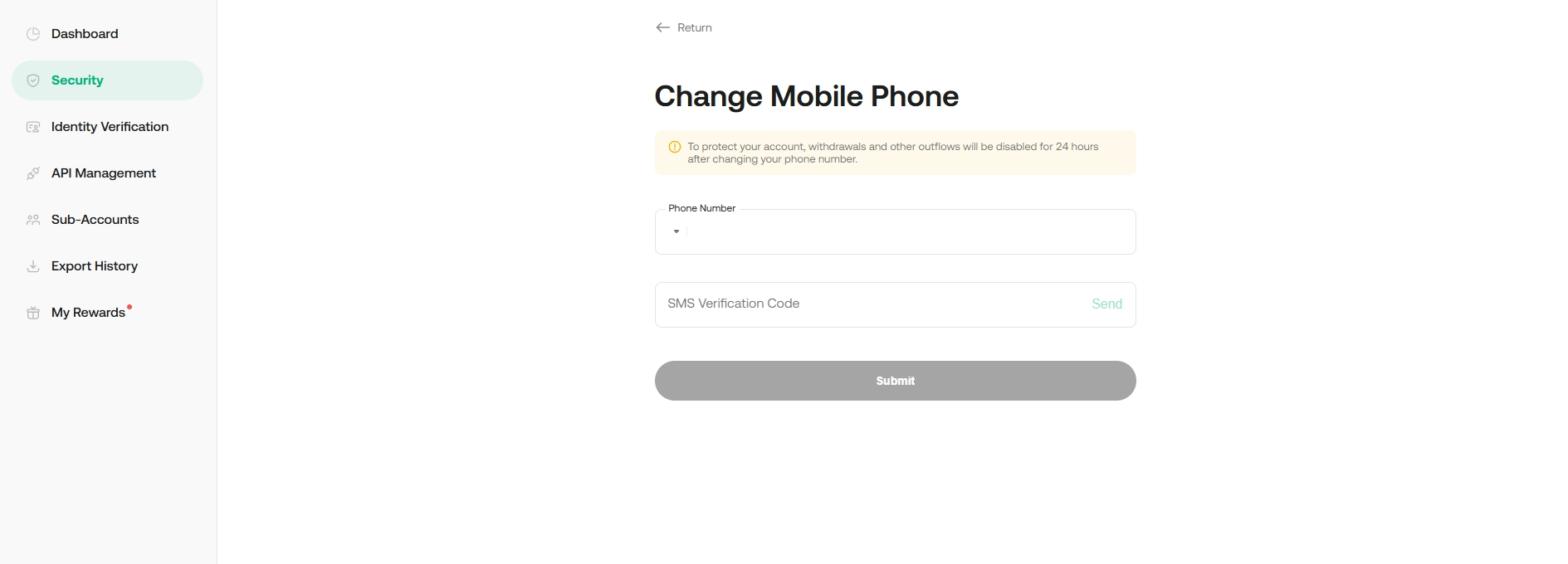
Step 3: On the next page, enter the new phone number you wish bind, then hit Send button. The code will be sent to your phone via text message. Enter the six-digit verification code and hit Submit.
Note:
• Withdrawals service under your account will be disabled for 24 hours after updating your phone number to protect your assets.
Scenario 2: You are unable to receive text message updates from us on your original phone .
Please follow How to Reset Security settings
Note:
- Please note that the withdrawal service will be suspended for the next 24 hours after updating the security settings.
- When reset authentication, please upload the required photos while following the instructions closely, or your appeal may be rejected.
- The review may take 48 hours to be completed after you submit the request.