How to Add/Import/Remove Wallet
This guide explains how to add a new wallet, import an existing wallet, and remove a wallet from KuCoin Web3 Wallet app.
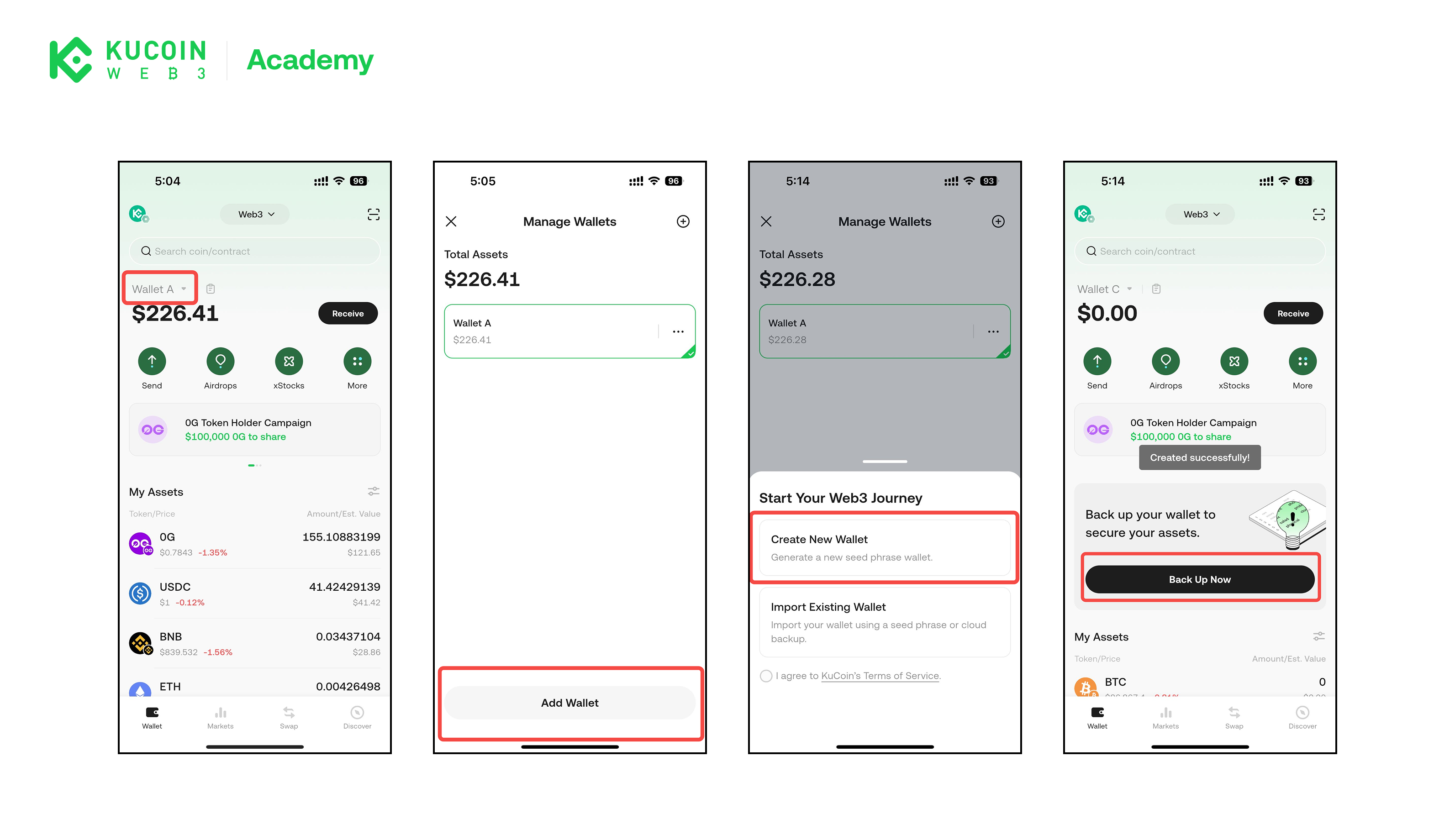
1. Add a New Wallet
You can generate a fresh wallet address.
Steps
- Open KuCoin Web3 Wallet
- Select your current wallet
- Select Add Wallet
- Back up and confirm your seed phrase
⚠️ Important: The seed phrase is the only way to restore your wallet. If it is lost, KuCoin Web3 Wallet cannot recover your assets. Once the recovery phrase is confirmed, your new wallet is ready to use.
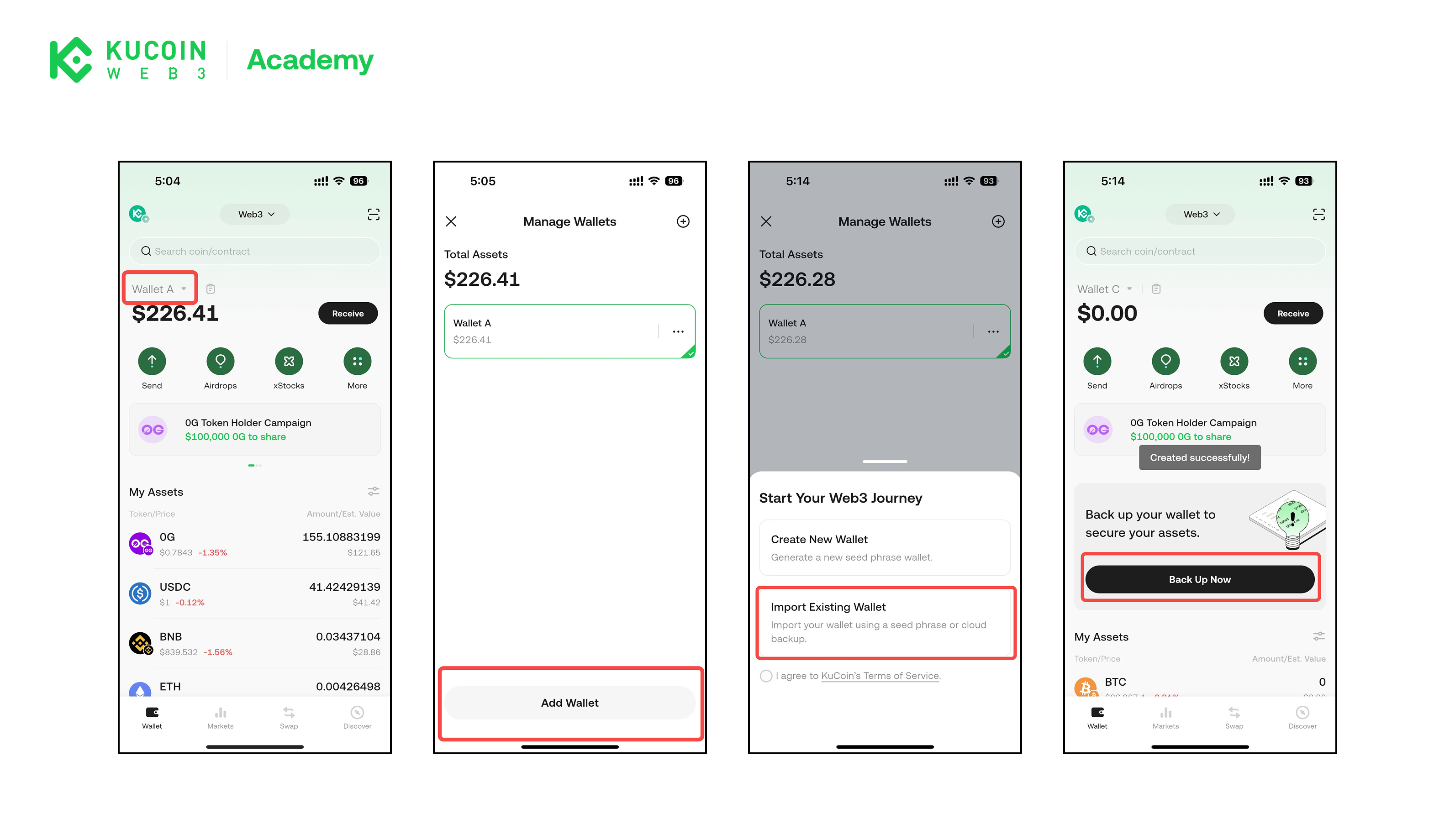
2. Import an Existing Wallet
If you already have a Web3 wallet, you can import it into KuCoin Web3 Wallet.
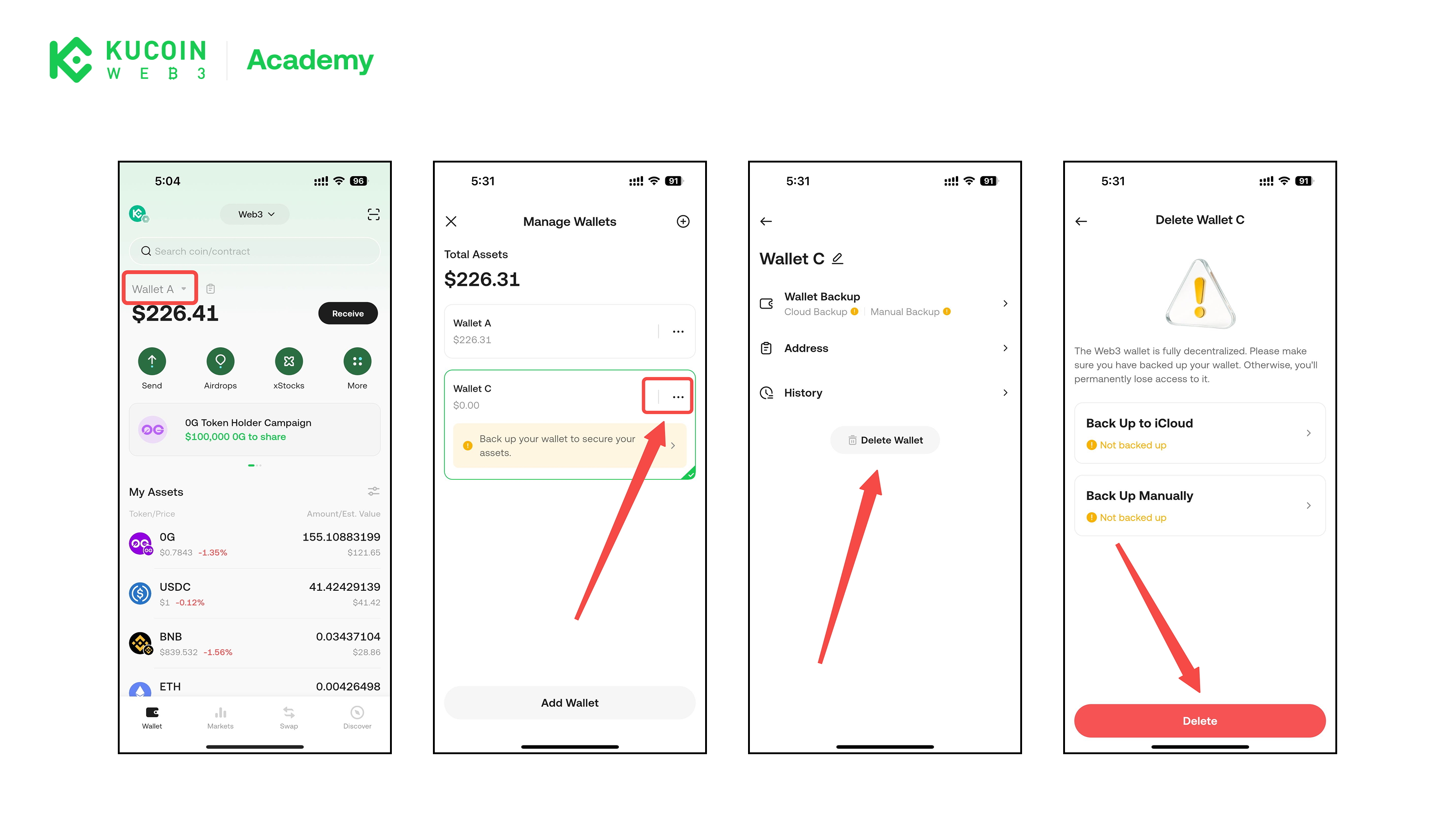
3. Remove a Wallet
Removing a wallet deletes the wallet data from the current device only. Your assets remain on-chain and can be restored using your recovery phrase or private key.
When to Remove a Wallet
- You have securely backed up your seed phrase
- You no longer need access to the wallet on this device
- You plan to restore the wallet on another device
⚠️ Warning: If you remove a wallet without backing up the recovery phrase or private key, the wallet cannot be restored.
About KuCoin Web3 Wallet:
🔗 X (Twitter)
🔗 Telegram Group
🔗 Telegram Channel
🔗 Get KuCoin Web3 wallet