How to Send and Receive Assets with KuCoin Web3 Wallet Extension
শেষ আপডেট: ২৪/১২/২০২৫
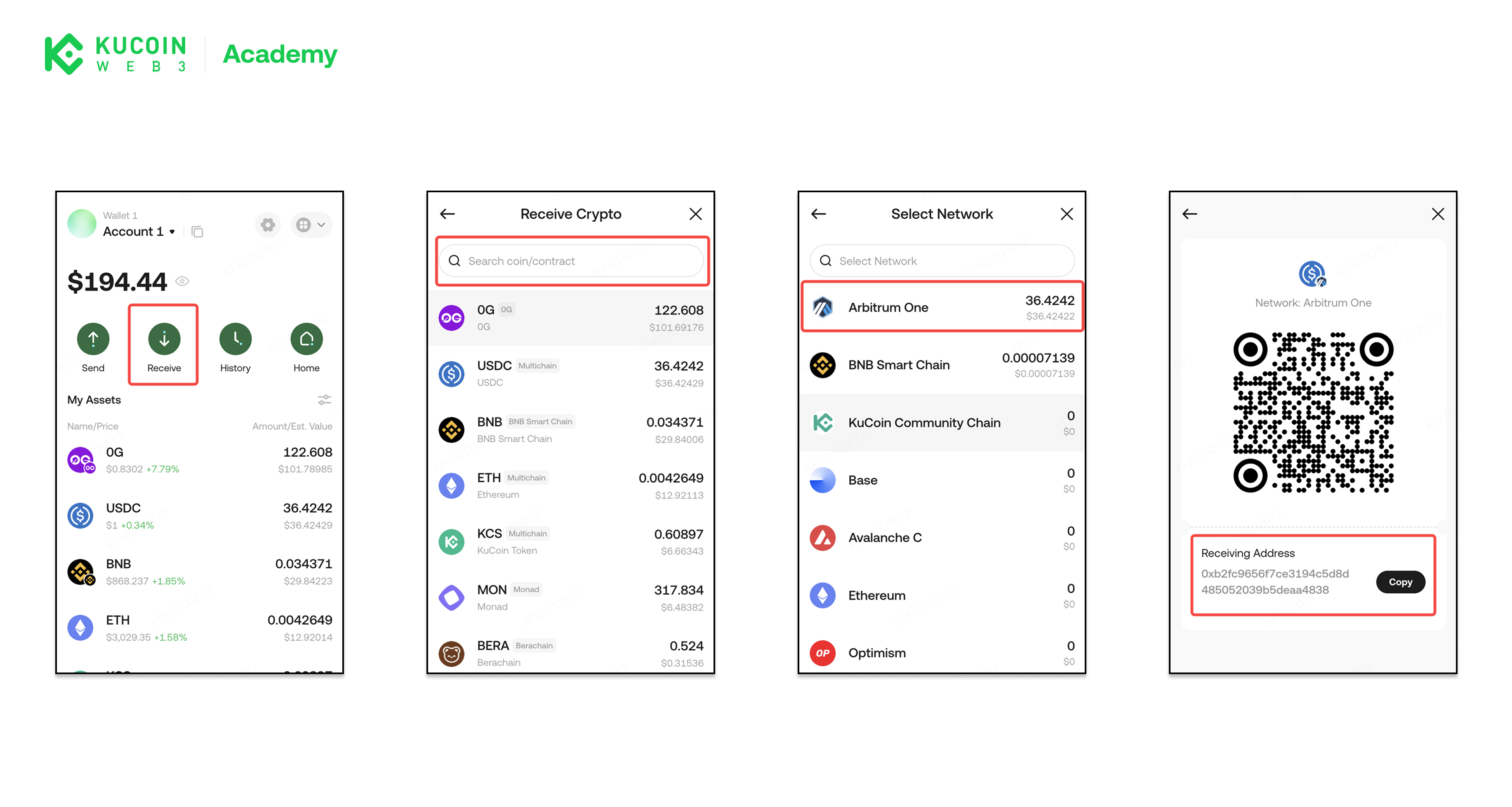
Receive Assets
Receiving assets means sharing your wallet address so others can send tokens to you.
Steps to Receive Assets
- Open KuCoin Web3 Wallet Extension
- Click Receive
- Search for the coin you want to receive
- Select the network on which the token will be sent
- Copy your wallet address or share the QR code
- Once the transaction is confirmed on-chain, the assets will appear in your wallet balance.
Important Notes When Receiving Assets
- Make sure the sender uses the correct network
- Sending assets to the wrong network may result in permanent loss
- Only send supported tokens on the selected network
- Transaction confirmation time depends on network conditions
Send Assets
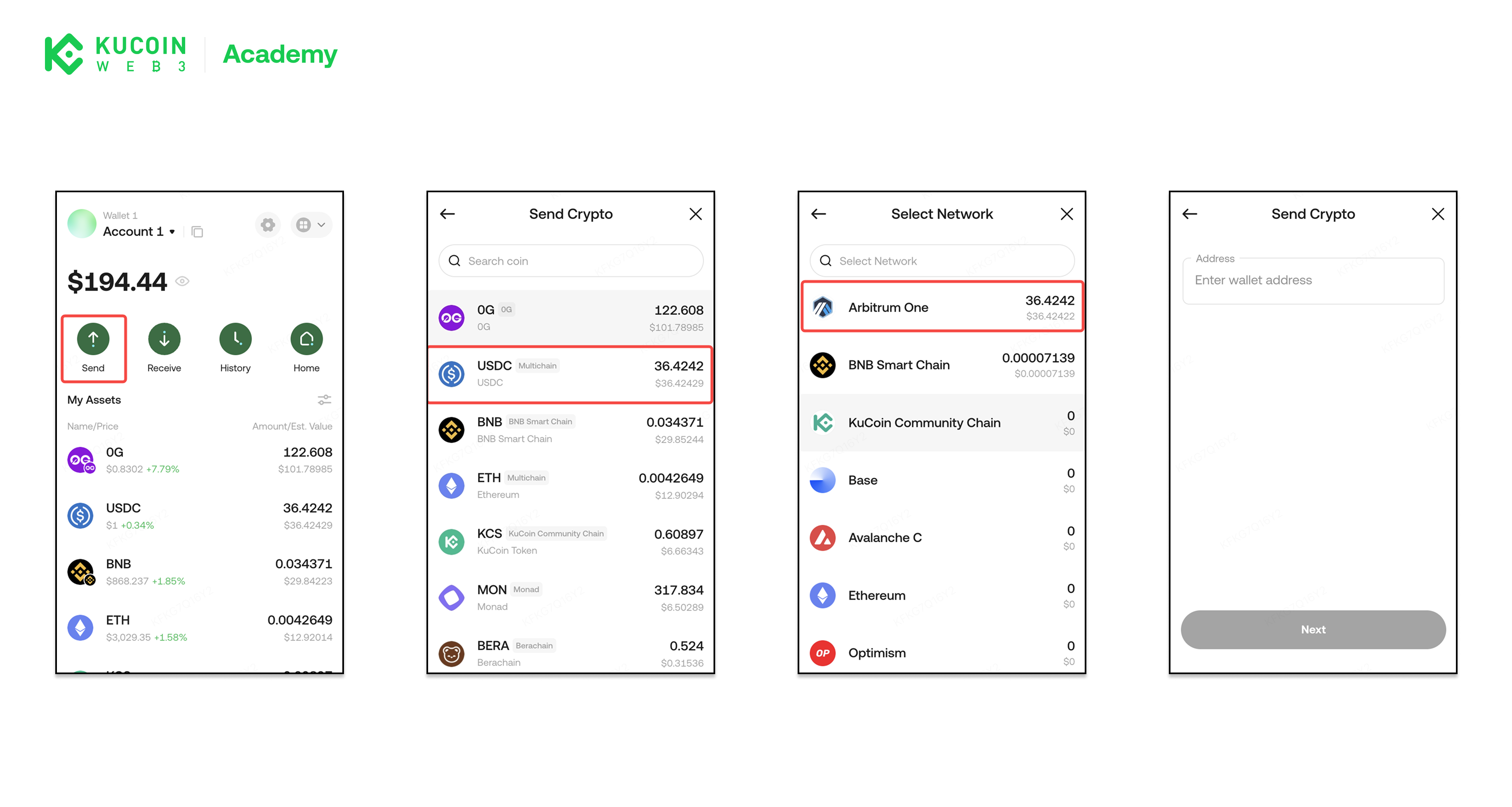
Sending assets means transferring tokens from your wallet to another address.
Steps to Send Assets
- Open KuCoin Web3 Wallet extension
- Click Send
- Select the asset you want to send
- Select the network on which the token will be sent.
- Enter the recipient’s wallet address
- Enter the amount to send
- Review transaction details, including gas fees and confirm the transaction
About KuCoin Web3 Wallet:
🔗 X (Twitter)
🔗 Telegram Group
🔗 Telegram Channel
🔗 Get KuCoin Web3 wallet