How to Create a New Wallet?
শেষ আপডেট: ২৪/১২/২০২৫
KuCoin Web3 Wallet is a non-custodial Web3 wallet, meaning you have full control over your assets, private keys, and seed phrase. After downloading the KuCoin Web3 Wallet browser extension, you can create a new wallet in just a few steps.
This guide walks you through how to create a new wallet and explains how to properly back up your seed phrase, which is essential for wallet security.
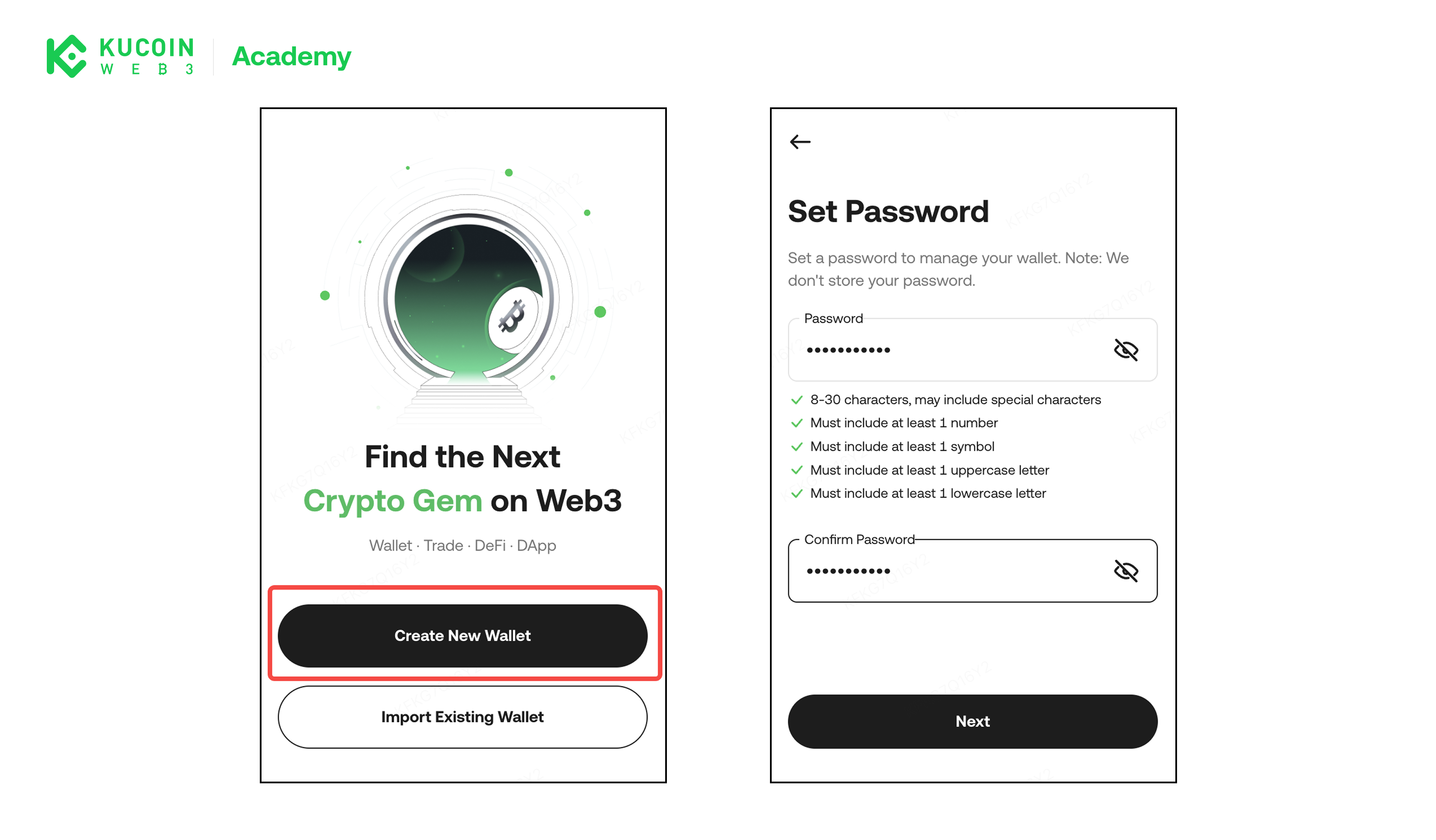
Step 1: Create a Wallet
- Open the KuCoin Web3 Wallet extension.
- Select Create New Wallet
- Set a password to protect access to your wallet on this device
Step 2: Back Up Your Seed Phrase (Important)
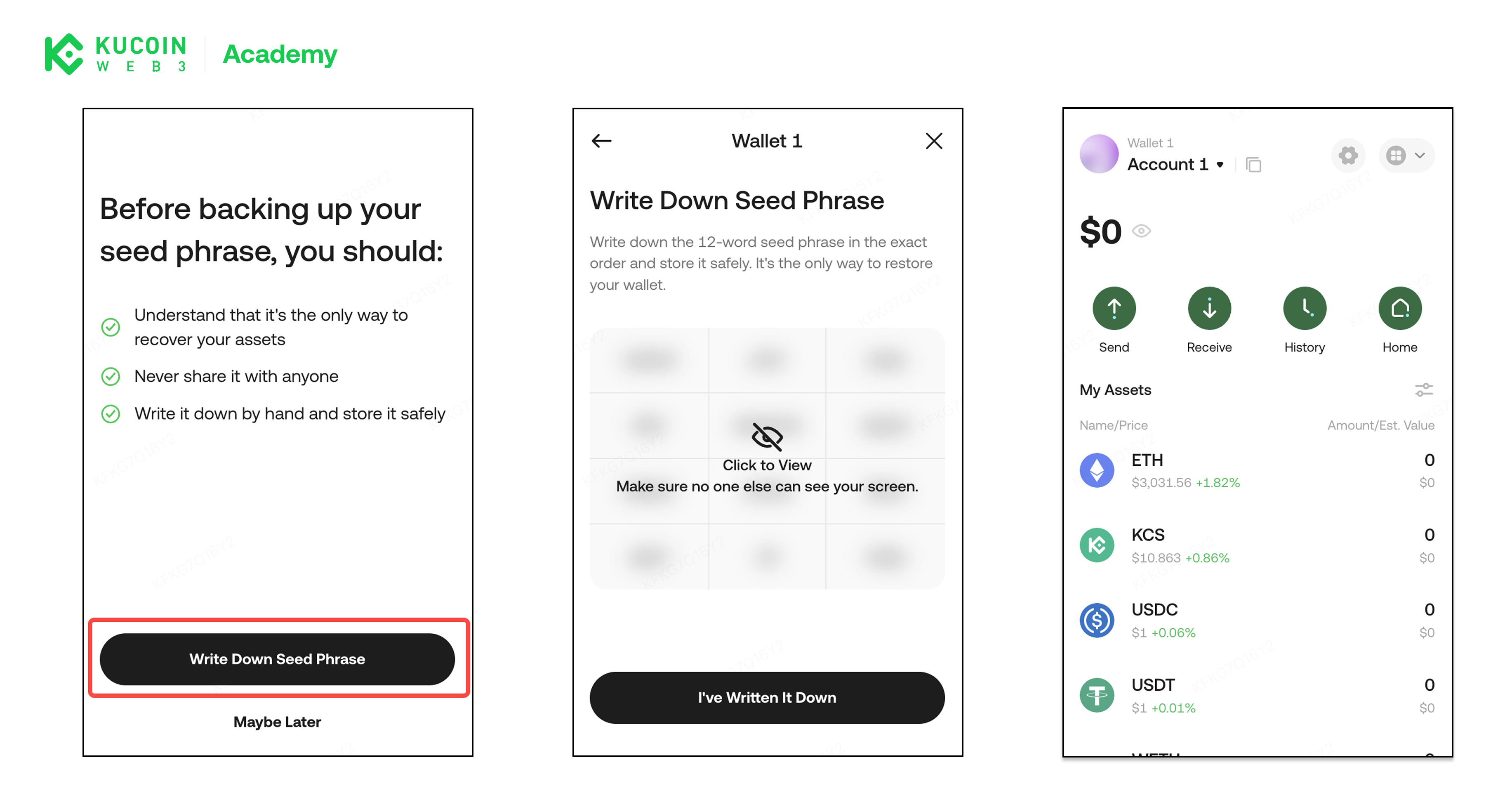
After creating your wallet, you will be shown a recovery phrase (also known as a seed phrase), typically consisting of 12 or 24 English words.
Why this matters:
- The seed phrase is the only way to restore your wallet
- If it is lost, KuCoin Web3 Wallet cannot recover your assets
- Anyone with access to your seed phrase can fully control your wallet
Backup recommendations:
- Write the seed phrase down on paper
- Store it in a secure, offline location
- Do not take screenshots or store it in cloud services
- Never share it with anyone
Once you confirm your seed phrase, your wallet setup is complete.
About KuCoin Web3 Wallet:
🔗 X (Twitter)
🔗 Telegram Group
🔗 Telegram Channel
🔗 Get KuCoin Web3 wallet