কুকয়েন ওয়েব৩ ওয়ালেটের সাহায্যে সম্পদ কীভাবে পাঠাবেন এবং গ্রহণ করবেন?
শেষ আপডেট: ২৮/০২/২০২৬
অ্যাসেট কীভাবে পাবেন
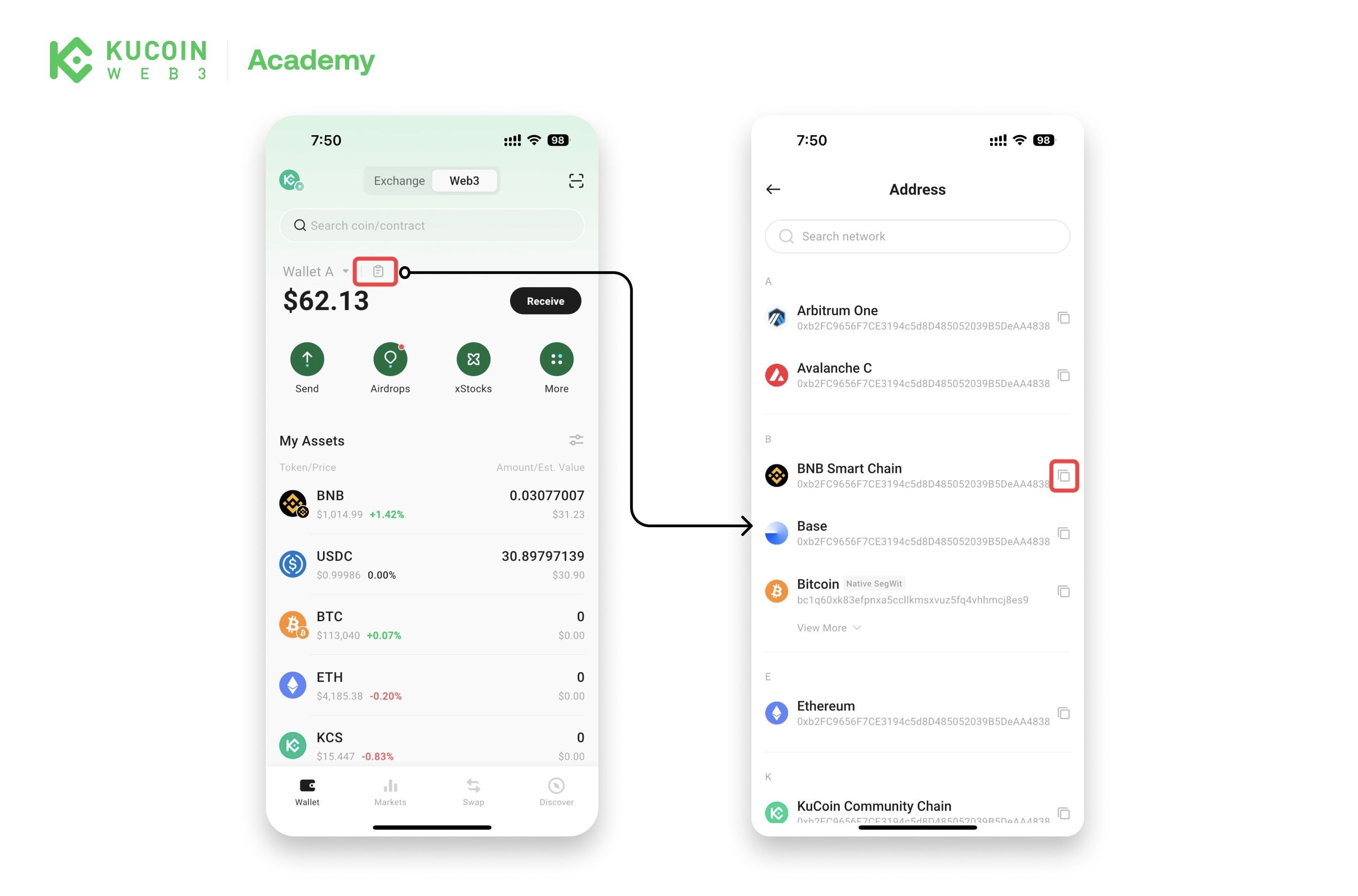
পদ্ধতি 1: আপনার ওয়ালেটের অ্যাড্রেস কপি করুন
- কুকয় অ্যাপ খুলুন এবং ওয়েব ৩-এ যান।
- ক্রিপ্টো গ্রহণের জন্য যে নেটওয়ার্কটি চান, তার ওয়ালেটের অ্যাড্রেস কপি করতে কপি অ্যাড্রেস ট্যাপ করুন।
পদ্ধতি ২: QR কোড স্ক্যান করুন
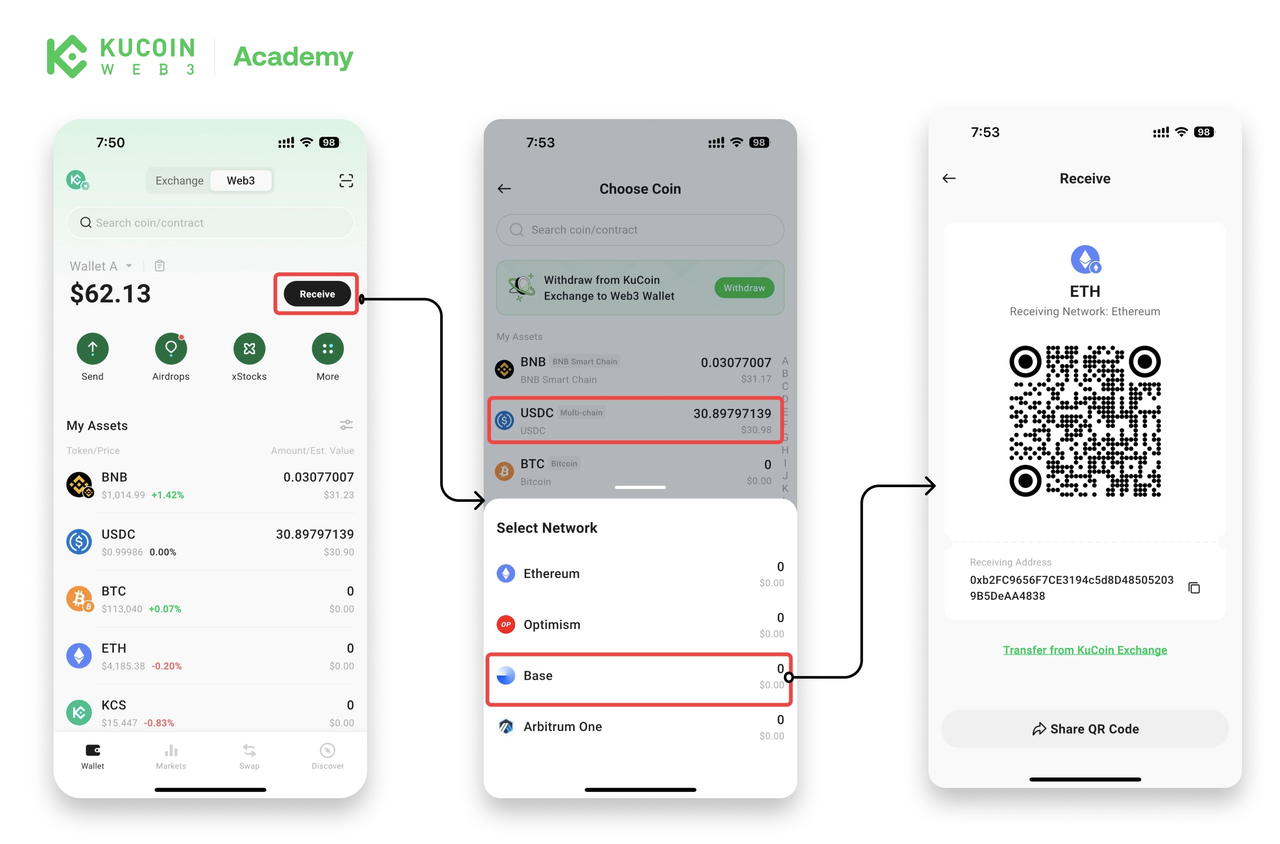
- কুকয় অ্যাপ খুলুন এবং ওয়েব ৩-এ যান।
- প্রাপ্তি ট্যাপ করুন, তারপর আপনি যে ক্রিপ্টো এবং নেটওয়ার্কটি চান তা নির্বাচন করুন।
- ট্রান্সফার সম্পন্ন করতে শেয়ার করুন বা QR কোড স্ক্যান করুন।
পদ্ধতি 3: আপনার KuCoin এক্সচেঞ্জ অ্যাকাউন্ট থেকে প্রাপ্তি
একটি ধাপে ধাপে গাইডের জন্য [this article] দেখুন।
অ্যাসেট পাঠানোর উপায়
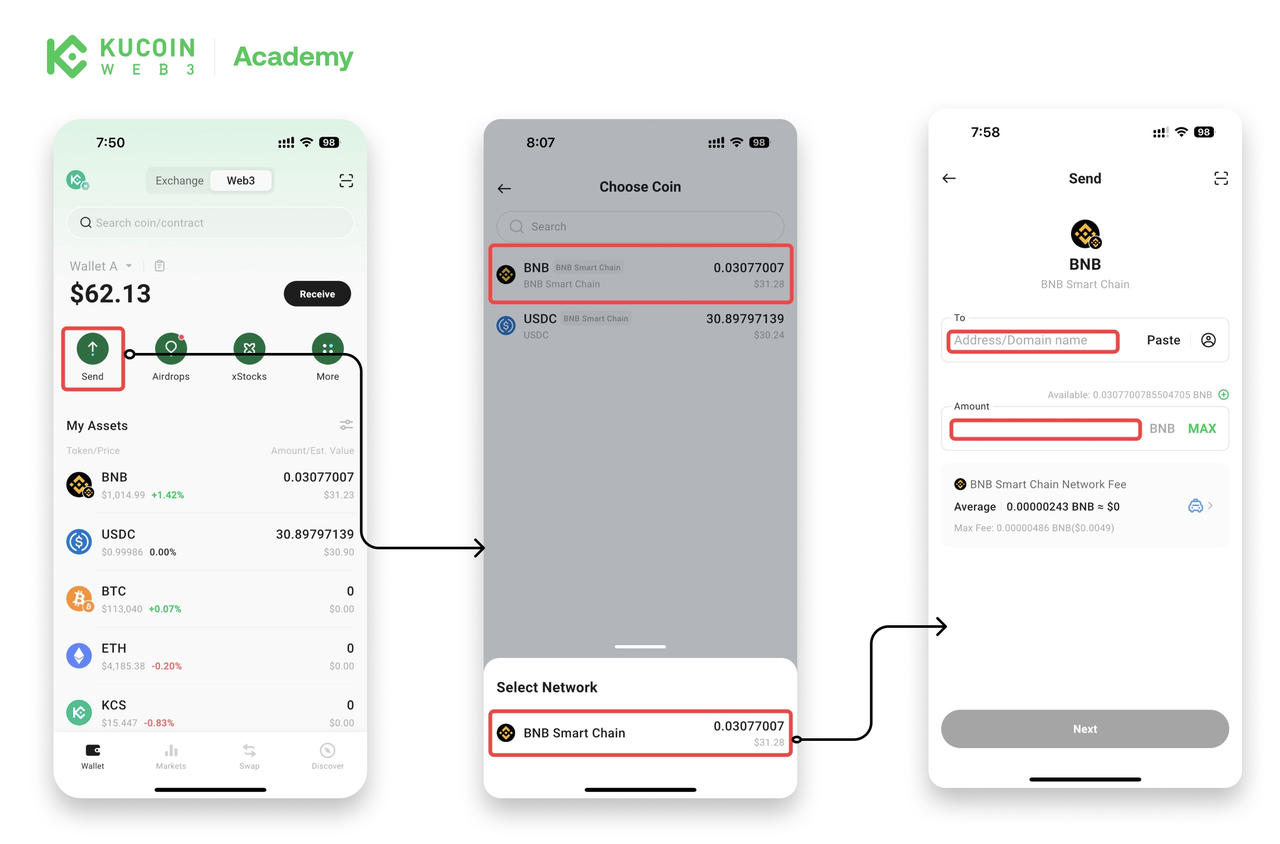
- কুকিন অ্যাপ খুলুন, ওয়েব৩-এ যান এবং পাঠান ট্যাপ করুন।
- যে ক্রিপ্টো এবং নেটওয়ার্ক আপনি ট্রান্সফার করতে চান, তা নির্বাচন করুন। (যদি আপনি একই টোকেনকে একাধিক নেটওয়ার্কে ধারণ করেন, তবে আপনার পছন্দেরটি বাছাই করুন।)
- প্রাপকের ওয়ালেটের অ্যাড্রেস এবং ট্রান্সফার করার পরিমাণ প্রবেশ করুন। (গ্যাস ফি পরিশোধ করতে নেটওয়ার্কের নেটিভ টোকেনের একটি ছোট পরিমাণ প্রয়োজন।)
- পরবর্তীতে ট্যাপ করুন এবং ট্রানজেকশনটি নিশ্চিত করুন।
দাবিত্যাগ: এই পৃষ্ঠাটি সহজে পড়ার সুবিধার্থে AI ব্যবহার করে অনুবাদ করা হয়েছে। সবচেয়ে নির্ভুল তথ্যের জন্য মূল ইংরেজি সংস্করণটি দেখুন।আসল দেখান