How to Deposit Crypto to KuCoin Lite Version
শেষ আপডেট: ২৮/১১/২০২৫
This deposit method is suitable for users who already hold cryptocurrency. If your assets are stored on other trading platforms or in personal wallets and you want to transfer them to your KuCoin account for trading, this is the appropriate method for you. If you do not currently hold any cryptocurrency, it is recommended to directly purchase cryptocurrency using fiat on KuCoin.
Additionally, besides on-chain transfers, if the source of your deposit is another KuCoin account, such deposits are marked as "Internal Transfers," while deposits though blockchain can be tracked in detail on the blockchain. Currently, you can directly deposit into your Funding Account, Spot Account, or Sub-account. Learn about the functions of each account here. To go to the deposit page, click here.
Content
1.How to Deposit:
-
Follow the instructions and complete the Identify Verification (KYC). Verify Now
-
After completion, go to the deposit page to obtain the necessary details for depositing your assets.
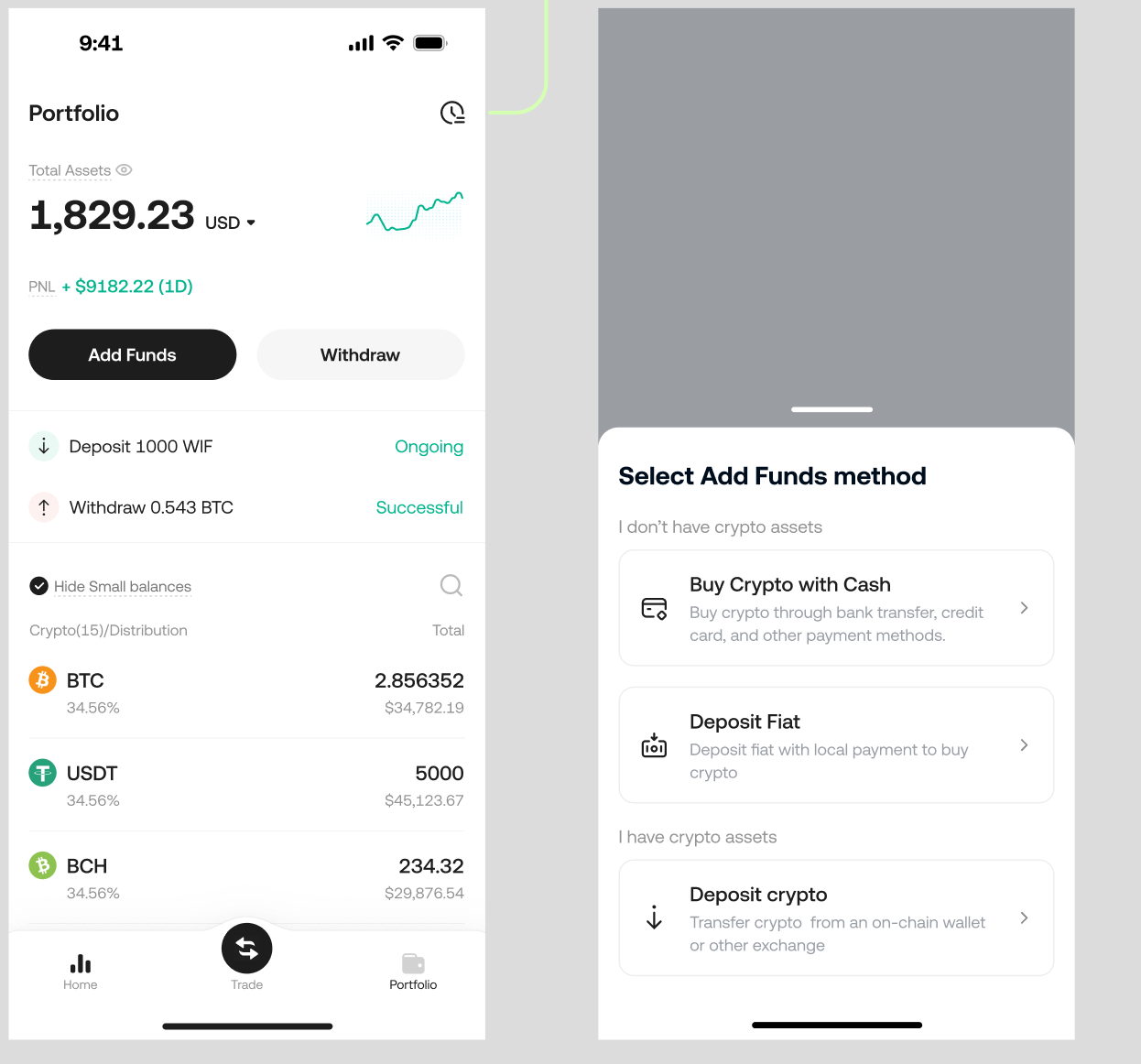
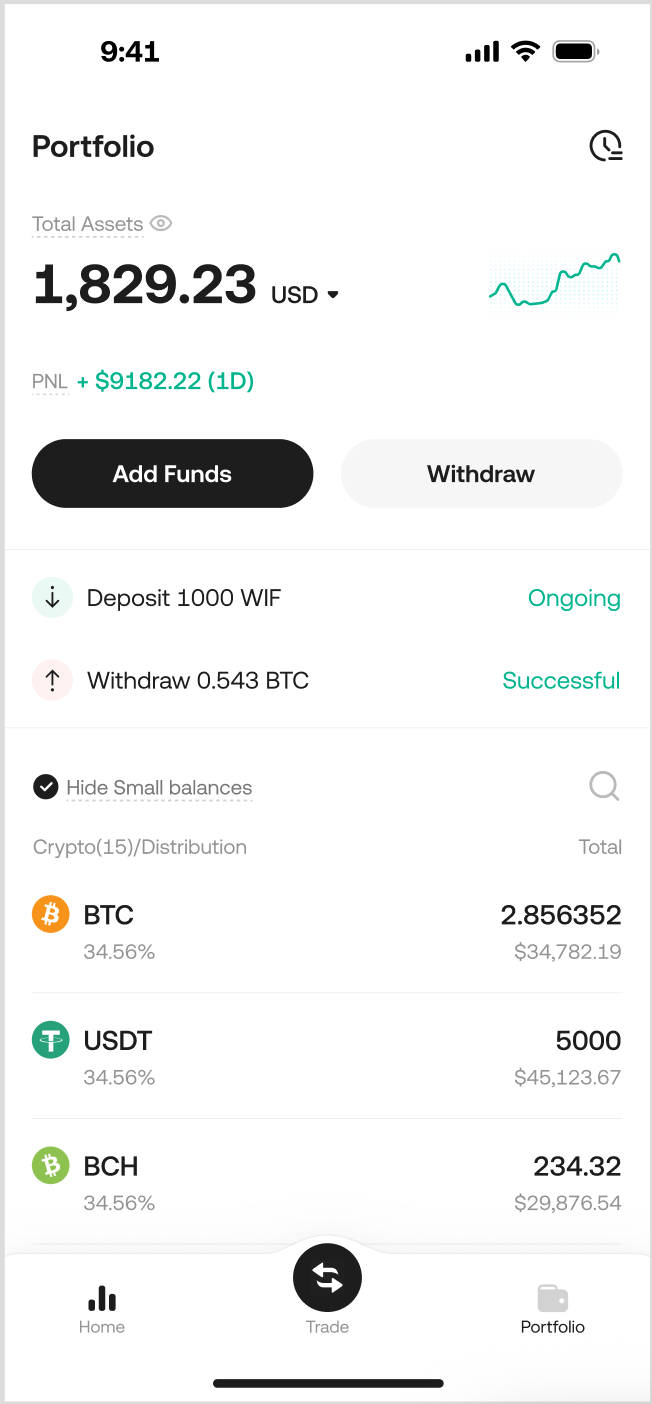
On the KuCoin homepage or Assets page, click "Add Funds," then select "Crypto Deposit" from the expanded menu.
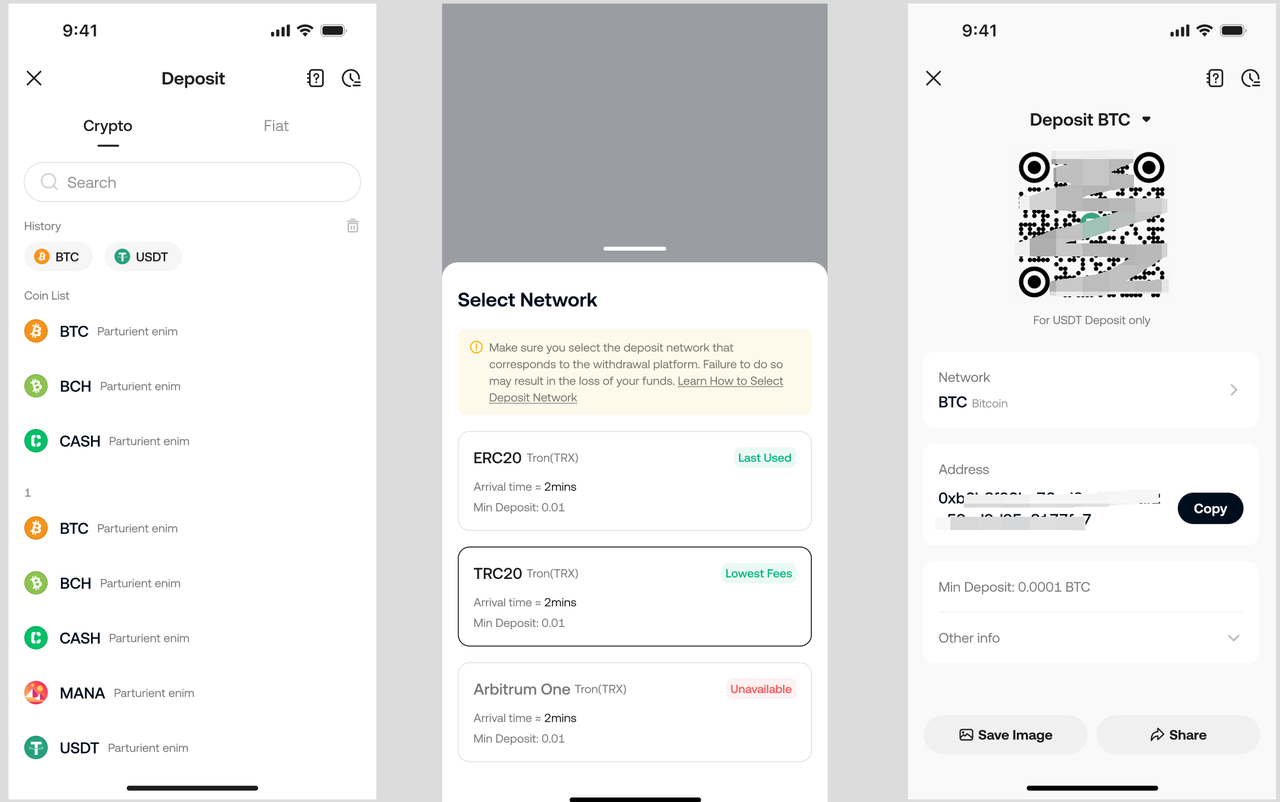
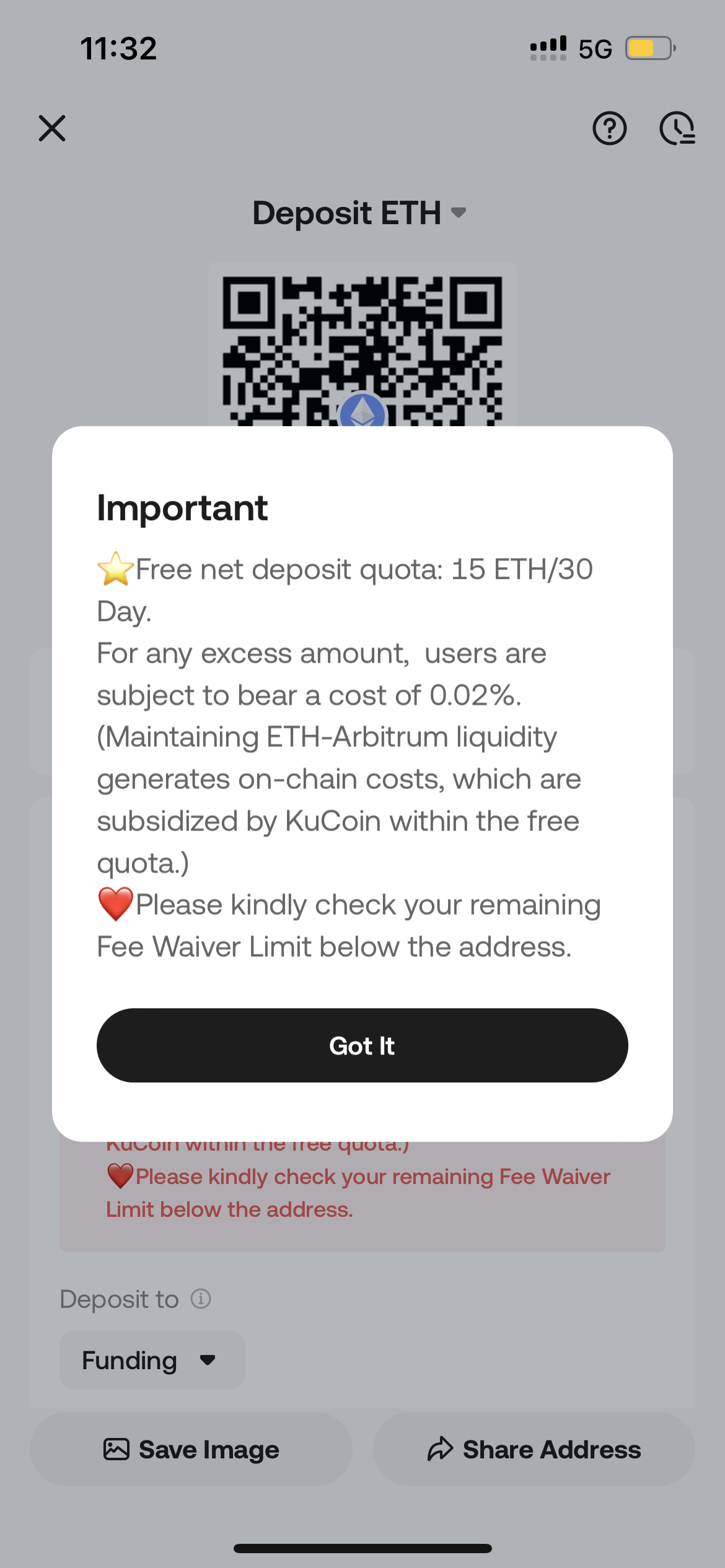
Next, you need to select the currency you wish to deposit and set the deposit network. Choose your cryptocurrency from the menu, or search by name or blockchain network.
Please note: In the KuCoin Lite version, the system defaults the receiving account to the Funding Account, and users cannot manually change via Lite version. If you wish to switch the receiving account, please switch to the Pro version to make adjustments.
Important Notes
-
Select the correct deposit network. The selected network must match the network used by the withdrawing platform. Otherwise, your funds may be lost and unrecoverable.
-
You must select the deposit network based on the network supported by the withdrawal platform. If the external platform only supports the ERC-20 network, you must choose ERC-20 as the deposit blockchain.
-
Do not simply opt for the network with the lowest transaction fees on the withdrawal platform. Instead, choose a network compatible with the deposit platform. For instance, ERC-20 tokens can only be transferred to other ERC-20 addresses, and KCC tokens can only be transferred to other KCC addresses. Incompatible or mismatched networks will lead to the loss of your funds.
-
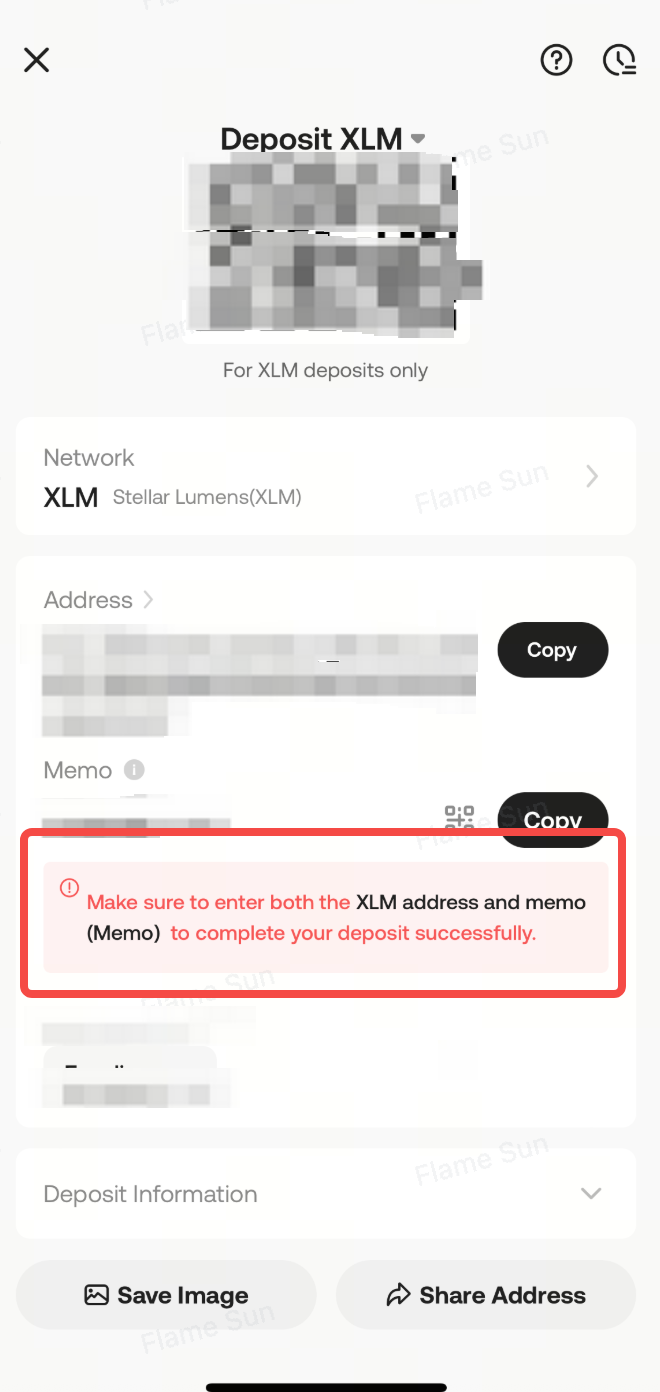
Some blockchain networks require you to provide additional information during the transfer, such as a Memo or Tag. Please make sure to fill this in accurately to ensure your transaction is properly credited.
On the Deposit Page:
Each ERC-20 cryptocurrency has its own unique contract address. This essentially serves as the identity code for the asset type. Ensure the contract address of the asset you deposit matches the one listed on KuCoin. Do not enter the contract address as the deposit address on the withdrawal platform. This will result in the loss of your assets.
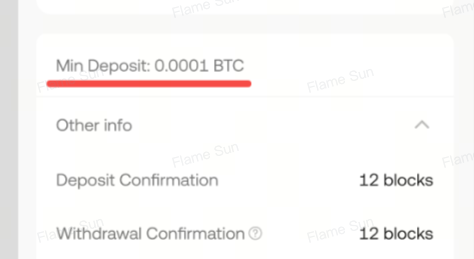
To avoid asset loss, always deposit more than the minimum deposit amount required by KuCoin, as shown on the page. You also need to consider that the withdrawal platform will charge certain fees, which may cause the amount of assets transferred to your KuCoin address to fall below the minimum deposit requirement, ultimately preventing successful crediting.
To improve your deposit experience, KuCoin now supports early credit for certain assets once the minimum block confirmation requirement is met. Once you see the assets in your account, you can immediately trade or use them on our platform. The deposited assets will be fully recognized by the exchange for your use once sufficient block confirmations for the withdrawal are received.
After you initiate the withdrawal on another platform, your assets will be transferred to your KuCoin receiving address via the blockchain network. The confirmation time depends on the current traffic on the blockchain network. Once confirmed, the funds will be credited into your KuCoin account. You can check the status of your deposit under "Deposit History". You will also be notified of the deposit result via APP push and email. You can also log in to the KuCoin platform to view your deposit records from the past year.
2.Notes:
-
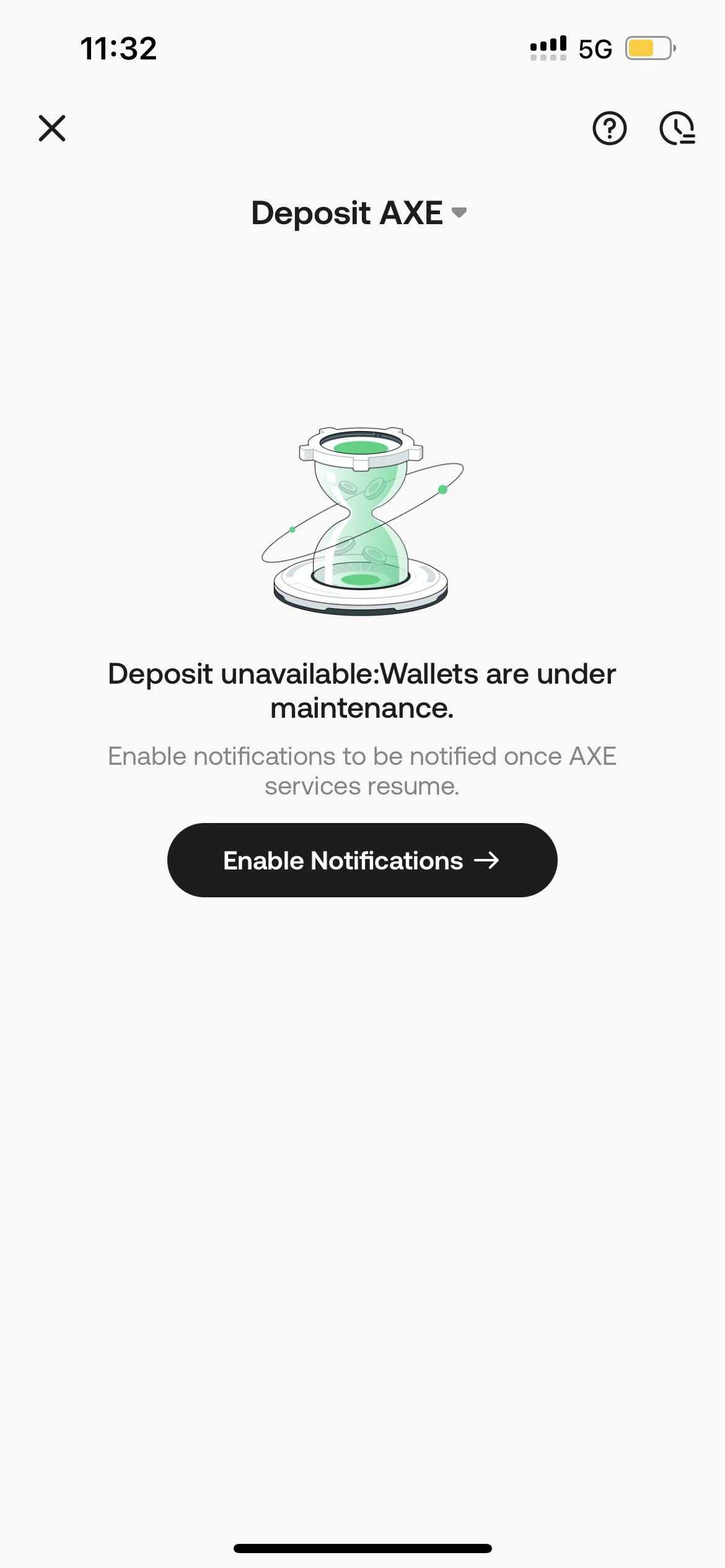
To ensure smooth deposits, check on the KuCoin platform whether the deposit function for the asset is enabled before sending any funds. Deposits may be temporarily unavailable due to regular maintenance or upgrades of Crypto or networks.
-
Some Cryptos, such as BEP20-ETH and LUNC, require a deposit fee. Please check the details on the deposit page.
-
You can view deposit information from the last 24 hours on the Portfolio page.
-
KuCoin supports specific blockchains for depositing digital assets. Some crypto only support the ERC-20 chain, while others only support the BEP-20 chain or their mainnet chain. Please make sure that you only use supported blockchains to deposit your assets. If you are still unsure whether a blockchain supports a specific cryptocurrency, please check with customer support for verification.
-
The Lite version only supports viewing the Funding Account, and the deposit page does not display the receiving account information to avoid confusing Lite version users. If you have set a Spot Account or Futures Account as the receiving account, deposits may not be visible on the Portfolio page in the Lite version after they arrive. We will display a prompt when the users visit the deposit page, informing them that the currently set receiving account is not the Funding Account and that they need to switch to the Pro version to change it if necessary.