কিভাবে কুকয়েন পে ব্যবহার করে অনলাইনে কেনাকাটা করবেন? (অ্যাপ)
শেষ আপডেট: ২৮/০২/২০২৬
KuCoin Pay এর সাথে অন্যান্য শীর্ষস্থানীয় অনলাইন মার্চেন্টদের পার্টনারশিপ রয়েছে, যার মধ্যে রয়েছে: TokenStore, CoinGate Gift Cards, Coinsbee, Cryptorefills, KryptoMate, Uquid, Buffget, Bittopup, UMY এবং আরও অনেক — যা আপনাকে মোবাইল সার্ভিস, গেম গিফট কার্ড, এন্টারটেইনমেন্ট প্রিমিয়াম কার্ড, ই-কমার্স রিওয়ার্ডেবল কার্ড, ট্রাভেল, হোটেল বুকিং ইত্যাদির জন্য আপনার ক্রিপ্টো ব্যালেন্স ব্যবহার করে সহজেই পেমেন্ট করতে সক্ষম করে।
অ্যাপ-এ
Coinsbee
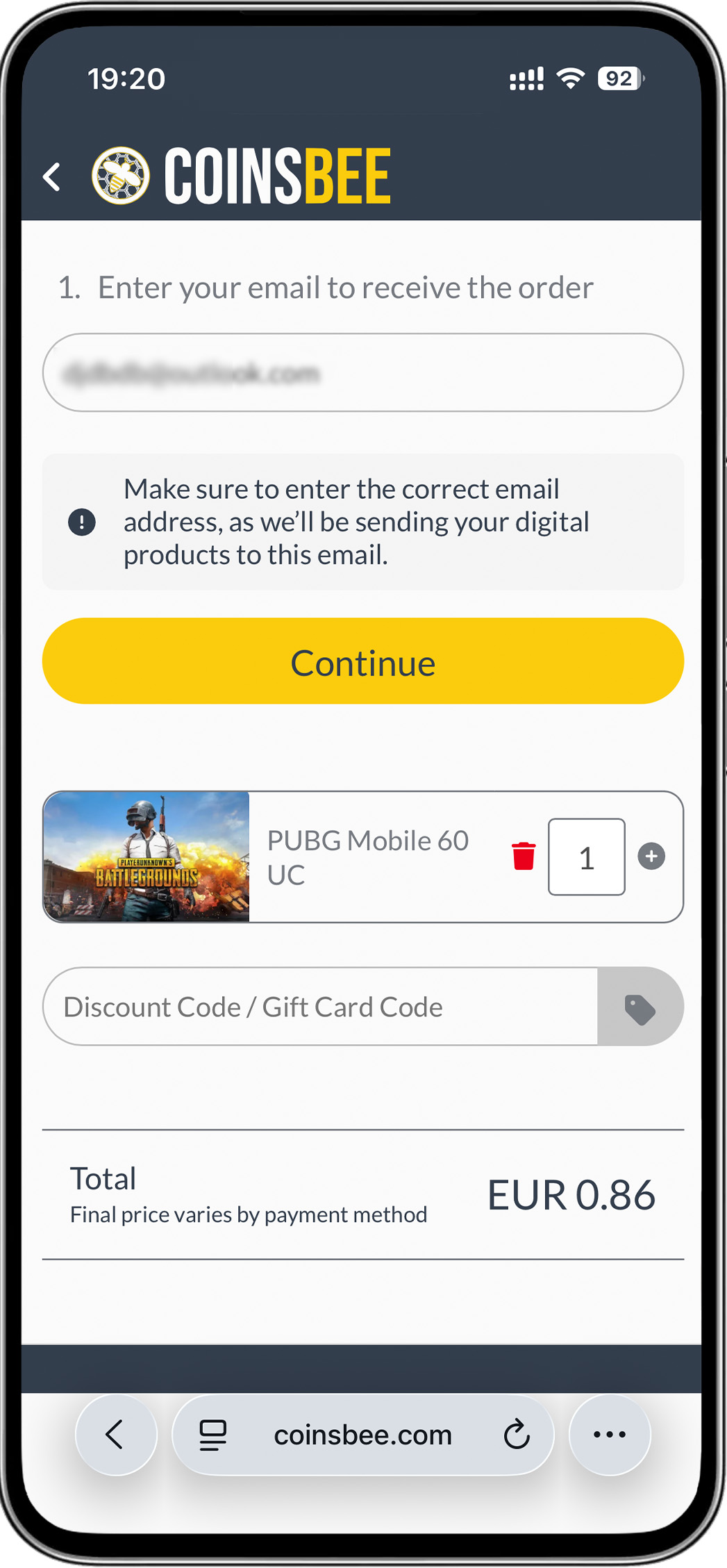
1. কয়েনসবি ওয়েবসাইটে:
- ধাপ ১: পণ্য নির্বাচন করুন
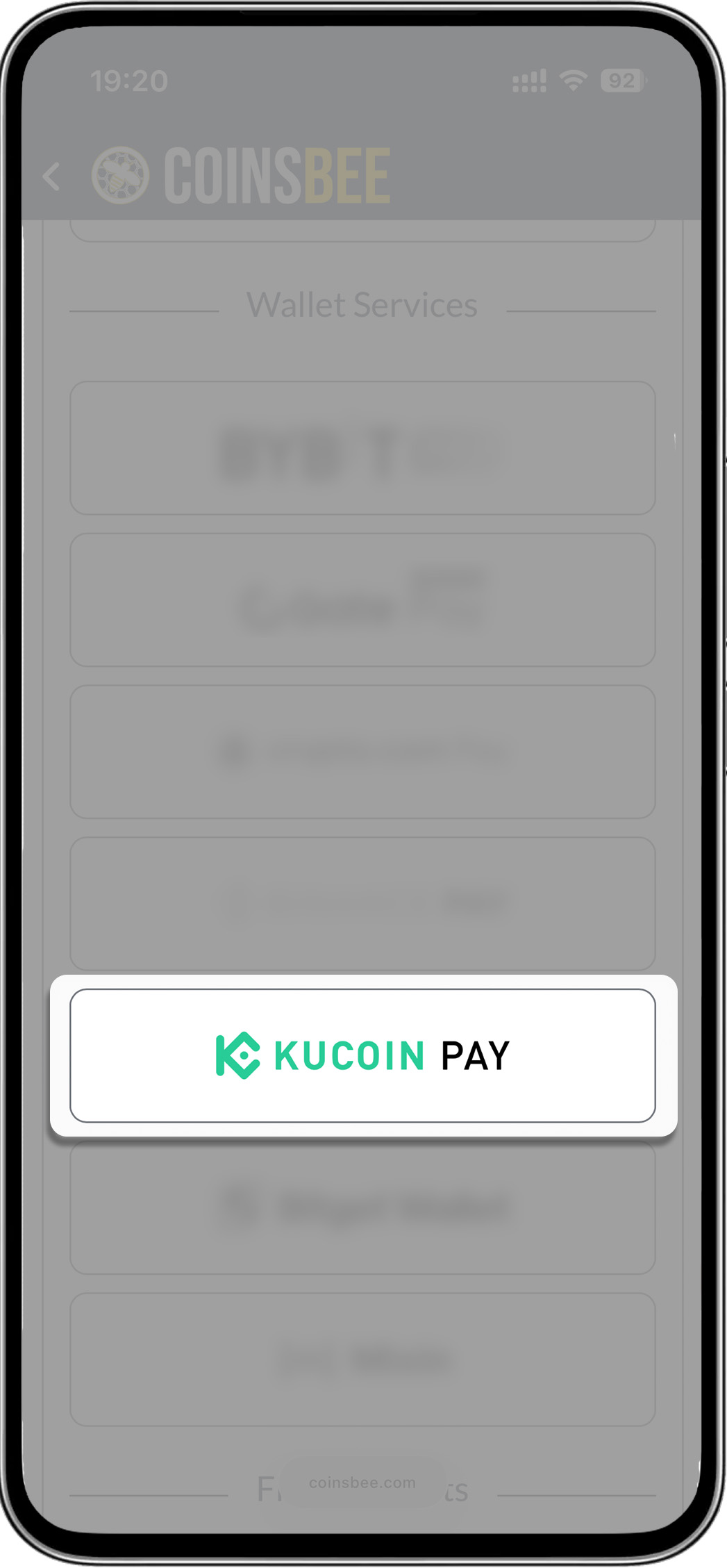
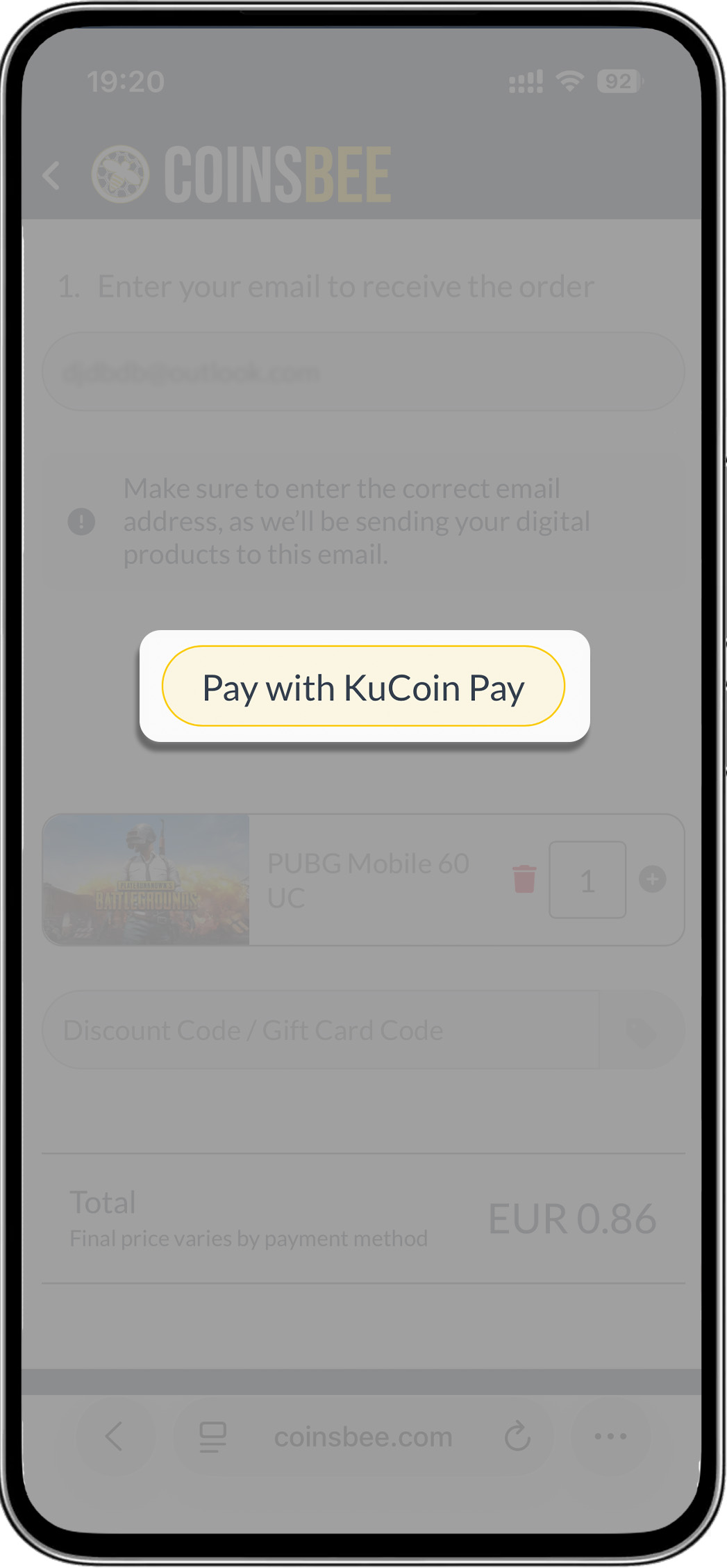
- ধাপ ২: "KuCoin Pay" বাছুন
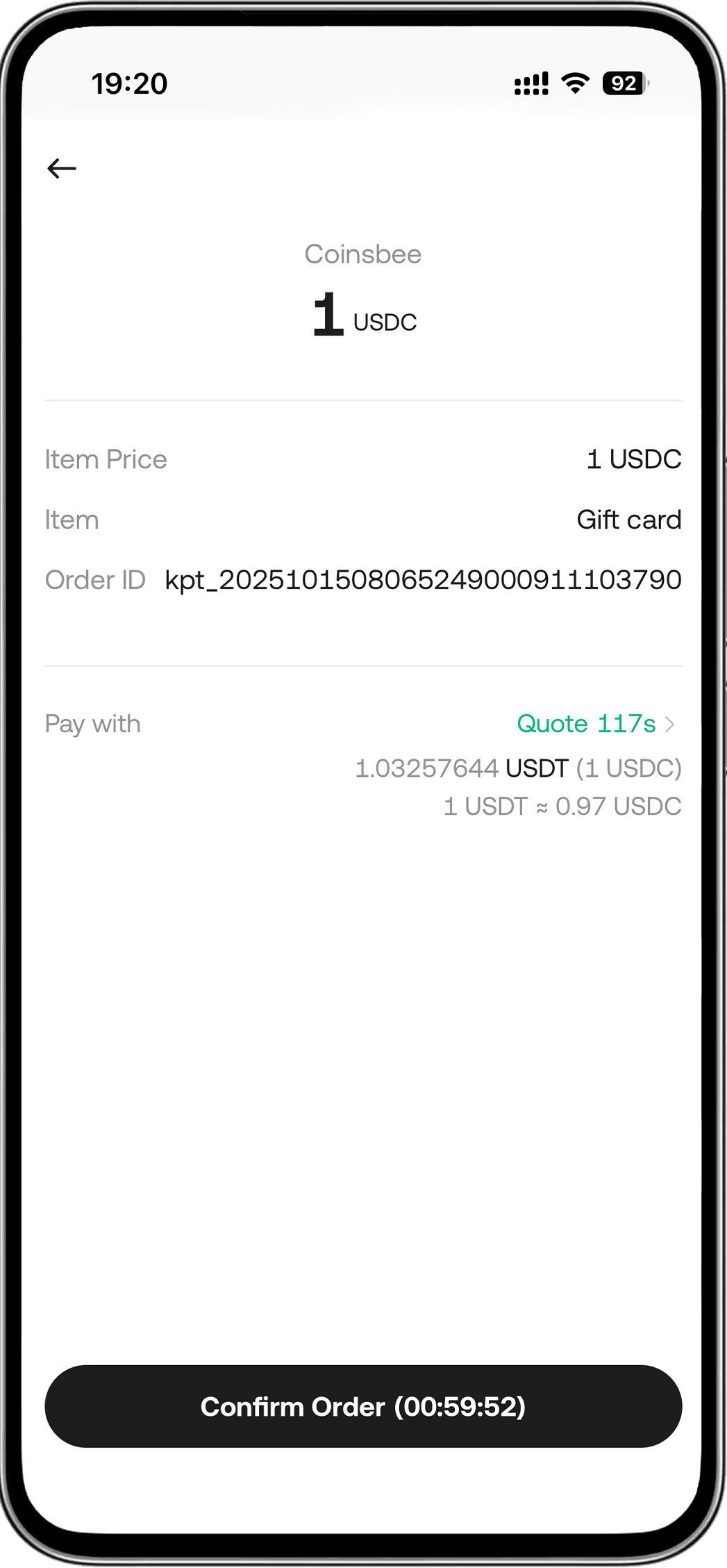
2. কুকিন অ্যাপে:
- "অর্ডার নিশ্চিত করুন" ট্যাপ করুন > পাসওয়ার্ড প্রবেশ করুন > পেমেন্ট সফল
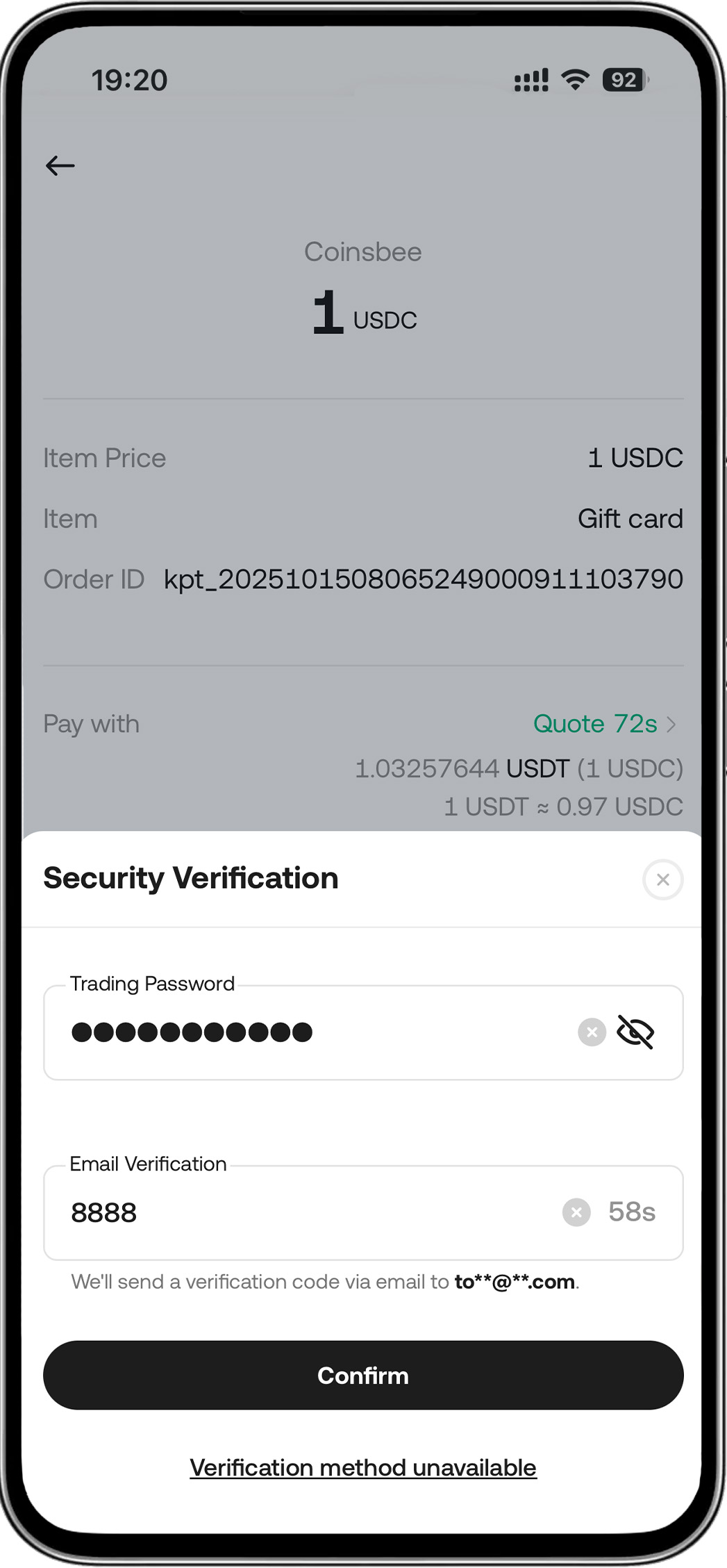
আরও পণ্য এবং সেবা আবিষ্কার করুন
1. কুকয়ন পে খুঁজুন:
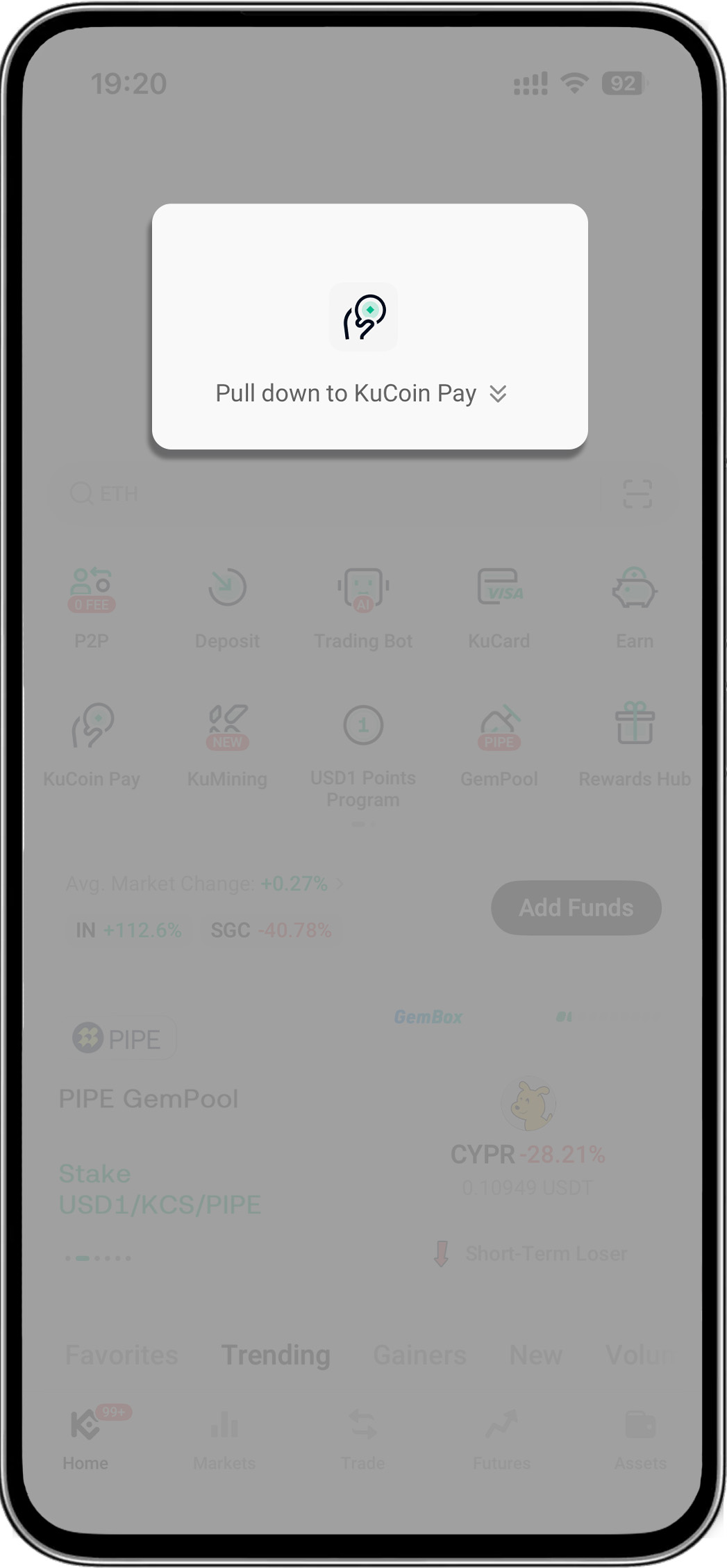
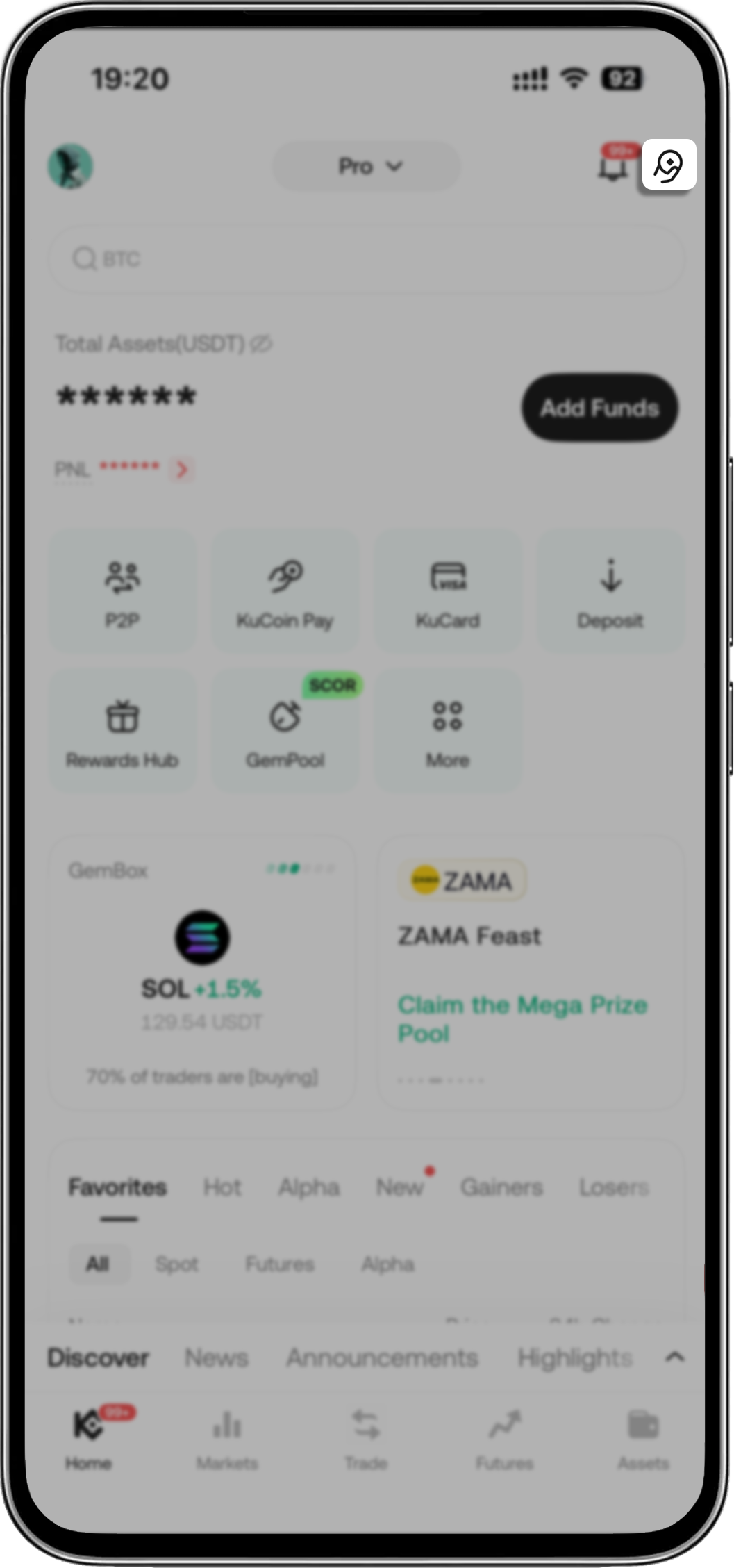
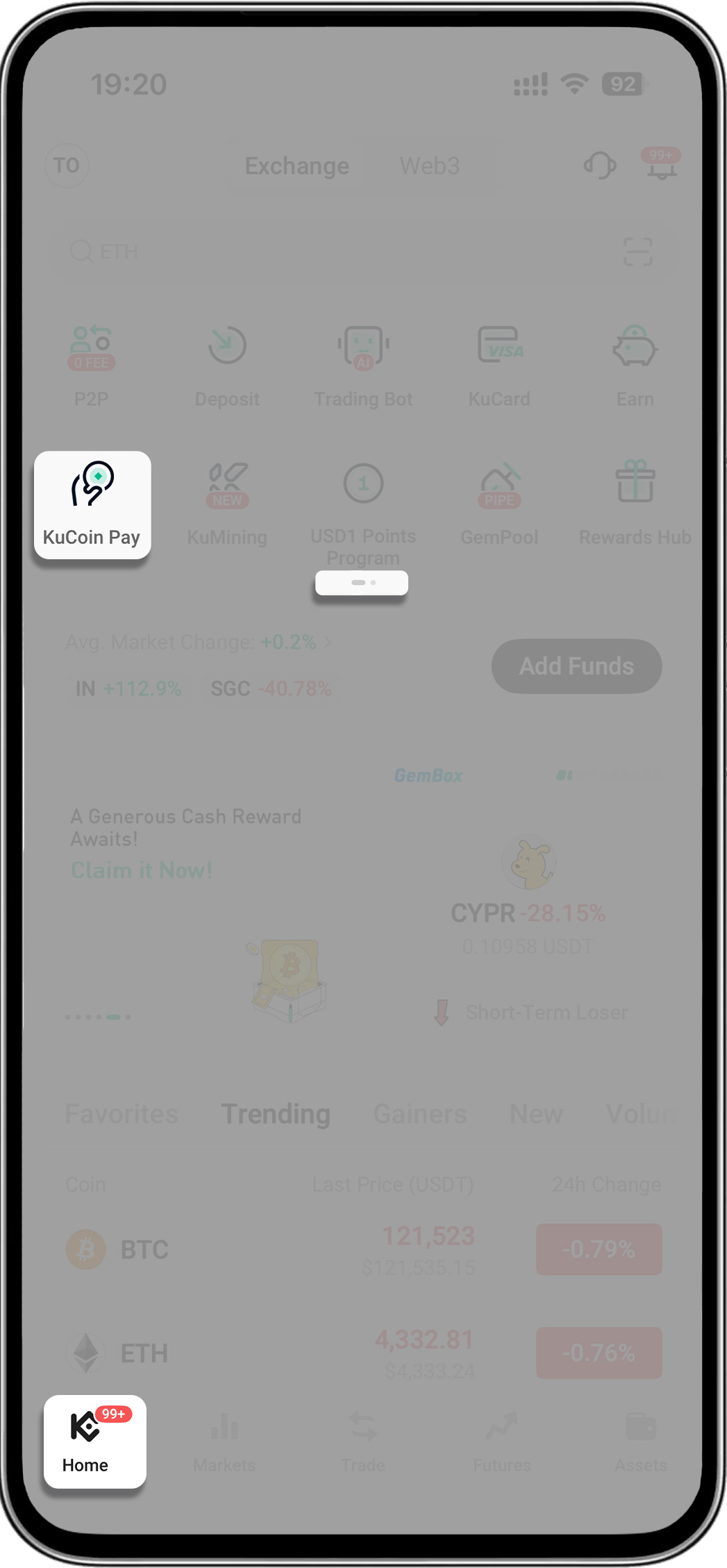
4টি উপায় রয়েছে:
- আপনার KuCoin অ্যাপ খুলুন > "KuCoin Pay" প্রদর্শন করতে হোমপেজে নিচের দিকে টানুন
- আপনার KuCoin অ্যাপ খুলুন > উপরের ডান কোণে KuCoin Pay আইকনে ট্যাপ করুন
- আপনার KuCoin অ্যাপ খুলুন > মেনুর দ্বিতীয় পৃষ্ঠায় যান > "KuCoin Pay" ট্যাপ করুন
- আপনার KuCoin অ্যাপ খুলুন > "More" ট্যাপ করুন > "Assets" খুঁজুন > "KuCoin Pay" নির্বাচন করুন
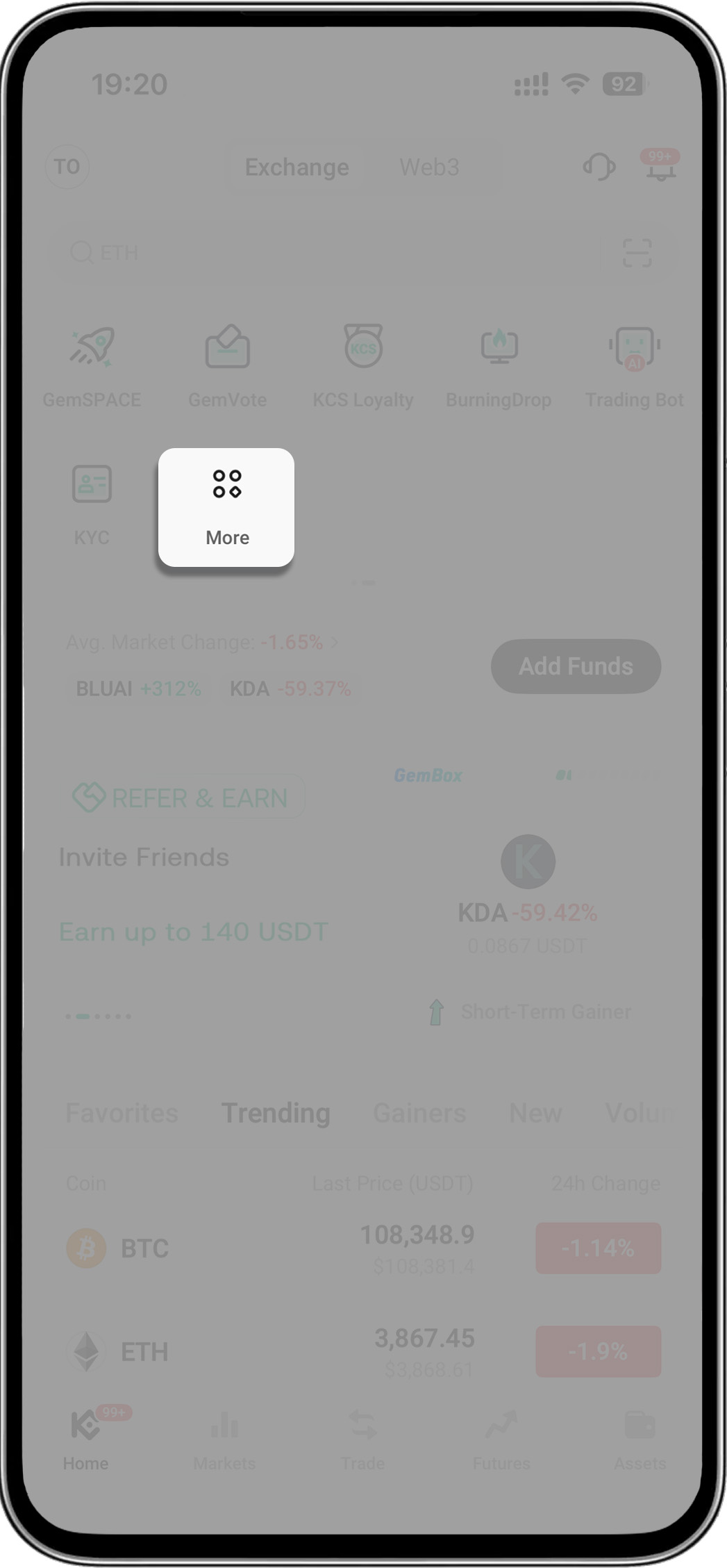
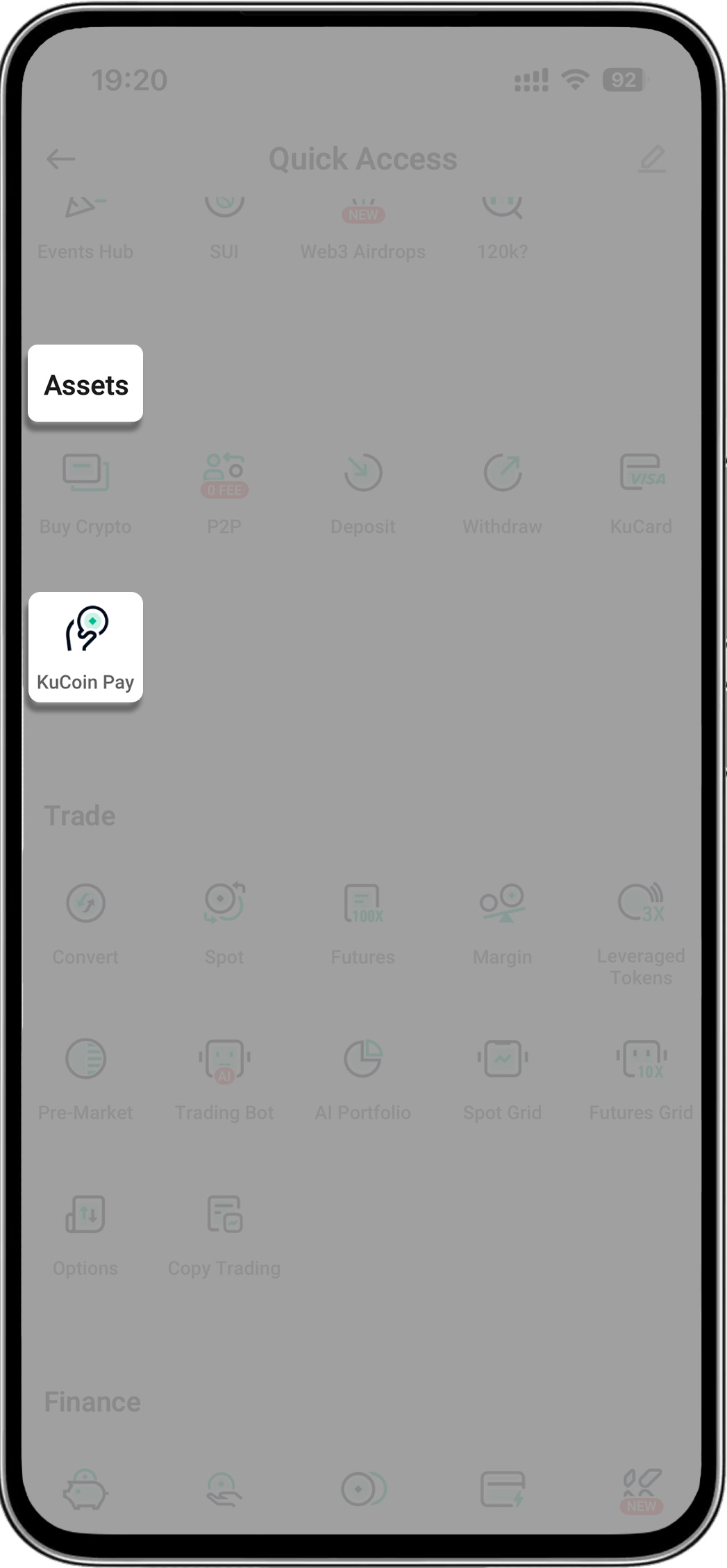
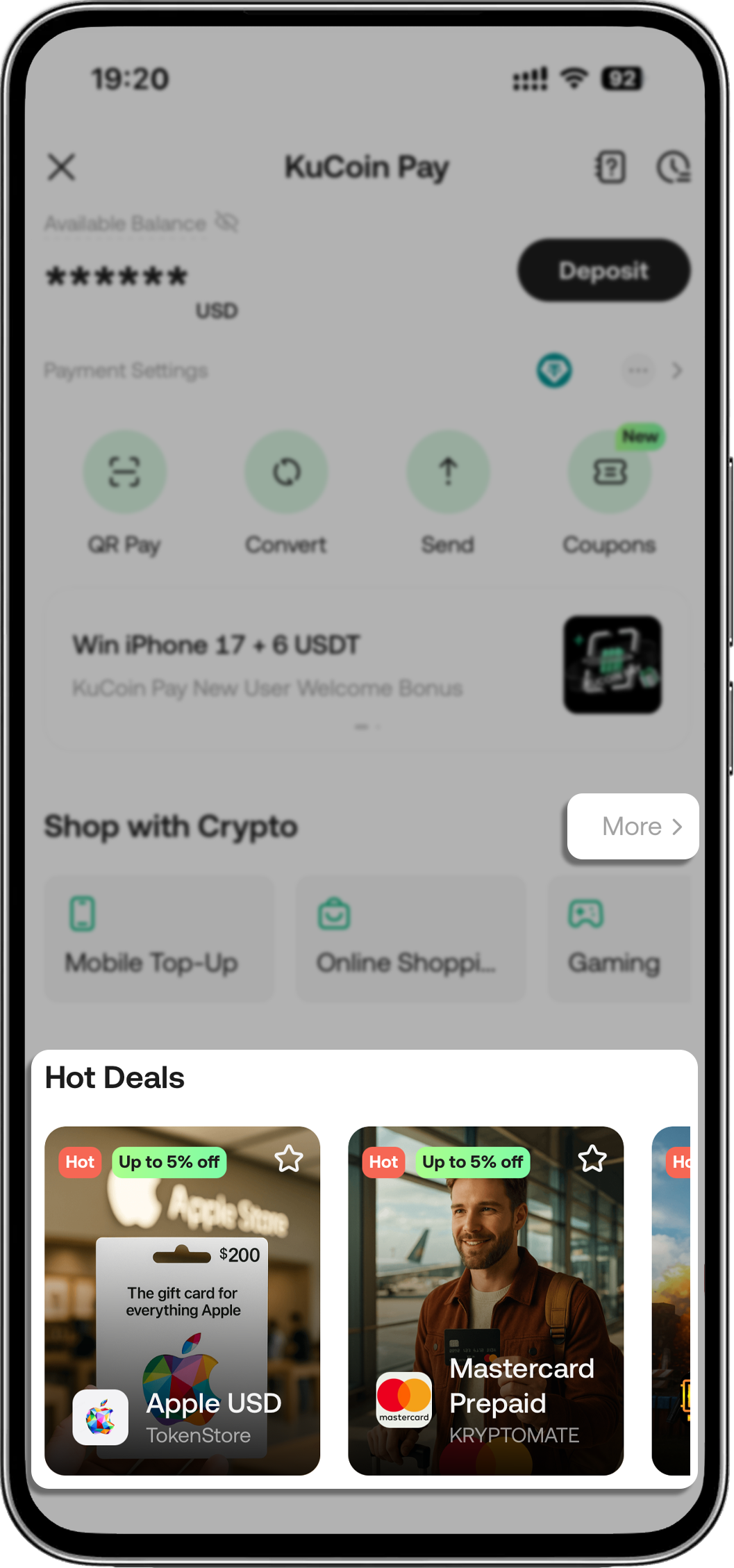
২. কুকয়ন পে-তে শপ বা হট ডিলস সেকশনে প্রবেশ করুন
-
"আরও" ট্যাপ করুন বা "হট ডিলস"-এ পণ্য এবং সেবা নির্বাচন করুন
দাবিত্যাগ: এই পৃষ্ঠাটি সহজে পড়ার সুবিধার্থে AI ব্যবহার করে অনুবাদ করা হয়েছে। সবচেয়ে নির্ভুল তথ্যের জন্য মূল ইংরেজি সংস্করণটি দেখুন।আসল দেখান