কুকয়েন পের মাধ্যমে জাতীয় QR কোড স্ক্যান করবেন কিভাবে?
শেষ আপডেট: ২৮/০২/২০২৬
সমর্থিত জাতীয় QR কোড
KuCoin Pay এখন VietQR, QR Ph, Pix এবং Open CryptoPay সমর্থন করে, শীঘ্রই আরও বিকল্প আসছে।
KuCoin Pay ব্যবহার করে স্ক্যান করুন এবং সহজেই পেমেন্ট করুন:
-
অফলাইন: সুপারমার্কেট, রেস্তোরাঁ, ক্যাফে এবং বিভিন্ন খুচরা ব্যবসায়ে QR কোড স্ক্যান করুন।
-
অনলাইন: ই-কমার্স প্ল্যাটফর্ম, স্ট্রিমিং সাবস্ক্রিপশন, গেম ক্রেডিট, মোবাইল সেবা ইত্যাদির উপর থেকে QR কোড স্ক্যান করুন।
KuCoin Pay আপনাকে বিশ্বব্যাপী সমর্থিত স্টোরের মার্চেন্টদের কাছে পেমেন্ট করতে সক্ষম করে। শুধুমাত্র মার্চেন্টের QR কোড স্ক্যান করুন—যা তাদের ওয়েবসাইট, অ্যাপ বা পয়েন্ট-অফ-সেল পেমেন্ট টার্মিনালে দেখানো হয়—অথবা অ্যাপের মধ্যেই ডাইরেক্টলি চেকআউট করুন।
জাতীয় QR কোড দিয়ে স্ক্যান করে পেমেন্ট করুন
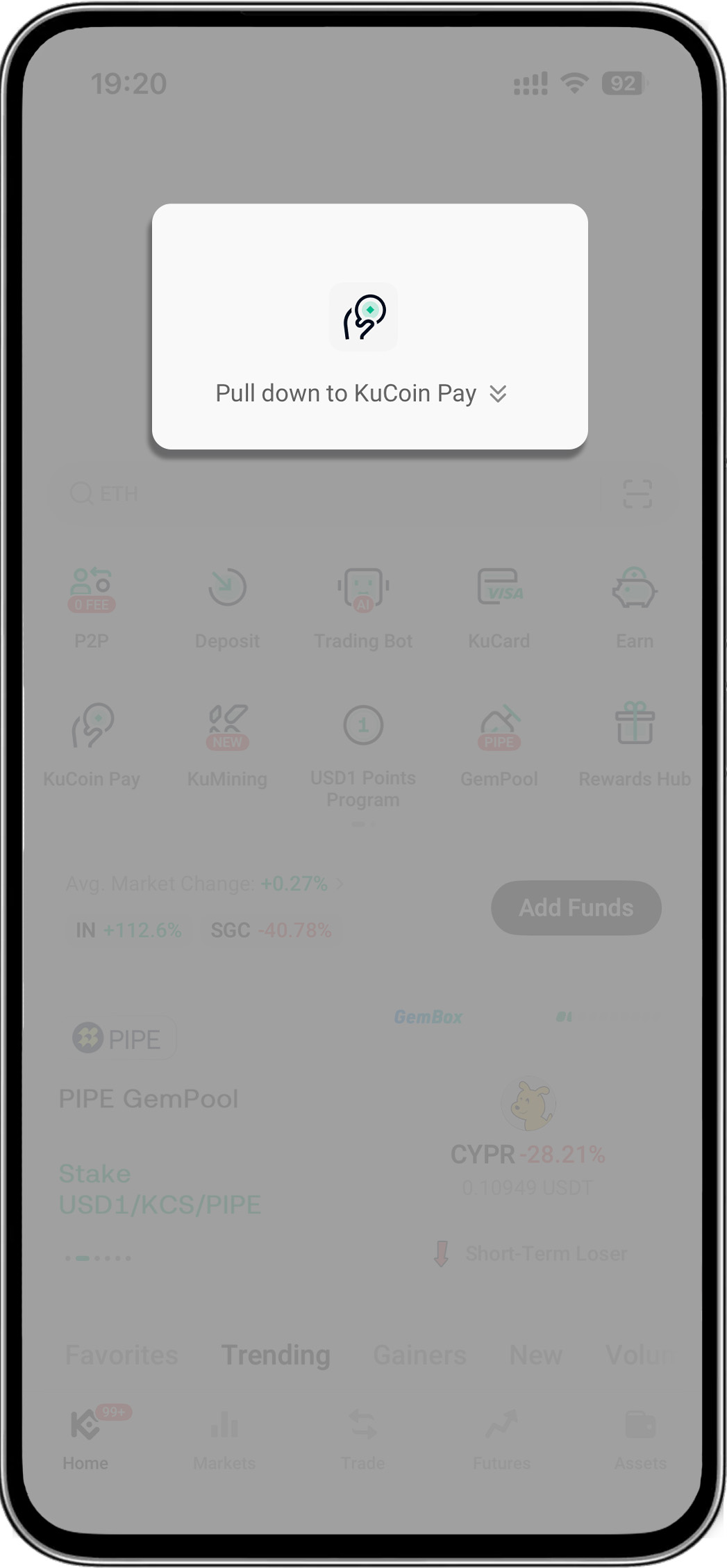
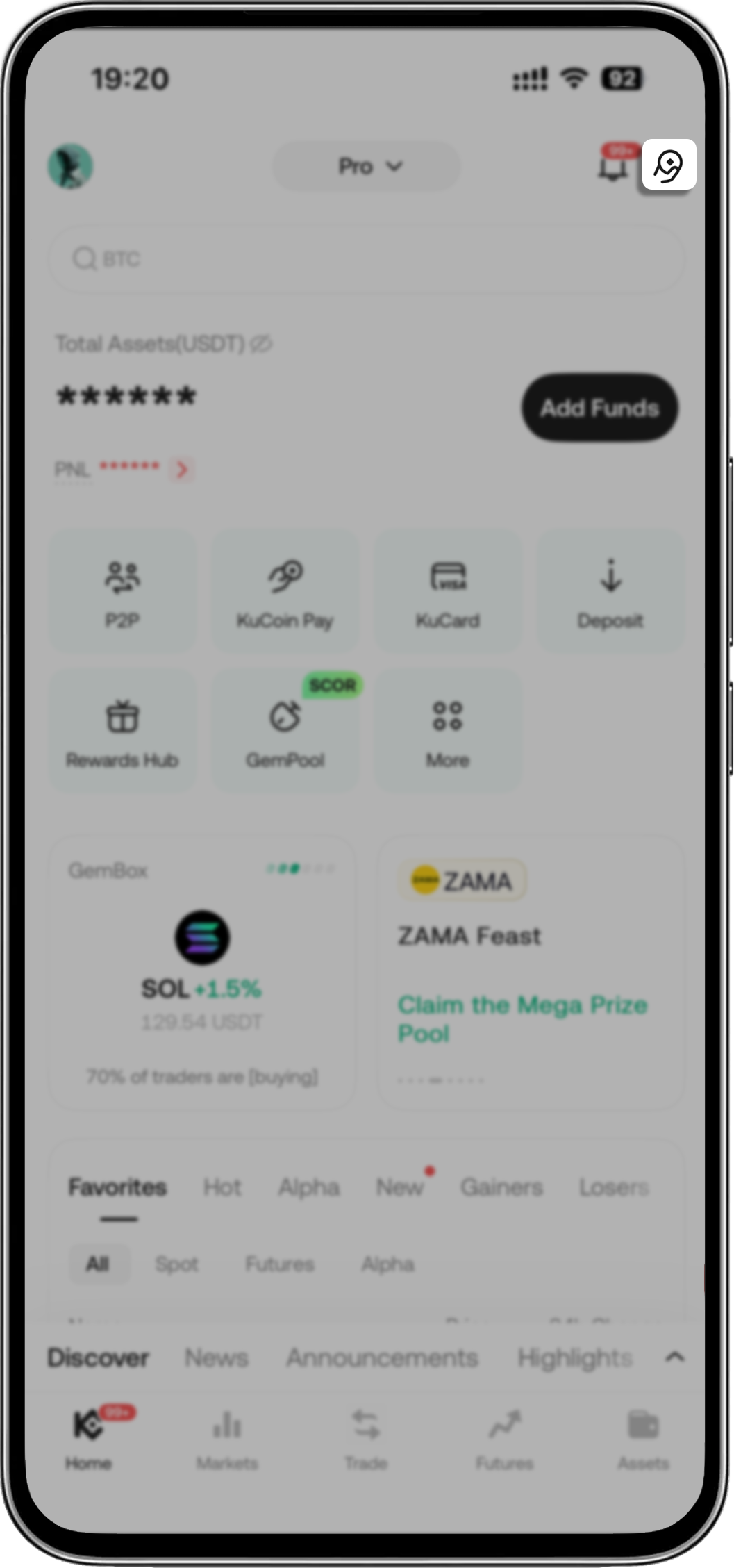
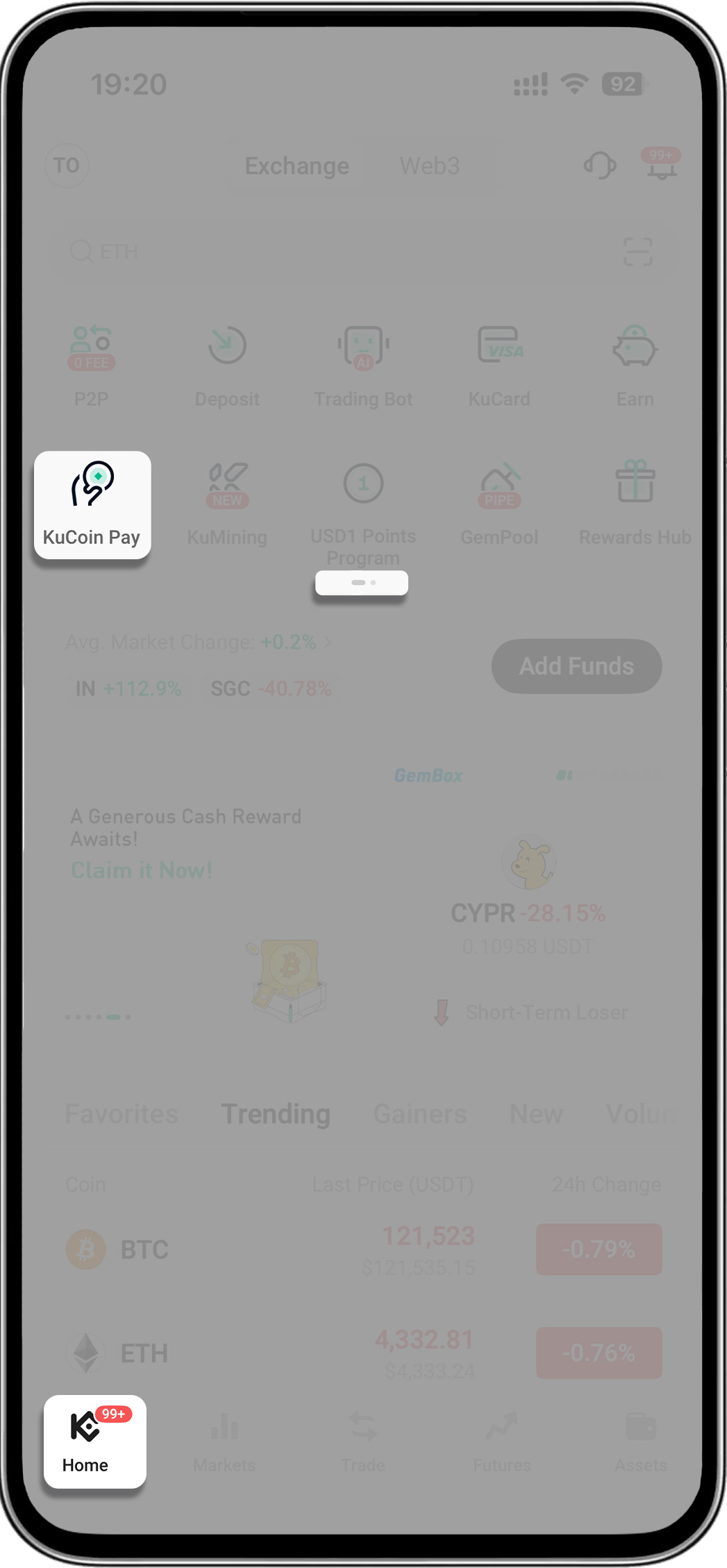
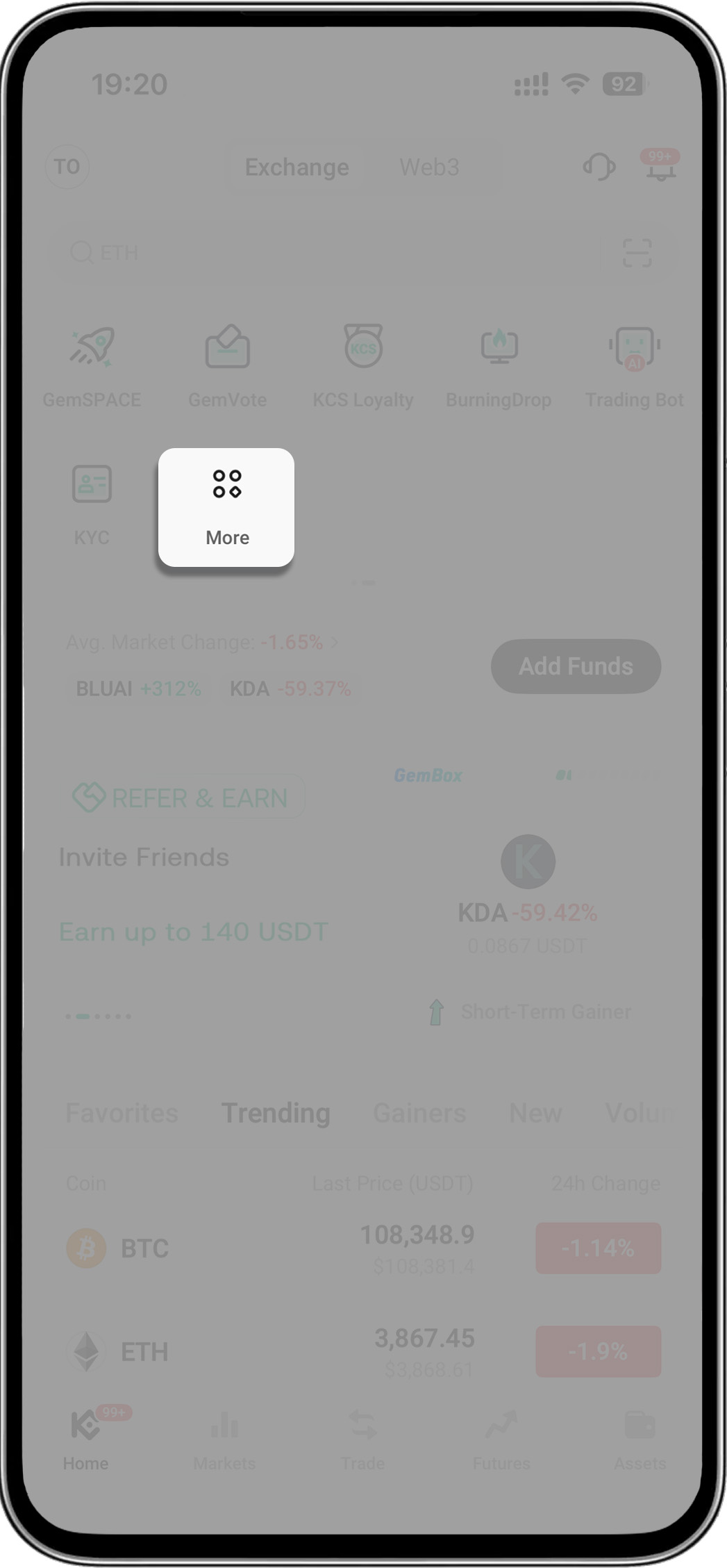
- ধাপ 1: KuCoin Pay খুঁজুন
4টি উপায় রয়েছে:
- আপনার KuCoin অ্যাপ খুলুন > "KuCoin Pay" প্রকাশ করতে হোমপেজে নিচের দিকে টানুন
- আপনার KuCoin অ্যাপ খুলুন > ডান-উপরের কোণে KuCoin Pay আইকনে ট্যাপ করুন
- আপনার KuCoin অ্যাপ খুলুন > মেনুর দ্বিতীয় পৃষ্ঠায় যান > "KuCoin Pay" ট্যাপ করুন
- আপনার KuCoin অ্যাপ খুলুন > "More" ট্যাপ করুন > "Assets" খুঁজুন > "KuCoin Pay" নির্বাচন করুন
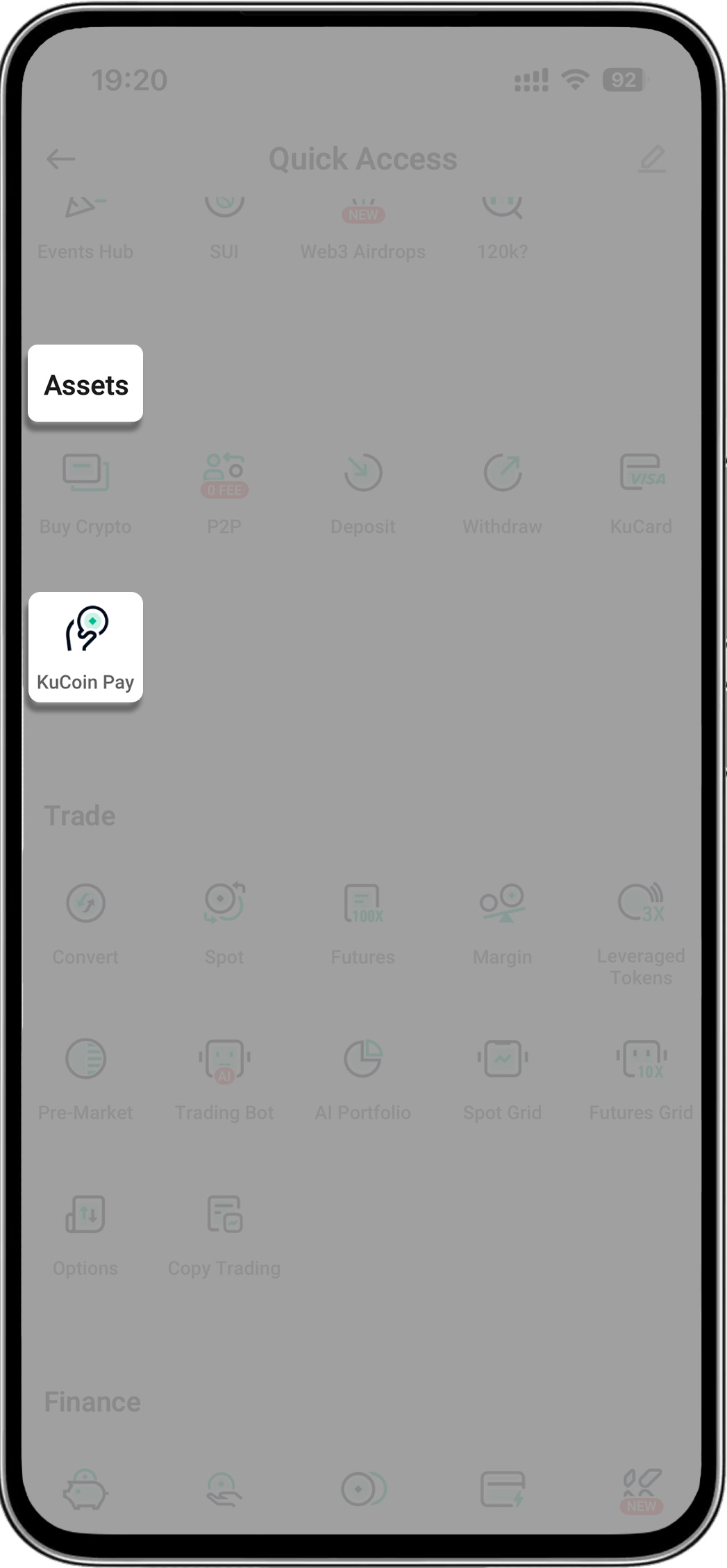
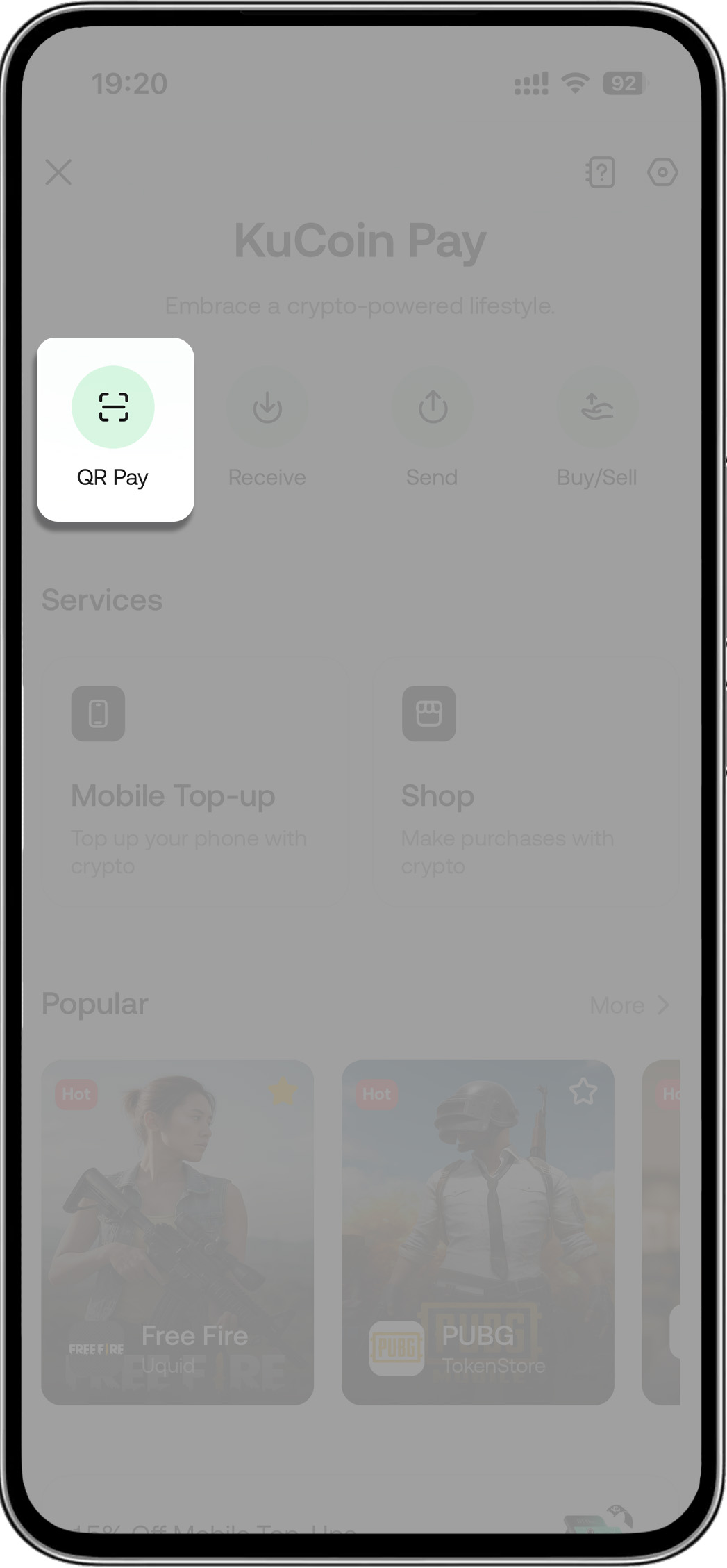
- ধাপ ২: স্ক্যান আইকনে ট্যাপ করুন (KuCoin Pay-এর মধ্যে) > পেমেন্টের জন্য মার্চেন্টের QR কোড স্ক্যান করুন
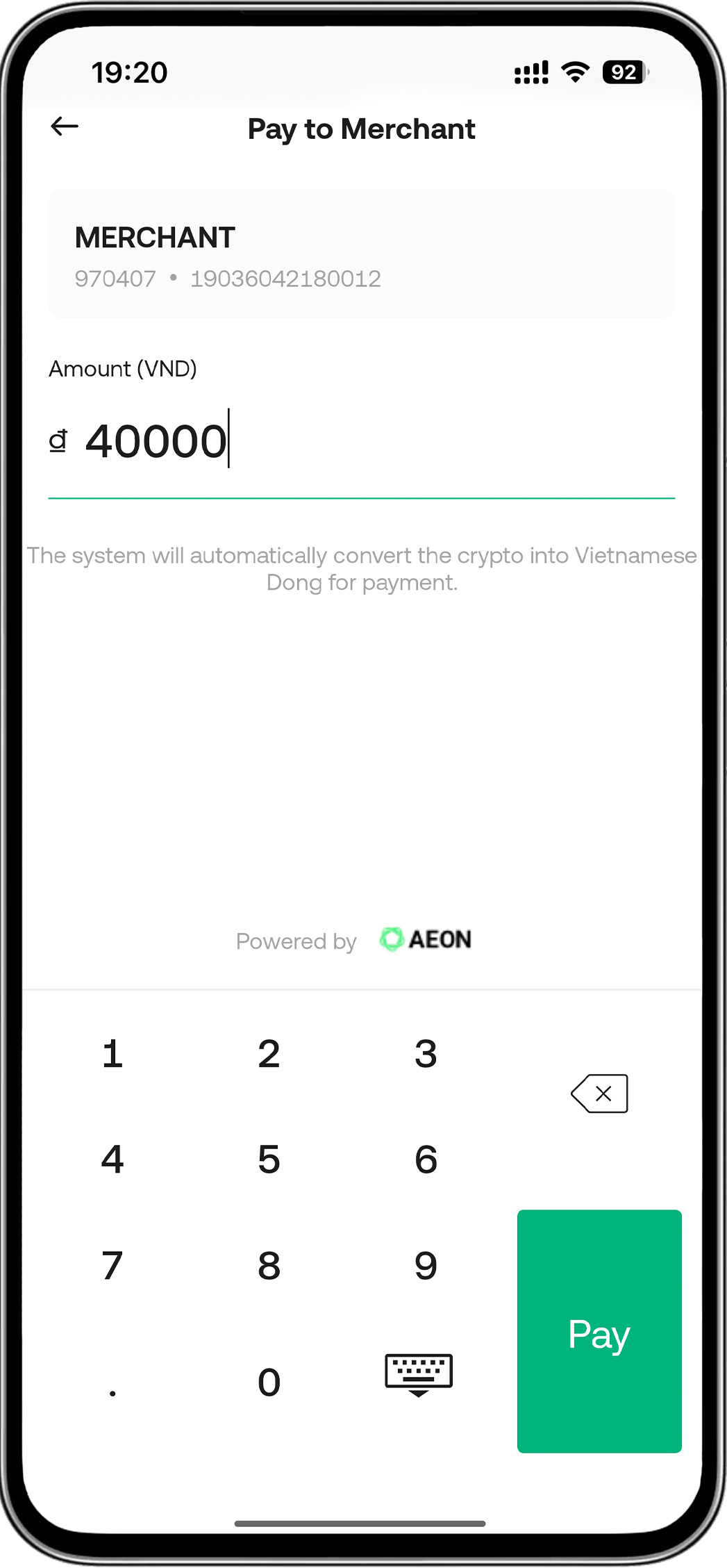
- ধাপ ৩: পরিমাণ প্রবেশ করান
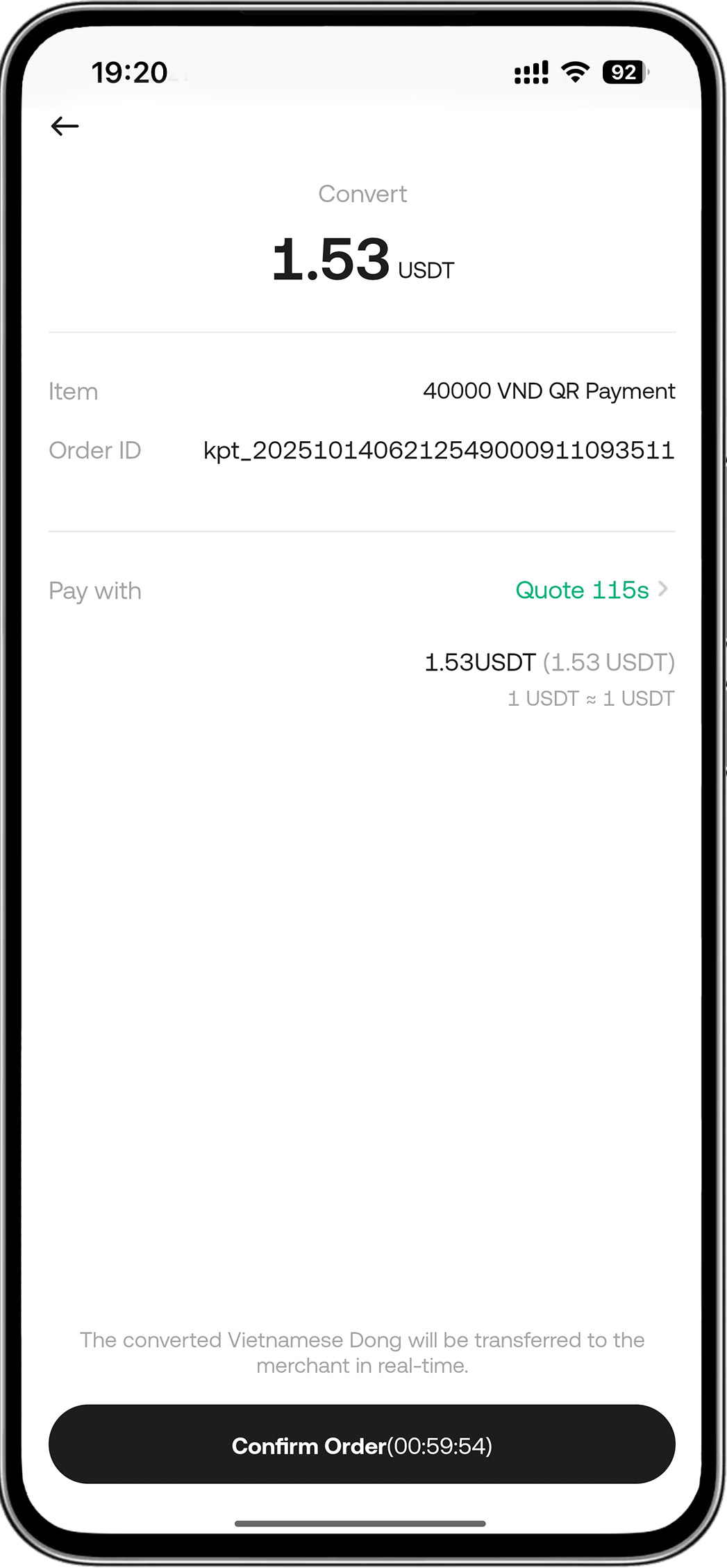
- ধাপ 4: অর্ডার নিশ্চিত করুন
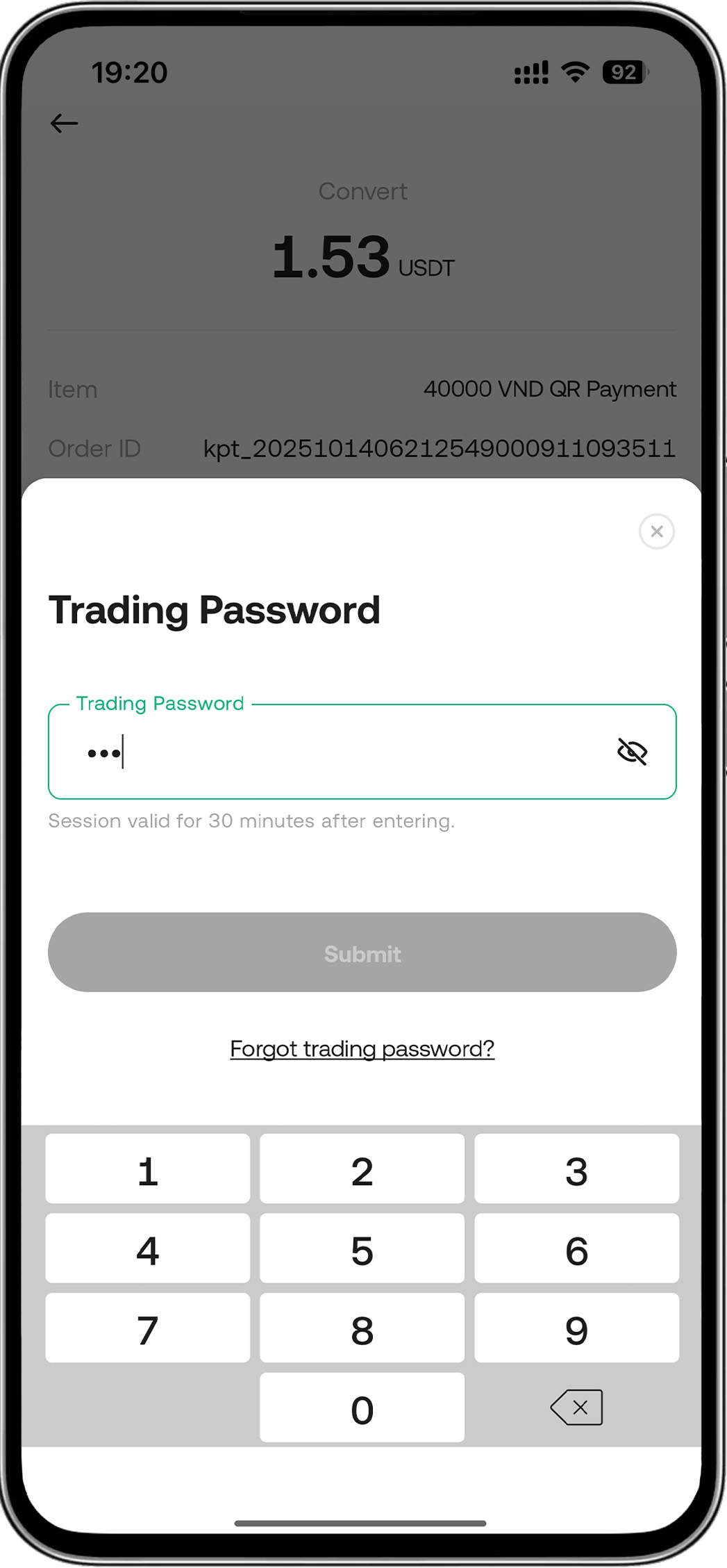
- ধাপ ৫: পাসওয়ার্ড প্রবেশ করুন > পেমেন্ট সফল হয়েছে
দাবিত্যাগ: এই পৃষ্ঠাটি সহজে পড়ার সুবিধার্থে AI ব্যবহার করে অনুবাদ করা হয়েছে। সবচেয়ে নির্ভুল তথ্যের জন্য মূল ইংরেজি সংস্করণটি দেখুন।আসল দেখান