KuCard Application FAQ
শেষ আপডেট: ১৬/১২/২০২৫
KuCard General Inquiries
What is KuCard?
The KuCard is a crypto-enabled debit card designed to seamlessly integrate digital and traditional finance. It allows users to utilize their cryptocurrency assets for everyday transactions, bridging the gap between crypto and fiat currencies.
What are the key features of KuCard?
KuCard offers several unique features
• Instant Crypto-to-Fiat Conversion: The card converts your cryptocurrencies to fiat currencies, enabling hassle-free spending at millions of VISA-accepting stores.
• Spend Your Crypto: Use your cryptocurrencies for everyday transactions
• Exclusive Rewards and Cashback: Earn up to 3% cashback, along with discounts and more.
• Seamless Payment Integration: Connect your KuCard to Apple Pay and Google Pay for convenient digital payments.
• Enhanced Security: Track transactions with notifications and detailed histories, ensuring secure and transparent spending.
• Global Acceptance: Use your KuCard anywhere that accepts Visa, providing unparalleled convenience.
What are the supported currencies for KuCard?
Currently, KuCard supports the following fiat currency:
• EUR
KuCard supports a wide range of cryptocurrencies, including:
• USDT
• USDC
• BTC
• ETH
• XRP
• KCS
Additionally, KuCard supports many other cryptocurrencies, such as:
| ADA | ALGO | ARB | ATOM | AVAX | BNB | BONK | CAT | CGPT | CSPR |
|---|---|---|---|---|---|---|---|---|---|
| DOGE | DOGS | DOT | FIL | FTM | GALAX | ICP | IMX | INJ | JASMY |
| KAS | KDA | LINK | LTC | LUNC | METIS | NAKA | NEAR | OP | ORDI |
| PEPE | POL | PYTH | QNT | SEI | SHIB | SOL | STX | SUI | TIA |
| TON | TRB | TRX | VRA | WLD | XAI | XLM | XMR | MON |
How can I use my KuCard?
Using your KuCard is simple and convenient. Here’s how you can use it for everyday transactions:
1.Pay at Stores:
• You can use your KuCard at any merchant that accepts Visa. Please note that the KuCard is a debit card, so you will not be able to use it for credit card transactions.
2.Online Purchases:
• Use your KuCard for online shopping. Enter your card details at checkout just like you would with any other debit card.
3.Digital Wallet Integration:
• Connect your KuCard to Apple Pay or Google Pay for convenient digital payments. This allows you to use your card with your smartphone for contactless payments.
How do I manage my KuCard on the go?
You can manage your KuCard on KuCoin.com or KuCard mobile app.
1.Download the KuCard app:
• Available for different mobile platforms.
• Use the app to manage your account, track transactions, and explore benefits.
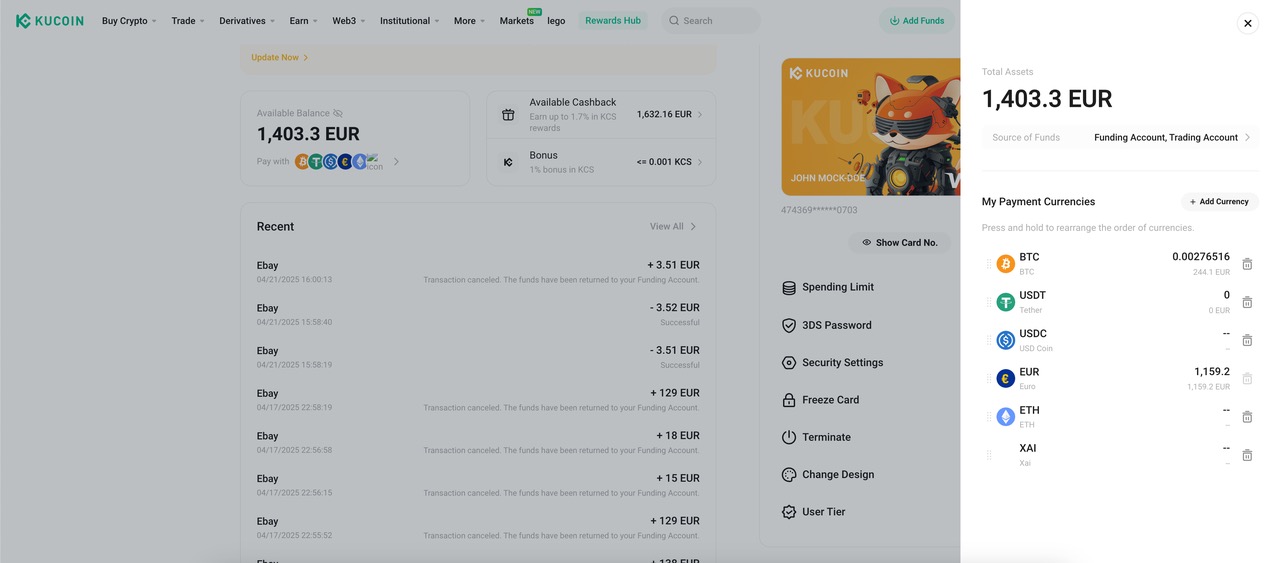
What should I do if my KuCard was hacked or lost?
If your KuCard was hacked or lost, follow these steps:
1.Freeze Your Card:
• Log in to your KuCoin account and navigate to the KuCard section to freeze your card.
2.Report the Incident:
• Contact KuCoin’s customer support team to report the hack or loss and request a replacement card.
3.Request a Replacement Card:
• Follow KuCoin’s self-service card replacement process to get a new card.
Where can I find my KuCard PIN?
To view your KuCard PIN, follow these detailed steps:
1.Log in to Your Account
• Access the KuCard website and log in using your credentials.
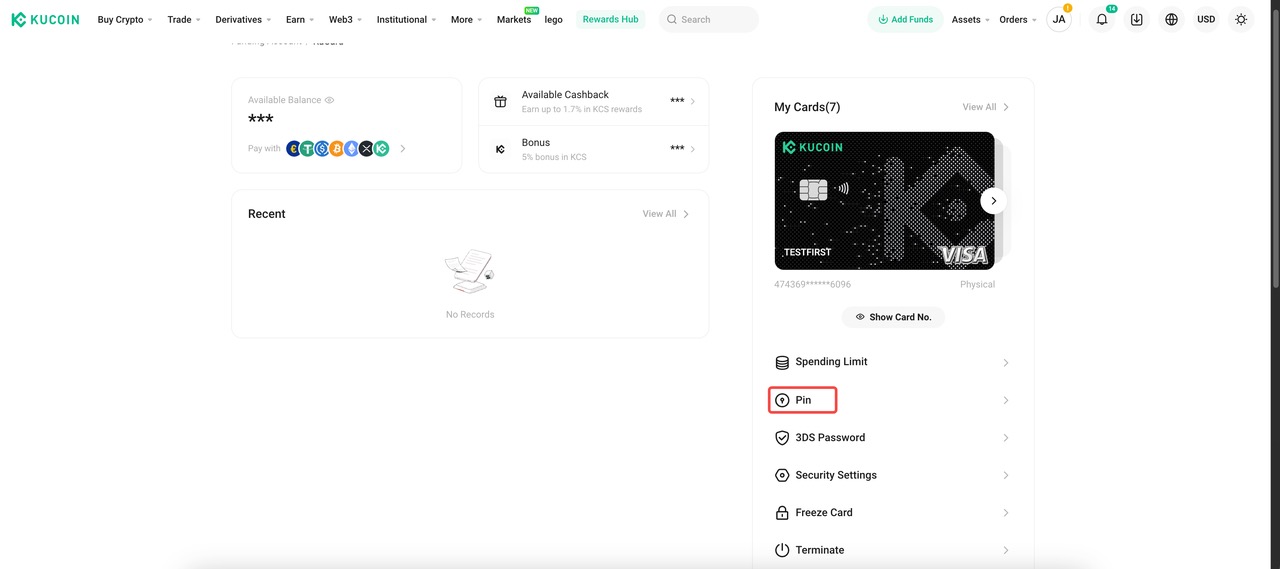
2.Navigate to 'My Cards'
• Once logged in, go to the 'My Cards' section where you can see your KuCard details.
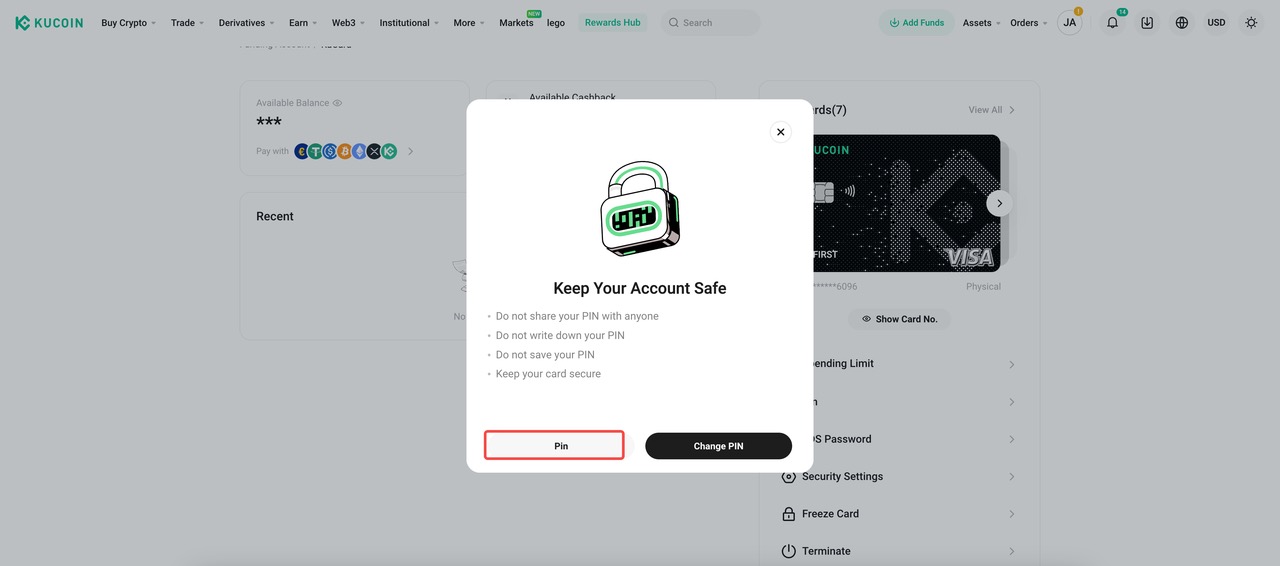
3.Select 'View PIN'
• Click on the option to view your PIN.
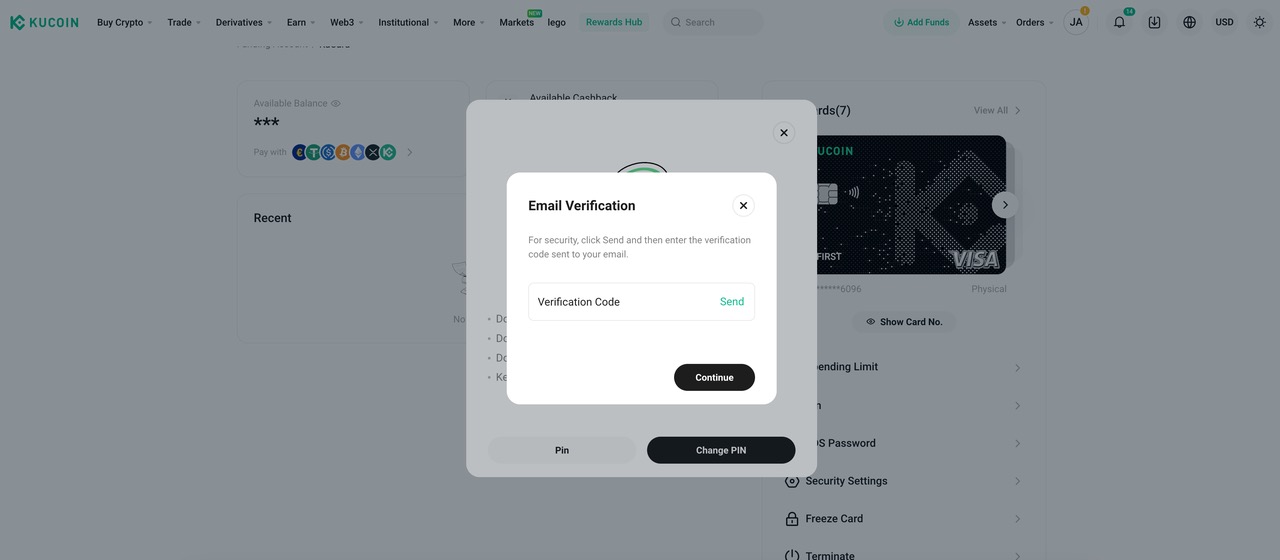
4.Email Verification
• A pop-up will appear asking for an email verification code.
• Enter the verification code sent to your registered email address.
5.View Your PIN
•After completing the verification steps, your PIN will be displayed. For example, the PIN might appear as "6928."
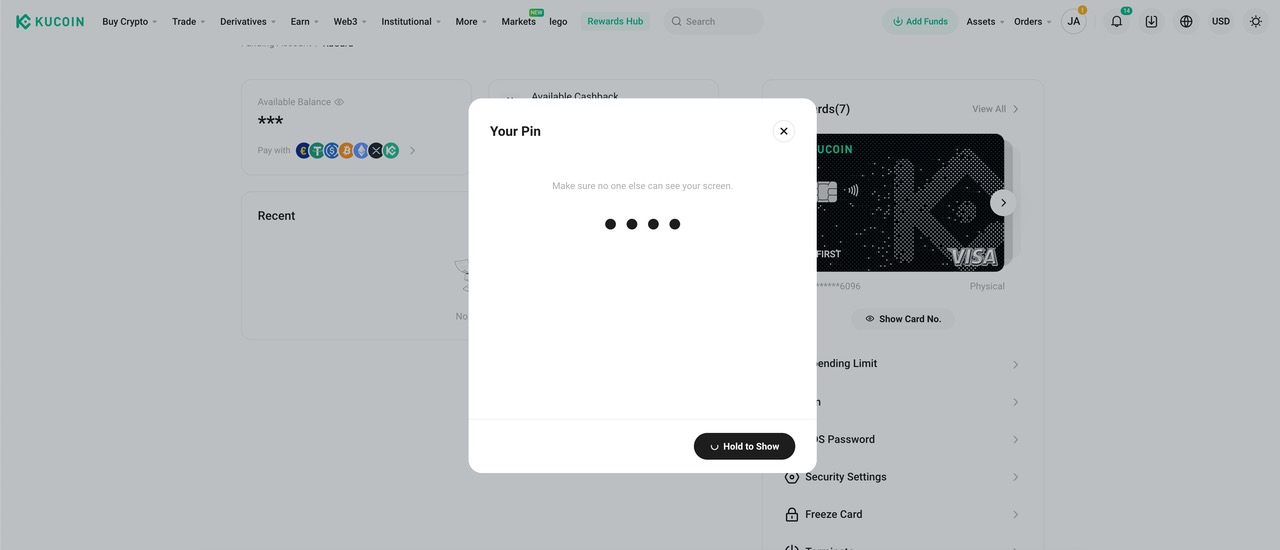
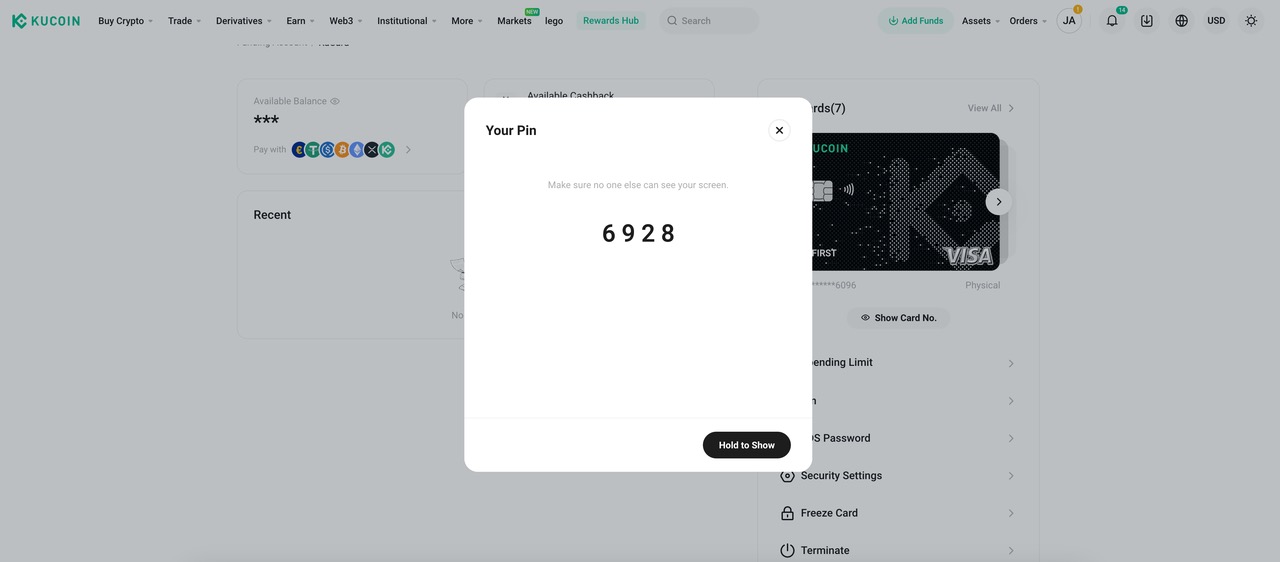
You can also change it by following these steps:
1.Log in to Your KuCoin Account:
• Ensure you are logged into the account associated with your KuCard.
2.Navigate to Card Settings:
• Go to the KuCard section and select Card Settings.
3.Change PIN:
• Select Security Setting and then Change PIN to update your PIN code.
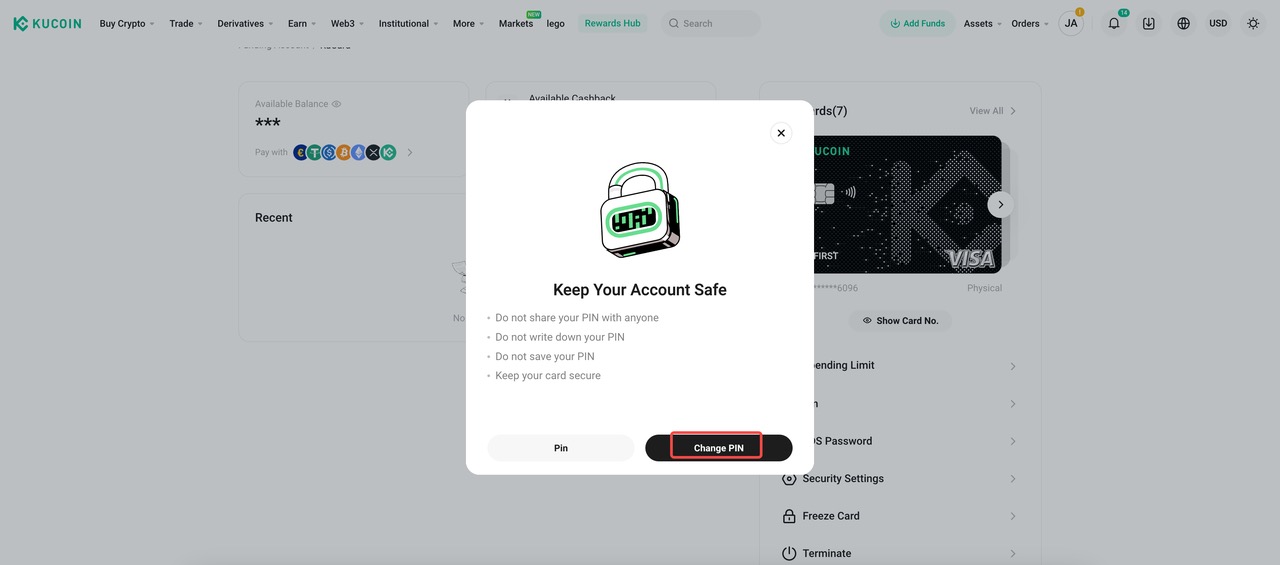
4.Enter Current PIN
•In the "Change PIN" window, enter your current PIN.
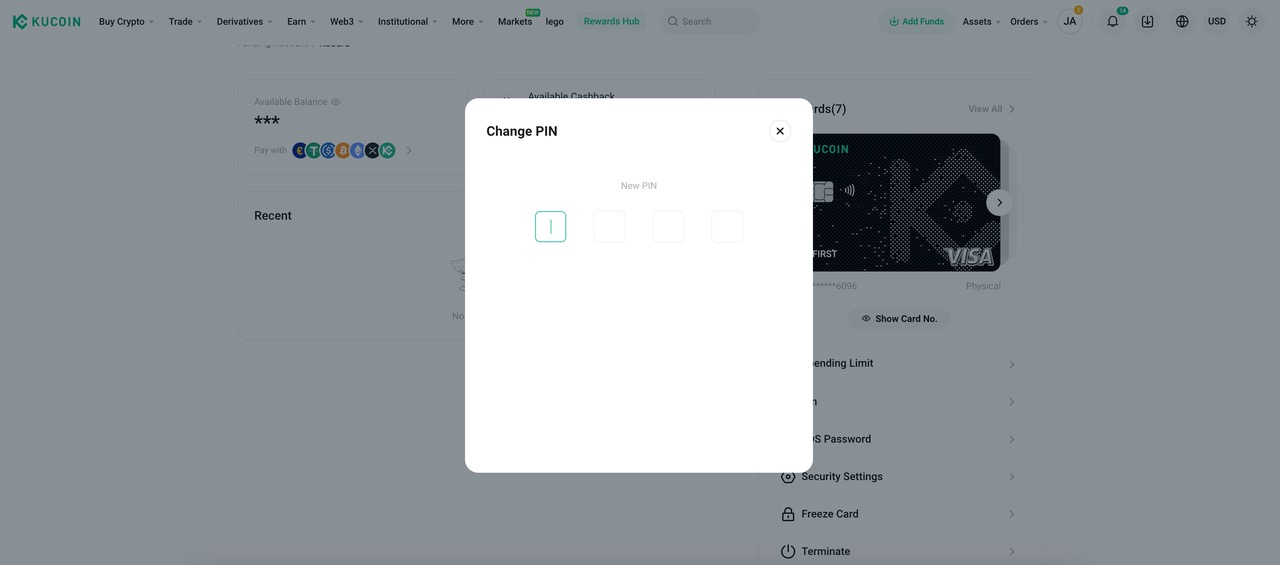
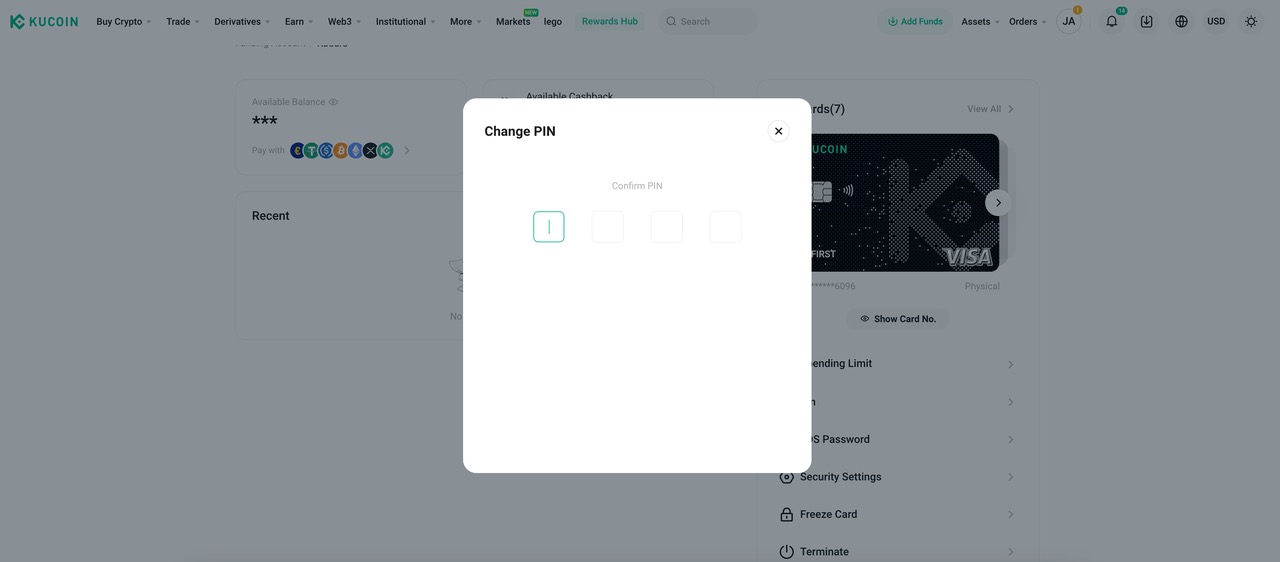
5.Confirm New PIN
•Re-enter your new PIN to confirm it.
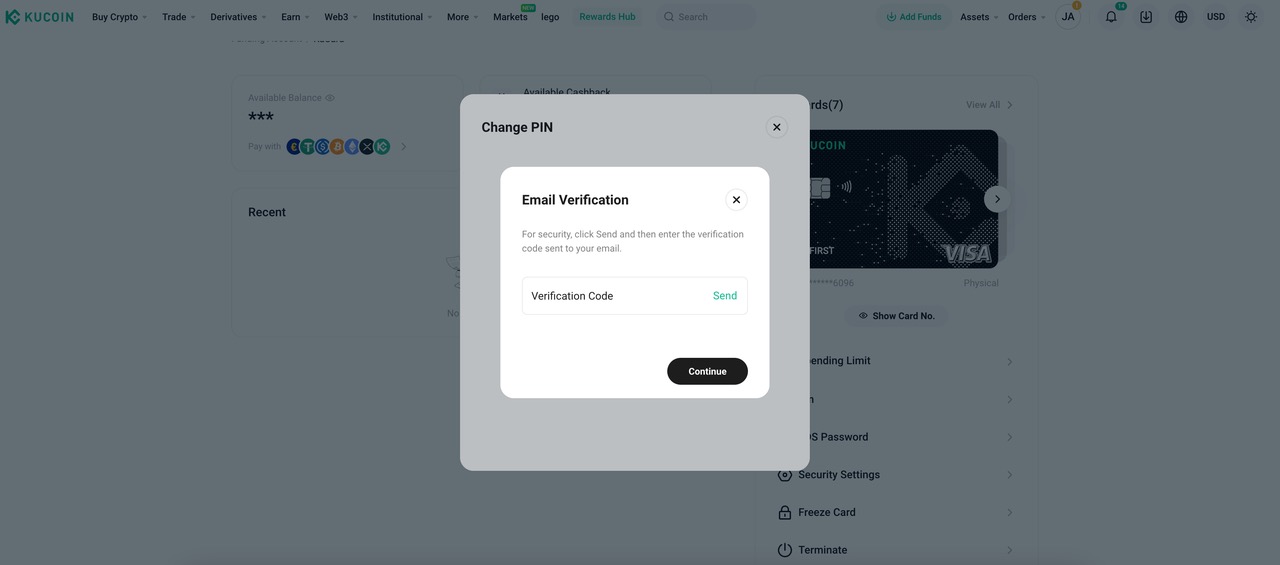
6.Email Verification
• A pop-up will appear asking for an email verification code.
• Enter the verification code sent to your registered email address.
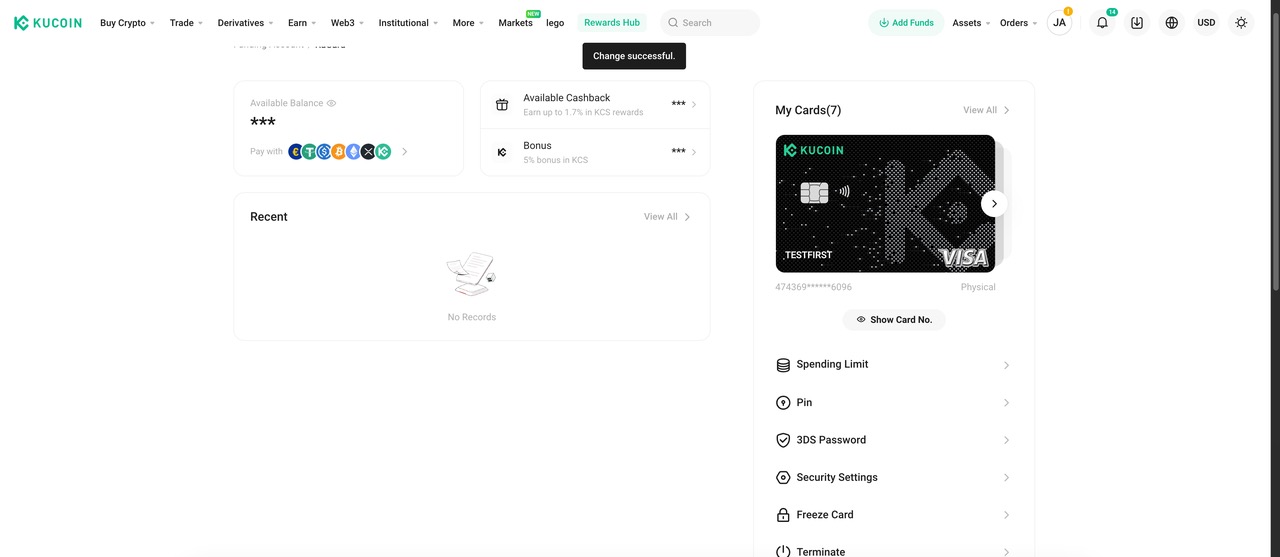
7.PIN change has been successfully completed
It's worth noting that after changing, you need to go to the ATM to activate the PIN
Where can I update my KuCard 3DS Code?
To update your 3DS code, follow these steps:
1.Log in to Your Account
• Access the KuCard website and log in using your credentials.
2.Navigate to 'Security Settings'
• From the main dashboard, go to the 'Security Settings' section.
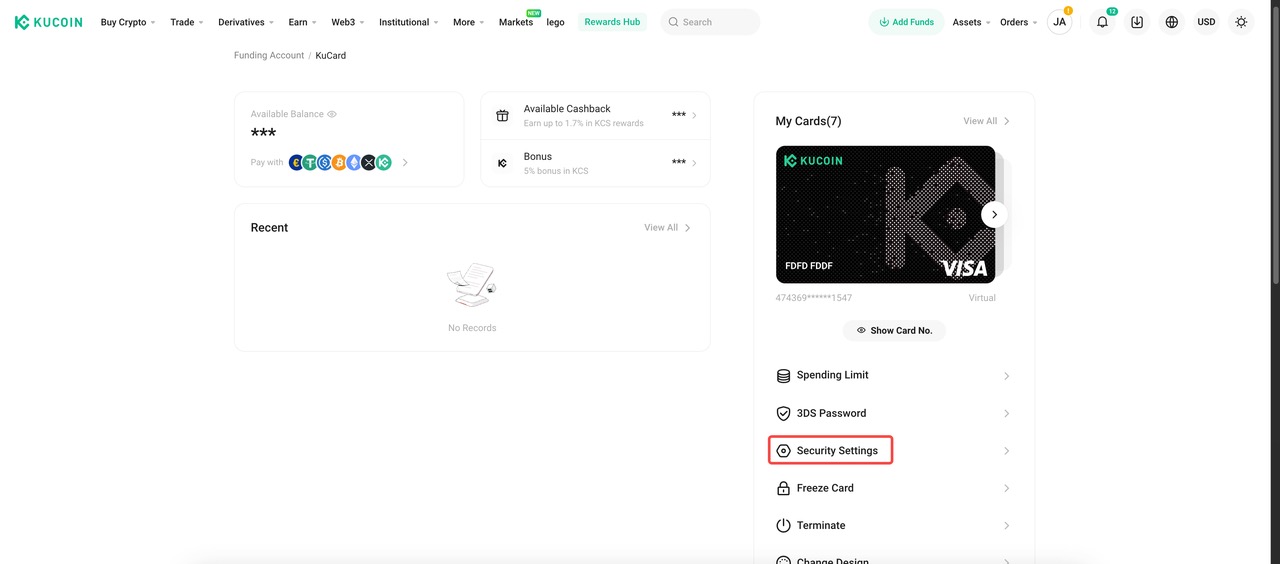
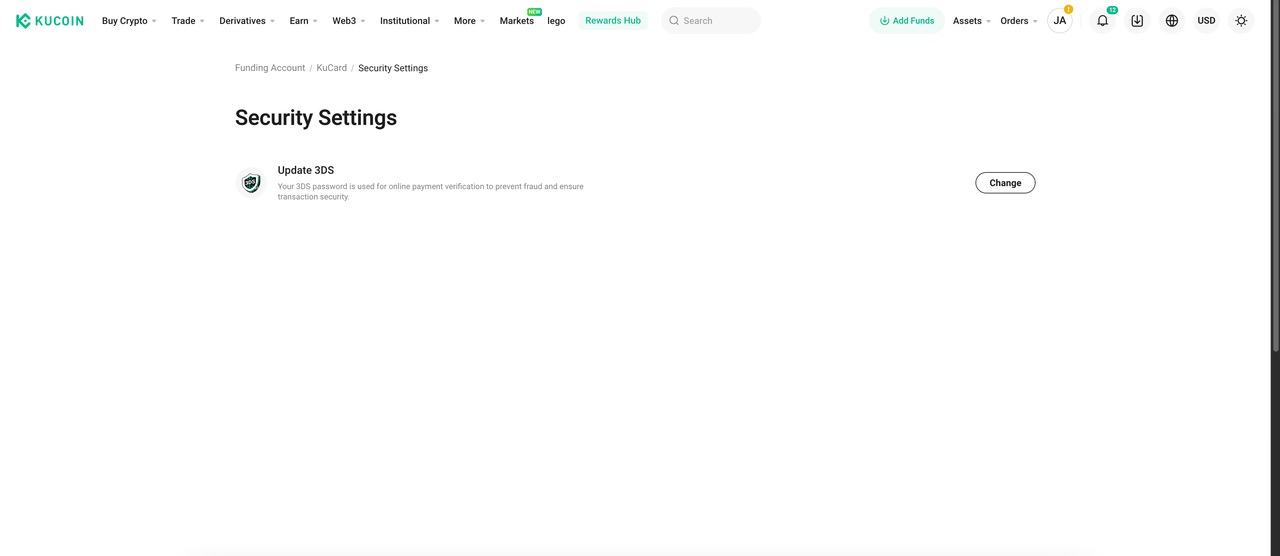
3.Select 'Update 3DS'
• Click on the option labeled 'Update 3DS.'
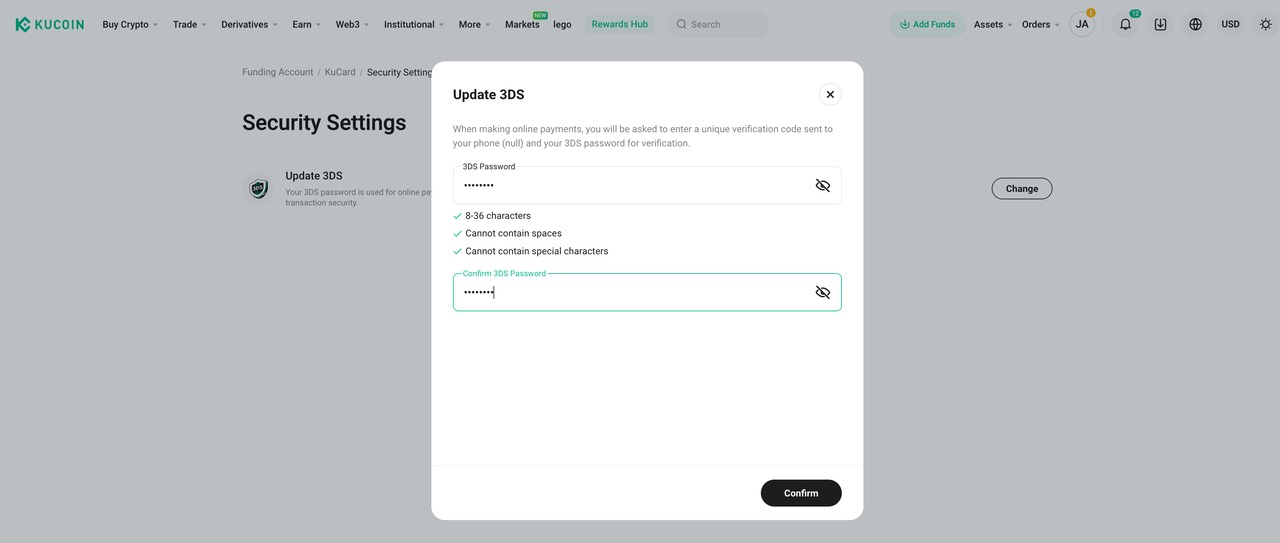
4.Enter New 3DS Code
•Enter your new 3DS code in the designated input field.
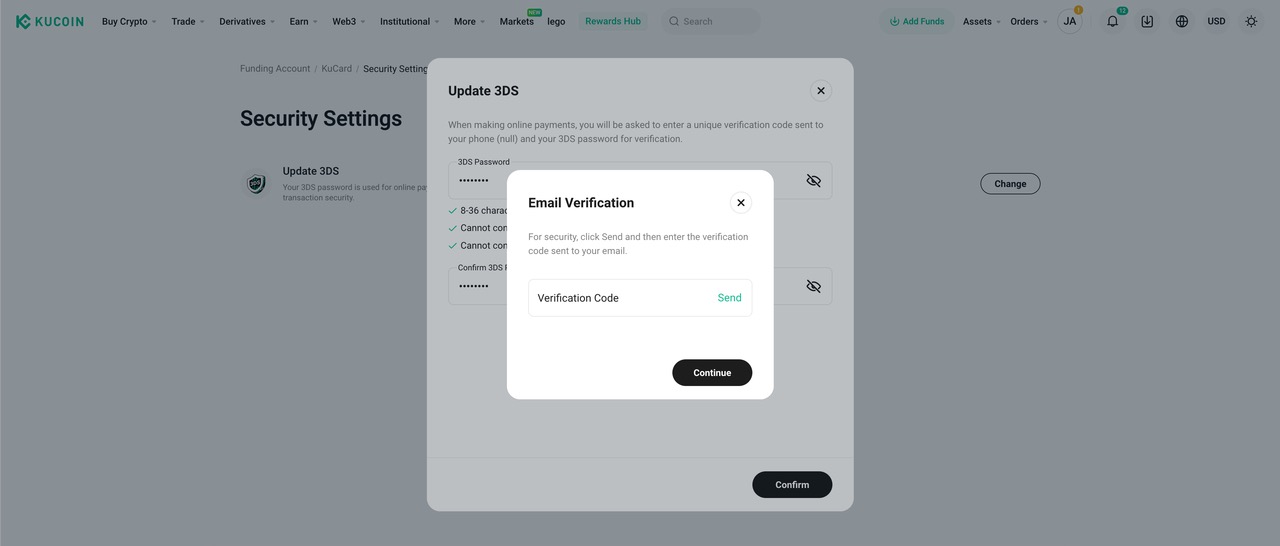
5.Email Verification
• A pop-up window titled "Email Verification" will appear.
• Enter the verification code sent to your registered email address.
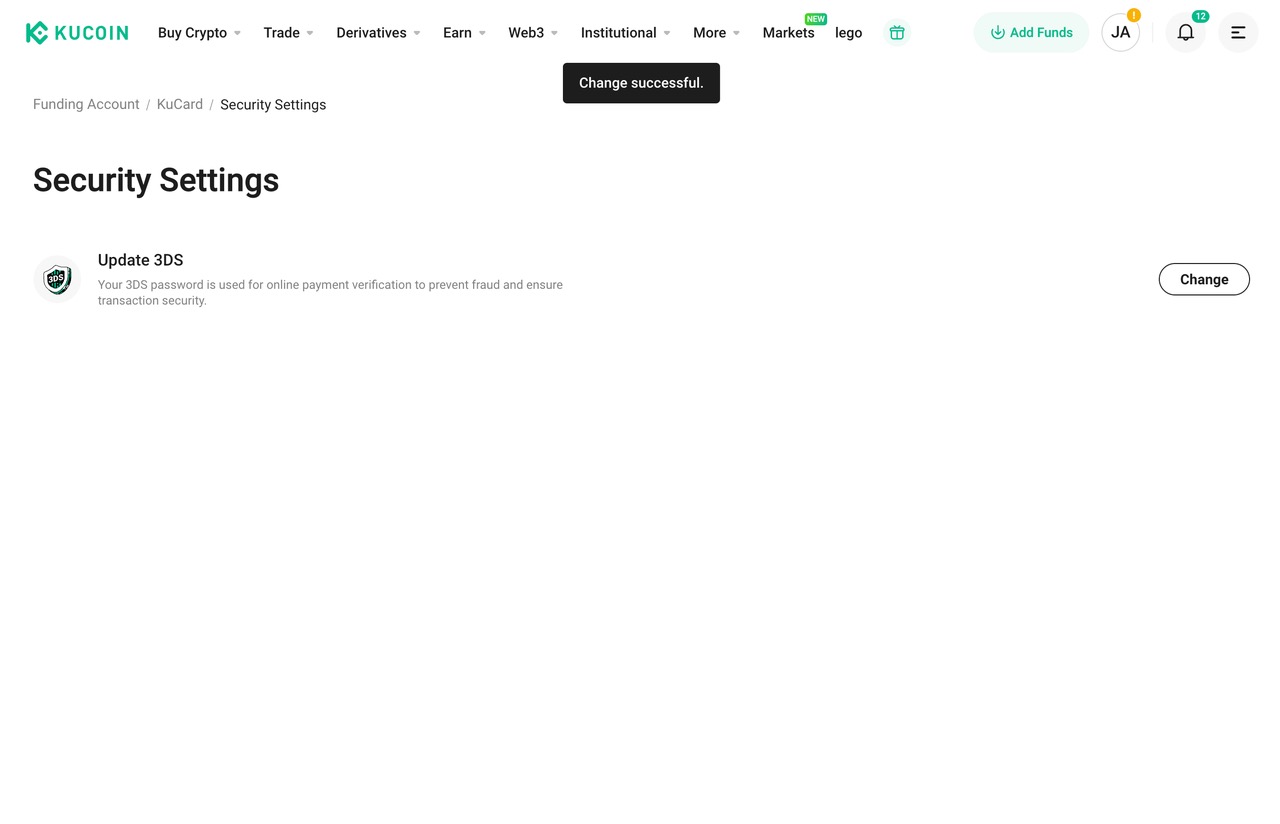
6.Confirmation
• You should see a message indicating that the change was successful.
KuCard Application Inquiries
Who can apply for KuCard?
Currently, KuCard is exclusively available to citizens of the European Economic Area (EEA). To qualify, applicants must successfully complete Identity Verification using a valid identity document issued within the EEA.
The EEA includes Austria, Belgium, Bulgaria, Croatia, Cyprus, Czech Republic, Denmark, Estonia, Finland, Germany, Greece, Hungary, Ireland, Italy, Latvia, Lithuania, Luxembourg, Malta, Poland, Portugal, Romania, Slovakia, Slovenia, Spain, Sweden, along with Iceland and Norway.(Netherlands and France are temporarily not open for application)
What information does KuCoin need to verify my identity?
To adhere to financial regulations and safeguard against fraud, KuCoin may request your passport, national ID, or proof of address documentation for Identity Verification
Troubleshooting KuCard Application Issues
If you're encountering issues applying for KuCard, ensure your Identity Verification documents meet the following criteria:
• Type: An ID card or passport from the EEA.
• Validity: Should not be expired or close to expiry.
• Age: As per our Terms of Service, applicants must be between 18 and 65 years old.
If your documents are in order but you still face issues, our customer support team is ready to assist.
Common Reasons for KuCard Application Rejection
Your application might be rejected due to:
1.Invalid Phone Number:
• Ensure you use numbers or "+" only, with no special characters.
2.Incorrect Name or Shipping Address:
• The last name or first name filled in the shipping address page must have at least two characters and no special characters.
• The shipping address should be in English characters only.
3.Invalid 3DS Password:
• Allowed characters include A-Z, a-z, 0-9, and most special characters; spaces are not permitted.
4.Incorrect Date of Birth (DOB) Details:
• After you click "Apply Now," please confirm whether the DOB information is correct.
5.Insufficient Balance:
• Ensure you have sufficient balance in fiat and crypto within your Funding Account for the 9.99 EUR application fee.
KuCard Delivery Inquiries
How Long Does KuCard Delivery Usually Take?
1.Standard Delivery:
• Timeframe: 1 to 6 weeks
• Cost: Free
• Tracking: No tracking available
2.Express Delivery
• Timeframe: Approximately 5 days
• Cost: €30
• Tracking: Provided by DHL or DPD Express
I Haven't Received My Physical KuCard. What Should I Do?
1.For Standard Post Office Delivery:
Please contact your local post office for more information regarding your delivery.
2.For DHL Express Delivery:
You may find your DHL tracking number in the confirmation email that was sent when your card was approved to track on your KuCard status
For further assistance, you can always reach out to KuCoin's customer support team. They are ready to help resolve any issues related to your KuCard delivery.
KuCard Multiple Cards Inquiries
How many KuCards can I apply for?
The number of KuCards you can apply for depends on your VIP level
• VIP 0: Up to 2 virtual cards and 2 physical cards.
• VIP 1 or above: Up to 3 virtual cards and 3 physical cards.
How do I apply for an additional KuCard?
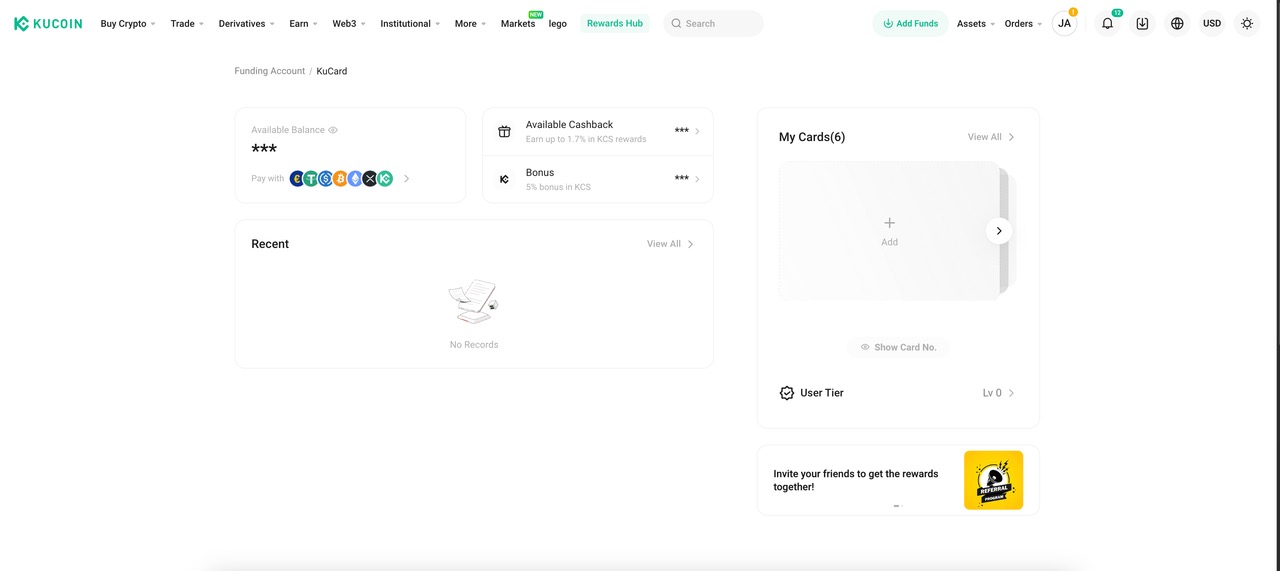
1.Navigate to the KuCard page.
• Click “Add new card” on the landing page or on the My Cards page.
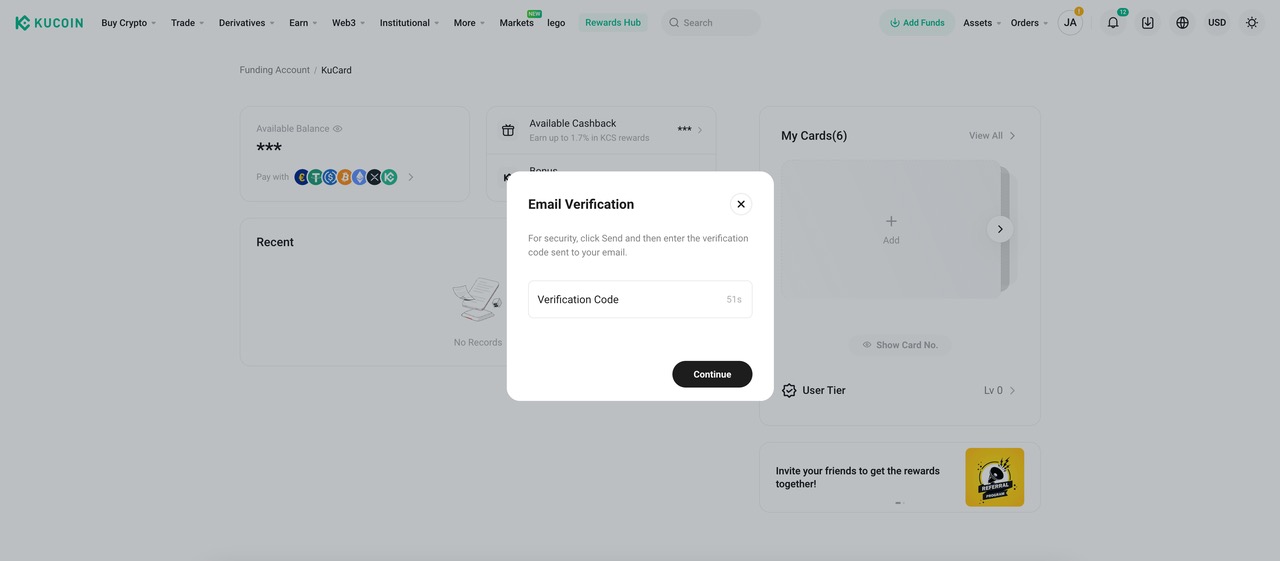
2.Email Verification
• A pop-up window titled "Email Verification" will appear.
• Enter the verification code sent to your registered email address.
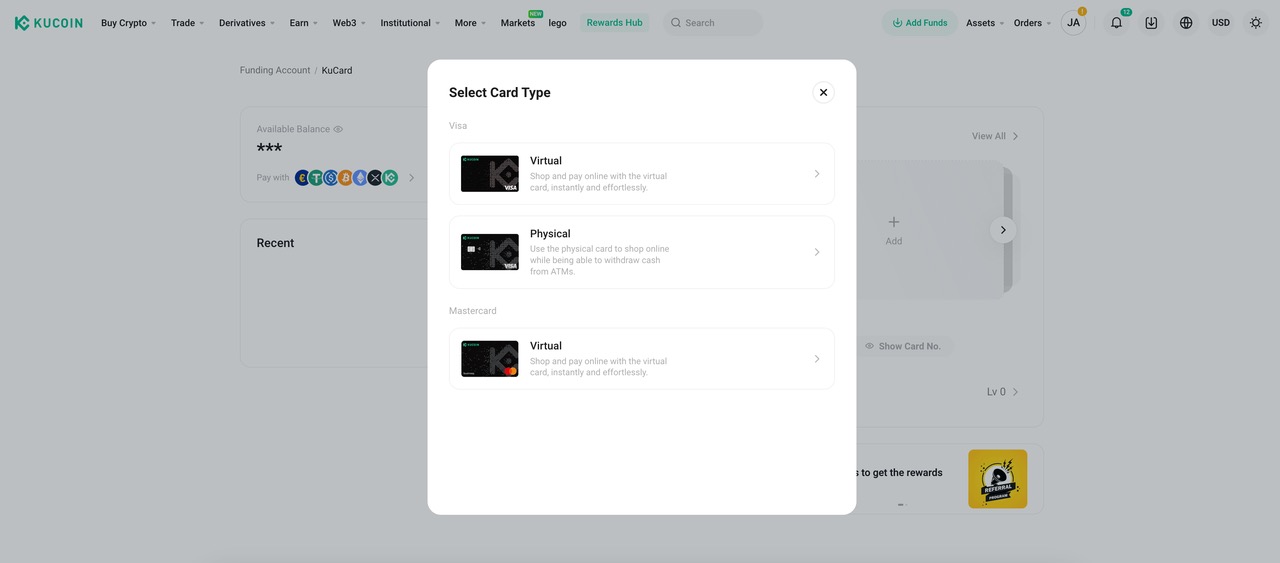
3. Choose a card type.
• Select either a Physical card or a Virtual Visa card.
What is the source of funds for each card?
All of a cardholder’s KuCards are linked to their funding/trading account. This means that any transactions made with any of the cards will draw funds from the same account.
Can my 2nd or 3rd card enjoy the cashback?
Yes, all cards are eligible to earn cashback. This means that regardless of whether you are using your first, second, or third card, you will still earn cashback on eligible purchases.
How can I differentiate my physical cards?
To easily differentiate between your physical cards, we suggest that users create a distinctive name for each of their cards. This can help you quickly identify which card you are using for specific transactions or purposes.